Guide to Choosing the Most Affordable 3D Printer
When looking for a budget-friendly 3D printer, it's important to strike a balance between price and ability in a wide range of professional settings. Modern 3D printers that are easy on the wallet use advanced budget-friendly 3D printer technologies like Fused Deposition Modeling (FDM) and Masked Stereolithography (mSLA) to make professional-quality prints that are cheap. These desktop additive manufacturing machines, which usually cost less than $500 USD, make it easier to get started with additive manufacturing while still keeping the basic accuracy needed for fast development and small-scale production.
Understanding Budget-Friendly 3D Printers
Technology Fundamentals and Core Capabilities
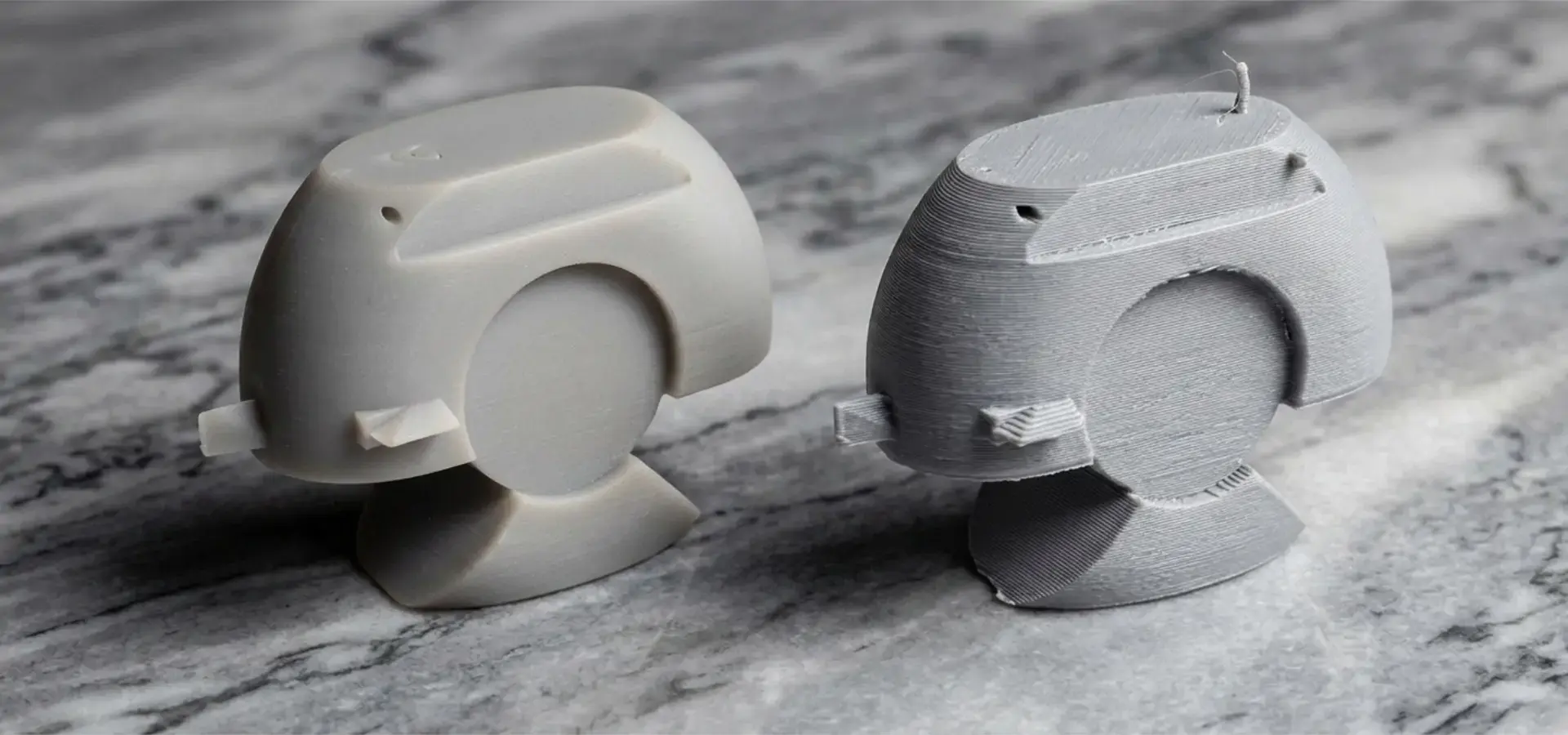
Budget-friendly 3D printer systems are increasingly defined by the rapid advancement of masked stereolithography (mSLA) resin technology, which now plays a leading role in delivering high-detail, professional-grade results at low entry costs. Among current desktop additive manufacturing technologies, mSLA resin 3D printing has become the preferred solution for applications requiring ultra-fine surface quality and high-precision feature reproduction at micron-scale layer heights and sub-pixel XY resolution determined by LCD pixel density and optics, such as dental modeling, jewelry prototyping, and miniature engineering components. These systems operate using a 405nm UV light source projected through a monochrome LCD mask, enabling the entire build layer to be cured simultaneously. This approach significantly improves speed and consistency compared to point-based laser systems. Typical layer heights range from 0.03mm to 0.05mm, while XY resolution is determined by LCD pixel density and optical calibration, allowing extremely detailed output suitable for precision-focused industries. By comparison, FDM systems remain widely used for structural prototyping and low-cost functional parts, but they cannot match the surface refinement and micro-detail capability of resin-based mSLA systems.
Material Compatibility and Operational Considerations
Modern, low-cost 3D printers solve important problems in the industry budget-friendly 3D printer by using open-source hardware environments that make a lot of materials work with them. Unlike private systems that only let users use expensive brand-name materials, these machines accept filament and resin from a number of different makers. This gives buying teams a lot more control over costs. Automatic bed leveling (ABL) systems and pre-assembled modular gantries make operating processes easier and lower the learning curve that is usually needed to start using additive manufacturing. Because these features are easy to use, they can be quickly put to use in a wide range of business settings, from small design companies to educational institutions that need reliable, low-maintenance production tools.
Criteria for Choosing the Right Budget-Friendly 3D Printer
Performance Metrics and Business Requirements
To make good procurement choices, you need to carefully look over the technical details and make sure they match up with your practical goals. Some important performance markers are dimensional accuracy limits, which should be within ±0.1mm for quality systems, build volume capacity that matches the size of the part that is being made, and printing speeds that can range from the more traditional from around 50mm/s in standard profiles to burst speeds of 200–250mm/s+ on advanced systems using input shaping, depending on material and model geometry. Another important thing to think about is how well the materials will work together, especially for businesses that need special industrial plastics or materials that can handle high temperatures. Standard thermoplastics work well with entry-level systems, but uses that need nylon, polycarbonate, or abrasive-filled filaments may need hotend upgrades or purchases of higher-level tools.
Cost-Benefit Analysis and Long-Term Value
Professionals in procurement have to look at the total cost of ownership, which includes more than just the original purchase price. They have to think about continued costs like upkeep, replacement parts, materials, and possibly software licensing fees. Quality, low-cost printers are much easier to fix because they use standard parts and come with detailed instructions. This means that they are cheaper to run in the long run than private systems that need expensive, custom parts. The ability to gradually increase capacity through the usage of multiple units in cheap systems gives them flexibility benefits over single, expensive industrial machines. This spread-out method lowers the risk of a single point of failure while allowing simultaneous processing, which is necessary for tight production plans.
Top Budget-Friendly 3D Printers for B2B Clients
FDM Systems for Versatile Applications
FDM 3D printing remains a cost-effective solution for structural prototypes and functional parts where surface finish is not the primary concern.
Compared to mSLA resin systems, FDM offers:
- Lower material cost
- Greater mechanical durability in some thermoplastics
- Easier handling and post-processing
However, it is generally less suitable for applications requiring high-detail visual quality or micro-scale precision.
Resin Systems for High-Precision Applications
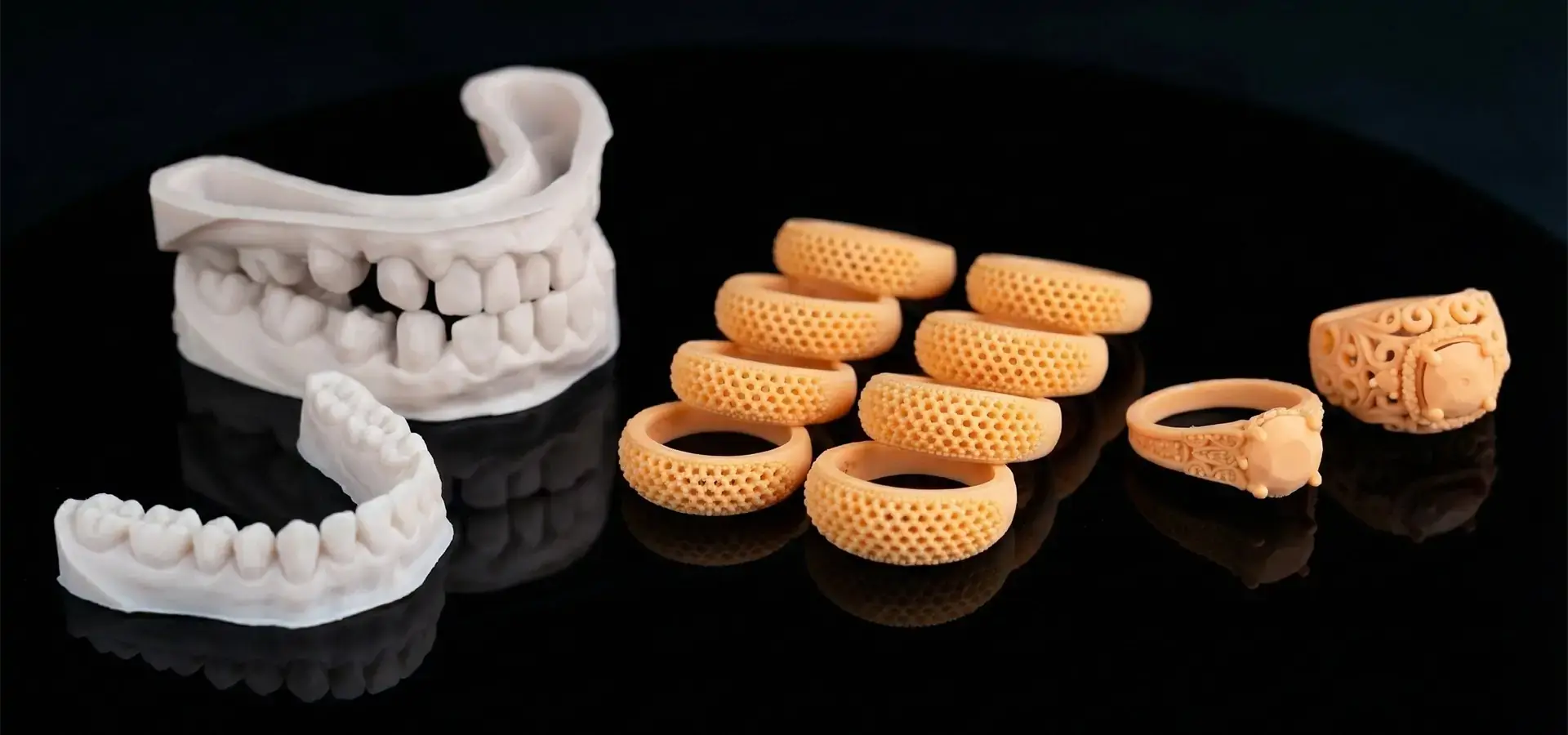
Affordable mSLA resin 3D printers have rapidly evolved into high-precision manufacturing tools capable of producing smooth surfaces and highly detailed geometries with minimal post-processing.
Modern systems benefit from:
- Monochrome LCD screens with improved UV efficiency
- Layer curing times as low as 1.5–3 seconds
- Highly stable Z-axis structures for reduced layer shifting
These improvements make mSLA technology particularly suitable for:
- Dental models and aligners
- Jewelry casting patterns
- High-detail prototypes and figurines
- Engineering parts requiring fine geometric accuracy
While resin systems require post-processing such as washing and curing, they deliver a level of surface finish that often significantly reduces or eliminates the need for extensive mechanical polishing.
Advanced Features and Reliability Enhancements
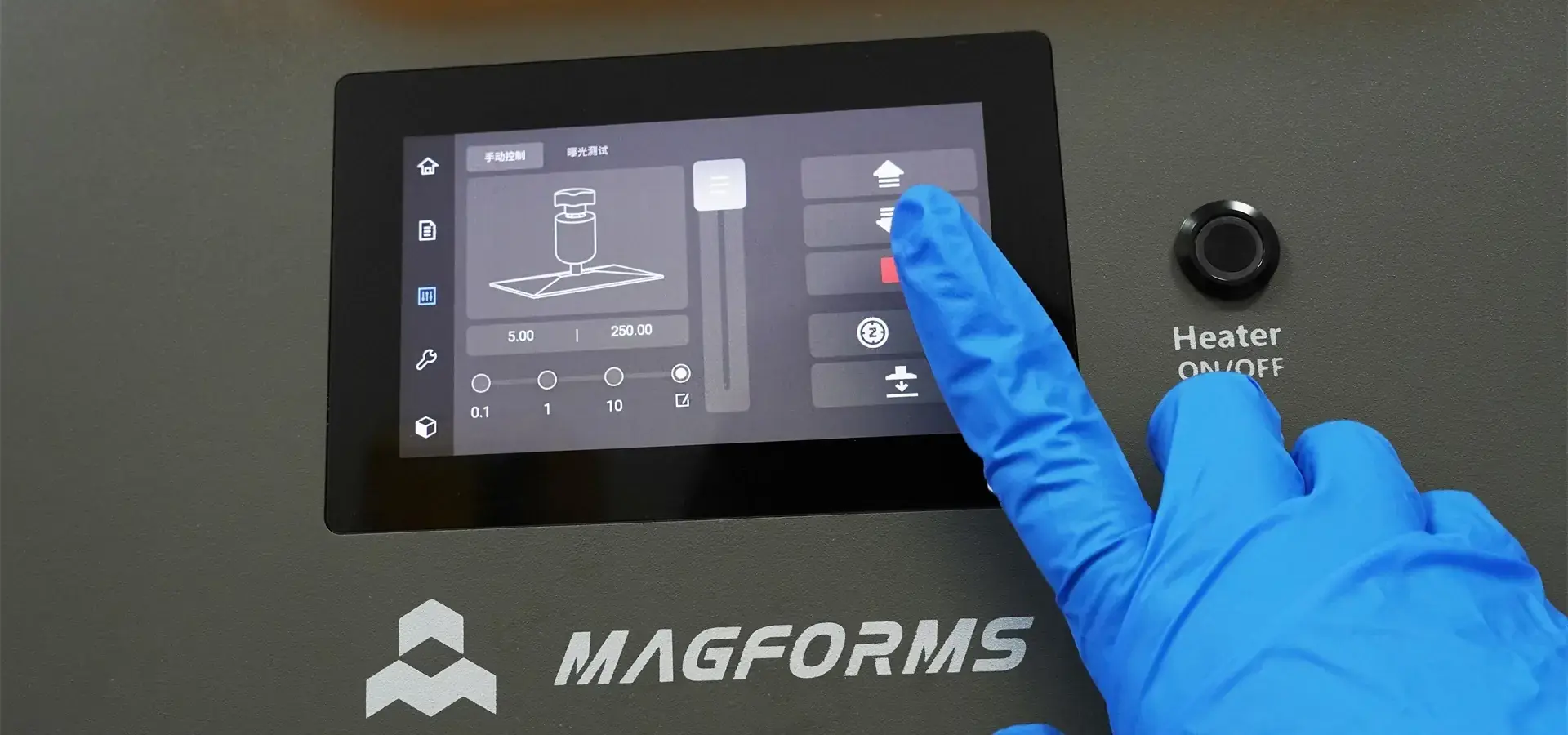
Modern, low-cost printers use advanced sensors and automatic systems that are usually only found in high-end equipment. Filament sensors keep material from going to waste during long prints, and power recovery functions get things back up and running after an electrical interruption, saving important production time. Quality systems now have touchscreen screens that are easy to use, pre-configured material profiles that take away the need to guess, and full tuning wizards that make sure the best performance for all operators, no matter how much experience they have. These improvements make things easier for people to use, which cuts down on training needs and boosts total operating efficiency.
Efficient Setup and Maintenance of Budget-Friendly 3D Printers
Implementation and Calibration Procedures
The best performance throughout the duration of an item is guaranteed by following the right steps for initial setup. Full unboxing instructions: check the frame's alignment, fix the tension on the belt, and calibrate the printer using the test prints that are given. More and more modern systems come pre-assembled, which makes setup easier while still keeping high manufacturing standards. Some important steps in the calibration process are leveling the bed (which can be done by hand or automatically, depending on the system), adjusting the nozzle height to make sure the first layer sticks well, and fine-tuning the extrusion multiplier to get the best material flow rates. These basic changes have a direct effect on the print quality and success rates of later production runs.
Preventive Maintenance and Performance Optimization
Regular repair plans protect the quality of prints and make tools last longer. Some important steps are cleaning the tip to keep it from getting clogged, preparing the bed surface to keep the binding properties, using a budget-friendly 3D printer, and lubricating the mechanical parts to make sure they work smoothly. Setting up regular repair schedules cuts down on unplanned downtime and protects the value of an investment. Performance tracking through print quality review lets changes be made before problems affect production schedules. Verifying the temperature calibration, checking the accuracy of the dimensions using reference items, and judging the surface finish are all quantitative methods that help with ongoing improvement efforts.
Procurement Strategies and Trusted Brands for Budget-Friendly 3D Printers
Sourcing Channels and Vendor Evaluation
Procurement strategies that work well use well-established delivery networks that offer a wide range of support services that go beyond just selling tools. Suppliers with a good reputation offer expert support, bulk buying, and choices for longer warranties, all of which add to the overall value for business customers. When judging a vendor, you should focus on how quickly they respond to after-sales support requests, how readily available spare parts are, and how often they update software to ensure long-term operating sustainability. Companies that have been in the market longer and have more thorough paperwork tend to offer better ownership experiences than younger companies that don't have as much infrastructure growth. When evaluating potential budget-friendly 3D printer suppliers, procurement teams should give makers who show consistent innovation and quality improvements over time top priority. Well-known names like Creality, Anycubic, and Prusa have built their reputations on making reliable goods and providing quick customer service. This makes them safer options for important business uses. The importance of comprehensive support ecosystems cannot be overstated when selecting affordable 3D printing solutions. Suppliers offering bundled accessory packages, replacement part availability, and technical training programs provide enhanced value propositions that extend far beyond initial purchase prices, ultimately reducing total cost of ownership while improving operational efficiency.
Conclusion
Technical specs, operational needs, and long-term assistance requirements must all be carefully considered when choosing the best budget-friendly 3D printer. Modern, cheap systems offer amazing features that were only available on high-end tools in the past. This means that businesses can use professional-grade additive manufacturing without having to spend a lot of money. To be successful, you need to match the needs of each application with the right technologies and give priority to providers that offer complete support environments that ensure long-term operations.
FAQ
1. Can budget-friendly 3D printers handle professional manufacturing requirements?
While budget-friendly 3D printer systems are great for testing and small-batch production, professional manufacturing uses that need high volumes of output or specific materials may need to invest in mid-range or industrial-grade equipment. These low-cost systems work well for fast prototyping, functional testing, and small production runs. They are also great learning tools for businesses that want to add additive manufacturing to their services.
2. What hidden costs should businesses consider beyond initial purchase prices?
The total cost of ownership includes the cost of materials, upkeep supplies, possible program license, and training for the operator. Quality, low-cost printers keep these continued costs to a minimum by working with a wide range of operating systems, having new parts that are easy to find, and having detailed instructions that cut down on the need for outside service. For normal use, businesses should set aside about 20 to 30 percent of the initial purchase price each year for materials and repairs.
3. How do I ensure compatibility with existing CAD software and workflows?
Many new, low-cost 3D printers can read standard file types like STL, OBJ, and G-code. This means they can work with many famous CAD programs, such as Fusion 360, SolidWorks, and AutoCAD. For integration to work, the slicing software needs to match the printer's capabilities with the workflow's needs. Many makers offer optimized settings for smooth operation.
Unlock Professional 3D Printing Capabilities with Magforms
Magforms revolutionizes accessible additive manufacturing through innovative, budget-friendly 3D printer solutions designed for professional use. Our unified method combines special materials with high-quality tools, giving you the best performance in the industry while keeping prices low, which is important for modern work settings.
Our cutting-edge systems use changeable spot-size laser technology to print 30–50% faster than traditional methods while still meeting micron-level accuracy standards. For more information on how to work with our technical experts, email us at info@magforms.com. We can help you find a budget-friendly 3D printer provider that fits your needs.
References
1. Gibson, Ian. "Additive Manufacturing Technologies: 3D Printing, Rapid Prototyping, and Direct Digital Manufacturing." Springer, 2021.
2. Redwood, Ben, et al. "The 3D Printing Handbook: Technologies, Design and Applications." 3D Hubs, 2022.
3. Campbell, Thomas A. "Could 3D Printing Change the Manufacturing Industry?" Atlantic Council Strategic Foresight Report, 2023.
4. Sculpteo. "State of 3D Printing Report: Industry Analysis and Market Trends." Sculpteo Annual Survey, 2024.
5. Wohlers, Terry. "Wohlers Report 2024: 3D Printing and Additive Manufacturing Global State of the Industry." Wohlers Associates, 2024.
6. Jandyal, Ankush, et al. "3D Printing: A Review of Processes, Materials and Applications in Industry 4.0." Sustainable Operations and Computers Journal, 2022.


Magforms makes design and manufacture easier.
Popular Blogs
-
 Industry InsightsManufacturing Industry
FDM vs. SLA Printer: Which Technology Is Right for Your Project?
-
 Industry InsightsManufacturing Industry
Top 5 Applications of Industrial 3D Printers in Manufacturing Today
-
 Industry InsightsManufacturing Industry
Why Stereolithography 3D Printers Are Unmatched for Microfluidic Device Prototyping?
