Are Cheap Resin Printers Reliable for Daily Use?
When looking for cheap additive manufacturing equipment, you may have asked yourself, "Are cheap resin printers reliable enough to use every day?" The short answer is that it depends on your needs and the way your business works. In the past few years, budget resin printers have changed a lot. They now have technologies like LCD masking and better UV light engines that were only available on high-end machines. Many cheap resin printers can now print at resolutions of 30 to 50 microns, which is good enough for small-batch prototyping, making dental models, and making detailed miniatures. However, entry-level models may not have the build volume or advanced automation features of more expensive systems. Their ability to perform reliably on a daily basis depends on factors such as the mechanical rigidity of the Z-axis assembly, the durability and lifespan of consumable components like the release film (FEP/nFEP), and the compatibility of third-party resins with the system's specific optical parameters and UV wavelength output.
Introduction
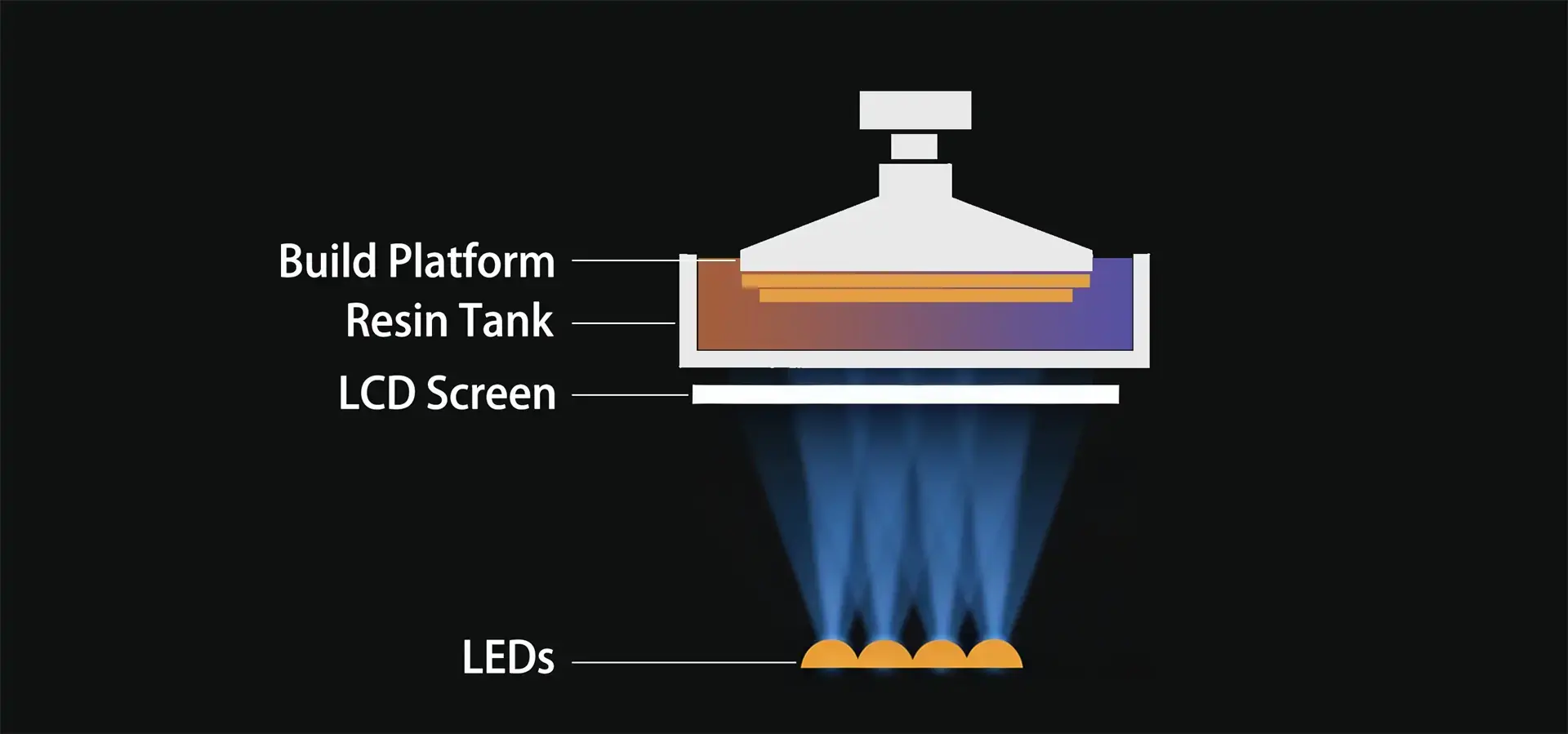
Using photopolymerization to build complex geometries layer by layer, resin printer technology is a significant step forward in precision manufacturing. Unlike filament extrusion methods, resin printers utilize photopolymerization driven by UV light sources. While industrial systems may deploy focused laser beams (SLA) or DLP projection, the vast majority of budget-oriented resin printers rely on Masked Stereolithography (mSLA) technology—a configuration that combines high-intensity UV LED arrays with a monochrome LCD screen to selectively cure entire layers in seconds. For automotive prototyping, aerospace component validation, dental prosthetics, and consumer electronics design studios, this technology is now a must-have. For automotive prototyping, aerospace component validation, dental prosthetics, and consumer electronics design studios, this technology is now a must-have.
Selecting the appropriate equipment extends beyond a simple comparison of initial acquisition costs. Long-term dependability, material compatibility, maintenance expenses, and the total cost of ownership over a multi-year operational cycle are all things that B2B procurement teams have to think about. Resin printers that are usually less than $1,000 have made high-resolution additive manufacturing more accessible to more people, but they come with trade-offs in terms of how they are built, the software ecosystems they support, and the vendor support structures they offer. This guide looks into whether or not low-cost systems can keep up with the strict demands of daily production schedules while still providing consistent quality in terms of dimensions and surface finish.
Knowing how these things work helps procurement managers, technical directors, and production supervisors make smart choices that meet operational needs and budget constraints. We look at the technical structure of cheap resin printer systems, the most common ways they break down, how they compare to more expensive options, and how to make them work better and last longer in industrial settings.
Understanding Resin Printers and Their Working Principles
At the heart of every resin printer is a process called "photopolymerization," in which liquid resin changes chemically when it is exposed to certain wavelengths of UV light, usually 405 nanometers. This controlled curing method builds three-dimensional objects piece by piece, achieving surface finishes and feature resolutions that are not possible with thermal extrusion technologies.
Core Technologies: SLA, DLP, and LCD Masking
There are three main technologies used for resin printing, and each one works differently. Stereolithography (SLA) employs a focused ultraviolet laser beam directed by galvanometer mirrors to trace the cross-section of each layer. This method provides exceptional detail and smooth surface finishes, making it a staple in dental and jewelry casting applications. Digital Light Processing (DLP) utilizes a digital micromirror device (DMD) to project a full-layer image simultaneously, accelerating build times and minimizing the need for complex moving optical assemblies. The most prevalent configuration in budget-oriented systems is LCD-based Masked Stereolithography (mSLA). This technology relies on a monochrome LCD screen (which allows for significantly higher UV transmission than standard RGB displays) positioned beneath the resin vat. An array of high-intensity UV LEDs shines through the LCD mask, curing the entire layer geometry in seconds. Although LCD screens need to be replaced every so often because they wear out, their ease of use and low cost have made them the most popular choice for entry-level resin printers.
Desktop Versus Industrial Systems
Design studios, small service bureaus, and R&D labs use desktop resin printers to produce small quantities of high-detail objects. Industrial systems make these abilities bigger by using bigger work platforms, built-in systems for moving materials, and strong metal frames that are made to work all the time. The gap between these groups is narrowing as more companies that focus on consumers create affordable models that include industrial design features like heated build chambers for special resins, dual linear rails for better Z-axis stability, and systems that allow for cloud monitoring.
Advantages and Limitations
When accuracy in measurements and surface quality are very important, resin printing is the best option. Because of the chemical bonds between layers, parts have isotropic mechanical properties. This is different from FDM components, which have anisotropic weakness along layer boundaries. Feature resolution is usually 50 microns or smaller, which lets fine threads, undercuts, and textured surfaces be accurately copied. Problems include safely working with liquid resins, disposing of waste materials that haven't hardened, and the ongoing cost of release films and build platform coatings that need to be replaced. The cost of materials per kilogram is usually higher than that of thermoplastic filaments. However, the fact that resin printing produces very little waste partially makes up for this difference.
Evaluating Cheap Resin Printers: Performance, Quality, and Durability
When procurement professionals talk about "cheap" resin printers, they usually mean systems that cost between $300 and $800. Small businesses and new service providers are the target audience for these products. These systems make photopolymerization technology more accessible to more people, but they have limits on how well they can work.
Defining "Budget" in the B2B Context
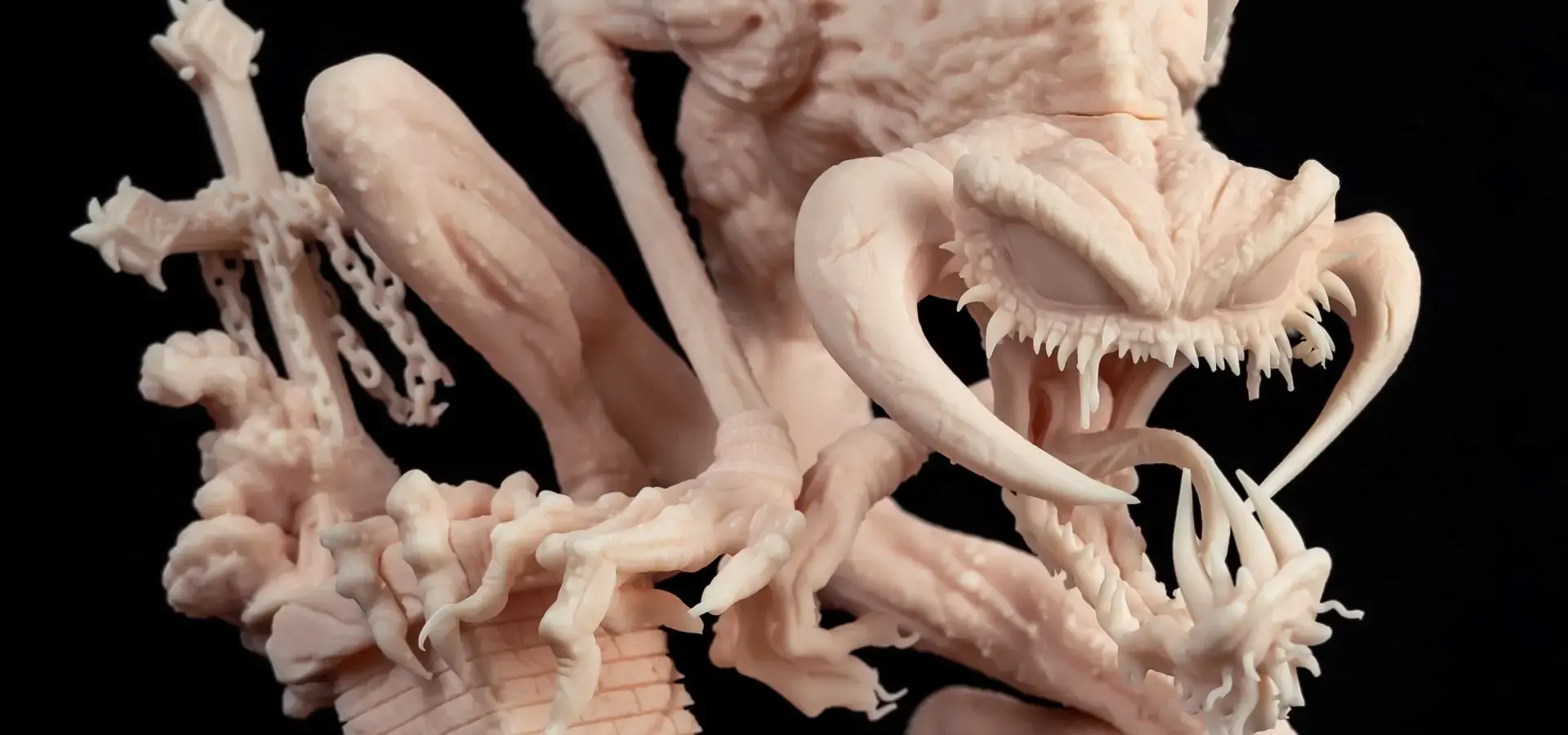
Budget resin printers fill a useful role for companies that need to make precise things but don't want to spend a lot of money on expensive industrial systems. They usually have built volumes between 120x68x150mm and 192x120x245mm, which is fine for dental arches, small mechanical assemblies, and miniature production, but too small for interior panels for cars or aerospace structures. The XY resolution is defined by the LCD panel's pixel pitch relative to the total build area. Most current budget units operate with a native pixel pitch ranging from 35 to 50 microns. Usually, the Z-axis resolution is between 10 and 25 microns, which is controlled by the precision of the stepper motor and the mechanical backlash. However, for practical reasons, layer heights should be between 25 and 50 microns to balance speed and quality.
Real-World Performance Under Daily Use
Durability tests indicate that cheap systems can work every day if they are properly maintained, but the component lifespans are much shorter than those of more expensive systems. Most cheap printers use monochrome LCD screens as the exposure engine. These monochrome screens typically offer a lifespan of 1,500 to 2,000 printing hours before UV light transmission degrades to a point that negatively impacts cure depth consistency and dimensional accuracy. The FEP or nFEP release films that line the resin vat need to be changed every 20 to 40 printing sessions, depending on the shape of the part and how hard it peels. Ball-screw Z-axes and linear guide rails keep the position accurate over thousands of cycles. However, cheaper systems may have a little more backlash, which can cause small banding effects on tall walls. Print success rates depend on how experienced the operator is and what kind of resin they use. When using manufacturer-recommended or thoroughly tested third-party resins, well-tuned budget systems can successfully print 85 to 95 percent of moderately complex geometries on the first try. Failure modes include poor first-layer adhesion, incomplete curing of thin features, and support structure detachment. These problems can usually be resolved by making adjustments to the calibration and placing the supports more correctly.
Maintenance Requirements and Resin Handling
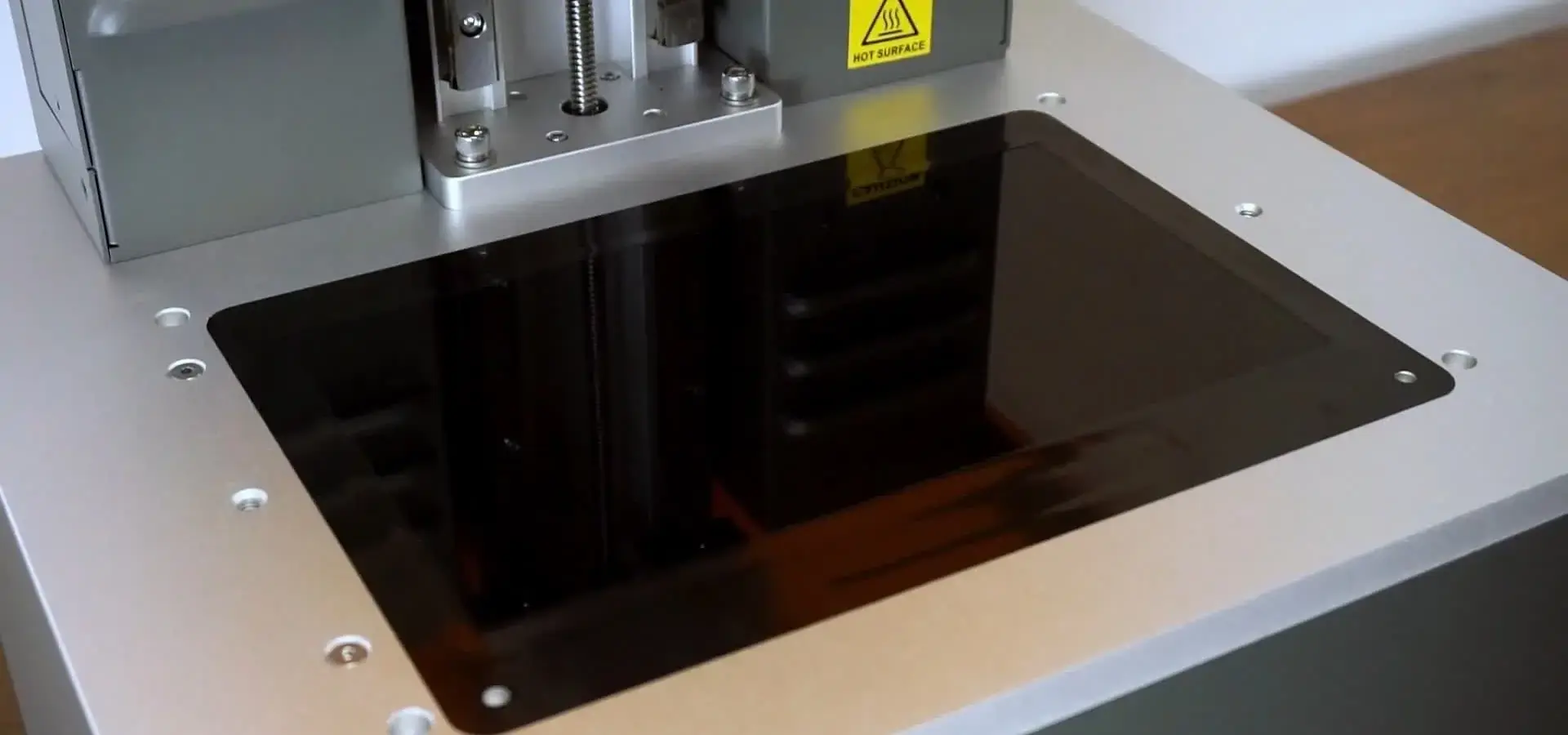
Daily maintenance tasks directly affect short-term dependability. Care must be taken to clean the vat after each print cycle to get rid of partially cured resin particles that could cause problems in later builds. To maintain their ability to stick, the surfaces of the build platforms need to be roughened periodically. Optical parts, like the LCD panel and protective glass, need to be cleaned regularly to keep UV light from weakening them. Even though these maintenance tasks are simple, they need to be done in a disciplined way to keep performance from slowly going down. When figuring out the total cost of operations, procurement teams should include about 30 minutes of operator time per eight-hour print cycle for cleaning, managing materials, and regular calibration checks.
Common Issues and Troubleshooting with Affordable Resin Printers
Knowing the most common types of failure and how to fix them cuts down on downtime and wasted materials, which has a direct effect on the ability of budget systems to work in production settings.
Print Failures and Layer Adhesion Problems
The most common problem is parts coming off the build platform during printing. This causes partially formed objects to stick to the release film. This is because the first layer didn't receive enough exposure time or the build plate wasn't leveled enough. To ensure sufficient adhesion, the initial "burn-in" layers require significantly longer UV exposure than standard layers. While normal layers may cure in 2-4 seconds, bottom layers often require exposure times extended by a factor of 8 to 12 times to compensate for surface micro-variations and ensure a secure bond to the build plate. This makes up for any small surface imperfections. Leveling the build plate must be done so that the platform is parallel to within 0.1 millimeters, which is hard to do with simple screw-based leveling systems found on cheaper machines. Auto-leveling sensors in more advanced units check multiple points and figure out compensation values to make sure that the first layer is compressed evenly.
Resin Contamination and Vat Maintenance
Resin contamination happens when partially cured material or pieces of failed prints stay in the vat and make future prints flawed. This risk can be minimized through a strict filtration protocol. Used resin should be passed through fine mesh paint filters or dedicated resin filter funnels before being returned to the storage bottle. This effectively removes partially cured debris that could otherwise puncture the release film or appear as surface artifacts on subsequent prints. Some operators keep separate resin bottles for each vat to keep different material formulations from getting mixed up. This is especially important when switching between engineering resins that have different mechanical properties.
Settings Optimization and Downtime Reduction
To get consistent results, exposure times, lift speeds, and retraction distances need to be fine-tuned by experience. Standard resins usually dry after 2 to 4 seconds of exposure per layer. However, engineering formulations with ceramic or fiber fillers might need 8 to 12 seconds. Lift speeds are a balance between cycle time and separation forces. Faster lifts shorten the total print time but make it more likely that supports will fail on delicate features. Keeping track of the parameter sets that work best for each Resin printer-printer combination creates institutional knowledge that cuts down on setup time and raises the success rate. When problems keep happening even after adjusting the parameters, it's usually because of worn-out parts like an LCD panel or cloudy release film. This means that replacing the parts is cheaper than continuing to fix the problems.
Comparing Cheap Resin Printers with Premium and Mid-Range Alternatives
When making strategic decisions about what to buy, it helps to know how budget systems compare to more expensive options in a number of important performance areas.
Feature and Quality Comparison
At their prices, cheap brands like the Elegoo Mars series, the Anycubic Photon lineup, and the Phrozen Sonic Mini offer great value. With a build volume of 143x89.6x175mm, a native XY pixel pitch of approximately 35 microns on a 6.6-inch monochrome LCD, and USB connectivity for file transfer, the Elegoo Mars 3 is a great example of what a budget device can do right now. Mid-range systems, like the Phrozen Sonic Mighty 8K, have a build area that is 218 x 123 x 235 mm and an 8K display with 28-micron XY resolution. These systems are aimed at dental labs and jewelry workshops that need both detail and speed. High-end industrial resin printers from manufacturers such as Formlabs and 3D Systems feature integrated material handling systems (including heated vats or cartridges for viscosity control and automated dispensing), intuitive touchscreen interfaces, and enclosed build chambers with environmental regulation (temperature control and active air filtration) to ensure repeatable, hands-off production workflows. These features cost more than $3,500, but they provide a turnkey operation that works well in production settings where the cost of operator time makes automation investments worthwhile.
Build Volume and Ecosystem Support
The build volume directly limits the size of parts and the number of batches that can be made. Individual dental arches, small assemblies, and single miniatures can be printed on budget systems, but dozens of parts can be printed at once on industrial platforms. Some things to think about in an ecosystem are the quality of the software, the networks of material vendors, and the availability of third-party accessories. Premium brands often force users to use their own resin systems by using chip-authenticated cartridges. This raises the cost of consumables but makes sure that the material works with the machine. Open-platform budget systems can use any compatible resin, but users have to make their own printing profiles from scratch. This means that flexibility and cost control come at the cost of convenience.
Cost-Benefit Analysis for Production
When purchasing managers look at resin printers that cost less than $500 for light production, they need to compare the expected usage rates to the time it will take to pay for themselves. If there is enough demand, a $400 system that makes 30 dental models a month at a cost of $15 for the materials would make enough to cover its costs within a few weeks. When the number of parts made each month goes above about 80, it's usually a good idea to upgrade to a larger-format or faster-cycling mid-range unit, since the cost of labor for sequential batch processing on small platforms eats away at the initial equipment savings. The best option balances the amount of money needed up front with the amount of work that needs to be done, the cost of materials, and the availability of technical support.
Procurement and Long-Term Considerations for B2B Buyers
Sustainable operation includes more than just buying the right equipment. It also includes the dependability of the suppliers, the infrastructure for support, and the total cost of ownership over the asset's useful life.
Sourcing Reliable Suppliers and After-Sales Support
You can purchase budget resin printers directly from the manufacturer, authorized distributors, or general e-commerce platforms. When you deal directly with the manufacturer, you usually get better warranty terms and faster technical support. However, distributor networks offer localized inventory and faster delivery of replacement parts. Checking a supplier's credentials means making sure they offer technical support during your business hours, that their warranties cover the things you need, and that they have the parts you need. When a printer isn't being used because it needs a new LCD screen or release film, it's just wasting time and money. To avoid this, suppliers should make sure they have enough inventory and can quickly ship orders.
Total Cost of Ownership Calculation
A full TCO analysis looks at things like how much equipment wears out, how much it costs to run the business, how much it costs to dispose of waste, and the cost of replacing parts. A cheap resin printer that works 1,500 hours a year uses about one LCD panel ($50 to $80), four release films ($20 to $40 each), and 8 to 12 liters of resin, depending on the solid volume of the printed geometry and the quantity of supporting structures required. Power use during printing is usually between 80 and 150 watts, so the costs of energy are very small compared to the costs of materials. The actual printing time is usually doubled by the time it takes an operator to prepare the print, tend to the machine, and do post-processing. This is an important thing to think about when comparing resin technology to other options. To meet facility requirements, there must be enough ventilation to control volatile organic compound emissions and specific areas for washing, curing, and storing waste, all of which cost money in terms of space and infrastructure.
Essential Accessories and Operational Continuity
In order for resin printing to work well, it needs more than just the printer itself. At wash stations, parts that haven't cured yet are taken off by using isopropyl alcohol or eco-friendly cleaning solvents. UV curing chambers finish the polymerization process, which makes the material stronger and more stable in its shape. Extra build plates, release films, and resin vat assemblies are examples of spare consumables that make it easy to quickly swap out parts and reduce unplanned downtime. Buying these extras along with the main piece of equipment can often lead to volume discounts and make sure that the equipment is ready to use from the start.
Resin Printer Safety and Operational Best Practices
Keeping the workplace safe protects workers, extends the life of equipment, and ensures consistent quality of output.
Safe Handling of UV-Sensitive Resins
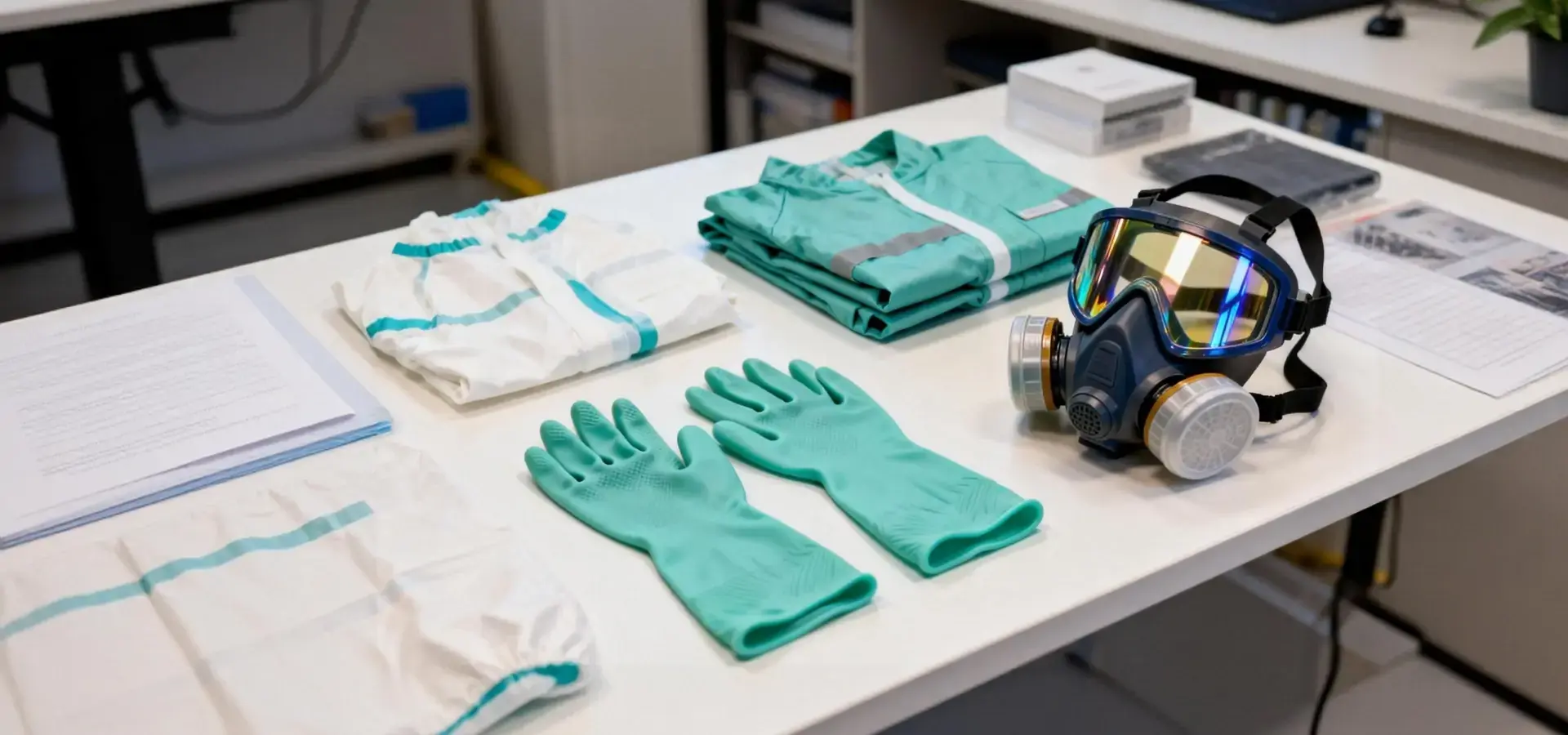
If you touch uncured liquid resins or breathe in vapor aerosols that contain acrylate monomers and photoinitiators, you could become sensitized. Occupational exposure incidents can be avoided by setting up strict safety rules. When working with resin, you should always wear nitrile gloves that are rated for chemical resistance and change your gloves right away if they get dirty. Safety glasses that block UV light protect the eyes from splashes and scattered UV light from the source of heat. To minimize vapor concentration in the breathing zone, resin printers should be operated in well-ventilated areas equipped with local exhaust ventilation or housed within enclosures featuring integrated activated carbon filtration systems designed to adsorb volatile organic compounds (VOCs). Material safety data sheets for each type of resin contain specific information about hazards and how to handle an emergency. All operators should be able to easily access these sheets.
Environmental Compliance and Waste Disposal
Liquid resin waste, dirty cleaning solvents, and failed prints need to be thrown away in the right way, not in the trash. Because it reacts with chemicals, uncured resin is considered hazardous waste by rules like the EPA guidelines in the United States. To properly get rid of liquid waste, it must be put in sealed containers, exposed to UV light for a long time to polymerize any reactive substances that are still present, and then thrown away by licensed hazardous waste contractors. When IPA cleaning solution is used, it picks up dissolved resin and should be treated as hazardous waste. Some places reuse IPA by distilling it to get back a clean solvent while concentrating waste resin for curing and getting rid of it.
Maintenance Best Practices for Machine Longevity
Systematic preventive maintenance plans increase the amount of time that equipment is usable and the quality of the parts available. Every day, you have to check the vat for dirt or cloudiness, clean the build plate and look for damage to the surface, and clean the LCD panel so that UV light can pass through. Weekly maintenance tasks include applying a light, manufacturer-recommended PTFE-based dry lubricant or light machine oil to the Z-axis lead screw and linear rails. This prevents the accumulation of resin vapor condensate and ensures smooth, backlash-free vertical motion. As part of the monthly routine, the optical path is cleaned thoroughly, firmware is updated when available, and calibration test prints are used to check the accuracy of the dimensions. These disciplined practices make parts last longer and stop the slow loss of performance that damages part quality over time.
Conclusion
Resin printers that are easy on the wallet have grown into useful tools for business-to-business tasks that need accuracy and a smooth surface, as long as buyers are aware of their limitations and the work they need to do. When accuracy in measurements is more important than build volume limits, these systems are great for prototyping, small-batch customization, and other uses. Setting realistic goals for throughput capacity, sticking to maintenance routines, and investing in the whole operational ecosystem, such as washing stations, curing equipment, and safety infrastructure, are all important for success. Even though they can't compete with the automation, build volume, or hands-off dependability of high-end industrial systems, budget-friendly resin printers offer a compelling entry point for businesses seeking to integrate additive manufacturing into design-heavy workflows or for those requiring high-detail, low-volume production without the capital expenditure of industrial systems. Procurement teams should rigorously align specific use-case requirements with equipment capabilities, calculate the comprehensive total cost of ownership (TCO), and incorporate recurring consumable expenses directly into long-term budget forecasts.
FAQ
Can affordable resin printers meet professional prototyping standards?
Within the limits of their build volumes, cheap resin printers can produce images with the same level of detail and smoothness as professional systems. The accuracy of the dimensions is usually within ±0.1 to 0.2 millimeters over 100 millimeter spans, which is good enough for functional prototypes, dental models, and small, detailed models. They aren't good enough for large builds, automation, or using special engineering resins with their materials.
What maintenance intervals support reliable daily operation?
Every day, the operator needs to spend about 30 minutes cleaning, organizing materials, and doing basic checks. Replacements for consumables are based on how often they are used: LCD panels every 1,500 to 2,000 hours, release films every 20 to 40 prints, and IPA cleaning solution once a week for moderate use. Eighty percent of common failure modes can be avoided with systemic maintenance.
How does resin printing cost-efficiency compare with filament technologies?
Resin usually has higher material costs per part, but the better surface finish that eliminates post-processing work makes up for it. Resin printing works well for small to medium-sized batches of complicated shapes where the cost of the materials justifies the extra work. Filament printing is still cheaper for bigger, simpler parts that can have a rough surface.
Partner with Magforms for Reliable Resin Printing Solutions
Magforms has been solving B2B procurement problems with additive manufacturing for more than ten years. We do this by combining our own resin printer technologies with photopolymer formulations that are perfectly matched. Our unified method gets rid of the compatibility issues that come up with mixed-vendor systems, giving you consistent dimensions and reliable operation from the very first print. Our equipment has 22 patents covering optical systems, material chemistry, and process control. Micron-level accuracy is used for difficult tasks in medical device prototyping, aerospace component validation, and automotive rapid tooling. As a trusted resin printer supplier to more than 300 businesses around the world, we know what keeps production managers up at night when they're shopping for supplies: the costs of downtime, the waste of materials, and how quickly technical support can help. Our engineering team offers full training programs, technical workshops, and quick help at info@magforms.com. Magforms gives you the dependability, performance, and partnership that turn expensive equipment into a competitive advantage, whether you're expanding a dental lab, starting a design service bureau, or adding additive manufacturing to your current production processes.
References
1. Gibson, I., Rosen, D., and Stucker, B. "Additive Manufacturing Technologies: 3D Printing, Rapid Prototyping, and Direct Digital Manufacturing," Springer, 2021.
2. Ligon, S.C., Liska, R., Stampfl, J., Gurr, M., and Mülhaupt, R. "Polymers for 3D Printing and Customized Additive Manufacturing," Chemical Reviews, Vol. 117, 2017.
3. Stansbury, J.W. and Idacavage, M.J. "3D Printing with Polymers: Challenges among Expanding Options and Opportunities," Dental Materials, Vol. 32, 2016.
4. Ngo, T.D., Kashani, A., Imbalzano, G., Nguyen, K.T., and Hui, D. "Additive Manufacturing: A Review of Materials and Applications," International Journal of Precision Engineering and Manufacturing-Green Technology, Vol. 5, 2018.
5. Quan, H., Zhang, T., Xu, H., Luo, S., Nie, J., and Zhu, X. "Photo-curing 3D Printing Technique and Its Challenges," Bioactive Materials, Vol. 5, 2020.
6. Bagheri, A. and Jin, J. "Photopolymerization in 3D Printing," ACS Applied Polymer Materials, Vol. 1, 2019.


Magforms makes design and manufacture easier.
Popular Blogs
-
 Industry InsightsManufacturing Industry
FDM vs. SLA Printer: Which Technology Is Right for Your Project?
-
 Industry InsightsManufacturing Industry
Top 5 Applications of Industrial 3D Printers in Manufacturing Today
-
 Industry InsightsManufacturing Industry
Why Stereolithography 3D Printers Are Unmatched for Microfluidic Device Prototyping?
