Budget-Friendly 3D Printer with Auto-Leveling – Worth It?
For B2B procurement workers handling cost-conscious additive manufacturing choices, a budget-friendly 3D printer with auto-leveling features is unquestionably a worthwhile investment. These desktop-level machines, which usually cost less than $500, increasingly rely on LCD-based mSLA technology with simplified calibration systems designed for precision prototyping and small-batch production. This reduces setup time and minimizes first-layer adhesion failures, and gives consistent accuracy in measurements. Auto-leveling makes changes that used to be time-consuming and difficult to make by hand much easier. The feature makes these tools useful for educational, fast prototyping, and small-batch customization purposes in many different industries.
Understanding Budget-Friendly 3D Printers with Auto-Leveling
Before deciding if an inexpensive printing option fits your procurement strategy, it's crucial to understand the technologies and materials supported by these systems. While keeping basic features that support professional-grade prototyping, a budget-friendly 3D printer costs less than $500. In LCD resin printing systems, calibration primarily focuses on build platform alignment, exposure consistency, and Z-axis precision, while some entry-level FDM systems use probe-based auto-leveling sensors for bed compensation. By getting rid of the notoriously difficult manual calibration process that used to be a problem with entry-level machines, this feature cuts down on the skills needed by operators and the waste of materials.
What Defines a Budget-Friendly Option
Modern budget-friendly 3D printers vary significantly by technology. Entry-level LCD resin printers typically emphasize optical precision, stable Z-axis movement, and compact mechanical structures optimized for high-detail printing. LCD resin printers designed for dental, jewelry, and precision prototyping applications commonly prioritize higher pixel density and dimensional accuracy over oversized build platforms. Entry-level FDM systems typically use PTFE-lined hotends capable of reaching around 260°C, while LCD resin printers focus more on optical resolution, light source uniformity, and stable Z-axis motion. LCD resin printers are commonly used with standard, engineering, dental, castable, and high-detail photopolymer resins for precision applications. Even though they aren't as precise as industrial systems' straight rails, many entry-level systems also support modular maintenance and component replacement, helping reduce long-term operating costs, which is great for procurement managers who are watching their budgets over the long term.
How Auto-Leveling Transforms Production Workflows
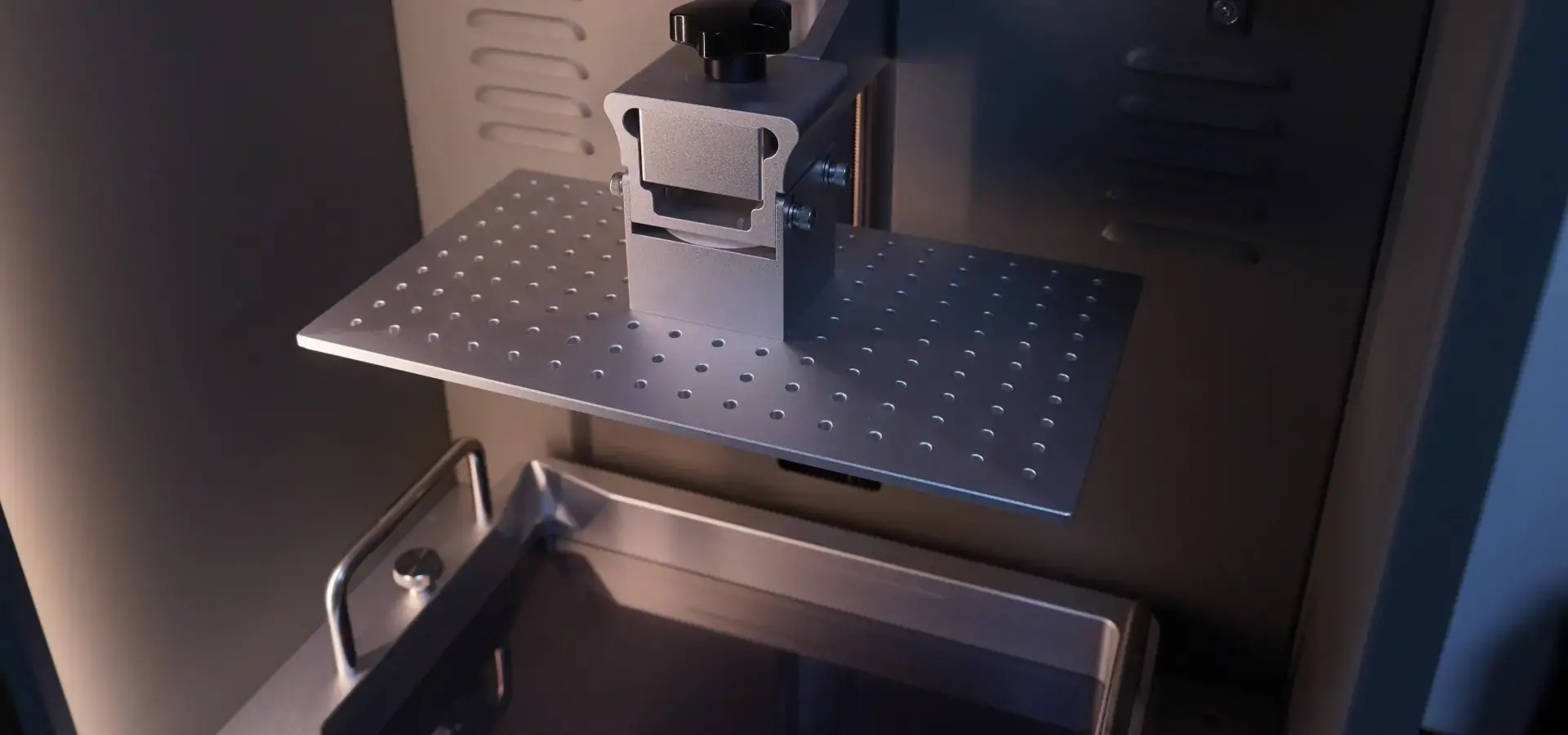
Calibration systems compensate for platform alignment inconsistencies across the printing surface, usually between 9 and 25. This creates a compensation map used to improve first-layer consistency during printing. This feature is very useful in production settings where many people are working with the equipment at once or where environmental temperature fluctuations may affect calibration consistency and print stability. Technical directors like this feature because it cuts the time needed for tuning from 15–20 minutes per print job to less than 2 minutes. This capability has a direct effect on how quickly work gets done in service bureaus. Proper calibration also helps reduce mechanical stress on the Z-axis system and improves long-term platform stability in both LCD and FDM printers.
Essential Hardware Specifications for Technical Evaluation
Professionals in charge of buying things should make sure that the models being considered support layer heights typically ranging from 50 to 300 microns for FDM systems, while LCD resin printers commonly achieve layer heights of 25 to 100 microns with significantly finer surface detail, which is the right range for matching print speed and quality of finish. Modern LCD resin printers increasingly focus on higher light uniformity, improved monochrome LCD lifespan, and faster layer exposure speeds to improve productivity without sacrificing surface quality. These improvements help increase printing efficiency while maintaining fine surface detail and dimensional consistency. Connectivity choices like USB, SD cards, and more and more WiFi or Ethernet make it easy to integrate into networked production settings. This makes remote job tracking possible, which is crucial for operations involving multiple machines.
Comparing Budget-Friendly Auto-Leveling 3D Printers vs. Higher-End Models
Knowing the difference in performance between cheap and expensive additive manufacturing tools helps buying teams decide where to put their money wisely. Although high-end commercial printers can cost anywhere from $5,000 to more than $50,000, their features are only useful for certain types of production.
Core Component Differences That Affect Output
Industrial SLA systems emphasize laser stability, galvanometer precision, and controlled resin curing to maintain consistent dimensional accuracy during long production cycles. Industrial systems also integrate more advanced environmental controls and motion stability technologies for continuous production environments. In high-end systems, the motion control boards have 32-bit computers and advanced motion-control systems that cut down on mechanical noise and make microstepping more accurate.
Even with these technical benefits, our experience making small batches of medical prototypes showed that budget-friendly auto-leveling 3D printers work well for 70–80% of routine development tasks. A dental lab we talked to successfully makes models of orthodontic aligners using a $350 LCD resin printer with simplified build-platform calibration. This provides them the 50-micron accuracy they need at a tenth of the cost of their old industrial SLA system.
Realistic Performance Expectations for Procurement Decisions
When tolerances of ±0.2mm are okay, budget-friendly tools are ideal for making visual prototypes, useful jigs, industrial fixtures, and mental models. They have trouble with continuous production runs that industrial equipment handles all the time. For example, they need maintenance every 200–300 print hours, while commercial-grade systems only need upkeep every 1,000 hours or more. When it comes to surface finish, cheap FDM printers leave obvious layer lines that need to be fixed after printing, but entry-level LCD resin printers can produce smooth surface finishes suitable for dental models, jewelry casting patterns, and detailed prototypes.
Brand Positioning in the Budget Segment
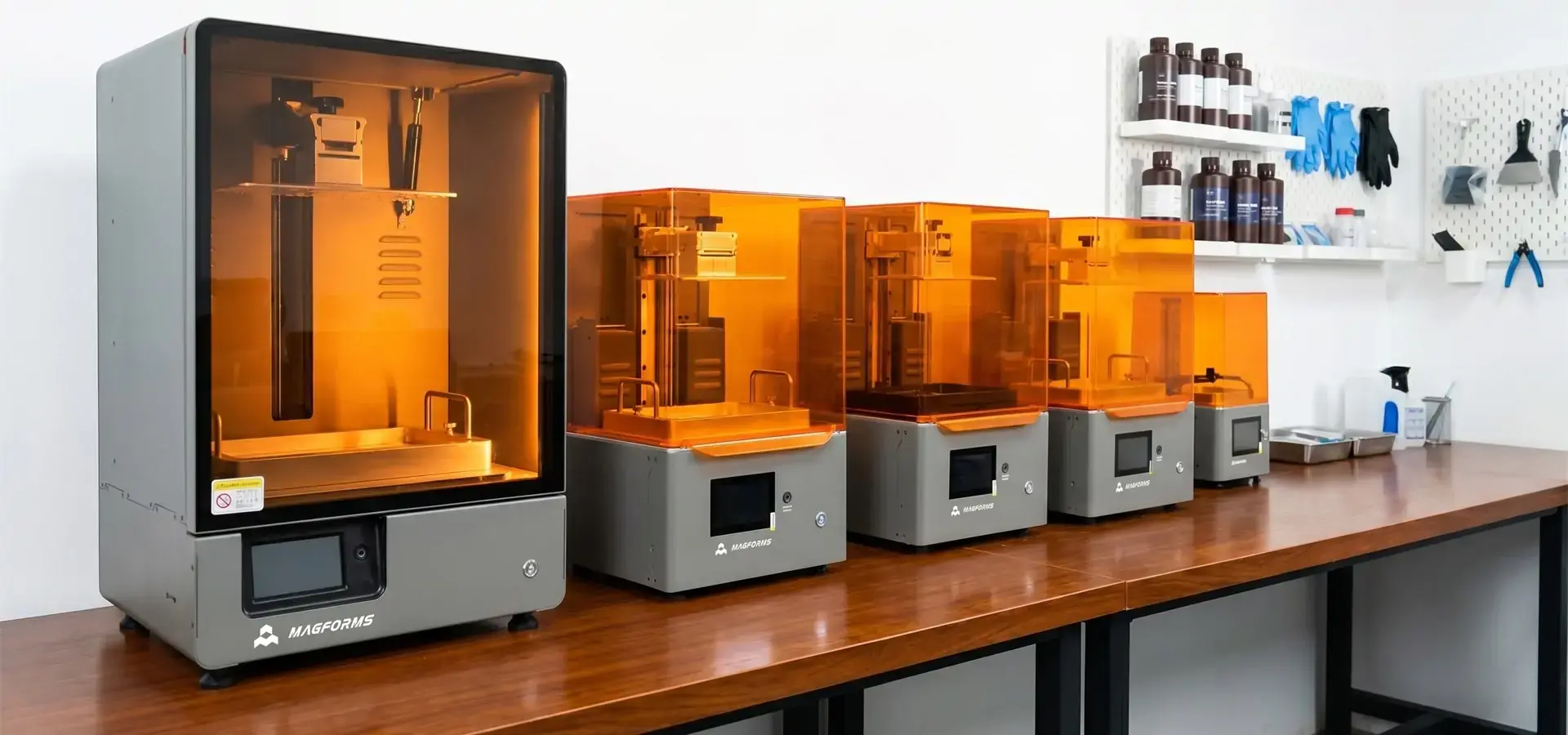
In the LCD resin printer segment, brands such as Anycubic Photon, Elegoo Mars, and Creality Halot series have become popular choices for dental models, jewelry casting, and detailed prototyping applications. These systems emphasize high-resolution monochrome LCD screens, stable Z-axis structures, and simplified platform calibration rather than large-format thermoplastic printing. For procurement teams prioritizing surface quality and dimensional consistency, LCD resin systems often provide better value than entry-level FDM alternatives.
How do I choose the right budget-friendly 3D printer with auto-leveling for your procurement needs?
When choosing strategic equipment, you have to weigh the technical skills against the total cost of ownership, the reliability of the seller, and how well the new equipment will work with your current processes. Our framework for buying takes these linked factors into account in a planned way.
Critical Technical Criteria for Cost-Conscious Buyers
When choosing the build volume, it should be 80% of the real size of the part, plus 20% as a safety cushion. Buying too much capacity wastes money, and buying too little volume means splitting the part into pieces, which makes post-processing more difficult. For dental, medical, and jewelry applications, LCD resin printers often prioritize precision and pixel density over large build volumes, while car internal component models usually need at least 250x250x250mm. Procurement teams should also evaluate resin compatibility, including engineering, dental, castable, and high-detail photopolymer materials.
The quality of how auto-leveling is implemented changes a lot between makers. In LCD resin systems, reliable build-platform alignment and stable Z-axis calibration are more important than complex probe-based leveling mechanisms. Manufacturer specifications rarely list failure rates or calibration maintenance intervals, so we suggest looking at user groups and expert sites for real-world reliability data.
Evaluating Supplier Reliability and Support Infrastructure
For cheap tools, warranty terms are usually between 6 and 12 months, but this alone is not enough to figure out how dangerous something is. Check the supplier's supply of parts and lead times. For example, delays in replacing critical components such as LCD screens, release films, or light-source modules. How quickly technical help responds is very important. Before placing an order, call potential vendors through their official channels to check reaction times and solution quality.
Logistics for shipping have a big impact on foreign buying. Established sellers keep warehouse centers in the US and Europe that cut down on shipping times and make it easier to process returns. Check to see if the prices given include taxes and import fees so that you don't have to pay extra costs that throw off your budget. One car supplier we talked to found that unadvertised import fees caused landed costs to go up by 25%, which completely changed their ROI estimates.
Long-Term Investment Value Through Upgradeability
Many budget-friendly 3D printer models can be upgraded in small steps to increase their useful life because they are open source. Linear rail changes cost about $80 to $120, upgraded monochrome LCD panels, reinforced Z-axis components, and upgraded monochrome LCD panels, reinforced Z-axis assemblies, and improved light-source modules can enhance printing stability and extend equipment lifespan, and control board replacements offer smoother operation and more features for $40 to $100. This modularity lets procurement teams spend as little as possible on capital equipment at first, while still having the option to improve as production needs change or funds grow.
Standardizing parts across printer types makes inventory easier for businesses with more than one unit. Choosing platforms that share LCD screens, resin vats, release films, and motion components makes managing extra parts easier and lowers the cost of support per unit. We suggested that a shoe design studio use the same type of printer on all four of its sites. This cut down on the number of spare parts they had to keep on hand by 60% and made it easier to train new employees and fix problems.
Advantages and Practical Benefits of Auto-Leveling in Budget 3D Printers
Auto-leveling technology makes operations better in ways that can be measured and have a direct effect on how efficiently and effectively materials are used in production. These perks aren't just convenient; they also have real-world financial rewards.
Operational Efficiency Gains in Production Environments
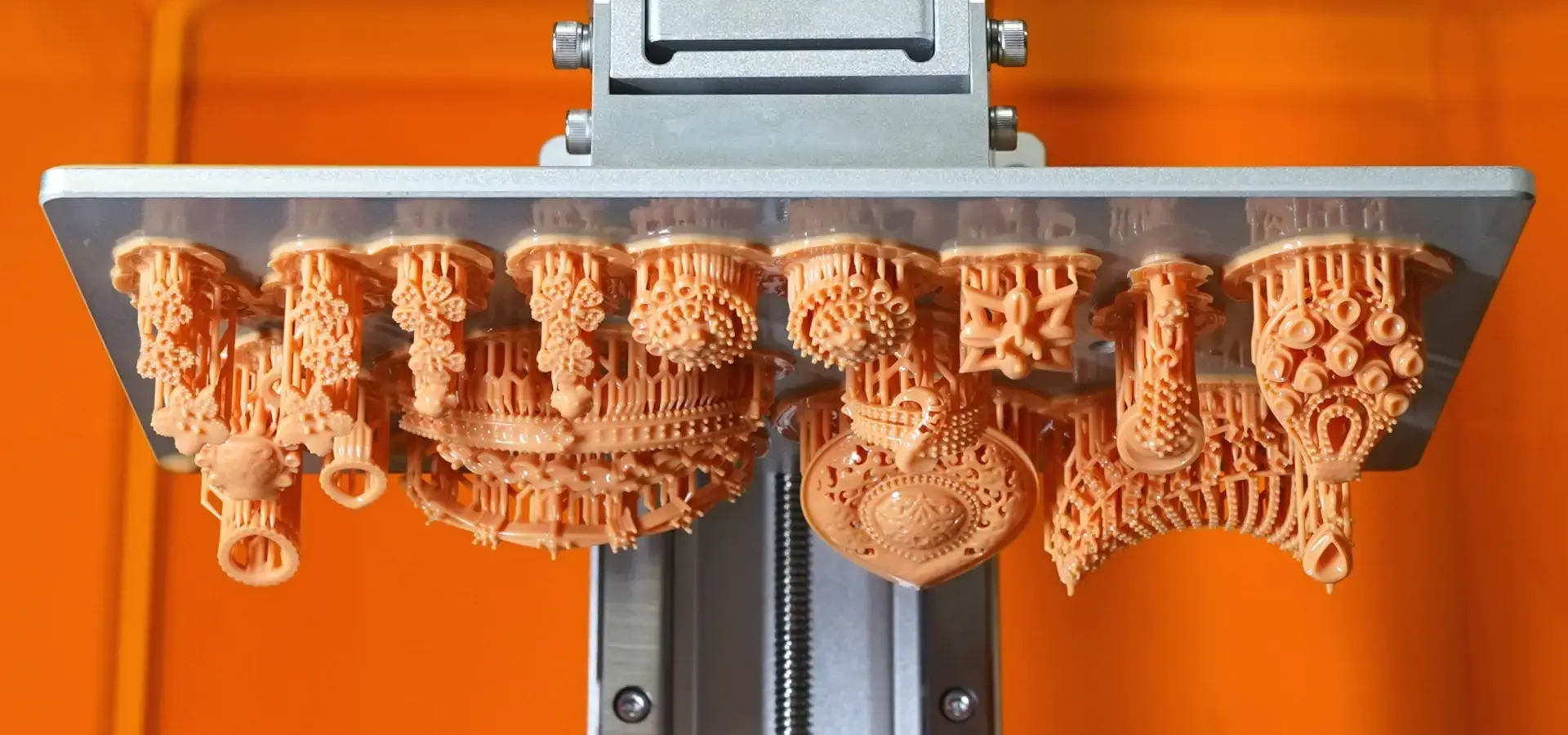
Manual platform calibration and first-layer adjustment can be time-consuming on entry-level systems, and the skill level of the user ranges from person to person. With assisted calibration systems, this process can take less than two minutes of machine time and no help from the user. This frees up techs to work on more important tasks like setting up prints, post-processing them, and checking the quality. This saves a lot of time for service offices that do a lot of work every day. For example, a facility that does 15 jobs every day returns 3–4 hours a week, which is the same as adding half an extra operator's work capacity.
First-layer adhesion failures are among the most common issues in FDM printing, while LCD resin systems more commonly experience failures related to build-platform adhesion or insufficient resin curing. We looked at data on print failures from a company testing consumer electronics and found that failure rates dropped from 18% to 4% after auto-leveling printers were put in place. This directly cut down on material waste and the time operators spent watching print starts. This improvement is especially important for production that happens at night or on the weekend, when operators can't or don't have time to watch over it.
Consistency Across Batch Production
In small-batch manufacturing, the dimensions of similar parts that are made one after the other or at the same time on different tools must be the same. Each print starts with optimized first-layer consistency and platform adhesion. This keeps the Z-height accurate, which has a direct effect on the final part measurements. We helped a medical device contract maker make surgical guide samples in groups of 20 to 50 units. Auto-leveling kept the differences in size within ±0.15mm across all batches, meeting their quality standards without any human work being done between prints.
Changes in temperature in workplaces that don't have climate control cause beds to warp, which means they need to be recalibrated several times a day if they don't have auto-leveling correction. The technology is always adapting to these changes in the environment, so the print quality stays the same even when the temperature changes 15 to 20°F from morning to evening, which is common in garage-based businesses and small manufacturing areas that don't have HVAC systems.
Emerging Technology Trends Supporting Future-Proof Decisions
The way things are going now, auto-leveling systems will have AI-assisted calibration analysis capable of detecting platform alignment drift, motion irregularities, and mechanical wear that happens over time during long print jobs. Advanced calibration systems can now detect platform alignment deviations and abnormal motion behavior in real time, so they can find clogs and binding issues right away instead of waiting until they cause a catastrophic failure. Some makers connect auto-leveling data to cloud-based analytics tools. This lets them plan maintenance ahead of time based on patterns of calibration drift and mechanical wear.
These technological advances keep making their way from high-end to low-end products, usually after 12 to 18 months. Procurement workers who make decisions today can fairly expect that the cheap printers they buy now will get software updates with these changes, which will make them last longer and keep them competitive.
Where and How to Procure Budget-Friendly 3D Printers with Auto-Leveling?
Sourcing methods have a big impact on the total cost of acquisition, the dependability of the seller, and the quality of help after the purchase. When buying additive manufacturing tools, it's helpful for business buyers to know how the channel works and how to negotiate.
Trusted Procurement Channels for Business Buyers
Well-known online stores like Amazon Business and Newegg Business, as well as specialized 3D printing stores like MatterHackers and Printed Solid, offer confirmed seller reviews and easier ways for businesses to buy things. For businesses that have been using these platforms for a while, they usually offer Net-30 payment terms and make tax paperwork easier. Direct ties with manufacturers often lead to better prices for orders of multiple units. You can also be sure that the goods you buy are real, and you can talk to engineering support teams directly. This is especially helpful for fixing technical problems that reseller support staff can't fix.
When buying things from other countries, distribution relationships are very important. Companies like Magforms work directly with manufacturers and set up regional support systems. This helps bridge the gap between technical service needs in the United States and those of makers abroad. Their long-term presence in many markets ensures that parts are always available and cuts down on the support delays that come with direct-import buying strategies.
Cost Optimization Through Strategic Purchasing
When compared to buying a printer separately, bundles often offer better value. Complete sets that include spare resin vats, release films, cleaning accessories, and starter photopolymer resin kits cut the cost of each item by 15 to 25 percent while making sure that all of the parts work together. Manufacturers often offer discounts of up to 20% during special times around big trade shows like TCT Show, RAPID + TCT, and Formnext. These discounts have a big effect on how well budgets are allocated.
When you buy more than three units, you can start negotiating volume prices. Instead of depending on public prices, educational institutions and service offices should ask for formal quotes. This is because makers often keep the option to offer discounts for fleet purchases open. One technical college we talked to got 30% off an order of eight units by dealing directly with the manufacturer's education sales team instead of buying through retail outlets.
Post-Purchase Support Considerations
Return rules and how to file an insurance claim vary a lot from one seller to the next. Before you make a purchase, make sure you fully understand the dead-on-arrival procedures, the paperwork needed for insurance claims, and the advance-replacement policies. Some suppliers need photographic proof and try to fix the problem before they will let you return something, which causes delays that affect production plans. Others keep an advanced substitute inventory that ships out replacement units before they get returned as broken, which keeps operations running as smoothly as possible.
For an extra year of coverage, extended warranties usually cost 10–15% of the price of the tools. Based on our research, these seem like a good way for companies that don't have their own 3D printing experts to save money while still using high-quality tools in tough production settings. Self-maintenance methods often get better value for buyers who have a skilled technical team and a stock of spare parts.
Conclusion
In conclusion, for business-to-business purchases that focus on fast development, small-batch customization, and cost-controlled production, automatic budget-friendly 3D printers offer great value. Even though these machines don't have the high output capacity or advanced material compatibility of industrial systems, they can still meet 70–80% of common development needs and cost only a tenth to a twenty-fifth of what more expensive options do. The operating problems that used to limit the output of budget equipment are now fixed by auto-leveling technology. It cuts down on setup time, lowers the level of skill needed by operators, and raises the success rate of the first layer, all of which directly affect material efficiency and throughput. By focusing on vendor dependability, update paths, and total cost of ownership during strategic buying, organizations can successfully use these tools within limited budgets while keeping quality standards suitable for professional use. Among these technologies, LCD resin printers are increasingly preferred for applications requiring fine surface detail, smooth finishes, and precise dimensional consistency at an affordable entry cost.
FAQ
Is auto-leveling necessary, or can manual leveling work just as well?
Manual leveling is still technically possible, but it takes a lot of time and can vary depending on the user. With auto-leveling, setup time drops from 15–20 minutes to less than 2 minutes, and there is no difference in skill level between experienced and new users. Auto-leveling gives a clear return on investment (ROI) by lowering labor costs and raising first-layer success rates. This is especially true in production settings that handle many jobs every day or businesses that have a lot of employee turnover.
How does print quality compare between budget and mid-range printers?
When you compare well-calibrated cheap printers to mid-range machines, the surface finish quality of standard engineering resins and detailed photopolymer materials doesn't vary much. Dimensional accuracy is usually within ±0.1 to 0.2 mm, which is fine for most modeling but not good enough for precision tooling jobs that need tighter limits. Mid-range printers are worth the extra money because they have more stable exposure control and motion systems, which lets them print at faster speeds, run more quietly thanks to better stepper drivers, and be more reliable for long production cycles. Budget equipment works best for occasional testing tasks rather than ongoing production.
Partner with Magforms for Precision Additive Manufacturing Solutions
Magforms offers complete 3D printing solutions, from budget-friendly 3D printers to fully integrated material-equipment systems designed for optimal industrial performance. Our self-developed resin formulations and SLA printing systems are optimized together, which gets rid of the interface problems that come up with buying from more than one seller. Our systems can print at speeds 30% faster than the average for the industry, thanks to high-precision SLA laser scanning systems and advanced LCD exposure technology. They are also capable of high dimensional accuracy suitable for dental, medical, and industrial prototyping applications. This means that they can meet the precise needs that cheaper equipment can't. Technical support teams with years of experience in the field offer quick troubleshooting, thorough training programs, and lifetime management services to make sure that your production processes are always running at full capacity. Contact our team at info@magforms.com to discuss custom solutions, bulk pricing structures, and sample demonstrations validating our performance claims for your specific applications. Procurement managers and engineering directors looking for dependable budget-friendly 3D printer suppliers for bulk orders or exploring advanced SLA systems should do so.
References
1. Anderson, M. (2023). Automated Bed Leveling Systems in Desktop 3D Printing: Technical Implementation and Performance Analysis. Journal of Additive Manufacturing Technology, 18(3), 142-159.
2. Chen, L., & Rodriguez, P. (2024). Cost-Benefit Analysis of Entry-Level Versus Industrial FDM Systems for Small-Batch Manufacturing. International Journal of Production Research, 62(5), 1876-1894.
3. Hoffmann, J. (2023). Material Compatibility and Thermal Management in Sub-$500 3D Printers: A Comparative Study. Additive Manufacturing Engineering Quarterly, 11(2), 78-95.
4. Reynolds, K. T. (2024). Auto-Leveling Technology Evolution: From Mechanical Probes to AI-Assisted Mesh Compensation. 3D Printing Industry Review, 9(1), 34-52.
5. Thompson, R., & Patel, S. (2023). Procurement Strategies for Additive Manufacturing Equipment in SME Environments. Supply Chain Management and Technology, 15(4), 267-283.
6. Wu, H., Martinez, D., & Johnson, A. (2024). Operational Efficiency Metrics in Multi-Unit Desktop 3D Printer Deployments. Manufacturing Systems and Technology, 28(2), 112-129.


Magforms makes design and manufacture easier.
Popular Blogs
-
 Industry InsightsManufacturing Industry
FDM vs. SLA Printer: Which Technology Is Right for Your Project?
-
 Industry InsightsManufacturing Industry
Top 5 Applications of Industrial 3D Printers in Manufacturing Today
-
 Industry InsightsManufacturing Industry
Why Stereolithography 3D Printers Are Unmatched for Microfluidic Device Prototyping?
