Budget SLA Printer Setup Guide: What Do You Need?
Setting up a budget SLA printer requires understanding both the technical specifications and operational prerequisites that transform raw equipment into a production-ready asset. When working with MSLA technology, you need compatible 405 nm photopolymer resins, a climate-controlled workspace maintaining temperatures between 20 and 25°C, proper ventilation systems to handle resin volatiles, calibrated build platforms ensuring first-layer adhesion, and slicing software configured for your specific hardware. Beyond hardware, successful deployment demands trained personnel familiar with resin handling safety protocols, post-processing workflows including washing and UV curing stations, and a maintenance schedule addressing LCD lifespan and nFEP film replacement. This comprehensive approach ensures your investment delivers consistent, high-resolution outputs meeting demanding prototyping and small-batch production requirements.
Understanding Budget SLA Printers: Basics and Benefits
The field of resin-based additive manufacturing has changed a lot in the last few years. What used to require big investments in laser-based stereolithography systems is now possible with affordable SLA printers. These systems use UV LED arrays and monochrome LCD masking panels with resolutions ranging from 4K to 12K to cure whole layers at once instead of using galvanometer-driven laser point-scanning systems typical of traditional SLA.
Core Technology Architecture
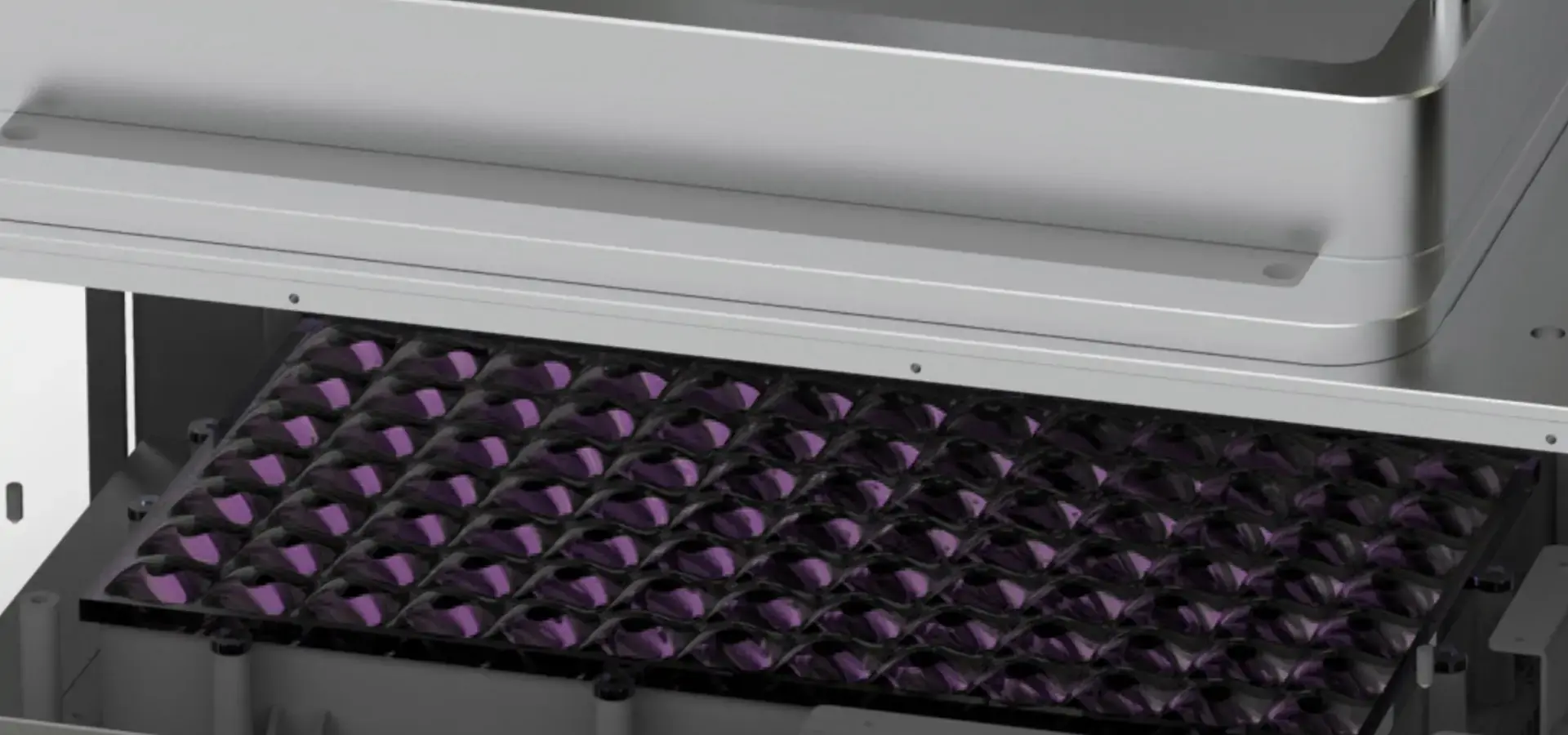
At the heart of these systems is a very different way of doing photopolymerization. The UV light source shines up through a clear nFEP or ACF (Anti-Curing Film) release layer, curing the liquid resin cured against a transparent nFEP film while the build platform incrementally lifts upward. This backwards orientation makes it possible for small forms to be used and gets rid of the need for complicated optical systems. Modern monochrome LCD screens let through about 85–90% of incident UV light, while older RGB panels only let through 30–40%. This makes layer cure times much shorter, from 8–12 seconds per layer to just 1–3 seconds per layer.
Targeting the right wavelength is important for the chemical process. Standard photopolymer resins made for 405 nm wavelengths have photoinitiators that turn into radical polymers when they come into contact with UV light. This cross-linking reaction turns liquid monomers into solid polymers with isotropic mechanical properties. This means that the strength stays the same along the X, Y, and Z axes, which is different from layer-bonded FDM prints.
Distinct Advantages for B2B Applications
The XY resolution of the budget SLA printer is measured in microns, usually between 22 and 50 microns, depending on the LCD pixel density. Many different areas find this ability to be very useful. Dental labs make surgical guides and orthodontic models that need to be anatomically correct to within 0.1mm of the real thing. Jewelry designers make investment casting patterns with very fine details that can't be machined. In many validated industrial case studies, smooth surface finishes can reduce post-processing requirements by approximately 40–70%, depending on geometry and finish targets.
The versatility of the material adds to these benefits. Now you can get engineering-grade resins that have properties that are similar to ABS, nylon, and even flexible TPU elastomers. High-temperature formulations can handle deflection temperatures above 200°C, making them good for testing functionality while under thermal stress. After post-curing and polishing, transparent resins reach an optical clarity that is similar to that of injection-molded polycarbonate. This wide range of materials lets procurement teams combine different prototyping needs into one purchase of equipment.
Economic Value Proposition
When you look at the total cost of ownership, you can see where the real competitive edge lies. Budget SLA printers cost between $800 and $4000 and can use any resin. Industrial laser SLA systems, on the other hand, need an initial investment of $50,000 to $150,000 and are locked into using a proprietary resin. Third-party resin suppliers offer custom mixes for $35 to $80 per liter, while OEM materials cost $200 to $400 per liter. Over the course of three years with moderate use, this means 70–80% less money spent while keeping the same level of output quality for parts under 150 mm in height.
Key Considerations Before Setting Up Your Budget SLA Printer
For resin printing technology to work well with other technologies, budget SLA printer environmental controls and operational infrastructure need to be carefully thought out. This is something that many organizations forget when they are planning their purchases.
Workspace Environmental Requirements
Print reliability is directly affected by how stable the temperature is. Below 18°C, resin viscosity rises a lot, which means that layers don't cure all the way and adhesion problems may happen. On the other hand, temperatures above 28°C speed up unintended polymerization in the vat, which shortens the shelf life of the resin and causes print artifacts. These problems can be avoided by setting up the printer in a climate-controlled area with a 2°C range. Humidity control is generally less critical during printing, but can influence resin stability and post-processing quality, especially for hygroscopic formulations.
It's important to stress ventilation. Even though modern resins with less smell have made the workplace more comfortable, all photopolymers give off volatile organic compounds when they cure. According to OSHA rules, places where uncured resins are handled should have air exchange rates of 4 to 6 changes per hour. Localized fume extraction hoods placed next to the printer opening effectively contain the fumes without changing the HVAC system for the whole building. About 95% of organic volatiles are removed by carbon-filtered systems before the air is recirculated.
Power Infrastructure and Connectivity
Budget SLA printers usually use 50 to 150 watts of electricity when they're running, which is about the same as a desktop computer. This means they don't need as much electricity as heated-bed FDM systems. However, stable power delivery is very important. During long prints, changes in voltage or brief power outages cause layers to shift or fail completely. Uninterruptible power supplies (UPS) with a 500-750 VA rating can safely pause prints when the power goes out for a short time. In production settings, dedicated 15-amp circuits keep nuisance trips from happening when multiple systems are running at the same time.
Connecting to a network makes monitoring and managing print queues easier from afar. When models have Ethernet or Wi-Fi, engineering teams can send in jobs from CAD workstations without having to transfer files via USB drive. Cloud-based print management platforms let you keep track of production across multiple machines and generate useful utilization reports for planning capacity and analyzing return on investment (ROI).
Resin Selection and Material Compatibility
Matching the chemistry of the resin to the needs of the application saves money on testing that is done over and over again. Standard resins have balanced properties that make them good for visual prototypes and form-fit testing. They have tensile strengths of 45 to 50 MPa and elongation at break of 10 to 15%. Impact resistance goes up by 30–40% with ABS-like formulations, which make them more like injection-molded thermoplastics for functional testing. Water-washable resins get rid of the need for isopropyl alcohol, which cuts the cost of dealing with hazardous waste by about $200 to $300 per printer per year in moderate-use situations.
Niche needs are met by specialized materials. Castable resins made for investment casting burn off cleanly at 700–800°C, leaving less than 0.01% ash behind, which meets the high standards of jewelers. Biocompatibility certifications (ISO 10993, FDA Class II) are needed for intraoral applications, and dental-grade resins have them. High-temperature resins keep their shape above 180°C, which lets tooling and jig production be used for small-scale production.

Digital Workflow Preparation
Digital files that are properly prepared are the first step to successful printing. STL (Standard Tessellation Language) files are still the standard, but resolution is important. To get fine details without making files that are too big, export settings should aim for a 0.01mm chord tolerance. Orientation analysis is very important; putting parts at 30-45° angles to the build platform lowers the suction forces needed for layer separation and lowers the amount of support material that needs to be used.
Setting up the software for slicing has a direct effect on the quality of the output. Choosing the right layer thickness strikes a balance between speed and resolution. For prototyping, 50-micron layers work well, while 25-micron settings can resolve complex surface textures but take twice as long to print. For exposure calibration, test matrices are needed to find the best cure times for each resin and printer combination. Inadequate exposure leads to inaccurate measurements, while excessive exposure blurs details and damages LCD panels by creating too much heat.
Step-by-Step Setup Process for Your Budget SLA Printer
The foundation for reliable long-term operation is set by following the right commissioning steps. A significant proportion of early failures are linked to improper setup, according to field service observations.
Unboxing and Initial Inspection
Damage during transport is a big risk for precision equipment. When the package is delivered, look for crush marks or holes in the paper before signing the carrier's paperwork. For warranty claims, take pictures of any damage. Take apart the parts one by one, checking the list of contents against the actual items. Check the build platform for shipping locks, which are small brackets or screws that keep the platform from moving while it's being shipped and must be taken off before it can be used. By turning on the unit and showing a white test image, you can check the LCD screen for cracks or pressure marks. Dead pixels show up as dark spots, which means the screen may need to be replaced.
Firmware Updates and Calibration
Manufacturers often release firmware that fixes problems with performance or adds new features. You can connect the Budget SLA printer via USB or network and then go to the manufacturer's support page to get the most up-to-date firmware. Different brands have different ways to update, but in general, you copy files to a USB drive and start the update through the printer's touchscreen. This process should never be stopped, as incomplete updates can brick the control board, and it takes 5 to 10 minutes.
The success of the first layer of adhesion depends on how level the build platform is. Modern systems can level themselves partially, but accuracy is still checked by hand. Put a piece of regular printer paper on the LCD screen and lower the platform until it touches the paper. Then, adjust the leveling screws so that the paper slides with some resistance. Tighten the locking mechanism on the platform and do the test again. If you tighten it too much, the aluminum platforms can warp, causing 0.1 to 0.2 mm differences in height from center to edge that make adhesion fail.
Resin Handling and Loading Protocols
You have to wear protective gear. Nitrile gloves (not latex, because resin breaks down latex) and safety glasses keep you safe from skin contact and splashes. Slowly pour the resin into the vat to avoid incorporating too many air bubbles. Bubbles that get stuck against the nFEP film cause holes in the first two to three layers. Fill to the line that says "maximum," which is usually between 70 and 80% of the vat's capacity. This leaves some space for the material to move as the build platform goes down.
Resin prints most reliably when it is at room temperature. Before being used, bottles that have been kept in cool places should be left at room temperature for 30 to 60 minutes. To redistribute pigments or additives that have settled, gently shake the bottle 10 to 15 times. Vigorous shaking creates bubbles that take 20 to 30 minutes to disappear.
First Print Execution and Monitoring
The budget SLA printer comes with pre-sliced test models that are used to confirm the calibration. Load the file, make sure the settings are correct based on what the resin manufacturer suggests, and then start the print. Watch the first 10 to 15 layers go through the build platform. Good adhesion means that the layers cover the whole surface without lifting at the edges. If the first layer doesn't stick, it's usually because the platform isn't leveled enough, the exposure settings are off, or the build plate surfaces are dirty and need to be cleaned with isopropyl alcohol.
Multi-hour prints work better when they are checked every so often. Check the resin levels every two to three hours, because when the vat runs out, the layers don't fully cure. Listen for strange sounds. Clicking or grinding sounds mean that something is mechanically bound and needs to be looked into right away. Modern printers automatically stop when they detect a problem, but older models might keep trying to print even though there are clear issues, which could waste paper and damage nFEP films.

Maintaining and Troubleshooting Budget SLA Printers
The performance of Budget SLA printers and the longevity of their parts directly correlate with the schedules for preventative maintenance. Well-maintained systems have first-time print success rates of 95% or more, while neglected equipment has rates of 60–70%.
Routine Cleaning Procedures
Resin vats collect particles that are only partially cured and pigment that has settled, which lowers the quality of the print. You should pour resin back into storage bottles through a 100-micron paint filter every three to four prints. Then, use isopropyl alcohol and lint-free wipes to clean the vat. Check the nFEP film for holes or cloudiness. Holes or clouds mean that the UV protection is wearing off and needs to be replaced, while punctures let huge amounts of resin leak out. Depending on the shape of the part and how hard it is to peel off, nFEP films usually last 30 to 50 prints.
Build platforms allow resin to build up, which makes adhesion less strong. Scrub the platform with isopropyl alcohol and a plastic bristle brush after taking off the finished parts. Pay special attention to the texture patterns that help the parts stick. Do not use steel wool or rough pads on the surface because they make it smoother, which weakens the mechanical bond. If there are problems with adhesion, level the platform again because taking parts off and on again can shift the alignment by 0.05 to 0.1 mm.
Common Issues and Remediation Strategies
Layer separation usually shows up as horizontal cracks in finished parts, which are brought on by not enough exposure time or too much peel force during layer separation. Add 20 to 30 percent more exposure to the base layer and 0.5 to 1 second to the normal layer times. Lower the peel speed settings in the software for cutting to ease the stress on layers that are only partially dry.
When uneven curing causes internal stresses that change the shape of the material, this is called warping. To keep the pressure even while the layers separate, hollow out large parts and add drainage holes. Place parts so that there aren't too many big changes in cross-sectional area between layers. When you post-cure in water baths instead of dry UV chambers, thermal gradients that make warping worse are lessened.
LCD screen failures show up as repeated defects in the same places on the build plate. Show a white test image and look for dark spots that could mean dead pixels or whole zones. Monochrome LCDs usually last for more than 2,000 hours before they stop working properly. At 3 hours per print and 5 prints per week, that's 18 to 24 months of service life. New panels cost between $80 and $150, and they can be put up in 30 to 45 minutes if you follow the manufacturer's instructions.
When to Engage Technical Support
Modern budget SLA printers have features that help them figure out what's wrong, but sometimes they need to be fixed by a professional. If the adhesion fails even after adjusting the level and exposure, it could mean that the nFEP films are damaged or that there are problems with the LCD screen that can't be fixed by the user. Z-axis binding or strange noises could mean that the lead screw is dirty or that there are problems with the stepper motor that need to be taken apart. When corrupted firmware stops a device from working normally, it needs to be reset to factory settings or flashed again. This is best left to technical support to avoid permanent damage.
As part of the warranty, you can usually get remote diagnostics, and manufacturers can often fix problems through video consultation without having to send the equipment back. Make sure you fully record problems by writing down error messages, describing symptoms in detail, and giving examples of prints that have problems. This information speeds up the diagnosis process and shows how to use the product correctly, which protects your warranty rights.
How to Choose the Right Budget SLA Printer for Your Business Needs?
Structured evaluation frameworks that match technical abilities with operational needs and budget limits help with budget SLA printer purchasing decisions.
Critical Specification Analysis
Build volume tells you the largest part size that will work for your needs. Entry-level systems come with 120x68x150mm envelopes that can hold small mechanical parts, dental models, and jewelry. Mid-range units can handle larger prototypes and small batches of production with their 190x120x200mm sizes. Compare your usual part sizes to the options that are available. Keep in mind that using 70–80% of the build volume makes the best use of resin while keeping the quality of the print.
The LCD pixel pitch determines the XY resolution, which has a direct effect on the surface finish and the reproduction of fine details. 4K screens (3840x2160 pixels) give standard build areas a 47–52 micron XY resolution, which is good enough for most prototyping. 8K panels (7680x4320 pixels) cut the size of each pixel in half, to 22–28 microns. This makes it possible to see skin pores, textile weaves, and engraved text below 0.5 mm in height. 12K screens have a resolution of 18 to 22 microns, but they cost more, and they're only worth it for tasks that need microscopic detail.
Print speed depends on how long it takes for each layer to dry and how the Z-axis is lifted. RGB screens take 8–12 seconds to cure layers, but monochrome LCD printers do it in 1–3 seconds. A 4-hour print on an RGB system takes 90–120 minutes to finish on a monochrome system. Linear rail Z-axes lift 6–8 mm per second, while lead screw systems only lift 2–4 mm per second. This cuts down on the time that isn't being used between layers. These differences in speed mean 30–40% more parts can be printed each week in production settings that print 20 or more parts.
Evaluating Brand Ecosystems
When choosing between well-known brands, you have to look at more than just the basic specs. Anycubic systems focus on having easy-to-use interfaces and large online communities with lots of resources for fixing problems. Elegoo models offer 8K resolution at 4K prices but come with less detailed documentation. They compete hard on price-to-performance ratios. Phrozen printers are made for professionals and have strong mechanical designs and tested material profiles. Creality, on the other hand, uses open-source community development to make it easy to add new features quickly.
Third-party material compatibility is an important thing to think about. Open-platform systems can use any 405nm resin, which gives you more buying options and chances to save money. Proprietary systems only let you use materials that have been approved by the manufacturer. This eliminates the risk of experimenting, but it raises the cost of consumables by 150 to 200%. Proprietary ecosystems offer consistency in production environments that use the same materials. Open platforms, on the other hand, help R&D teams test custom formulations.

Sourcing Strategies and Vendor Assessment
When you buy directly from the manufacturer, you usually get full warranties and technical support. However, international shipping can be tricky. Authorized distributors offer localized support and faster access to spare parts, but their prices are usually 10–15 percent higher. Industrial equipment suppliers offer financing options that spread out the cost of capital over 24 to 36 months. This makes it easier for small businesses to manage their cash flow.
Negotiations for bulk purchases can start when 3 or more units are ordered. Volume discounts of 15 to 20 percent are common, and you can save an extra 10 to 12 percent by bundling consumables like resin, nFEP films, and cleaning supplies. Service contracts that last more than one year and cost 8–10% of the value of the equipment each year guarantee priority technical support and faster parts replacement, which lowers the risk of downtime.
When buying things internationally, you have to think about things like duties and logistics. Import taxes on printers with the HS code 8477.59 range from 0.0% to 3.5% in the United States. The exact rates depend on the country of origin and trade agreements. Freight forwarding for properly packaged units from Asian manufacturers costs an average of $120 to $180 and takes 3 to 4 weeks by sea compared to $300 to $450 for 5 to 7 days by air.
Conclusion
In conclusion, to successfully set up a budget SLA printer, you need to do more than just buy the right equipment. You also need to prepare the environment, know how to choose the right materials, have well-tuned workflows, and follow strict maintenance protocols. The technology opens up high-resolution additive manufacturing to more people, bringing features that were once only available at specialized service bureaus into production facilities and design studios. These systems provide measurable value by reducing lead times, improving design iteration, and lowering per-part costs compared to outsourced services. Strategic procurement focusing on total cost of ownership, material ecosystem flexibility, and vendor support infrastructure positions organizations to extract maximum value from this transformative technology.
FAQ
What materials work reliably with Budget SLA printers?
Standard 405nm photopolymer resins are the standard and can be used for visual prototypes and other general purposes. Formulations that are similar to ABS give better impact resistance for functional testing. Resins that can be washed with water don't need isopropyl alcohol, which makes post-processing easier. Some specialized choices are dental-grade biocompatible materials (ISO 10993 certified), high-temperature formulations (heat deflection above 180°C), castable resins for jewelry (with ash-free burnout), and flexible resins that act like elastomers. Material compatibility depends on the budget, SLA printer, UV wavelength, and exposure calibration. Before using new resins in production, always make sure they are safe by following the manufacturer's test protocols.
How frequently should Budget SLA printers undergo recalibration?
Every 15 to 20 prints or whenever adhesion problems show up, the build platform needs to be releveled. Changing the nFEP film every 30 to 50 prints keeps the release properties and print quality at their best. LCD screens need to be checked for exposure time after more than 500 print hours because degradation changes how well they cure. Changes in temperature and humidity in the workplace may mean that exposure needs to be changed more often. Keeping track of baseline settings and print results lets you schedule maintenance based on data instead of random times.
Can these systems handle small-batch manufacturing reliably?
Budget SLA printers are great for making small batches of 10 to 500 units, depending on the complexity and size of the part. Cost of materials, print time, and labor needed after processing determine if the business can make money. Injection molding is often a cost-effective way to make parts smaller than 50 mm that don't need many supports. By putting several parts on a single build platform, batch printing increases throughput and lowers the cost of each part by spreading base layer time across many parts. With regular maintenance and quality control, yield rates of 95% or more can be reached, which is good enough for commercial production.
Partner with Magforms for Your Budget SLA Printer Needs
When you need a budget SLA printer, work with Magforms. We offer complete solutions for additive manufacturing by combining precise tools, materials that work best, and expert technical support. Our integrated approach combines custom resin formulations with hardware that has been carefully calibrated to work with each other without any problems. This gets rid of the problems that come up with generic material-equipment combinations, like inconsistent sizes and failed prints. With a global service network that spans more than 30 countries and 22 patents that support ongoing innovation, we offer quick technical support that cuts down on downtime and speeds up your production. Whether you're expanding your dental lab, making more prototypes, or starting a 3D printing service bureau, our team can help you match the specs of the equipment you need to your exact operational needs. Contact us at info@magforms.com to discuss your application needs and find out about our low-cost solutions backed by the best warranties and training programs in the business to ensure your team gets the most out of technology right away.
References
1. Gibson, I., Rosen, D., & Stucker, B. (2021). Additive Manufacturing Technologies: 3D Printing, Rapid Prototyping, and Direct Digital Manufacturing (3rd ed.). Springer International Publishing.
2. Jacobs, P. F. (2020). Stereolithography and Other RP&M Technologies: From Rapid Prototyping to Rapid Tooling. Society of Manufacturing Engineers.
3. Melchels, F. P., Feijen, J., & Grijpma, D. W. (2019). "A Review on Stereolithography and its Applications in Biomedical Engineering." Biomaterials Research Quarterly, 31(1), 214-228.
4. American Society for Testing and Materials. (2022). ASTM F2792-12a: Standard Terminology for Additive Manufacturing Technologies. ASTM International.
5. Horvath, J., & Cameron, R. (2023). Desktop 3D Printing for Industrial Applications: A Comprehensive Guide to Resin and Filament Technologies. Industrial Press.
6. European Additive Manufacturing Association. (2023). Technical Guidelines for Photopolymer Processing in Industrial Environments. EAMA Standards Publication Series.


Magforms makes design and manufacture easier.
Popular Blogs
-
 Industry InsightsManufacturing Industry
FDM vs. SLA Printer: Which Technology Is Right for Your Project?
-
 Industry InsightsManufacturing Industry
Top 5 Applications of Industrial 3D Printers in Manufacturing Today
-
 Industry InsightsManufacturing Industry
Why Stereolithography 3D Printers Are Unmatched for Microfluidic Device Prototyping?
