Can a Resin Printer Improve Your Product Design Workflow?
Without a doubt, a resin printer can completely change the way you design products by offering accuracy and speed that traditional ways of making things just can't match. A resin printer is different from FDM printing or subtractive manufacturing because it uses photopolymerization technology to turn liquid photopolymer materials into solid things with great detail and surface finish. With this technology, engineers and designers can quickly make changes, try complicated shapes, and confirm ideas with samples that are almost as good as the final product in hours instead of weeks. As a result, the design process is streamlined, which cuts down on time-to-market, waste, and allows for more creative development without the limits of standard tooling.
 |
Success Story |
Understanding Resin Printing Technology and Its Advantages
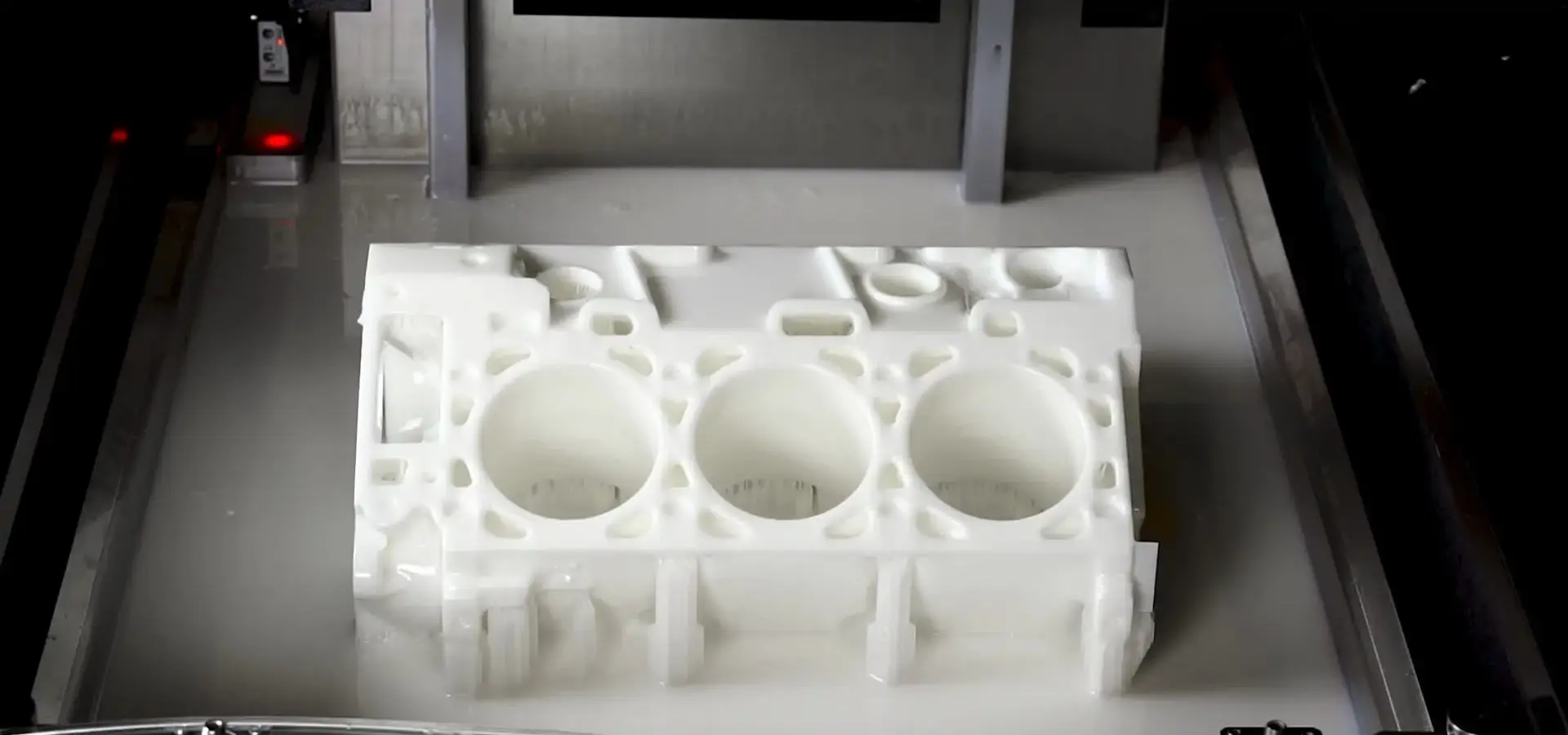
Photopolymerization is used in resin 3D printing to turn liquid resins into solid things with amazing accuracy. This is a big step forward in additive manufacturing. Selective fixing is how this technology works. Ultraviolet light sources cause chemical cross-linking in photosensitive polymers, which builds parts layer by layer with accuracy measured in microns.
The Science Behind Photopolymerization
Putting certain bands of UV light, on liquid photopolymer resin is what makes the process work. When the light hits the resin, it starts a chemical process that turns the liquid into a solid structure made of polymers. With this process, it's possible to make very detailed parts that wouldn't be possible with standard methods of manufacturing. This makes it very useful for fields that need precise parts.
Three Primary Technologies Driving Innovation
There are three different methods used in modern resin printing, and each one has its own benefits for different uses. Stereolithography (SLA) uses a focused laser beam to fix plastic one point at a time, producing very smooth surfaces and precise measurements. Digital Light Processing (DLP) uses a digital projector to fix multiple layers at once, which makes it possible to print complicated shapes much faster. Liquid Crystal Display (LCD) technology blends the speed benefits of DLP with low cost, so small businesses can now print at a professional level.
Which of these technologies to use relies on your business needs the most. SLA is best for surface finish quality, DLP is faster for batch production, and LCD is the best combination of performance and price. With each technology, layer heights can get as low as 10 microns, but for most uses, 50 micron levels are more than enough.
Quantifiable Advantages Over Traditional Methods
According to research, resin printing can cut the time it takes to make a sample by up to 70% compared to standard methods of machining. With this technology, creators can go from a digital idea to a real prototype in just a few hours, without having to set up a lot of complicated tools. With the right post-processing methods, the surface finish quality can often be on par with that of injection-molded parts. Roughness values below 1 micron are possible.
Comparing Resin Printers with Other 3D Printing Technologies
By knowing how different 3D printing technologies work, you can make smart choices about how to move forward with product creation. Each technology has its own pros and cons that affect the speed of design iterations, the quality of the parts, and the total cost of the project.
Resin vs. Filament-Based Printing
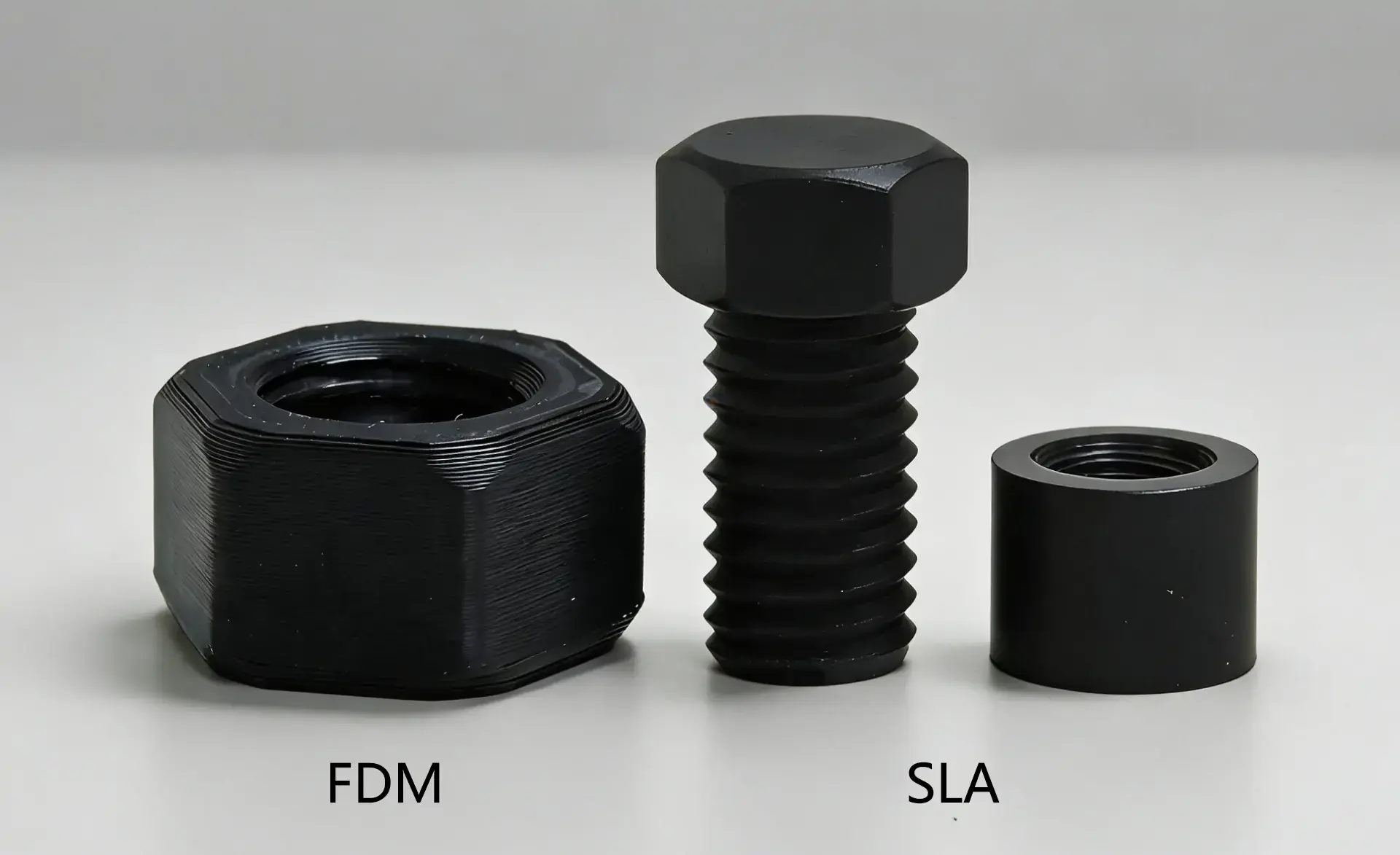
Fused Deposition Modeling (FDM) printers are great at making big parts that work well mechanically, but they're not so good at making small details and surfaces that look good. The extrusion-based process makes layer lines that can be seen and limits the smallest feature sizes to about 0.4 millimeters. Resin printers, on the other hand, can make features as small as 0.1 millimeters with smooth surfaces that don't need much post-processing.
Another important difference is material suitability. FDM can work with a lot of different thermoplastics, even engineering-grade ones like PEEK and PEI. This means it can be used for both useful development and small-scale production. Resin printers have fewer material choices, but they do have special resins like biodegradable, castable, and bendable resins that let them do things that filament-based systems can't.
Performance Metrics Across Resin Technologies
Looking at performance data shows that SLA, DLP, and LCD methods are very different from one another. With errors as little as 0.01% millimeters over 100 millimeter lengths, SLA systems usually get the most accurate measurements. DLP technology is very fast; it can print many parts at once, and each layer can fix in less than 10 seconds. LCD printers are a great deal because replacing the screen is much cheaper than maintaining a laser printer.
There is a wide range of print resolutions. High-end SLA systems can achieve 25 micron XY resolution, while entry-level LCD printers usually work at 50 micron resolution. This difference is very important for uses that need very small details, like jewelry casting patterns or dental models, where fit and function are directly affected by how well the parts fit together.
Workflow Integration Considerations
The difficulty of integrating different technologies varies greatly. Most of the time, FDM printers don't need many safety measures and can work in normal office settings. Resin printers need good air flow, safety gear for the operators, and places to clean and cure the prints after they are done. This extra complexity is balanced out, though, by the fact that it takes a lot less time to finish the surface after processing.
Material handling rules are also very different. Filament materials don't change over time and are easy to store, but liquid resins need to be kept at the right temperature and away from light. The trade-off is finding the right balance between how hard it is to work with photopolymer materials and how good the parts they make are.
Practical Considerations When Integrating Resin Printers into Your Workflow
To use resin printing technology successfully, you need to plan in detail about safety, upkeep, and how to run the machine. These things have a do direct effect on long-term running costs, part quality consistency, and efficiency.
Safety Protocols and Workspace Requirements
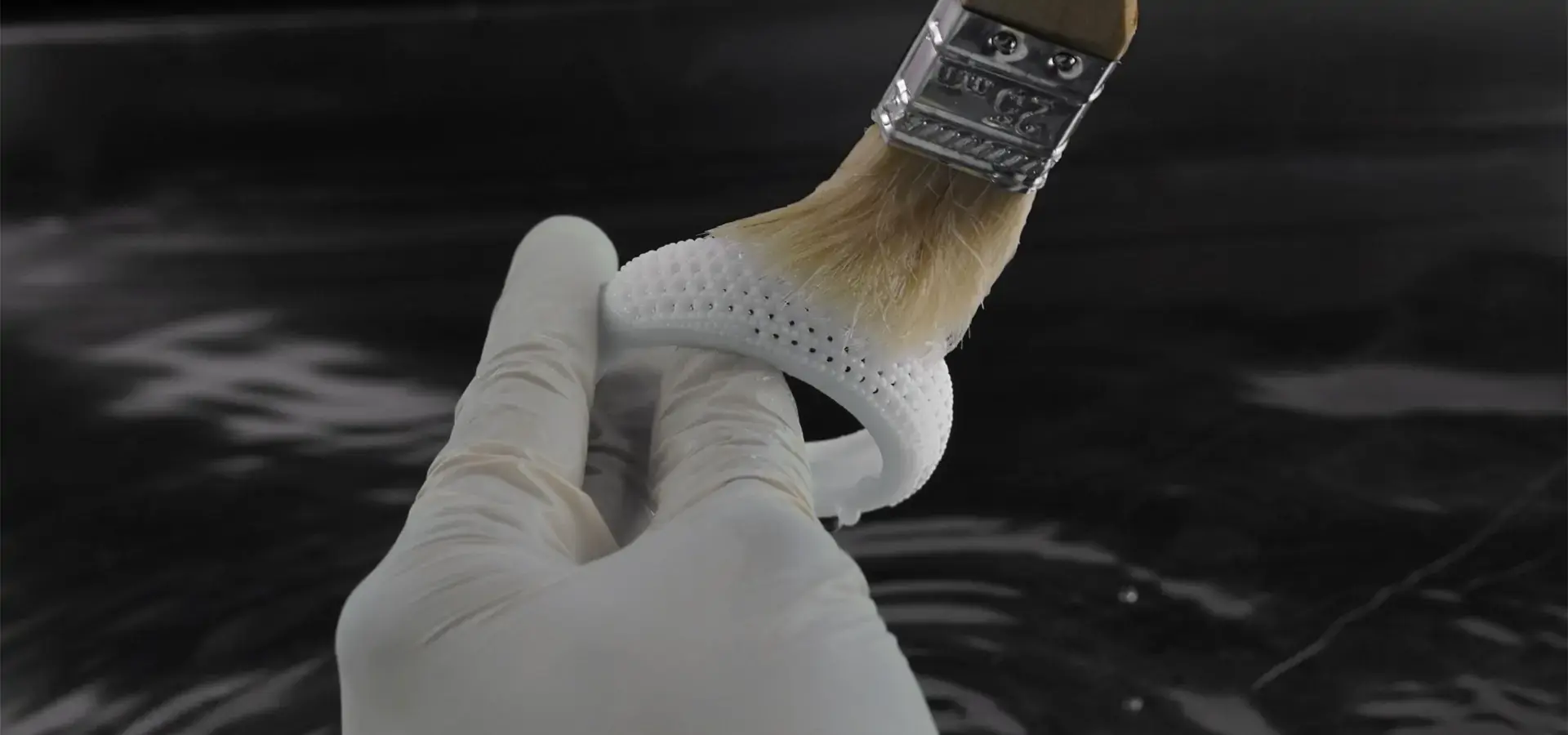
Taking the right safety steps saves operators and makes sure that health and safety standards are met. Personal safety equipment is required because liquid photopolymer resins can make skin more sensitive and irritate the lungs. Chemical resistance is good enough with nitrile gloves, and respiratory protection runs from N95 masks for occasional use to full ventilation systems for constant use.
Ventilation needs in the workplace depend on the amount of printing and the type of glue used. Activated carbon filtration gets rid of organic vapors well, and good air flow keeps possibly dangerous fumes from building up. A lot of places use negative pressure systems in their printing areas to keep any pollution inside controlled areas.
Controlling temperature and humidity has a big effect on how well prints do. Most of the time, 20 to 25°C and less than 50% relative humidity are the best settings for operation. Too much water can stop glue from setting, and changes in temperature can affect how thick the material is and how well the layers stick together.
Maintenance Routines for Optimal Performance
Setting up systematic repair schedules keeps part quality constant and increases the amount of time that equipment is usable. As part of daily upkeep, the resin level is checked, the build plate is cleaned, and the vat is checked for any leftover finished material. Every week, routines include cleaning the screen on LCD systems or checking the laser alignment on SLA units.
Protocols for replacing resins need to carefully think about how long the material will last and how to keep it from getting contaminated. When kept properly, most photopolymer resins stay stable for 6 to 12 months. However, dust or light in the room can damage the quality of prints. Implementing the right storage bins and recycling systems cuts down on material waste and keeps printing conditions at their best.
When to change parts depends on the type of technology. LCD screens need to be replaced every 500 to 2000 hours of use, but SLA laser systems can go for thousands of hours without needing service. Knowing these repair processes helps you make accurate cost estimates and avoids unplanned downtime.
Material Selection Strategies
Picking the right glue mixture has a big effect on both how well the part works and how quickly the work gets done. For visual prototypes, standard resins do a great job of reproducing details, while engineering resins have better mechanical qualities for trying how things work. Specialized mixtures include materials that can withstand high temperatures, elastomers that are bendable, and plastics that can be cast for use in investment casting.
Biocompatible plastics can be used in dentistry and medicine, but they need to be handled and sterilized in a certain way. These materials usually come at a higher cost, but they can be used in ways that aren't possible with regular formulas. Knowing about material certifications and regulatory compliance needs can help you avoid expensive redesigns and delays caused by regulations.
How to Select the Best Resin Printer for Your Business Needs?
To choose the best resin printing tools, you need to carefully look at your current needs, your growth plans, and the total cost of ownership. The choice affects not only what can be done right away, but also how flexible and scalable operations can be in the long run.

Performance Specifications and Quality Metrics
The amount of detail that can be printed and the quality of the surface finish are directly related to the print resolution. High-end systems can get XY levels below 25 microns, which lets them show small details and patterns. Higher clarity, on the other hand, usually slows down printing, so the trade-offs between quality and speed must be right for the purpose.
Build volume restrictions limit the size of parts and the number of batches that can be made with a Resin printer. Desktop Resin printers usually have build areas that are about 150x150x200 millimeters, which are good for small electronic parts, jewelry, and dentist work. Industrial Resin printer systems can handle parts that are bigger than 300x300x400 millimeters, which makes it possible to make car parts and big kits. Knowing the current and future size needs keeps tools from becoming obsolete too soon.
Dimensional accuracy and consistency depend on how precise the machine is. Precision linear guides, ball screws, and vibration isolation are used in high-end systems to achieve setting accuracy within micrometers. This level of accuracy is very important for tasks that need close tolerances or for putting together multiple parts where the stacking of dimensions can affect how they work.
Technology Platform Evaluation
When you look at different makers, you can see that they deal with plastic printing problems in different ways. Formlabs focuses on improving the user experience and the material environment by providing full software integration and large plastic libraries. Phrozen works on printing faster and being able to handle big formats. Anycubic and Elegoo are aimed at price-conscious customers while still meeting acceptable performance standards.
Magforms stands out by developing both materials and tools at the same time, which ensures the best performance and connectivity. Their systems use German Scanlab galvanometers and AOC lasers to provide industrial-grade accuracy, with printing accuracy of up to 0.1 millimeters. Variable spot-size laser technology makes printing 30–50% faster than with regular systems while keeping the quality of the details at a very high level.
Leading manufacturers offer open-source material compatibility, which gives businesses a lot of operating freedom. By getting materials from outside sources, this method lets you cut costs while keeping you from getting locked into one seller, which can have an effect on the long-term economics of operations.
Total Cost of Ownership Analysis
A full financial study must include prices for things like consumables, maintenance, and running the business. Prices for resin range from $50 to $300 per kilogram, depending on the type. Specialized materials cost more, but they can be used in unique ways that make up for the higher costs by making the materials more useful.
The cost of replacing an LCD screen is a big ongoing expense. Depending on the size and quality, each repair can cost anywhere from $50 to $200. Knowing how long a screen will last under certain working conditions lets you accurately model costs and plan for upkeep.
Support and service access have a huge effect on the continuation of operations. Manufacturers that offer quick response times and full technical help keep equipment running at its best and avoid costly downtime. Magforms offers expert support 24 hours a day, seven days a week, with guaranteed answer times of one hour and solution delivery times of four hours. This shows how committed they are to their customers' business success.
Enhancing Product Design Workflow: Case Studies and ROI Insights
Real-world application data shows measurable benefits across a wide range of businesses, showing that resin printing has a profound effect on design processes. These case studies show both direct cost saves and strategic benefits that help a business stand out from its competitors.
Automotive Industry Applications
Several of the biggest automakers use resin printing to make quick prototypes of interior parts and special tools. BMW said that the time it took to make prototypes for special internal trim pieces had been cut by 65%. This meant that design changes could be made more quickly, and new car models could hit the market faster. The technology's ability to make complex designs without limiting the use of tools let creators try out new shapes that weren't thought to be possible before.
Functional testing can do more than just look at visual mockups; it can also check for fit and finish, make sure the assembly process is correct, and evaluate ergonomics. High-performance resins make it possible to make useful parts that can survive chemical exposure, mechanical testing, and thermal cycles that are similar to real-world conditions.
A cost study shows that this method saves a lot of money compared to standard prototyping methods. CNC machining of complicated car parts usually needs multiple sets and special tools, which drives up the cost of each prototype to more than $500 to $2,000. With resin printing, these costs drop to $20 to $100 per part, and wait times drop from weeks to days.
Medical Device Development Success Stories
Medical device makers use the accuracy and biocompatibility of Resin printer printing to make surgery planning models, custom limbs, and prototypes of medical devices. The Cleveland Clinic found that using patient-specific anatomical models made from CT scan data improved surgery planning accuracy by 40%. Surgeons can practice difficult treatments and find the best ways to do them on these models before they actually operate on a patient.
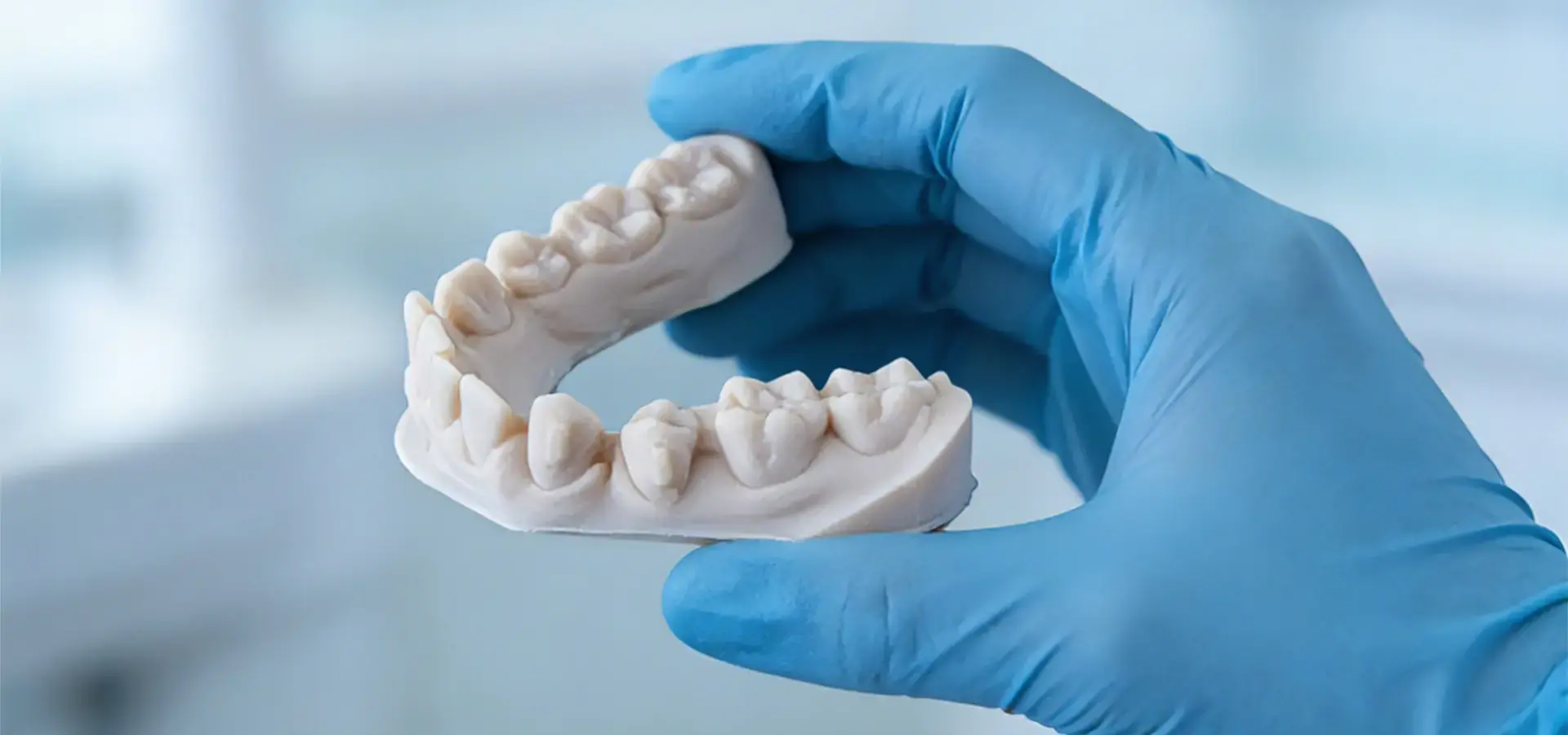
By integrating plastic printing, dental labs are able to work a lot more efficiently. In traditional processes based on impressions, patients have to be seen more than once, and the work takes weeks to handle. When intraoral scanning and resin printing are combined in digital processes, treatment time is cut down to just one meeting, and accuracy and patient comfort are both improved.
Regulatory compliance issues make things more difficult, but they also give businesses an edge in the market. Biocompatible plastics that have been approved by the FDA can be used directly on patients, and strict quality control standards make sure that they always work well. Companies that can handle these needs well can get into high-value areas that are hard to get into.
Electronics and Consumer Goods Innovation
Companies that make consumer goods use resin printing to test how well their products fit together, make sure they look good, and make working prototypes of complicated assemblies. Apple's industrial design team uses resin printing to test early-stage concepts. This lets them quickly try out different form factors and ways for users to connect with the product before investing in expensive tools.
As gadgets get smaller, people need development tools that can make them more accurate. Because resin printing can copy small details and smooth surfaces, it can give a true picture of how the finished product will look, which helps designers make choices that would be hard to make with other fast prototyping methods.
Calculations of return on investment show strong economics. Companies say that the cost of prototypes has gone down by 60–80% and that testing processes are now 70% faster. With these changes, more design exploration is possible within set development budgets, and the total time it takes to make a product is cut down.
Conclusion
Resin printer technology is a game-changer in the way modern product designers work because it offers them new levels of accuracy, speed, and design freedom. The vast majority of proof shows that companies that use photopolymerization technology gain important competitive benefits through faster iteration cycles, lower development costs, and better design skills. From making prototypes for cars to making medical devices, companies say they are consistently getting better at both running their businesses more efficiently and coming up with new ideas. Now that the technology is more developed, the question isn't whether to use resin printing or not, but how quickly businesses can add these features to stay competitive in markets that are changing all the time.
FAQ
What industries benefit most from resin printer integration?
The medical and dental fields are the first to adopt because they need to make sure that the technology is safe and accurate. Automotive companies use the technology to make quick prototypes of shapes that aren't simple. Resin printing is used by companies that make consumer products to test for ergonomics and aesthetics. For aerospace uses, the focus is on making lightweight parts and building complex internal structures that can't be done with standard manufacturing methods.
How do maintenance requirements compare across different resin printer technologies?
SLA systems need laser tuning and cleaning of optical parts on a regular basis, but the parts last longer. DLP projectors need new lamps every 2,000 to 4,000 hours, but the quality of the output is always the same. LCD systems need to have their screens replaced every 500 to 2000 hours, but they are easier to maintain and cost less total.
What safety considerations are essential for resin printer operation?
Exposure to organic fumes from liquid photopolymers can be avoided by making sure there is enough air flow. People who work with chemicals are protected from skin sensitivity and breathing in dangers by nitrile hands and respiratory protection. Controlling temperature and humidity keeps the drying conditions just right, stops the material from breaking down, and makes sure that the print quality stays the same.
How does material compatibility affect long-term operational costs?
Open-source material compatibility lets you choose from a variety of suppliers and find ways to save money. When it comes to efficiency, proprietary material systems often beat the competition, but they make it harder to control costs. Third-party materials may need to have their parameters optimized, but they can cut costs by 30 to 50 percent compared to formulas made by the maker.
What factors determine optimal build volume selection?
Current part size standards set the minimum build area needed, and growth forecasts keep equipment from becoming obsolete too soon. Batch production makes things more efficient by letting you print multiple parts at once. No matter what the technical needs are, the highest size of the equipment may be limited by room and transportation issues.
How do businesses measure ROI from resin printer implementation?
Some direct cost similarities are the use of materials, the time spent on work, and the costs of hiring versus the costs of making things in-house. Saving time lets you respond to the market more quickly and make more design changes while staying within your development budget. Quality improvements cut down on rework and design review processes, making it possible to use more complicated geometries and test functions more thoroughly.
Partner with Magforms for Advanced Resin Printing Solutions
Magforms' cutting-edge industrial SLA systems offer unmatched accuracy and dependability, which can change the way you create products. Our combined method combines our own materials with German-made parts, such as Scanlab galvanometers and AOC lasers, to make sure that measurements are accurate to within 0.1 millimeters and that printing speeds are 30–50% faster than with other systems. Magforms offers full technical help, including consultations 24 hours a day, seven days a week, and guaranteed answer times. They have over 22 patents and have worked with over 300 businesses around the world with great success. Our open-source material compatibility and scalable solutions from laptop to industrial-grade systems meet a wide range of operational needs, whether you're a resin printer maker looking for partnership opportunities or a business that needs to make high-precision prototypes. Get in touch with our knowledgeable staff at info@magforms.com to talk about how our advanced resin printer technology can help you come up with new ideas faster, save you money on development, and keep the quality standards your industry requires.
References
1. Gibson, I., Rosen, D., Stucker, B., & Khorasani, M. (2021). "Additive Manufacturing Technologies: 3D Printing, Rapid Prototyping, and Direct Digital Manufacturing." Springer International Publishing.
2. Ngo, T. D., Kashani, A., Imbalzano, G., Nguyen, K. T., & Hui, D. (2018). "Additive Manufacturing (3D Printing): A Review of Materials, Methods, Applications and Challenges." Composites Part B: Engineering, 143, 172-196.
3. Ligon, S. C., Liska, R., Stampfl, J., Gurr, M., & M眉lhaupt, R. (2017). "Polymers for 3D Printing and Customized Additive Manufacturing." Chemical Reviews, 117(15), 10212-10290.
4. Stansbury, J. W., & Idacavage, M. J. (2016). "3D Printing with Polymers: Challenges among Expanding Options and Opportunities." Dental Materials, 32(1), 54-64.
5. Quan, H., Zhang, T., Xu, H., Luo, S., Nie, J., & Zhu, X. (2020). "Photo-curing 3D Printing Technique and Its Challenges." Bioactive Materials, 5(1), 110-115.
6. Melchels, F. P., Feijen, J., & Grijpma, D. W. (2010). "A Review on Stereolithography and Its Applications in Biomedical Engineering." Biomaterials, 31(24), 6121-6130.


Magforms makes design and manufacture easier.
Popular Blogs
-
 Industry InsightsManufacturing Industry
FDM vs. SLA Printer: Which Technology Is Right for Your Project?
-
 Industry InsightsManufacturing Industry
Top 5 Applications of Industrial 3D Printers in Manufacturing Today
-
 Industry InsightsManufacturing Industry
Why Stereolithography 3D Printers Are Unmatched for Microfluidic Device Prototyping?
