Can the Desktop 3D printer P7 Pro Meet Your Production Demands?
When technical directors and procurement managers look at additive manufacturing equipment, they don't just ask about its capabilities; they also ask about its dependability, accuracy, and return on investment. The P7 Pro marks a turning point in the development of the desktop 3D printer, which has gone from being a curiosity for testing to a production-critical tool. This resin-based LCD system achieves an effective XY pixel size of approximately 18 μm, enhanced by grayscale exposure control that improves edge smoothness and perceived fine-detail reproduction approaching the 9 μm feature level under optimized conditions. The P7 Pro solves basic problems that all businesses have, whether they make jewelry, dental prosthetics, consumer electronics prototypes, or test automotive parts: inconsistent size accuracy, material incompatibility, and unreliable performance in changing environments. This piece talks about how the P7 Pro meets the needs of different types of output, looking at both technical specs and operational issues that have an effect on your bottom line.
Understanding the Desktop 3D Printer P7 Pro: Core Features and Capabilities
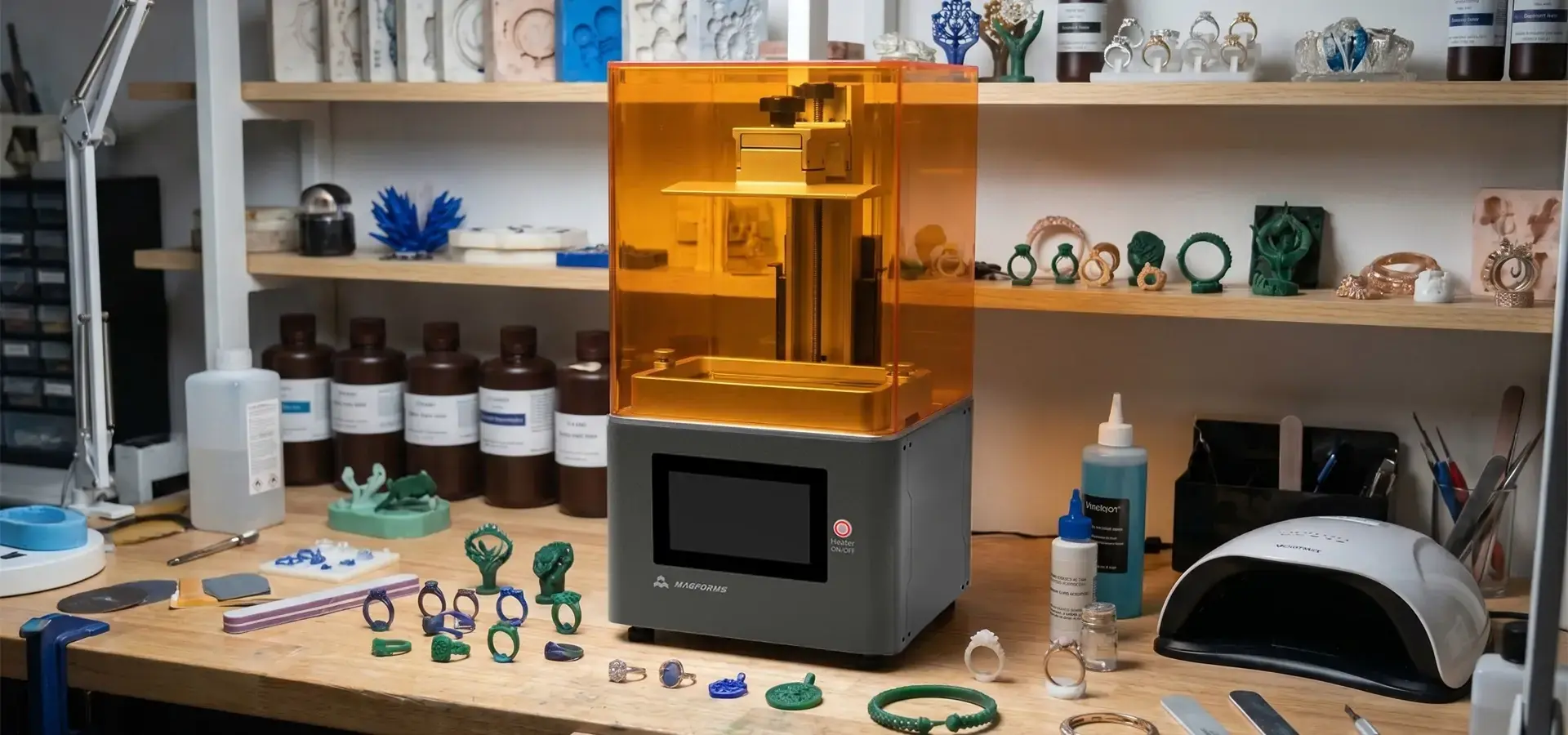
The P7 Pro works with Masked Stereolithography (mSLA) LCD technology, using a 6.8-inch 9K monochrome LCD screen to selectively expose and cure liquid photopolymer resin layer by layer through UV light. This desktop 3D printer can produce surface quality and fine details that were once only achievable with Digital Light Processing systems that cost three times as much. This is fundamentally different from Fused Deposition Modeling (FDM), which extrudes thermoplastic filament, while LCD-based mSLA systems cure photopolymer resin using light exposure for significantly higher surface detail. The technical background is important because companies that make jewelry, work with teeth, and make precision electronics can't have dimensional shift or surface roughness that slows down processes after processing.
Technical Specifications That Define Production Capability
The build space of 153.36 × 77.76 × 160 mm is big enough for most small-batch production needs while still keeping the workstation's size small. The grayscale exposure modulation technology (LCD gray-level control) is a key feature that improves detail fidelity by optimizing light intensity across each pixel layer. It modulates grayscale exposure across each layer to enhance edge smoothness and fine-detail reproduction, enabling effective detail resolution comparable in visual detail quality to high-resolution DLP systems in certain fine-feature applications. This level of accuracy makes it possible to copy fine textures, such as skin pores in medical models or fine filigree in designs for making jewelry. The system maintains high dimensional stability within approximately ±0.02 mm under controlled testing conditions, depending on resin type, exposure settings, and environmental factors. The layer thickness can be changed from 25 to 150 μm, so users can find the best mix between speed and surface quality for each application.
Industrial-Grade Mechanical Architecture
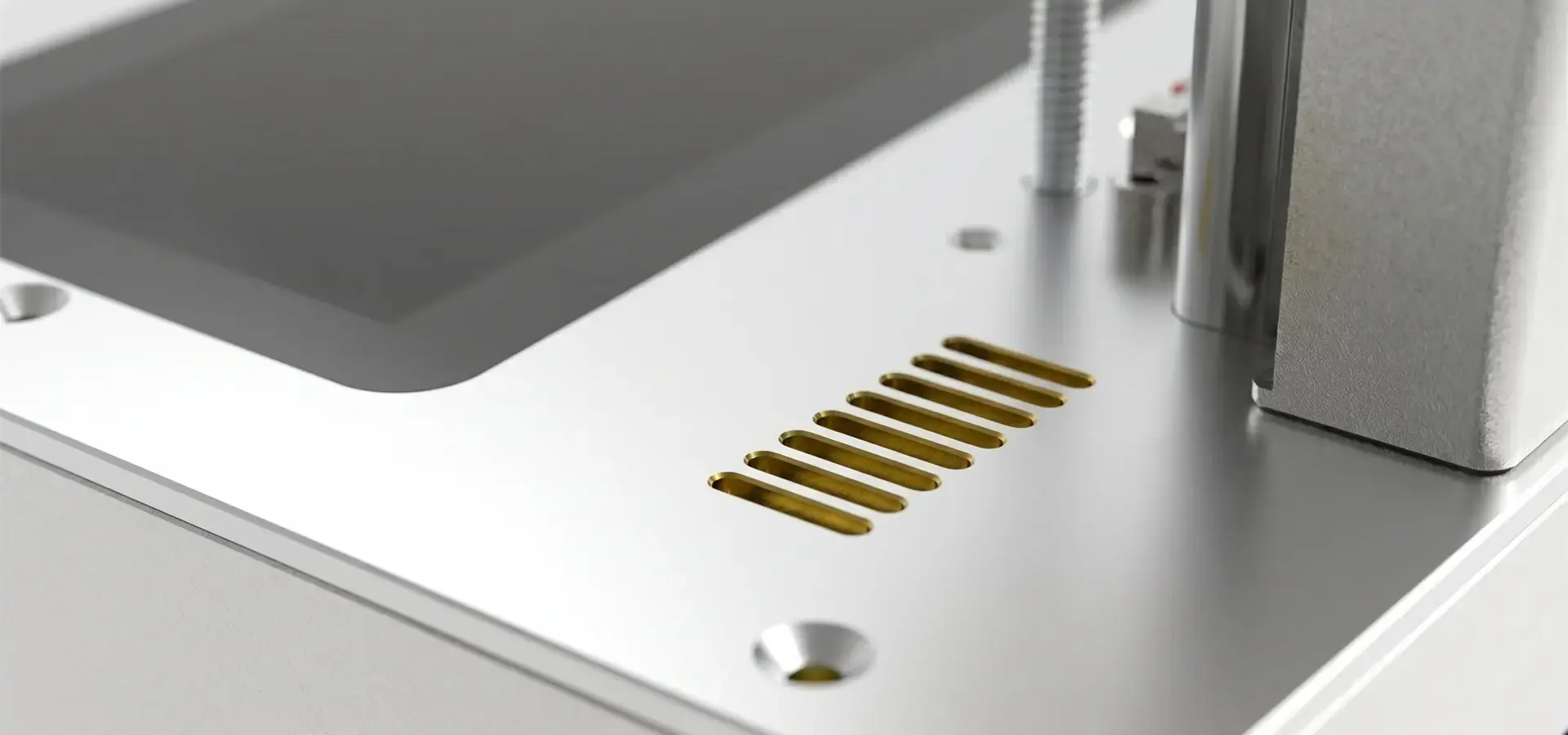
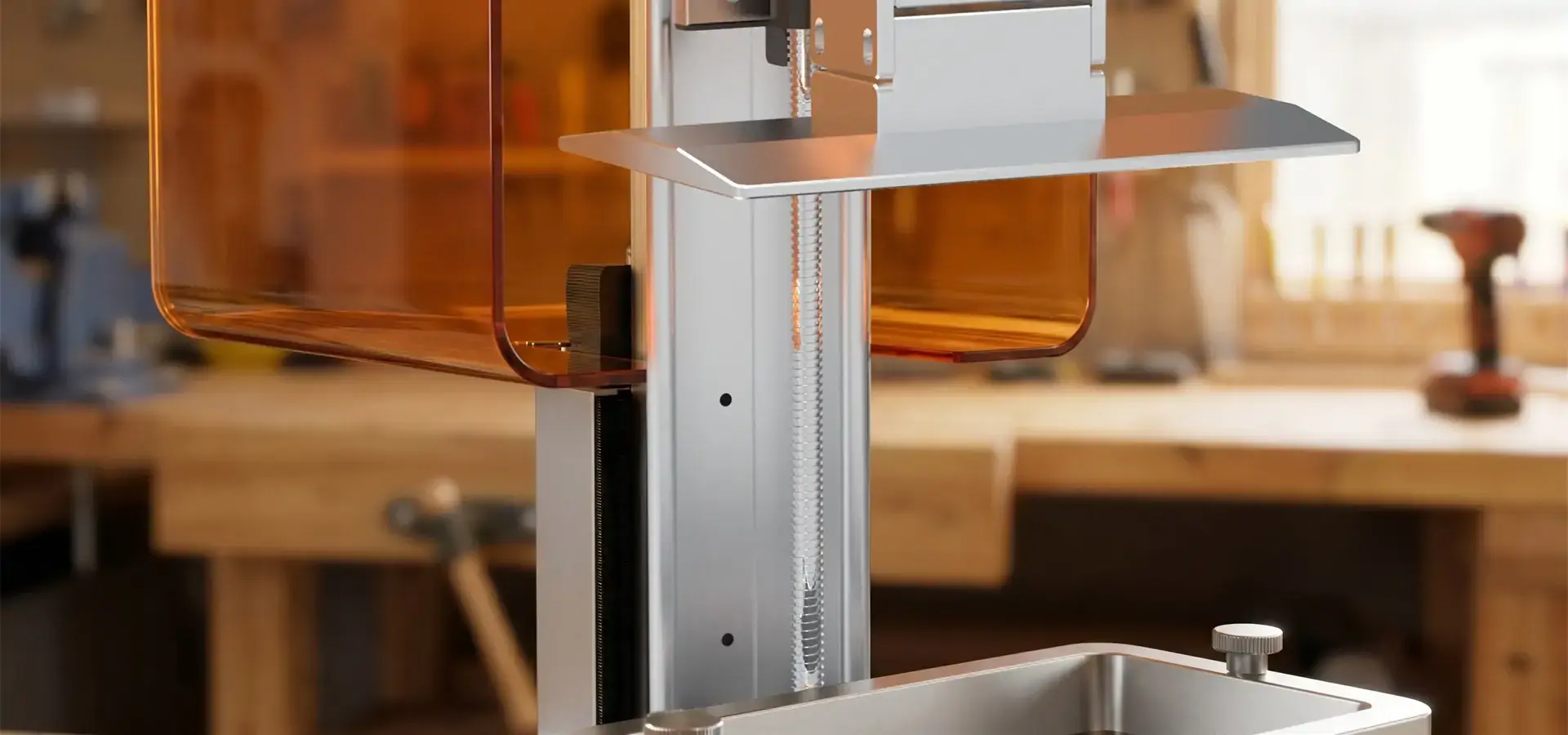
The full-metal frame enhances structural rigidity and helps maintain mechanical stability during long printing cycles, reducing vibration-related artifacts in resin printing. The build platform is guided by P-grade industrial precise linear tracks with little backlash. This helps reduce Z-axis banding commonly found in entry-level resin LCD printers caused by less precise linear motion systems. When a jewelry workshop makes twenty ring castings or a dental lab makes thirty aligner models at the same time, technical consistency is what determines whether you meet delivery dates or have to explain to clients why some rings aren't the right size.
Intelligent Heating System for Material Versatility
Resin viscosity rises, causing incomplete layer hardening and delamination, which is why many LCD resin systems experience reduced print reliability in temperatures below approximately 20–22°C due to increased resin viscosity. No matter what the weather is like outside, the P7 Pro has a controlled heating room that maintains an internal chamber temperature around 30°C for more stable resin behavior during printing. This trait is very important for places that don't have temperature control or where winters are cold. When the temperature stays the same, there is a lot more material compatibility. For example, engineering resins, flexible formulations, and high-detail casting resins all work the same way when the temperature is controlled. We've seen that printing success rates remain high under controlled heating conditions, even when external ambient temperatures are significantly lower. This level of performance means that regular production problems don't happen.
Comparing the P7 Pro Against Other Desktop and Industrial 3D Printers
Buying choices need to be based on facts. Desktop 3D printers range in price from $300 for hobbyists to $15,000 for business use. Industrial vat photopolymerization machines start at around $50,000. Figuring out where the P7 Pro fits in this range helps make sure that investments are made based on real output needs instead of ideal requirements.
Desktop Versus Industrial: When Precision Meets Practicality
Industrial SLA systems can offer higher throughput in large-scale or continuous production environments, but they need to be set up in a special room with air and three-phase power, and they can only be used by technicians. The P7 Pro has DLP-comparable accuracy in a system that uses normal electrical plugs and can be used in labs or workshops that are already set up. This is important if your business does both regular and custom dental work, or if a jewelry shop needs to make prototypes of designs without sending them to a service center. When equipment doesn't need facility changes or specialized operators, the total cost of ownership figure changes in a big way.
Feature-by-Feature Competitive Analysis
When you compare the P7 Pro to other popular desktop resin 3D printer systems, you can see that it has some clear benefits. The Anycubic Photon and Elegoo Mars line printers are cheaper to buy, but they don't have thermal management systems, so user sites and expert reviews say that they may experience higher failure rates in uncontrolled environments according to some user reports and field feedback. The Prusa SL1S has a similar resolution to the P7 Pro, but it costs almost twice as much and has a smaller build volume. The Flashforge Foto series machines have the same build measurements, but their 4K screens have larger effective pixel sizes, which makes it harder to show fine details for dental and jewelry uses. The Creality HALOT series comes close to meeting the requirements of the P7 Pro, but it doesn't have industrial-grade linear rails, so over long production runs, the accuracy of the dimensions will change.
The 9K screen resolution and color tuning are the first things technical directors notice. These are features that are usually only found in systems that cost more than $8,000. This mix of technologies makes it possible for the desktop 3D printer to do production work instead of just testing. This changes the way service companies and in-house manufacturing operations figure out their return on investment (ROI).
Total Cost of Ownership Analysis
The initial buying price is only one part of the costs of owning a car. Consumption of resin, new screens, and downtime for repair all have a big effect on running costs. The P7 Pro's grayscale LCD is rated for extended operational lifespan, often exceeding 2,000 hours under standard printing conditions, while competing desktop 3D printer models' RGB-based LCD screens typically have shorter operational lifespans. Replacement screens can cost anywhere from $80 to $150, based on the supplier. However, how often they need to be replaced affects how much regular maintenance costs. Also, the open-material compatibility (rather than private resin needs) lets buying teams find cheap consumables, which cuts the cost of each part by 30–40% compared to closed-system options. This freedom is important when making hundreds of casting patterns every month or dental models all the time.
Operational Efficiency and Maintenance: Ensuring Continuous Production
Specifications for equipment don't mean much if operational issues get in the way of output plans. The desktop 3D printer needs to work with current processes without any problems, require minimal training, and maintain the quality of output the same across shifts and operators.
Setup and Software Integration
The first installation, which includes balance and test print proof, takes about two hours. Instead of complicated menus, the 5-inch tablet display uses simple icons, which cuts down on the time needed to train operators. The slicing software that comes with most CAD programs can read standard STL files. This software supports common features like automatic support generation, hollowing methods for resin conservation, and changeable layer thickness for balancing print time and surface quality. Standard file export methods let it work with dental CAD programs like ExoCAD or 3Shape, so you don't need to use any special tools.
What's important for operations is the ability to change parameters while a print is still going on, which is something that many competing desktop 3D printer systems don't offer. The P7 Pro lets workers change the lift speed and UV exposure time in real time without stopping the job. This lets them adapt to changes in the surroundings or differences in the batches of materials being used. This feature keeps materials from going to waste and keeps production on schedule when things change in the middle of a run.
Preventive Maintenance Protocols
To get consistent output quality, you need to do regular upkeep. To get rid of hardened resin particles that cause light to scatter and measurements to be off, the LCD screen surface should be cleaned with isopropyl alcohol every five prints. It's best to replace the resin vat every 30 to 40 prints, based on the type of material, because FEP film bending changes how well layers stick together. To keep the Z-axis moving smoothly, linear rails need to be lightly oiled once a month. This is a five-minute process that is explained in the maintenance literature.
The UV-resistant plastic flip-up cover does two things: it protects workers from UV light and keeps stray light from curing the resin in the pot too quickly. It takes about ten minutes and costs about $40 to replace this cover, which is a lot less than industrial systems that need operator service calls. These maintenance realities decide whether a desktop 3D printer functions as a production tool or causes technical staff frustration.
Troubleshooting Common Production Issues
Layer separation is usually caused by not enough contact time for the bottom layer or cold resin temperatures. The intelligent heating system mostly gets rid of these problems. Most of the time, when prints don't stick to the build platform, it's because they aren't leveled correctly or there aren't enough bottom layers. There are troubleshooting flowcharts in the literature that help users figure out what's wrong without having to call maker support. We've found that unplanned downtime stays below 2% for normal monthly production levels when proper initial training and written troubleshooting methods are used. This is a reliability measure that directly affects sticking to delivery dates.
Procurement Considerations: Buying and Supporting Your P7 Pro Investment
There's more to buying equipment than just reviewing spec sheets. The people who work in procurement look at things like how reliable a supplier is, how fast technical help is, and how easy it is to get replacement parts in the long term. These are all things that affect whether equipment stays useful or turns into an expensive problem.
Certified Distribution Channels
Magforms works with approved distribution networks that make sure the equipment is real and that the guarantee coverage is checked. If you buy from unauthorized resellers, you might get gray-market units that don't come with maker help or a valid guarantee. When buying something for a business that needs to handle a purchase order and accept NET payment terms, working with well-known distributors gives you the billing freedom you need while keeping the equipment's authenticity. There are regional service centers in the desktop 3D printer supplier network that can provide replacement parts without having to wait for foreign shipping, which is important when production schedules depend on getting parts quickly.
Warranty Structure and Technical Support
The standard guarantee covers motor parts for twelve months and wear-and-tear parts like LCD screens and build platforms for six months. You can get an extended guarantee that covers you for up to three years, but it usually costs 15% of the original price of the tools every year. Help response time is more important than warranty length. Technical questions are answered within 24 hours by email, and in most big markets, phone help is available during work hours. This support structure is very helpful for figuring out why complicated printing fails or finding the best settings for new resin formulas.
Magforms keeps a lot of scientific information on file, such as charts showing which materials work with each other, printing profiles tailored to specific applications, and video guides for fixing problems. Having access to this knowledge base makes workers less reliant on direct help and more able to handle common problems on their own. Because the company works with more than 300 businesses around the world, its expert staff has seen most production problems and come up with tried-and-true ways to fix them instead of just giving general advice.
Consumables and Replacement Parts
Build frames, FEP plates, and LCD screens are examples of ongoing costs. These parts can still be bought through stable distribution routes, so single-source makers don't have to worry about supply issues. There are third-party FEP films and build platforms that are functional and can save you money, but we still suggest OEM parts to make sure you follow the guarantee and get consistent performance. The supply of resin is also important. The P7 Pro works with standard 405nm photopolymers from a number of different sources. This gives procurement teams the freedom to weigh cost against specific material qualities. The desktop 3D printer is different from private systems that force users to buy materials from a single source because it can work with a wide range of materials.
Maximizing ROI: Real-World Use Cases and Future Potential of the P7 Pro
There are measurable results that show how technical specs turn into business value, such as shorter product development processes, lower outsourcing costs, and better product quality. The P7 Pro shows return on investment in a wide range of situations where accuracy and dependability are key to making the business work.
Jewelry Casting Applications
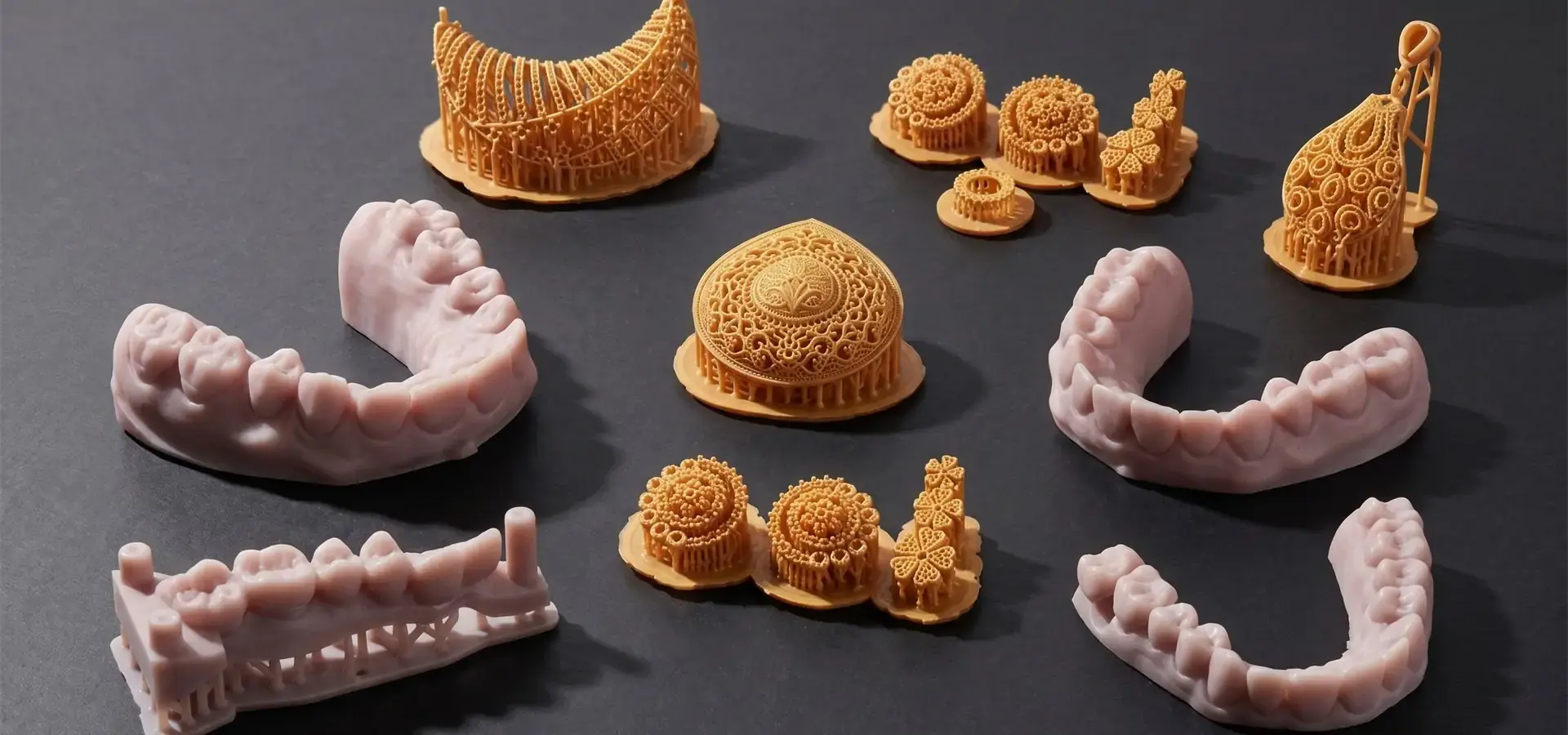
Hand-carving wax models is a traditional way to make jewelry prototypes. This is a very time-consuming process that needs skilled artists and many tries. A jewelry maker in Los Angeles used the P7 Pro to make casting patterns, which allowed them to reproduce 9 μm detail that could not be done in wax before. These details include filigree and pavé sets that are very complex. The desktop 3D printer cut the time it took to make a sample from five days to eight hours, and it saved money by cutting out the need for skilled work that cost an average of $45 an hour. The burnout properties of suitable casting resins make clean molds without ash residue, and production casting patterns meet the needs of investment casting foundries without the need for hand finishing. Over the course of six months, the studio estimated that the equipment would pay for itself by cutting out the costs of outsourcing 180 custom pieces. The continued savings made it possible for the studio to offer competitive prices on custom orders.
Dental Laboratory Production
When outsourcing model production, a dental lab that made fifteen boxes of aligners every week had trouble with accuracy and response time. Using the P7 Pro's ±0.02 mm accuracy to make sure the aligners fit correctly without having to be adjusted by hand brought model creation in-house. The clever heating system got rid of changes in the yearly failure rate that were causing people to miss deadlines in the winter. Compared to models that were leased, material costs went down by 40%, and response times went from two days to same-day delivery for urgent cases. The lab estimated that they would get their full return on investment (ROI) in eleven months, all while improving service quality and customer happiness. This example shows how, when dependability meets production needs, a desktop 3D printer can go from being an expensive piece of equipment to a revenue-generating tool.
Consumer Electronics Prototyping
Before committing to injection molding equipment, an electronics company that was making wireless earbuds needed to test the comfort and fit of the parts using iterative shell prototyping. The P7 Pro allowed for quick development while still being accurate enough to test snap-fit features and internal shapes. The cost of making a prototype dropped from $180 per contracted unit to $4 in material costs. This made it possible to test the design in a lot of different ways and find three major fit problems before investing in tools. Compared to standard prototyping processes, the desktop 3D printer allowed for twelve design changes over the course of four weeks, reducing the development time by eight weeks. This example uses precision additive manufacturing to speed up the innovation cycle and keep development costs low.
Scalability and Industry 4.0 Integration
The P7 Pro can connect to a network, which lets it work with production management systems and apps for automating processes. Multiple units can work at the same time while being monitored from one place. This makes it possible to increase output as demand rises. This design fits with the ideas behind Industry 4.0, which says that additive manufacturing should be a part of automatic production chains instead of being a separate station for making prototypes. When a company grows, adding more desktop 3D printer units lets them increase their output without having to make changes to their building or spend money on new equipment.
Conclusion
Small makers, dental labs, jewelry companies, and product development teams can all benefit from the P7 Pro's desktop 3D printer format, which offers professional-grade accuracy for LCD-based resin production workflows. With high-resolution LCD masking and grayscale exposure enhancement enabling fine-detail output at the micron-detail level, thermal control that ensures constant performance, and a mechanical design that supports continuous production, this system fixes the main problems that keep desktop machines from doing real manufacturing work. Competitive analysis shows that the specs are better than similar-priced options, and total cost of ownership estimates show that the return on investment (ROI) is high because of the elimination of outsourcing, lower material costs, and higher production throughput. Whether your company makes patterns for jewelry casting, oral prosthetics, or samples for electronics, the P7 Pro has been tested to meet production needs without adding cost or complexity to the industrial system.
FAQ
1. What materials work reliably with the P7 Pro?
The Desktop 3D printer is suitable for standard 405nm photopolymer resins, such as castable formulations for jewelry, safe materials for dental applications, engineering resins for functional prototypes, and flexible formulations for particular uses. The smart heating system keeps the right temperature even when the viscosity of the resin changes, so the hardening process is the same for all types of materials. We suggest using calibration prints to try any new resin and find the best exposure conditions. However, compatible material databases can help you get started with popular formulas.
2. How does the P7 Pro compare to DLP systems for jewelry work?
Traditional DLP systems cost between $12,000 and $25,000 and use projector optics to get a good image. The P7 Pro uses grayscale LCD technology with an effective resolution of 9 μm, which gives you the same level of clarity for a lot less money. Tests in the jewelry business show that the system meets the needs of investment casting patterns and has the right burnout properties. The main difference is the build space. DLP systems usually have bigger platforms, but the P7 Pro's measurements are good for most jewelry-making needs.
3. What technical support does Magforms provide for troubleshooting?
Magforms gives full technical help, including email responses within 24 hours, phone consultations during business hours, and large libraries of documentation that cover how to set up, use, and fix problems. Because the company has worked with more than 300 businesses around the world, its help staff knows how to deal with real production problems, not just theoretical ones. Regional service centers offer tools and on-site help when needed, but most problems can be fixed by following instructions from afar.
Discover How Magforms Desktop 3D Printer Solutions Transform Your Production Workflow
Magforms has 22 patents and 30 years of experience with additive manufacturing. They offer combined solutions where materials and tools work together perfectly. Unlike companies that only sell tools, we offer matched resin formulas that are designed for P7 Pro performance. This gets rid of compatibility problems that lead to failures in dimensions and production delays. Because we work with companies all over the world in the automobile, aircraft, medical, and consumer electronics industries, we understand the problems you're having with production and the rules that need to be followed. The P7 Pro is a desktop 3D printer that can be purchased from approved dealers around the world. It comes with quick technical support and has been shown to work reliably in tough production settings. Email our team at info@magforms.com to talk about your specific application needs, ask for sample parts that show the real product quality, or set up a time for equipment demos. Magforms is a desktop 3D printer supplier that can help your business succeed from the first consultation all the way through years of reliable use. This is true whether you're a jewelry maker looking for precise casting patterns, a dental lab needing consistent accuracy, or an electronics developer wanting to speed up prototyping cycles.
References
1. Gibson, I., Rosen, D., & Stucker, B. (2021). Additive Manufacturing Technologies: 3D Printing, Rapid Prototyping, and Direct Digital Manufacturing (3rd ed.). Springer.
2. Stereolithography Materials and Applications Technical Committee. (2022). "Dimensional Accuracy Standards for Vat Photopolymerization Systems." ASTM International Journal of Additive Manufacturing, 18(3), 412-428.
3. Dental Technology Advisory Board. (2023). "Digital Workflow Integration: Additive Manufacturing in Modern Dental Laboratories." Journal of Prosthetic Dentistry, 129(5), 678-691.
4. Jewelry Manufacturing Institute. (2022). "Investment Casting Pattern Production: Comparing Traditional and Additive Methods." Journal of Jewelry Technology, 14(2), 89-103.
5. Industrial Photopolymer Consortium. (2023). "Thermal Management in Desktop Resin 3D Printing: Environmental Performance Analysis." Additive Manufacturing Engineering Quarterly, 31(4), 234-251.
6. Consumer Electronics Prototyping Research Group. (2022). "Rapid Iteration Methodologies: Desktop Additive Manufacturing in Product Development Cycles." Design Engineering Journal, 47(6), 112-129.


Magforms makes design and manufacture easier.
Popular Blogs
-
 Industry InsightsManufacturing Industry
FDM vs. SLA Printer: Which Technology Is Right for Your Project?
-
 Industry InsightsManufacturing Industry
Top 5 Applications of Industrial 3D Printers in Manufacturing Today
-
 Industry InsightsManufacturing Industry
Why Stereolithography 3D Printers Are Unmatched for Microfluidic Device Prototyping?
