Desktop SLA 3D Printer Cost vs Performance: Worth It?
When deciding whether to buy a desktop SLA 3D printer, the clear answer is yes for companies that need micron-level accuracy and uniform material qualities. These desktop LCD stereolithography systems (mSLA) offer fine surface finishes suitable for prototype validation and mold master production, with surface roughness typically below Ra 1 μm after proper post-curing and finishing. They resolve important problems that FDM technology has, like Z-axis weakness and visible layer lines. Despite their higher initial cost (20–40% more than filament printers), they ultimately prove to be cost-effective by necessitating less post-processing work, generating more precise prototypes, and eliminating expensive tooling iterations in industries such as dentistry, aerospace, and precision engineering.
Understanding Desktop SLA 3D Printers: Cost and Performance Fundamentals
Stereolithography can completely transform the process of additive manufacturing in small office setups. Most modern desktop SLA 3D printer systems for commercial use are based on LCD masked stereolithography (mSLA), where a UV light source cures photopolymer resin layer by layer through an LCD masking screen. Instead of stacking melted plastic strands like extrusion-based methods do, these systems trace cross-sections of digital models onto resin surfaces. This sets off photochemical reactions that harden the material layer by layer.
Core Technology Components Driving Value
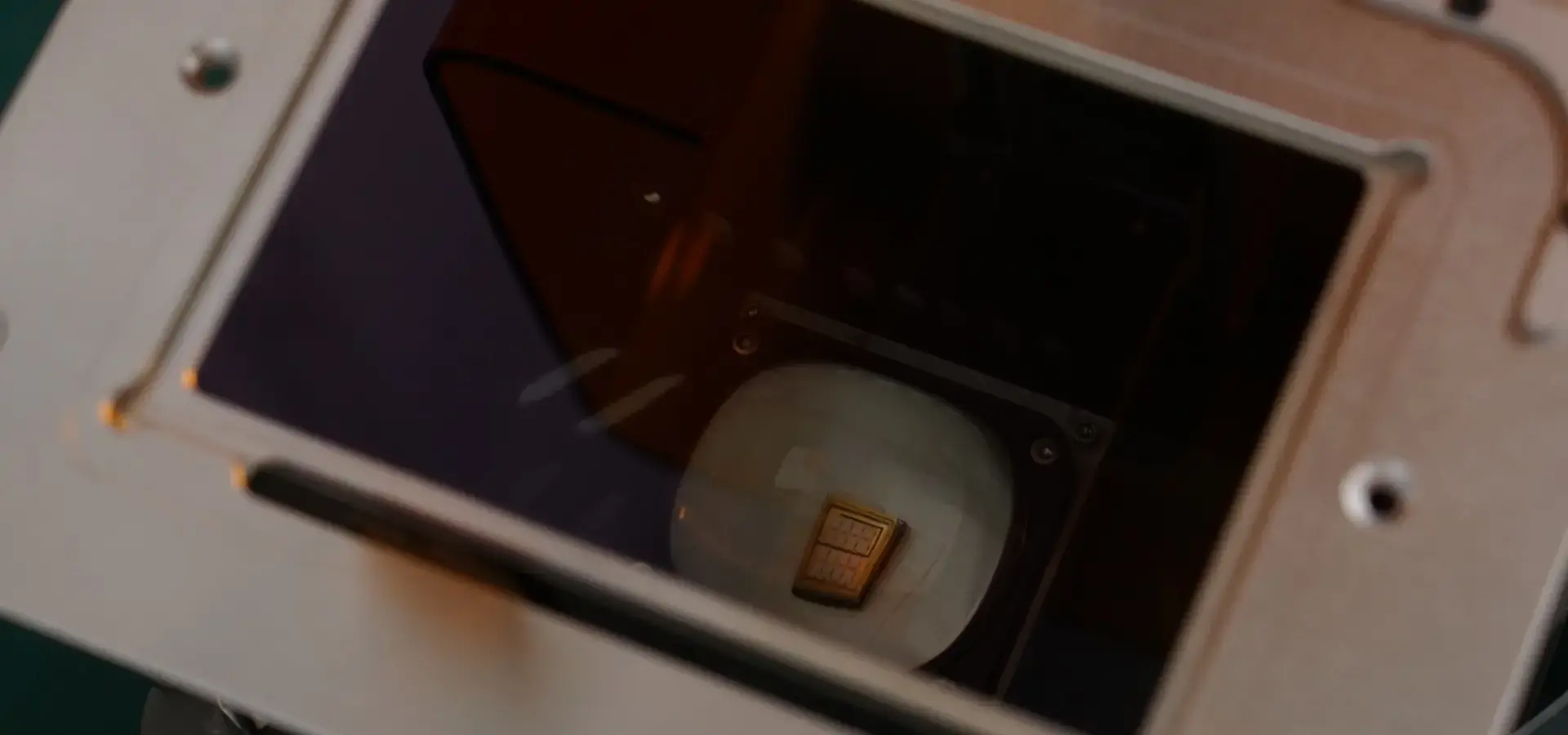
Three interconnected parts are the main cause of any desktop SLA 3D printer's speed limit. In LCD-based desktop SLA 3D printer systems, the optical performance depends mainly on monochrome LCD resolution, UV light uniformity, and pixel accuracy, typically achieving XY resolutions between 35 and 85 microns. This level of optical clarity makes it possible to copy thread pitches, micro-textures, and undercut shapes that can't be done with filament deposition.
The second important factor is the structure of the resin. Standard photopolymers that are good for making visual samples cost $50 to $80 per liter. On the other hand, engineering-grade versions that can withstand high temperatures or are biocompatible cost $150 to $300 per liter. Choosing the right material affects not only the cost per unit but also how well it works. For example, dental model resins need to be certified as Class IIa biocompatible, while investment casting needs melting properties with no ash content.
The cost-performance triangle is finished with the build amount. Entry-level units with 125 x 125 x 200 mm envelopes are used by dental labs and jewelry makers who work with single tools. Medium-format systems that can grow up to 192 x 120 x 250 mm can print prototypes for car interior parts or large batches for service centers. As build volume increases, higher mechanical rigidity, improved thermal stability, and more uniform UV light distribution become necessary to maintain dimensional consistency across the platform. This is why the prices range from $3,000 for small units to $15,000 for platforms designed for mass production.
Total Cost of Ownership Beyond Purchase Price
When planning for stereolithography tools, procurement managers often don't account for how much it costs to run. Besides plastic, other things that need to be bought and replaced are FEP or release film replacement intervals vary depending on resin type, print area coverage, and operating conditions, but heavy production environments may require replacement every few months ($30 to $60 per sheet), isopropyl alcohol for washing after printing ($25 per 5-gallon bucket), and new build platforms ($80 to $150). It's possible for a service center with two jobs a day to spend $600 a month on supplies and consumables alone.
Maintenance times are another cost factor to think about. To maintain consistent print accuracy, LCD exposure calibration, Z-axis alignment, and UV light intensity should be periodically inspected according to manufacturer maintenance schedules. This service, which can only be done by approved techs and costs $200 to $400, is usually quite expensive. Optical windows that get resin mist on them need to be cleaned or replaced every three months in places where they are used a lot. These ongoing costs are small on their own, but when added up over three years of ownership, they add up to 15–25% of the initial equipment investment.
Software subscription and licensing models introduce variable cost frameworks. Widely used slicing software such as ChiTuBox and Lychee Slicer provide accessible workflow tools for LCD resin printing, while advanced commercial platforms offer enhanced automation and production management features. Commercial systems that offer automatic nesting, hollowing, and adaptable layer thickness cost between $300 and $1,200 per year to subscribe to. Optimized support structures can boost productivity by 30%, cutting down on print failures and post-processing time by 40%. This is often enough to justify spending more on premium tools for production settings.
Desktop SLA 3D Printer Cost vs Performance: Comparative Analysis
To figure out where stereolithography fits in the bigger picture of additive manufacturing, you need to know how its performance compares to other methods and types of tools.
SLA Versus FDM: Precision Premium Quantified
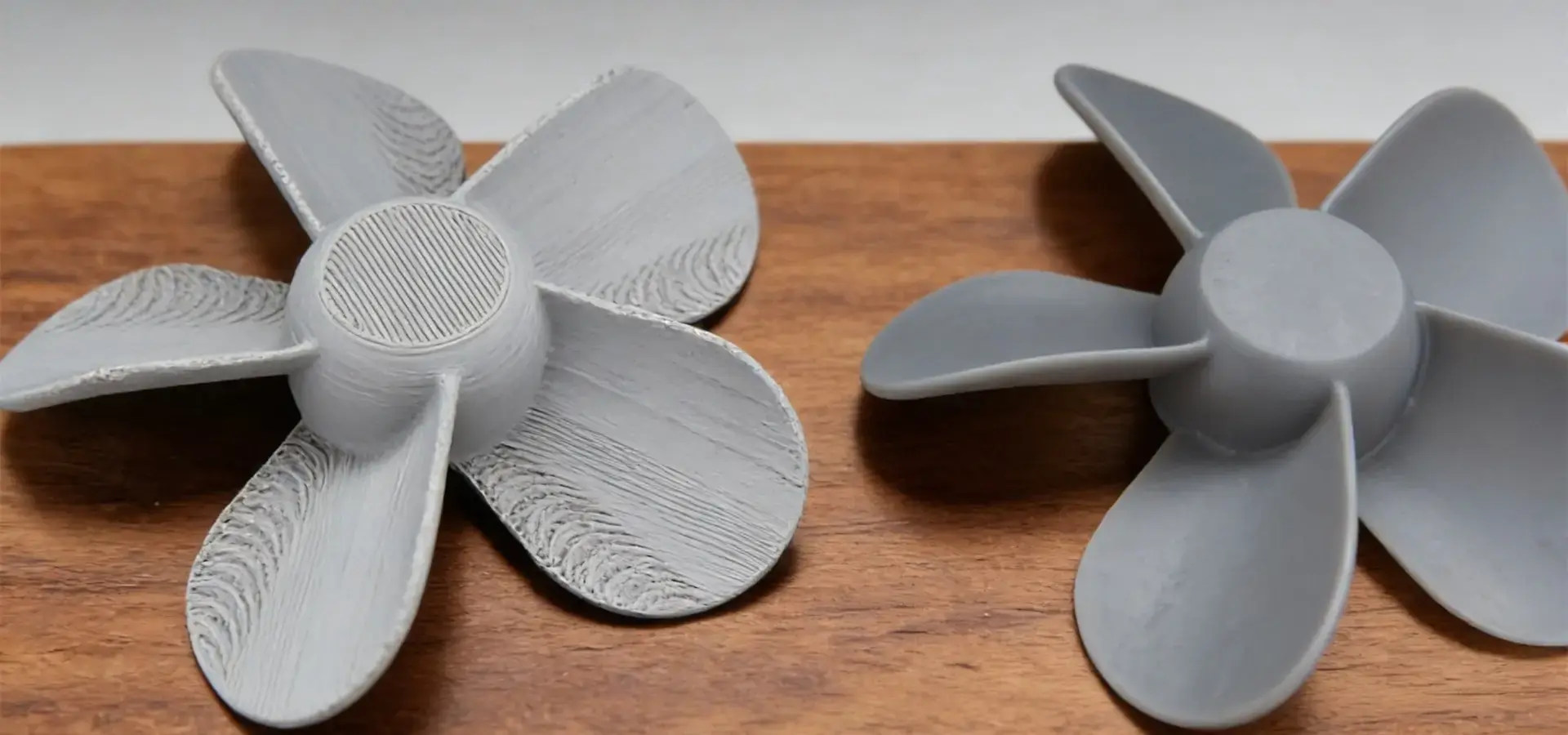
Fused deposition modeling is the most popular type of 3D printing for beginners because it is easy to use and doesn't cost much ($200 to $2,000 for tools). The basic extrusion process, on the other hand, makes it impossible to use for precise purposes. Parts made with FDM have layer lines that can be seen (50–300 micron step heights), uneven strength (Z-axis tensile values 60–80% weaker than XY planes), and changes in size due to heat warping.
Through vat photopolymerization chemicals, a desktop SLA 3D printer becomes rid of these restrictions. Layer heights get smaller until they are 25 to 50 microns, which makes finishes that don't need much grinding. Photopolymer cross-linking generally provides more uniform mechanical properties between layers compared with FDM technology, reducing visible anisotropy in many applications. This means that the tensile strength stays the same no matter which way the load is applied. Dimensional accuracy is significantly improved with SLA and LCD resin systems, which can commonly achieve tolerances around ±0.1 mm under controlled conditions.
This speed gap can be seen in how well a service works. For dental labs to make orthodontic models, the contact area must be accurate to within 50 microns. This can only be done with stereolithography or similar resin-based technologies. For stress testing, aerospace component validation needs parts with uniform mechanical properties. This is why photopolymer curing is needed, which has isotropic qualities. The extra 40–60% cost for desktop SLA 3D printer systems is a good way to protect yourself against prototype rejection and rethink iterations.
Desktop SLA Versus Industrial SLA: Scaling Economics
Desktop and industrial stereolithography systems work on the same basic ideas, but the way they are implemented makes them useful for different types of tasks. 500 x 500 x 600 mm build boxes and dual-laser setups on industrial platforms make it possible to make 50 to 200 parts every day. These features require investments of $80,000 to $200,000, so this kind of equipment can only be found in established production settings or big service bureaus.
In exchange for practical freedom, desktop setups give up some raw throughput. Small footprints make it possible to use them in a lab or an office without having to build separate service equipment. It becomes economically possible to make single parts or small batches without having to pay for and operate large-scale equipment. A dentist's office that prints 5–10 models every day can get a good return on investment (ROI) with a $6,000 desktop SLA 3D printer, but they would have a hard time justifying the power of a $120,000 industrial system.
Another thing that sets one material apart is its flexibility. Desktop SLA 3D printer platforms are increasingly supporting open-material designs, enabling users to source third-party resins at 30–50% less cost than with industrial equipment's private container systems. When the market is unclear, this flexibility is especially helpful for research situations that want to try out new formulations or keep costs down.
Real-World Application Economics
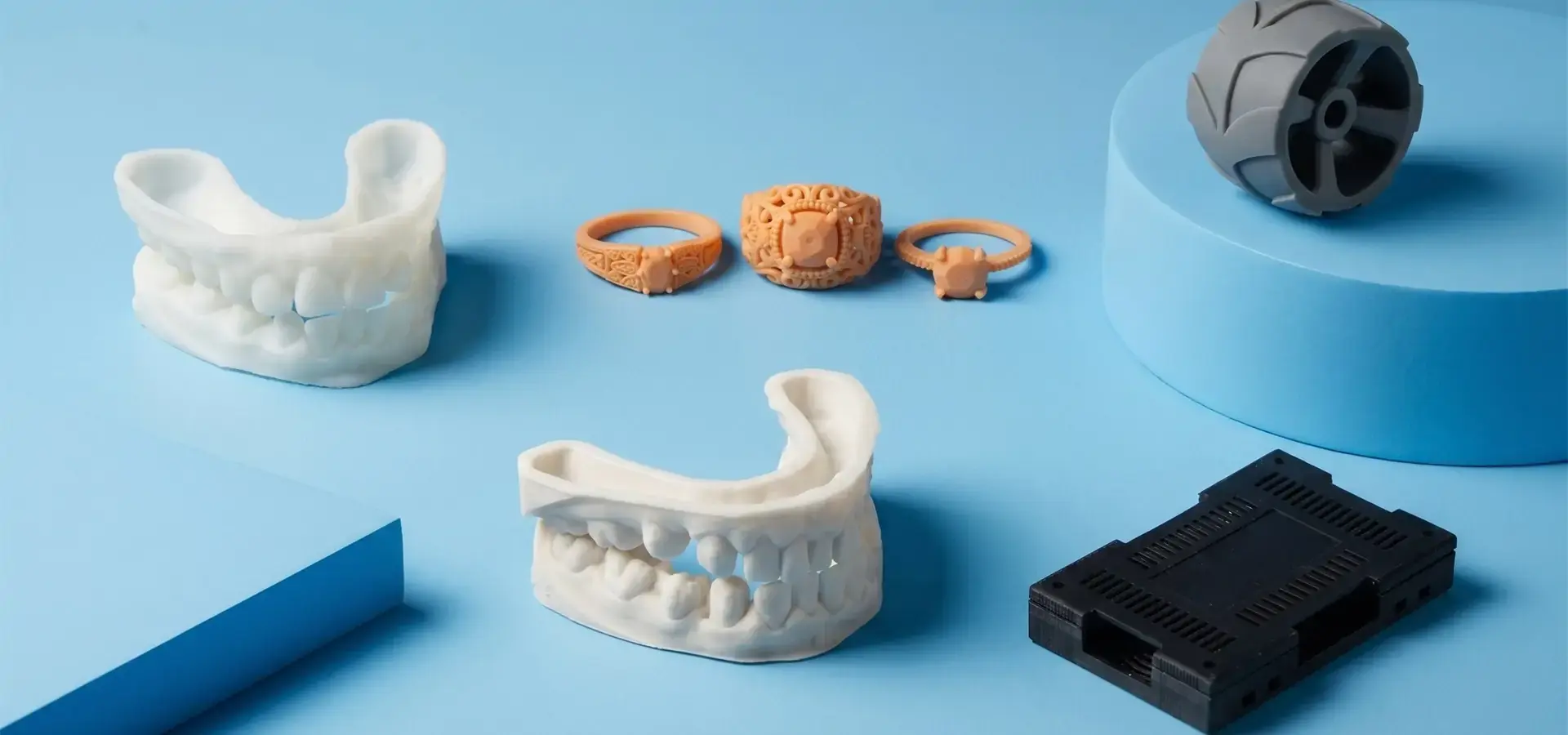
Jewelry makers are a good example of a desktop SLA 3D printer value offering. In the past, master artists and weeks of testing were needed for traditional lost-wax casting methods. With a $5,000 stereolithography system, designers can print patterns that can be cast in four hours. These patterns can have walls that are 0.5 mm thick and detailed filigree features. This cuts prototype cycles from 14 days to 48 hours. The cost of materials is still less than $3 per ring pattern, while hand-carved wax models cost $50 to $100.
The costs of dental use are similar. It takes $2.50 worth of material and 90 minutes to make a single-unit dental bridge model in biocompatible plastic. Service bureaus charge $25 to $40 for the same model, and the lead time is 3 to 5 days. When practices handle 20 or more cases a month, their desktop SLA 3D printer purchases pay for themselves in eight months, and they gain a competitive edge by being able to give patients the same day.
Maximizing Return on Investment: Performance Insights and Trade-Offs
To get the most out of your stereolithography investments, you need to know both the skills and the operational facts that affect total output.
Performance Advantages Driving Adoption
The most noticeable strength of a desktop SLA 3D printer is its surface finish quality. When quality resins are used with properly measured tools, parts come out of post-curing with Ra surface roughness values below 1 micrometer. When compared to FDM versions, this finish cuts out 2 to 4 hours of cleaning and polishing work per part. This means lower labor costs and faster market delivery.
The material's flexibility goes beyond simple resins and includes engineering-grade mixtures that look like industrial polymers. Tough resins have flexural modulus values that are close to those of ABS (2,300–2,800 MPa), which means that working samples can withstand mechanical stress tests. High-temperature mixtures keep their shape at 238°C (460°F), which helps with the approval of injection molds and uses under the hood of cars. Shore A durometers from 40 to 95 can be modeled by flexible materials, which lets you make prototypes of gaskets and seals without having to buy expensive tools.
The ability to resolve fine details makes it possible to do things that couldn't be done with other methods. A good desktop SLA 3D printer can make pins with a diameter of 0.3 mm, text with a height of 0.2 mm, and internal channels and fine details approaching the native pixel resolution of the LCD imaging system, which typically ranges from 35 to 85 microns. These features are very important for developing microfluidic devices, making precise prototypes of connectors, and testing tiny mechanisms, where accuracy in dimensions is key to their success.
Operational Trade-Offs Requiring Management
The main operational difference between stereolithography and filament extrusion (FDM) is the balance between print quality, speed, and post-processing workflow. Draft-quality parts can be made on an FDM printer in 4 to 6 hours, but it takes 6 to 10 hours for a desktop SLA 3D printer to do the same thing because each layer requires a complete UV exposure, peel-off, and re-coating cycle. For high-quality output, the speed difference gets much smaller. For example, using lower layer heights and slower speeds to make FDM parts with an SLA-like surface finish usually means that print times are the same or longer.
Handling resin adds complications to the work process that aren't present in plastic systems. Photopolymers need to be protected from UV light, which means they need sealed storage cases and darkened work areas. After printing, washing the part with isopropyl alcohol (IPA) or dedicated resin-cleaning solutions or other special cleaning methods takes an extra 10 to 20 minutes per build. After that, UV post-curing takes another 15 to 30 minutes to get the final mechanical properties. These extra steps in the process require training for operators and integrating workflow, which can be hard for some businesses at first.
Another thing to think about is material loss, which is often overstated. Supports needed for overhead shapes use 10–30% more resin, based on how the part is oriented and how it is designed. But support structures are also important for quality because they keep dimensions accurate and stop layers from delaminating. This means they are investments that aren't just trash. Advanced slicing software that optimizes support placement cuts down on material use while keeping print reliability high.
Optimization Strategies for Enhanced ROI
By choosing a resin that fits the needs of the application, you can avoid spending too much on material qualities that aren't needed. Standard resins that cost $60/liter work well for visual samples that will be shown to clients. For functional testing that needs specific mechanical qualities, $200/liter engineering formulations are saved. This tiered material approach cuts the cost of each part by 40 to 60 percent across a wide range of projects.
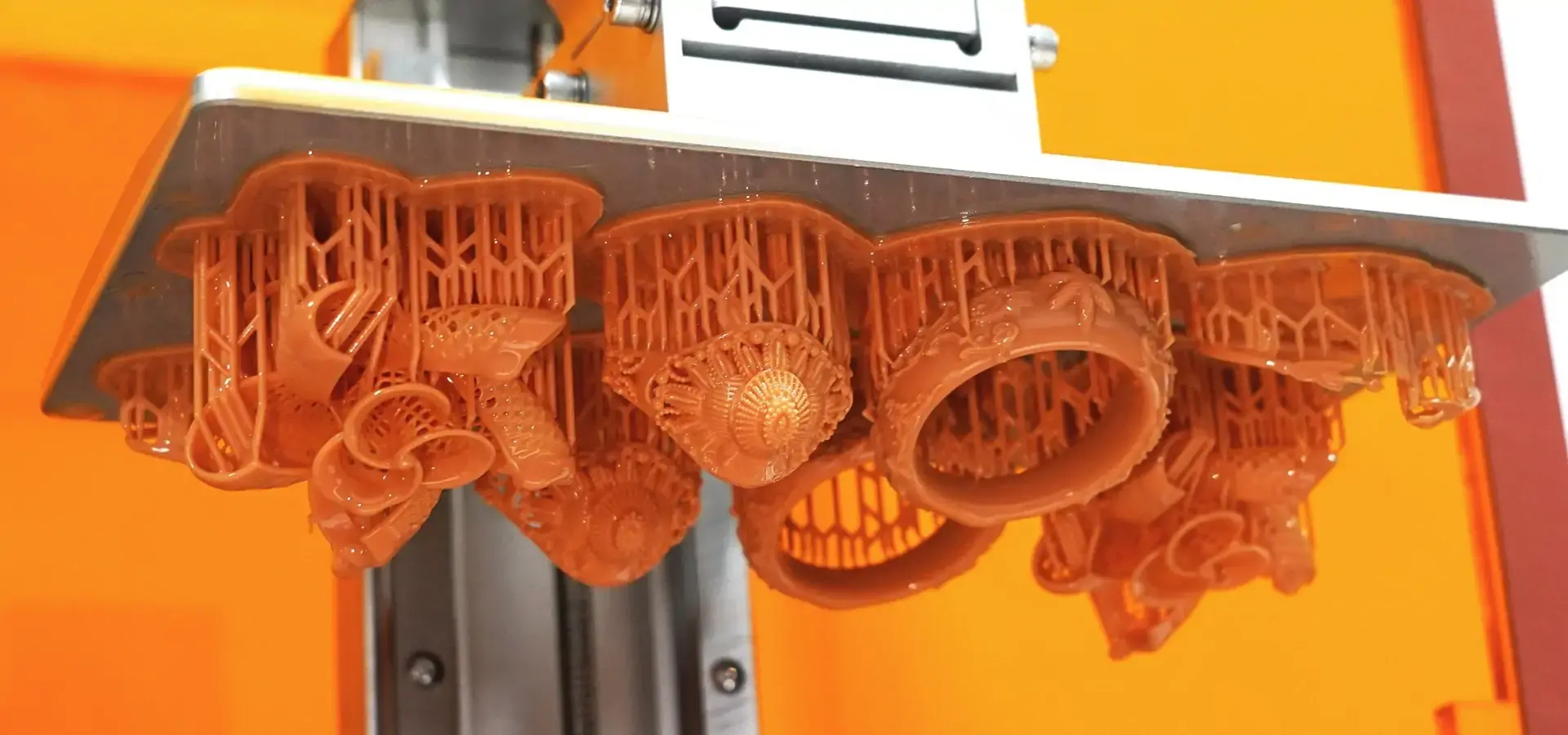
Batch printing makes the most of a desktop SLA 3D printer by combining several parts into a single build. A properly stacked build platform that can hold six jewelry models instead of just one cuts the amount of work needed for each part by 85% and the cost of materials by combining support structures. Commercial slicing software has automated support generation tools that find the best part positions while balancing print time, support volume, and post-processing work.
Schedules for preventive maintenance protect the money you spent on tools and cut down on unplanned downtime. Cleaning the optical windows once a week with cotton cloths keeps the laser's power from dropping. FEP film checks are done once a month to find early clouding before tanks fail. Using test pattern prints to check the LCD screen's optical uniformity and Z-axis calibration every three months finds drift before it affects the accuracy of measurements. These weekly tasks, which take 30 minutes, keep services from being interrupted for multiple days and increase the useful life of tools by 40 to 60 percent.
Procurement Guide: Buying Desktop SLA 3D Printers for B2B Clients
To buy strategic equipment, you have to compare what the equipment can do to what your business needs, as well as the dependability of the seller and the total cost of ownership.
Performance Benchmarking for Application Alignment
For dental and medical uses, patient-contact tools need to be made of safe materials and be accurate to within 50 microns. When buying, you should look for FDA or CE medical device approvals, tests showing the materials are safe for patients, and evidence that the sizes are correct from measurement studies. Equipment that hasn't been validated by a third party poses risks to regulatory compliance that are much greater than any initial cost savings.
In engineering prototyping settings, the flexibility of the materials and the accuracy of the measurements are more important than raw speed. Open-material platforms that work with third-party resins give you cost options and access to custom formulas as the needs of your project change. Specifications for dimensional accuracy should be based on ISO 2768-m standards with recorded margins. Marketing promises of "high precision" that aren't backed up by numbers should be avoided.
Production service offices need to get the most work done while keeping costs per part as low as possible. Larger build sizes (192 x 120 x 250 mm or more) allow batch processing, which cuts down on the amount of work that needs to be done. Rapid resin switching systems and automatic platform removal systems cut down on the time it takes to switch between jobs. Metrics that measure how reliable equipment is, like the mean time between failures that is more than 500 working hours, are very important for keeping delivery promises.
Warranty Coverage and Supplier Reputation
Full warranty plans show that the manufacturer trusts you and protects your assets. Standard guarantees that cover both parts and labor for one year are what most companies offer. Some elite brands offer warranties that cover parts and labor for 24 to 36 months. The warranty should clearly cover the most valuable parts that are most likely to break down due to wear and tear: motion control systems, LCD screens, and UV LED arrays.
Effective equipment uptime depends on the framework for supplier after-sales assistance. Manufacturers that keep regional service centers with expert help in the manufacturer's original language can solve problems faster than models that only offer support in other languages. Response time promises in writing, like acknowledging phone calls within four hours and sending service technicians to the site within 48 hours, build accountability systems that keep production plans safe. Companies like Magforms set themselves apart by offering thorough technical training programs and proactive upkeep advice that gives users the tools they need to fix common problems on their own.
Reputation proof through customer references and position in the industry gives people faith in the business's long-term success. Manufacturers who regularly attend trade shows, post case studies, and make customer reviews easy to find show that they understand the market and are committed to ongoing development. The people in charge of buying things should ask customers who use similar apps and have similar production rates for references.
Current Pricing Landscape and Financing Options
In 2026, most commercially available desktop SLA 3D printer systems are based on LCD technology, offering a wide range of pricing and performance levels., which is a reflection of their different capabilities. Entry-level units that can be used for jewelry, models, and teaching purposes cost between $2,500 and $5,000 and have 125mm cubic build volumes and standard 50-micron layer precision. Mid-range professional systems that cost between $5,000 and $10,000 have bigger build areas (145 x 145 x 175 mm on average), better compatibility with different materials, and tablet displays that make operation easier.
Production-focused desktop platforms that cost between $10,000 and $18,000 have features that are closer to those found in factories. For example, they have dual-tank systems that let you change materials quickly, hot resin vats that keep the right density, and advanced slicing software that creates supports automatically. These systems are made for engineering offices, service desks, and dental labs that need regular daily output.
Financing options make it easier to get cash while keeping operating capital safe. Third-party finance companies offer equipment leasing programs with terms ranging from 24 to 48 months and buyout choices. These programs turn big capital purchases into predictable monthly running costs. When a new product comes out or a fiscal quarter ends, manufacturer-direct financing often offers special terms like 0% interest for 12 months or payment plans that let you put off payments. When you buy in bulk for multiple units, you usually get a discount of 8–15% per unit and longer guarantee coverage as a reward for buying in bulk.
Case Studies and Industry Applications Demonstrating Cost vs Performance
Real-world deployment examples illustrate how desktop SLA 3D printer technology turns theoretical powers into measurable business results in a wide range of fields.
Jewelry Manufacturing: Precision Casting Transformation
A Los Angeles jewelry design studio faced persistent challenges with traditional wax carving workflows. Master craftsmen needed 12 to 20 hours to make the complex patterns on the rings, and it took extra days for design changes. Carved wax models cost close to $80 each in materials, and different makers had trouble reproducing fine details.
Implementation of a $6,800 desktop SLA 3D printer and castable material has entirely changed their manufacturing process. Designers now use CAD software to make changes to digital models, and they can print improved patterns in three hours for $4.50 each. The zero-ash burnout feature of certain casting resins got rid of flaws that were caused by wax waste, which raised the casting output from 78% to 96%. The studio cut the time it took from idea to casting from 18 days to 72 hours while increasing the complexity of the designs to include things that could not be carved by hand, like internal gaps, sub-millimeter filigree, and patterns that are perfectly symmetrical.
The effect on the bottom line was big: prototype costs dropped by 94%, labor allocation per piece dropped by 85%, and the speed of design iteration rose by 600%. The studio got its money's worth in seven months thanks to lower labor costs and no longer having to throw away materials. It was also able to take on rush orders at higher prices because of shorter production times.
Dental Laboratory: Patient-Specific Appliance Production
A dentistry lab in the area that worked with 40 dentists had a hard time with the costs and response times of selling surgical guides and orthodontic models. External service companies charged $35 to $60 per model, and the wait time was 5 to 7 days. This made it hard for patients to schedule appointments and cut into lab profits on routine cases.
Buying a biocompatible-certified desktop SLA 3D printer for $8,500 made it possible to make patient-specific devices in-house. Each surgery guide costs $3.80 in Class I biocompatible plastic and needs to be printed without being watched for 2.5 hours and then processed for an additional 30 minutes. The lab can now send it to practitioners the same day or the next day, which builds connections through quick service.
The economics of production showed strong returns: the cost of one unit dropped from $47.50 (when outsourced) to $9.20 (when used in-house, including equipment amortization), which increased the gross margin by $38.30 per case. Processing 25 cases every month saved $11,475 a year, which paid for the tools in nine months. In addition to saving money directly, the lab got new business from time-sensitive implant cases where same-day guide delivery let doctors finish treatments in just one visit, which made the higher service fees worth it.
Precision Engineering: Functional Prototype Validation
A company that makes parts for aircraft, which was working on a new connector box, ran into problems with iterative design validation. Aluminum prototypes made with CNC machines cost between $850 and $1,200 each and take two weeks to make when ordered from outside machine shops. The budget for the six-month development program included $45,000 just for making prototypes.
The engineering teams bought a desktop SLA 3D printer and started using tough engineering resin that has the same mechanical qualities as ABS plastic. It took seven hours to print and $12 worth of materials for each connector housing prototype. The prototypes had to be accurate within ±0.08mm in order to meet validation standards. Because production could be done in-house, design changes could be made every day. This cut the development time from six months to eleven weeks.
A study of costs showed huge improvements in efficiency: the cost of a test unit dropped from $1,025 to $18.40 (including equipment amortization), and the product was on the market 16 weeks earlier thanks to a faster schedule. In addition to making money right away, the engineering team made stereolithography a normal validation tool for future projects, which completely changed how they developed things.
Conclusion
The worth of the desktop SLA 3D printer is clear because it can print with accuracy that other technologies at similar price points can't match. For about $3,000 to $15,000, you can buy equipment that gives you micron-level accuracy, isotropic mechanical qualities, and injection-mold surface finishes that get rid of the need for post-processing work and make it possible to do things that filament extrusion couldn't do. The total cost of ownership includes more than just the purchase price. It also includes software, consumables, and upkeep. However, running costs can be kept low by choosing the right materials and following preventative maintenance procedures. When B2B buying teams work with dental, jewelry, engineering, and precise manufacturing applications, they get great returns in the form of lower outsourcing costs, shorter development timelines, and a stronger place in the market. Desktop SLA 3D printer adoption is now not only worthwhile but also necessary for businesses that need to compete on accuracy, customization, and quick market response due to the technology's maturation and growing material environment.
FAQ
Does desktop SLA 3D printer technology justify costs compared to FDM for precision prototyping?
Of course. FDM technology costs less to buy at first ($200–$2,000 vs. $3,500–$15,000), but stereolithography saves 2–4 hours of work on each part after it is made because the surface finish is better. The better accuracy in dimensions (±0.1mm vs. ±0.3mm for FDM) keeps you from having to make expensive redesigns when the success of validation depends on how well the prototype fits and works. SLA and LCD resin printing technologies are often preferred for applications requiring fine detail resolution, smooth surfaces, and high dimensional consistency.
What hidden costs should buyers anticipate beyond the initial equipment purchase?
For moderate-use settings, the costs of replacing FEP films ($30 to $60 every three months), isopropyl alcohol for washing ($25 per 5-gallon bucket), and building platforms ($80 to $150 every year) add up to $400 to $800 a year. The price of resin ranges a lot, from $50/liter for basic materials to $300/liter for engineering or safe blends. Subscriptions to commercial slicing software run from $0 a year for open-source choices to $1,200 a year for advanced optimization features. Maintenance service plans usually cost between 8 and 12 percent of the price of the tools each year.
How can companies maximize desktop SLA 3D printer performance and longevity?
To maintain stable UV light transmission and print consistency, optical surfaces and protective screens should be cleaned regularly. Check FEP films once a month for cloudiness; that means they need to be replaced before they fail. By manufacturing multiple parts at once in a batch, you can cut the cost of each part by 60–85%. Instead of using expensive materials for all jobs, choose resin formulas that are best for the job. Set up regular checks of the galvanometer's accuracy every three months using standard test prints. These methods increase the useful life of tools by 40 to 60 percent while keeping measurements accurate and lowering the chance of unintended downtime.
Elevate Your Manufacturing Precision with Magforms Desktop SLA 3D Printer Solutions
Magforms combines 20 years of experience in stereolithography with its own material-equipment integration technology, which gets rid of the compatibility problems that businesses have when they use third-party parts that don't work together properly. Our desktop LCD SLA 3D printer systems achieve high-speed printing through optimized monochrome LCD exposure technology, stable motion control, and advanced resin profiles. They can also maintain dimensional consistency suitable for precision engineering, dental, and industrial prototyping applications, which has been proven in aircraft, dental, and precision engineering settings. We back up every system with full technical training, quick, multilingual help (info@magforms.com), and an extended guarantee that protects your production investment. No matter if you need biocompatible tooth resins, high-temperature engineering formulations, or investment casting materials, we can get you reliable results that generic sources can't match. Bulk purchasing choices and flexible financing programs help businesses of all sizes, from new design teams to well-known manufacturing companies looking for reliable desktop SLA 3D printers for sale.
References
1. Gibson, I., Rosen, D., & Stucker, B. (2021). Additive Manufacturing Technologies: 3D Printing, Rapid Prototyping, and Direct Digital Manufacturing (3rd ed.). Springer International Publishing.
2. Jacobs, P. F. (2018). Stereolithography and Other RP&M Technologies: From Rapid Prototyping to Rapid Tooling. Society of Manufacturing Engineers.
3. Ligon, S. C., Liska, R., Stampfl, J., Gurr, M., & Mülhaupt, R. (2017). Polymers for 3D printing and customized additive manufacturing. Chemical Reviews, 117(15), 10212-10290.
4. Puebla, K., Arcaute, K., Quintana, R., & Wicker, R. B. (2012). Effects of environmental conditions, aging, and build orientations on the mechanical properties of ASTM type I specimens manufactured via stereolithography. Rapid Prototyping Journal, 18(5), 374-388.
5. Stansbury, J. W., & Idacavage, M. J. (2016). 3D printing with polymers: Challenges among expanding options and opportunities. Dental Materials, 32(1), 54-64.
6. Wohlers, T., Campbell, I., Diegel, O., Kowen, J., & Mostow, N. (2023). Wohlers Report 2023: 3D Printing and Additive Manufacturing Global State of the Industry. Wohlers Associates.


Magforms makes design and manufacture easier.
Popular Blogs
-
 Industry InsightsManufacturing Industry
FDM vs. SLA Printer: Which Technology Is Right for Your Project?
-
 Industry InsightsManufacturing Industry
Top 5 Applications of Industrial 3D Printers in Manufacturing Today
-
 Industry InsightsManufacturing Industry
Why Stereolithography 3D Printers Are Unmatched for Microfluidic Device Prototyping?
