Top Low Cost SLA Printer For Dental Models?
When dental labs and service providers look for the best low-cost SLA printer for dental models, they want something that can print with micron-level accuracy but doesn't cost six figures like most industrial systems. A low-cost dental resin 3D printer can use LCD-based masked stereolithography (mSLA) or laser-based SLA technology to produce dental models and appliances using biocompatible dental resins validated for clinical workflows. It can do so at resolutions of 25 to 50 microns, which is fine for clinical orthodontic work, and the cost of buying one is less than $5,000. These desktop units solve a major problem: they make it possible to make things at the chairside or in the lab without losing the accuracy needed for patient-specific tools.
Introduction
Over the past ten years, SLA (3D printing) has changed how dental models are made, mostly because it can copy fine anatomical features that are hard for traditional gypsum stone casting methods to do. This technology is now used by dental labs that work with orthodontists, prosthodontists, and maxillofacial surgeons to make diagnostic models, surgery guides, and temporary crowns with dimensional deviations commonly controlled within ±50 microns under calibrated workflows. The biggest problem is still finding the right balance between technical performance and cost-effectiveness. Procurement managers need equipment that doesn't break the bank but still meets the high standards of accuracy needed by healthcare processes.
This guide is for buying managers, technical leaders, and workshop supervisors who work with 3D printing in the business-to-business dental industry. We make the choice process easier by looking at low-cost SLA printers that are designed to be used in dentistry. We focus on three main factors: accuracy down to the micron level, biocompatible resin compatibility, and total cost of ownership. This roadmap matches technical requirements with real-world production demands, so you can make smart purchasing choices that speed up time-to-market and protect your bottom line, whether you're starting a new dental lab or growing an existing one.
Understanding Low Cost SLA Printers for Dental Models
How SLA Technology Works in Dental Workflows
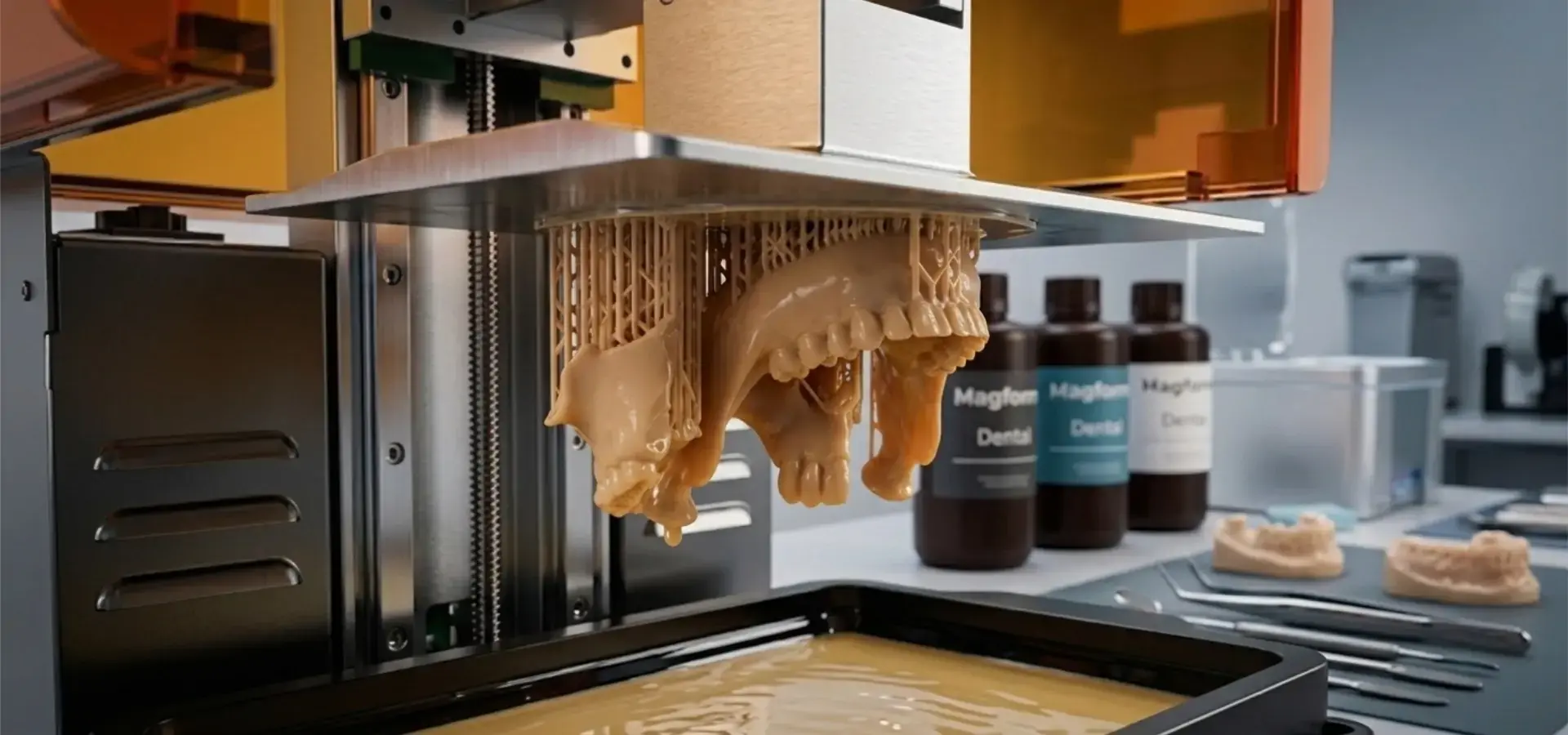
The light source design of low-cost desktop SLA printers is very different from that of industrial SLA printers. Most modern low-cost dental systems now rely on 405nm UV LED arrays combined with monochrome LCD masking technology (mSLA), which offers faster layer exposure and lower hardware costs than traditional laser-scanning SLA systems. During operation, a build platform drops into liquid photopolymer resin. A masked light source cures each layer in seconds, followed by a controlled separation and repositioning movement before the next layer is exposed to start the cycle over again. This simultaneous curing method lets a whole tray of dental models—let's say, six aligner bases—print in the same amount of time as a single model. This batch-printing capability can significantly reduce per-model production costs compared with outsourced manufacturing workflows.
Core Benefits Driving Adoption in Dental Labs
Dentists choose low-cost SLA printers because they eliminate three common issues. Initial investment drops from industrial levels of $50,000 or more to price points that small labs can afford, ranging from $1,200 to $4,500. This means that small labs can do their production instead of paying $15 to $30 per model to someone else. Precision meets clinical standards: XY resolutions of 35–47 microns pick up interproximal spaces and border lines that are required for thermoforming clear aligners and fitting crowns. Production times have shortened a lot. For example, an orthodontic model now takes only one night to finish, down from three days when made from outside sources. This means that doctors can get them the same week, and patients can get better care faster. Because of these benefits, low-cost SLA printers are a valuable tool for labs that want to use flexible, patient-centered care methods.
Top 5 Low-Cost SLA Printers Ideal for Dental Models in 2026
Selection Criteria for B2B Dental Procurement
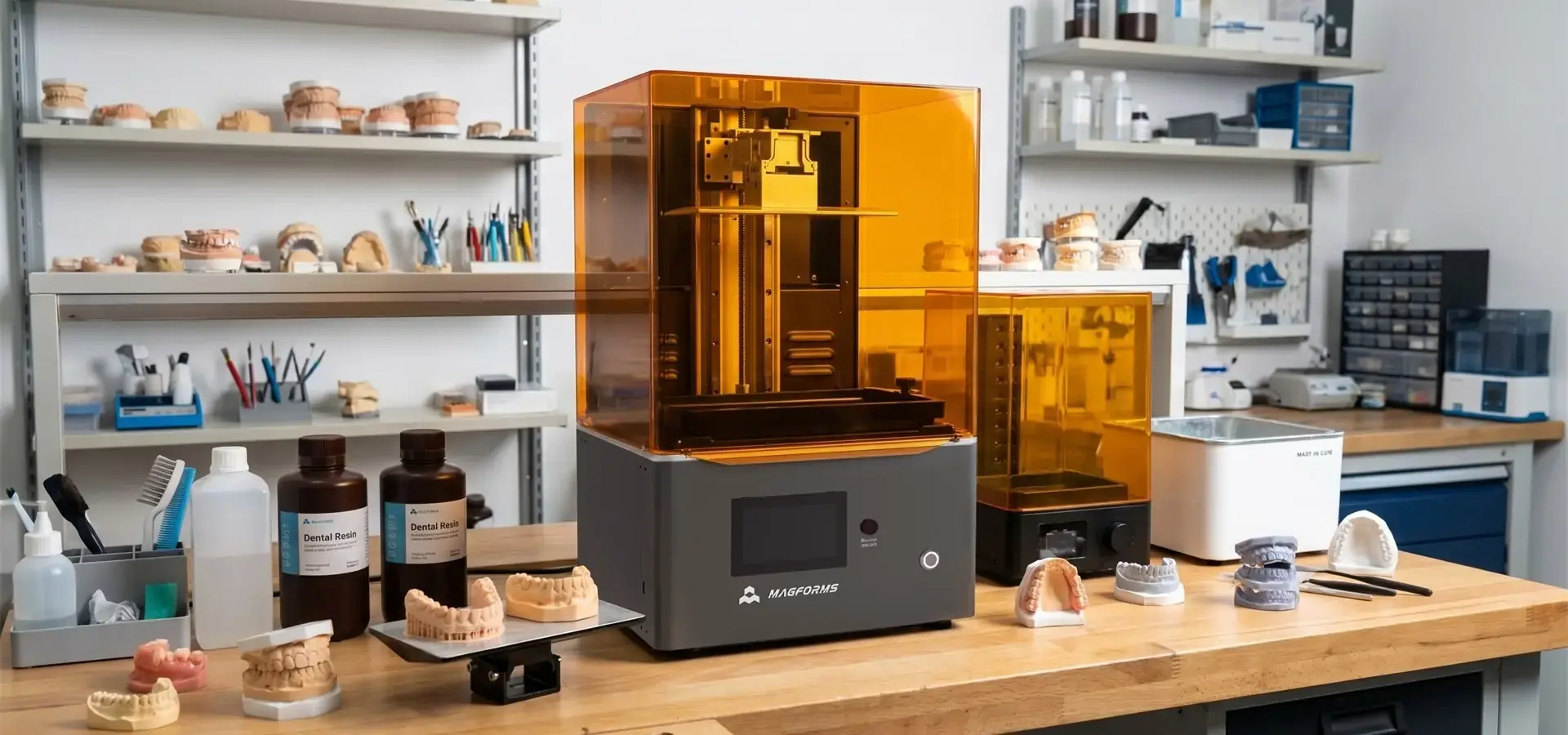
A strict evaluation strategy is needed to pick the right gadget. In order for tooth models to accurately copy incisal edges and occlusal surfaces, they need to be accurate to within 50 microns in both X and Y directions. Resin compatibility directly affects workflow freedom. For example, open-platform printers that accept third-party biocompatible resins have 40% lower consumable costs than private environments. Print speed strikes a mix between output and quality: layer cure times of less than four seconds make it possible to make eight to twelve models in a single night. Budget constraints typically cap investments at $1,000 for entry-level units and $4,500 for production-grade systems, defining the feasible technology tier. Manufacturers such as Magforms are increasingly focusing on LCD-based dental production systems that combine industrial-grade motion control with desktop-level affordability, making them attractive for growing dental laboratories seeking scalable production.
Detailed Reviews of Leading Models
Anycubic Photon Mono X 6K: This device has a 9.1-inch 6K monochrome LCD screen with 34-micron XY resolution, which is great for recording small details in anatomy like interdental papillae. The build volume is 197 mm by 122 mm by 245 mm, which is big enough to fit six full-arch models in a single print session. It also has an open resin system that lets you use third-party dental resins that cost $45 per liter instead of private ones that cost $90 per liter. Field data from U.S. dental labs shows that the average operational lifespan between maintenance issues exceeds 800 print hours, but users say that the FEP film needs to be replaced every 300 hours. It costs about $600 and is suitable for startup labs that care more about cost per model than volume.
Elegoo Saturn 2: With an 8.9-inch 8K LCD screen and an XY resolution of 28.5 microns, the Saturn 2 is great at showing margin lines for crown and bridge work. Its COB (Chip-on-Board) UV light source makes sure that the light is evenly distributed across the build plate 95% of the time. This stops edge failures that happen with cheaper units. Linear Z-axis rails keep the layers from moving, which is crucial when printing surgical guides that need to be accurate to within 0.1 mm of their original position. At about $450, it's a great deal, but because the build space is smaller (219 x 123 x 250 mm), only four big models can be made at once.
Phrozen Sonic Mighty 8K: This low-cost SLA printer is made for dental labs that do a moderate amount of work. It has a 10-inch 8K LCD screen with a 22-micron XY precision and a special resin exposure algorithm that reduces layer exposure time to approximately. The build volume (approximately 218 × 123 × 235 mm) lets twelve aligner models or six full-arch diagnostic casts be made at the same time, which directly addresses problems with batch efficiency. It costs close to $1,800 and has an air filtration system built in, which is helpful for improving resin odor control and supporting safer indoor lab environments when combined with proper ventilation systems. Users appreciate its ability to connect to Wi-Fi, allowing them to manage the print queue remotely. However, the proprietary slicing software doesn't have as much advanced support creation as third-party tools like Lychee Slicer.
Creality HALOT-ONE PLUS: This machine's 6.6-inch 3K LCD (47-micron resolution) makes it both affordable ($350) and useful for dental work. This quality isn't as fine as others, but it's still good enough for diagnosis models and study casts where very fine detail isn't necessary. The small size (227 x 130 x 230 mm) is ideal for single-chair shops that make one to three models a day. However, buying managers should be aware that monochrome LCD panels generally provide significantly longer service life than older RGB LCD generations, helping reduce long-term maintenance costs.
XYZprinting PartPro150 xP: This machine is designed to be a production machine. It has a 7.1-inch monochrome LCD screen with 32-micron resolution and a temperature-controlled resin management designed to improve print consistency with viscosity-sensitive dental materials, which is important for biocompatible resins to have stable mechanical qualities. The enclosed build room, equipped with activated carbon filtration, helps improve resin fume management in professional dental lab environments. It costs about $2,500 and comes with a one-year guarantee that covers LCD repair and calibration services. This lowers the total cost of ownership. The closed resin system means that the only materials that can be used are XYZ-certified safe resins that cost $85/liter. Some labs are willing to make this trade-off to ensure that they are following the rules.
How to Choose the Best Low-Cost SLA Printer for Dental Models
Resolution Requirements and Resin Compatibility
Depending on the end use, different precision limits are needed for dental uses. To properly record undercuts and interproximal spaces, orthodontic models for thermoforming aligners need XY resolution below 35 microns. This makes sure that the aligner fits without any pressure points. On the other hand, diagnostic study casts that are only used for planning treatment can handle 50-micron precision. Selecting the right resin is important for accuracy. Biocompatible Class I or Class IIa dental resins are put through strict cytotoxicity testing (ISO 10993-5) and usually cost between $60 and $120 per liter. Procurement managers should make sure that the low-cost SLA printers they are considering can use third-party-approved resins. Being locked into a single vendor's unique materials can raise costs for consumables by 70% over three years and make it harder to adapt to changes in regulatory requirements.
Print Speed vs. Quality Trade-Offs
Throughput is directly affected by layer exposure and curing time. With 6–8 second exposure times per layer, entry-level units need 8–10 hours to finish a 60 mm tall model, so overnight batch numbers are limited to three to four units. With mid-level devices, exposure time drops to 2.5–3 seconds, and the output doubles to eight models per cycle. But faster curing can make it harder for layers to stick together if the resin isn't made to work best with short exposure times. This can cause delamination in thin structures like surgery guide bands. The best approach strikes a balance between speed and the need for long UV post-curing cycles. For example, slightly longer exposure times (4-5 seconds) can often get rid of the need for long UV post-curing cycles, which saves 15 minutes per model in finishing time. When buyers are in charge of high-volume processes, they shouldn't just look at layer speed. They should also look at the total cycle time, which includes the print time plus the time for washing and drying.
After-Sales Service and Warranty Considerations
Dental labs have to meet same-week turnaround promises, so when equipment breaks down, it messes up their plans. Reliable help after the sale is what separates good deals on low-cost SLA printers from risky purchases. Independent service data shows that 8–12% of units fail early in the first year, so the warranty should cover repair of the LCD screen, which is the part that wears out the fastest, for at least 12 months. When it comes to technical support, the average time to fix something goes from five days (which is normal for foreign makers with 12-hour time zone gaps) to less than 48 hours when suppliers offer 24-hour email help and video fixing. Before choosing a provider, procurement managers should get in touch with references from current dental lab customers to make sure the support team is quick in the real world.
Technology Comparison: SLA vs. FDM and DLP
Fused Deposition Modeling (FDM) printers are cheaper ($200 to $400), but their 100–200 micron resolution makes layer lines that can be seen, which aren't acceptable for dental models that will be used by patients. DLP systems can achieve precision comparable to LCD-based MSLA systems, but it costs two to three times as much because the parts that make up a DLP projector are expensive. Traditional laser-galvanometer SLA systems are more accurate (10–25 microns), but they cost more than $30,000 and should only be bought by labs that make more than 500 models a month. Low-cost SLA printers, especially LCD-masked systems, offer the best balance of clinical accuracy, affordability, and ease of upkeep. This is why, according to industry polls, their adoption in dental applications has increased rapidly due to lower entry costs and improved print consistency in dentistry applications between 2023 and 2026.
Maintenance, Troubleshooting, and Optimization Tips for Low-Cost SLA Printers in Dental Labs
Routine Maintenance Protocols
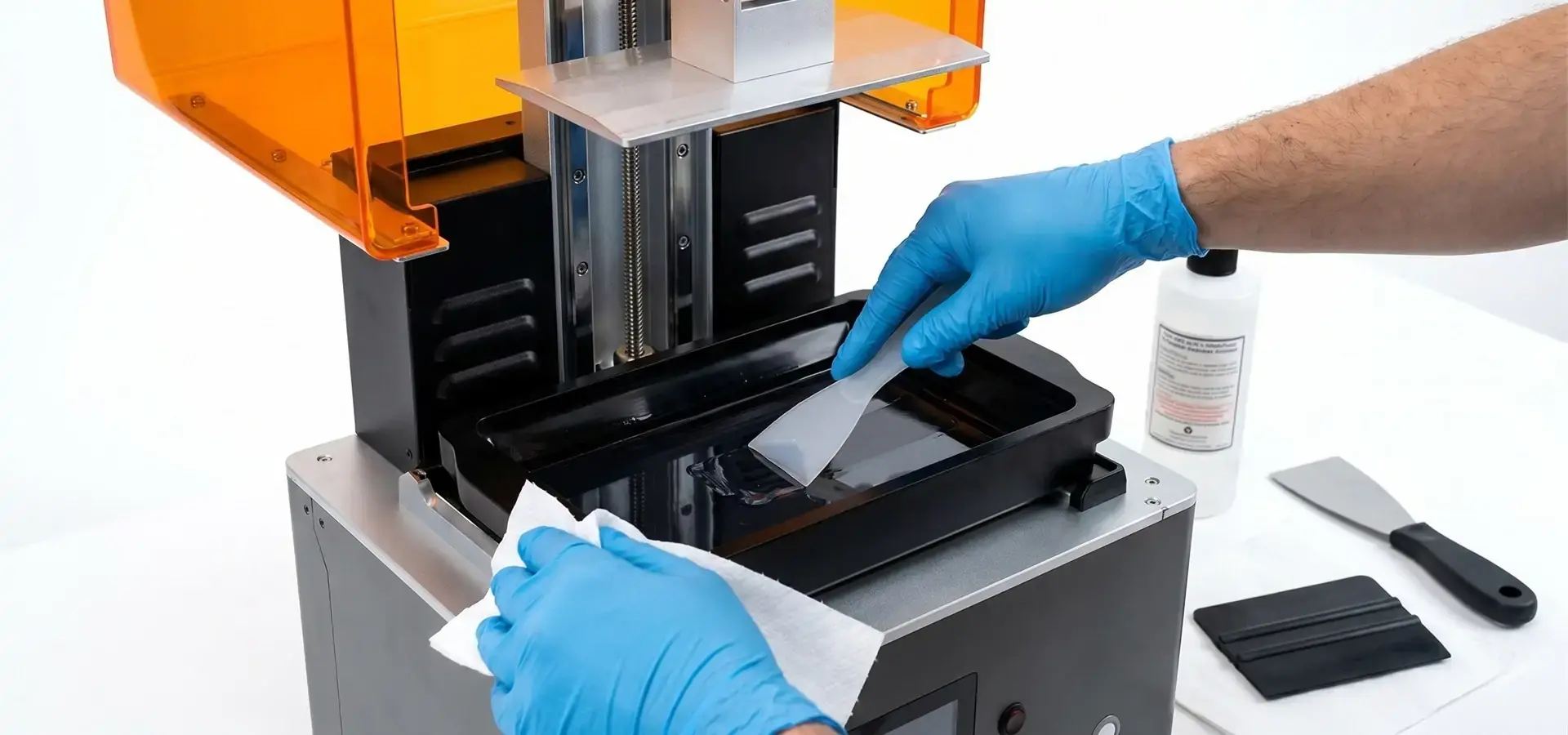
Regular maintenance makes tools last longer and stops problems from happening in the middle of work. As part of daily routines, used resin is strained through 190-micron filters to get rid of partially cured resin particles that cause print flaws. The LCD screen is also wiped clean with isopropyl alcohol-soaked microfiber cloths to get rid of resin dust that blocks 15-20% of light. As part 15–20 of our weekly duties, check the FEP film (the material that forms the bottom of the vat) for any cloudiness or holes. If you find any, replace it in the right way to prevent resin leaks that could damage the LCD screen below. Using feeler gauges, monthly calibration checks make sure that the Z-axis zero position is accurate; differences greater than 0.05 mm cause 40% of prints to fail at the first layer of bonding. Keeping the temperature between 20°C and 25°C is very important because icriticals in the thickness of the resin that can change the curing depth and make measurements less accurate by up to 3%.
Common Production Issues and Troubleshooting
Adhesion problems show up when models come loose during the printing process, which wastes time and materials. Root reasons include build plates that aren't level (which can be fixed with the paper-leveling method), bottom layers that aren't exposed enough (for the first five layers, increase the exposure time by 50%), or build plate surfaces that are dirty (clean with 70% isopropyl alcohol before each print). Layer flaws like horizontal stripes usually mean that the FEP film is worn out and needs to be replaced or that the resin temperature isn't stable. Adding a resin heater keeps the ideal resin operating temperature between 26°C and 28°C. Inconsistencies in curing, like model surfaces staying sticky after washing, are a sign of not enough exposure. Adding insufficient 1-2 seconds of normal layer exposure usually fixes this problem. Dental labs should maintain a troubleshooting log that links defect patterns to external factors (like humidity and temperature) and resin batch numbers. This makes it easy to find the root cause of a problem.
Optimization Strategies for Balancing Resolution and Speed
The choices for slicing software have a huge effect on the quality and efficiency of the result. Changing the anti-aliasing level from 8 to 4 reduces the time it takes for layers to cure by 30%, but it has almost no effect on the surface finish for models with walls thicker than 1.5 mm. By putting models at 30-45° angles and using strategic support placement, you can lower the peel forces and separation forces that cause layer separation and the peel forces that cause delamination. This lets you lift the models 20% faster. Controlling the environment is important. Putting in HEPA filters lowers the amount of airborne particulate matter that damages surfaces, and keeping the relative humidity between 40 and 50 percent stops resin from collecting water, which weakens the bonding between layers. Advanced users try using different layer heights, like 25-micron layers for finely detailed occlusal surfaces and 50-micron layers for model bases. This saves 35% of the time needed without affecting the clinical accuracy of the low-cost SLA printer.
Where and How to Procure Low-Cost SLA Printers for Dental Models?
Reliable Suppliers and Authorized Dealers
Buying from well-known companies ensures that the guarantee is good and that the replacement parts are real. Anycubic and Elegoo both have distribution networks in the U.S. that connect to regional service centers. This makes it possible for extra parts to be sent more quickly (2–3 days vs. 14–21 days from abroad). Authorized Phrozen dealers offer sample units for on-site testing, which is an important step to take before buying to make sure the print quality will work with your dental resins. Creality's direct-sales plan through Amazon Business offers clear bulk pricing: orders of three or more units get savings of 12 to 18%. XYZprinting works with dental equipment sellers like Henry Schein to offer low-cost SLA printers with approved safe resin starter kits and flexible payment plans that fit the budgets of dental practices.
Manufacturers such as Magforms are also expanding their presence in professional dental printing markets by offering LCD-based dental 3D printing systems optimized for batch production, dimensional stability, and long-term material compatibility. Unlike many entry-level consumer resin printers, Magforms systems are designed specifically for professional lab workflows, with stable motion control, uniform light distribution, and support for biocompatible dental resins used in orthodontic and prosthodontic applications.
Advantages of Established Online Platforms
There are a lot of safety benefits to buying from well-known B2B markets like MatterHackers (North American fulfillment) or Alibaba (verified seller tier). When shipping costs are clear, there are no surprises when it comes to taxes. For example, U.S.-stored goods avoid the 3.7% import tariff on Chinese-made printers, which lowers the total landed cost. Full support after the sale includes technical help over the phone (essential for fixing production problems quickly) and easy returns within 30 days if the equipment doesn't work as expected. When you buy more than five units, you often get extra benefits like longer warranties (24 months instead of 12 months) and free materials (FEP films and build plates) worth $200 to $300 per unit.
Cost-Saving Strategies and Credibility Assessment
Verifying the warranty protects against early failures; insist on coverage backed by the maker instead of third-party guarantees that might not cover consumable parts. Assessing resin compatibility keeps you from being locked into one seller; ask for compatibility lists that confirm support for at least three dental-certified resin brands before making a decision. As part of checking a supplier's credibility, you should look at their ISO 13485 certifications (which show they can make medical devices) and ask operating dental labs for customer examples. Smart procurement managers arrange service-level agreements that promise response times of 48 hours and loaner equipment during repairs that take longer than five days. These terms keep production running as smoothly as possible and protect income streams.
Conclusion
To choose the best low-cost SLA printer for dental models, you need to think about clinical accuracy, operating speed, and the total cost of ownership. Modern monochrome LCD dental printing systems, including professional-grade desktop platforms from manufacturers such as Magforms can now offer 25–35 micron resolutions that are good for orthodontic and prosthodontic uses for prices ranging from $450 to $2,500. This makes production skills available to more people than just industrial systems. Procurement managers should focus on open-resin platforms to keep costs down for consumables, check for biocompatible material standards, and expect strong after-sales support, such as quick access to parts. When carefully added to dental lab workflows with the right maintenance protocols and optimized slicing parameters, these devices cut costs by 65% per model, shorten turnaround times from days to hours, and allow large-scale customization for each patient, completely changing how companies compete in the field of digital dentistry.
FAQ
Can low-cost SLA printers meet dental modeling precision standards?
The XY resolution of modern, low-cost desktop SLA printers with 6K-8K monochrome LCDs is between 22 and 35 microns, which meets or exceeds the commonly accepted 50-micron tolerance range used in many dental model applications. Clinical studies show that thermoformed aligner appliances that are made from models printed at a resolution of 30 microns have fit accuracy within 0.08 mm of CAD designs. These appliances are capable of delivering clinically acceptable dimensional accuracy for many orthodontic workflows. The main problem is Z-axis banding; layer heights below 25 microns are only needed for very thin structures like 0.5 mm surgery guide walls, which isn't often used in dental offices.
Which Resin Materials Work Best for Dental Applications?
Biocompatible dental resins that meet ISO 10993-5 and ISO 10993-10 standards keep patients safe for less than 30 days of intraoral touch. NextDent Model 2.0 ($85/liter, Class I approved), Anycubic Plant-Based Dental Resin ($55/liter, cytotoxicity tested), and Phrozen Aqua-Gray 8K ($70/liter, low-odor with built-in photoinitiators designed for 405 nm wavelengths) are some of the most commonly used dental resins. Before buying in bulk, procurement teams should ask for Material Safety Data Sheets (MSDS) and governmental certifications. Fake resins that don't have the right certifications put labs at risk of liability and make parts that are likely to shift during post-cure cycles.
What Advantages Do SLA Printers Offer Over Traditional Methods?
When compared to silicone impressions and traditional stone model fabrication, low-cost SLA printers don't need 48 hours to set the material and ship it, so models can be delivered the same day. Digital processes cut down on waste by 80%: a bad print uses only $2–$3 in resin, compared to $18 in wasted alginate and stone. Repeatability is better than manual methods because digital files ensure exact copies over multiple print cycles, which is important for orthodontic treatments with multiple stages that need consistent reference models. The technology also lets designers change designs in CAD software before they are made, which lets doctors see how treatments will work and make changes to plans without introducing changes to pay for expensive remakes.
Partner with Magforms for Your Dental Printing Success
To make your dentistry lab competitive, you need more than just a low-cost SLA printer provider. You need a technology partner that is dedicated to your long-term production success. Through our combined materials-and-equipment ecosystem, Magforms gives you just that edge. Magforms specializes in advanced LCD-based dental 3D printing systems engineered for high-speed, high-precision batch production. Our monochrome LCD architecture, optimized light uniformity, and stable Z-axis motion control help dental labs achieve consistent micron-level accuracy while maintaining lower operating costs than traditional industrial laser SLA systems. With 22 patents and 30 filed trademarks to back up our innovations, we've given over 300 dental businesses around the world solutions that get rid of the problems with generic systems like incompatibility, dimensional errors, and unplanned downtime. Contact our technical team at info@magforms.com to get sample dental models made on our machines or to set up a meeting to talk about how our biocompatible resin formulations and full training programs can make your lab's digital process easier right away.
References
1. Dawood, A., Marti, B. M., Sauret-Jackson, V., & Darwood, A. (2015). 3D printing in dentistry. British Dental Journal, 219(11), 521-529.
2. Revilla-León, M., Sadeghpour, M., & Özcan, M. (2020). An update on applications of 3D printing technologies used for processing polymers used in implant dentistry. Odontology, 108(3), 331-338.
3. Stansbury, J. W., & Idacavage, M. J. (2016). 3D printing with polymers: Challenges among expanding options and opportunities. Dental Materials, 32(1), 54-64.
4. Schweiger, J., Edelhoff, D., & Güth, J. F. (2021). 3D Printing in Digital Prosthetic Dentistry: An Overview of Recent Developments in Additive Manufacturing. Journal of Clinical Medicine, 10(9), 2010.
5. Alharbi, N., Osman, R., & Wismeijer, D. (2017). Effects of build direction on the mechanical properties of 3D-printed complete coverage interim dental restorations. The Journal of Prosthetic Dentistry, 117(1), 60-67.
6. Unkovskiy, A., Bui, P. H., Schille, C., Geis-Gerstorfer, J., Huettig, F., & Spintzyk, S. (2018). Object build orientation, positioning, and curing influence dimensional accuracy and flexural properties of stereolithographically printed resin. Dental Materials, 34(12), e324-e333.


Magforms makes design and manufacture easier.
Popular Blogs
-
 Industry InsightsManufacturing Industry
FDM vs. SLA Printer: Which Technology Is Right for Your Project?
-
 Industry InsightsManufacturing Industry
Top 5 Applications of Industrial 3D Printers in Manufacturing Today
-
 Industry InsightsManufacturing Industry
Why Stereolithography 3D Printers Are Unmatched for Microfluidic Device Prototyping?
