Desktop SLA 3D Printer Maintenance: What You Must Know?
Maintaining a desktop SLA 3D printer requires systematic attention to critical components, including the resin tank, build platform, optical systems, and consumable filters. Regular maintenance directly influences print precision, machine uptime, and the longevity of your investment. Knowing how to take care of your desktop SLA 3D printer helps avoid expensive problems, cuts down on wasted materials, and keeps the quality of your prints steady—important for businesses that use 3D printing. Implementing a proactive maintenance strategy transforms your stereolithography system from a temperamental tool into a reliable production asset that delivers predictable results across thousands of print hours.
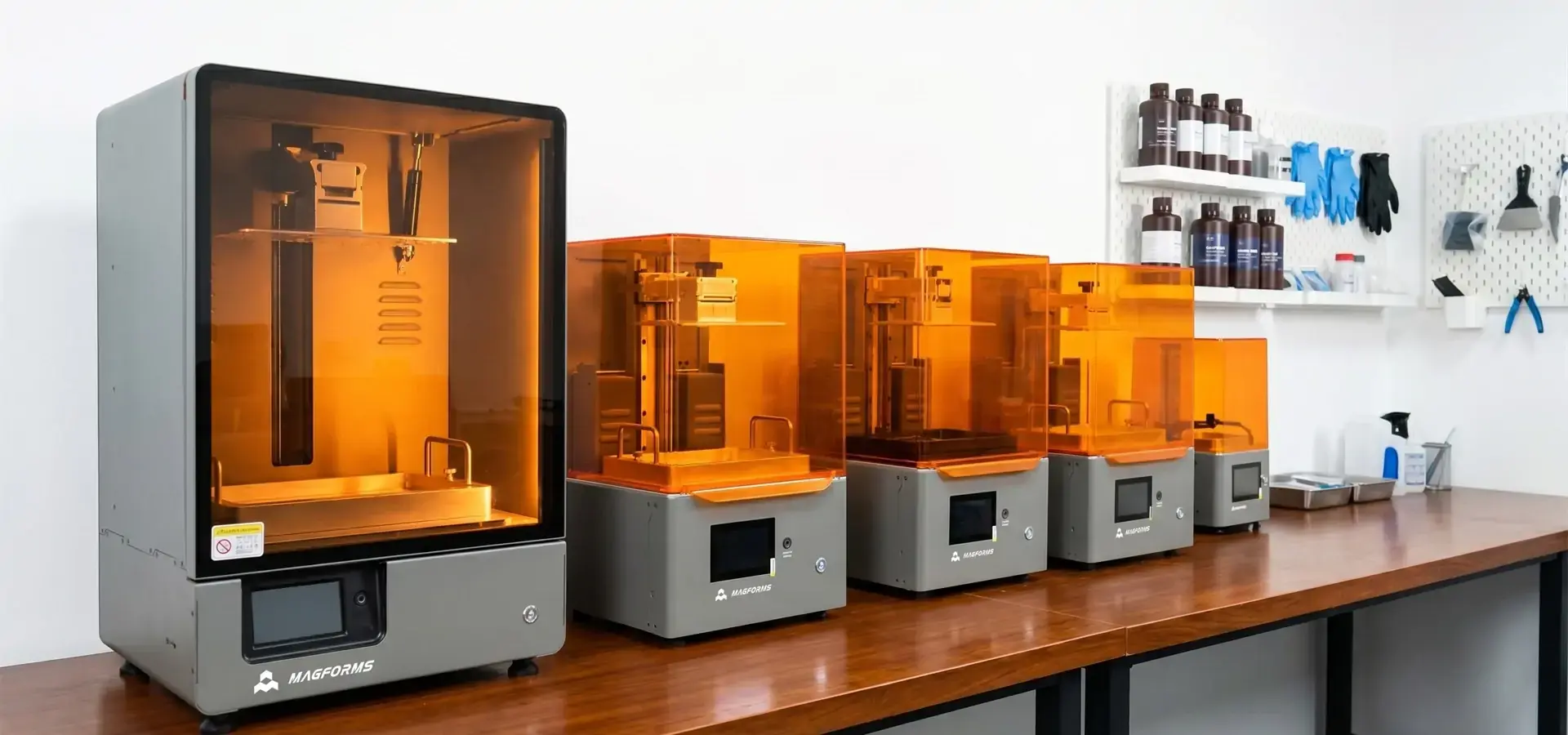
Understanding Desktop SLA 3D Printer Maintenance
Because they work with liquid photopolymer resin and precise optical parts, desktop SLA 3D printer systems typically require more controlled maintenance procedures than FDM systems due to their use of liquid photopolymer resin and optical components. The technology uses a UV laser or a grid of LEDs to cure liquid resin layer by layer. If there is any contamination, optical degradation, or mechanical errors, quality problems show up right away.
Why Maintenance Matters for Stereolithography Systems
Maintenance practice has a direct effect on how reliable a machine is. We've noticed that facilities that use structured care routines have 60–70% fewer unexpected shutdowns than facilities that use reactive maintenance. When your business needs to meet client goals or keep production plans, this dependability is crucial.
Loss of print quality doesn't usually happen all of a sudden. Small upkeep mistakes add up over time. For example, an optical window that is a little dirty lowers the cure depth, which causes adhesion issues that lead to failed prints and lost resin. Understanding this progression helps business managers and procurement teams make beneficial decisions about where to put resources and why to spend money on repairs.
If you take excellent care of your equipment, it will last a lot longer. Regular checks and cleaning are beneficial for the galvanometer mirrors that guide the laser tracks, the precision linear rails that move the Z-axis, and the resin tank FEP film. When systems are kept according to the manufacturer's instructions, they always last longer than imagined, which gives investors a better return on their money.
Core Components Requiring Regular Attention
In stereolithography printing, the resin vat is where the main supply contact is located. The clear FEP film at the bottom of the tank is repeatedly peeled off as each layer comes away from the hardened part. If this film is cloudy, scratched, or punctured, it will not print properly and needs to be replaced right away.
The optical paths must stay clean. In laser-based SLA systems, the UV laser is directed through galvanometer-controlled mirrors and optical lenses before reaching the resin surface, while LCD-based systems rely on masked light transmission through an LCD panel. Even tiny dust particles or resin splashes on optical surfaces can scatter laser energy, which can lead to errors in measurements or incomplete curing. Optical transmission efficiency is maintained through regular cleaning using manufacturer-approved, non-residue optical-grade solvents.
Build platforms need to be taken care of all the time because they are the base for every print. Resin residue builds up on the aluminum surface, and any flaws make it impossible for the first layers to stick properly. Preparing the surface before each print and deep cleaning it every so often ensures that the parts stick well.
The Z-axis motion system, typically driven by a lead screw and guided by linear rails, controls layer height precision. Lead screws, linear rails, and bearing surfaces need to be lubricated and checked for wear on a regular basis. In these systems, mechanical play or binding shows up as layers that don't match up or complete print failures.
Common Challenges and Causes of Desktop SLA 3D Printer Issues
When compared to filament-based methods, desktop SLA 3D printer technology is harder to operate. Finding these problems early on keeps production from being interrupted and cuts down on the time needed to fix problems when they do happen.
Resin Contamination and Its Impact
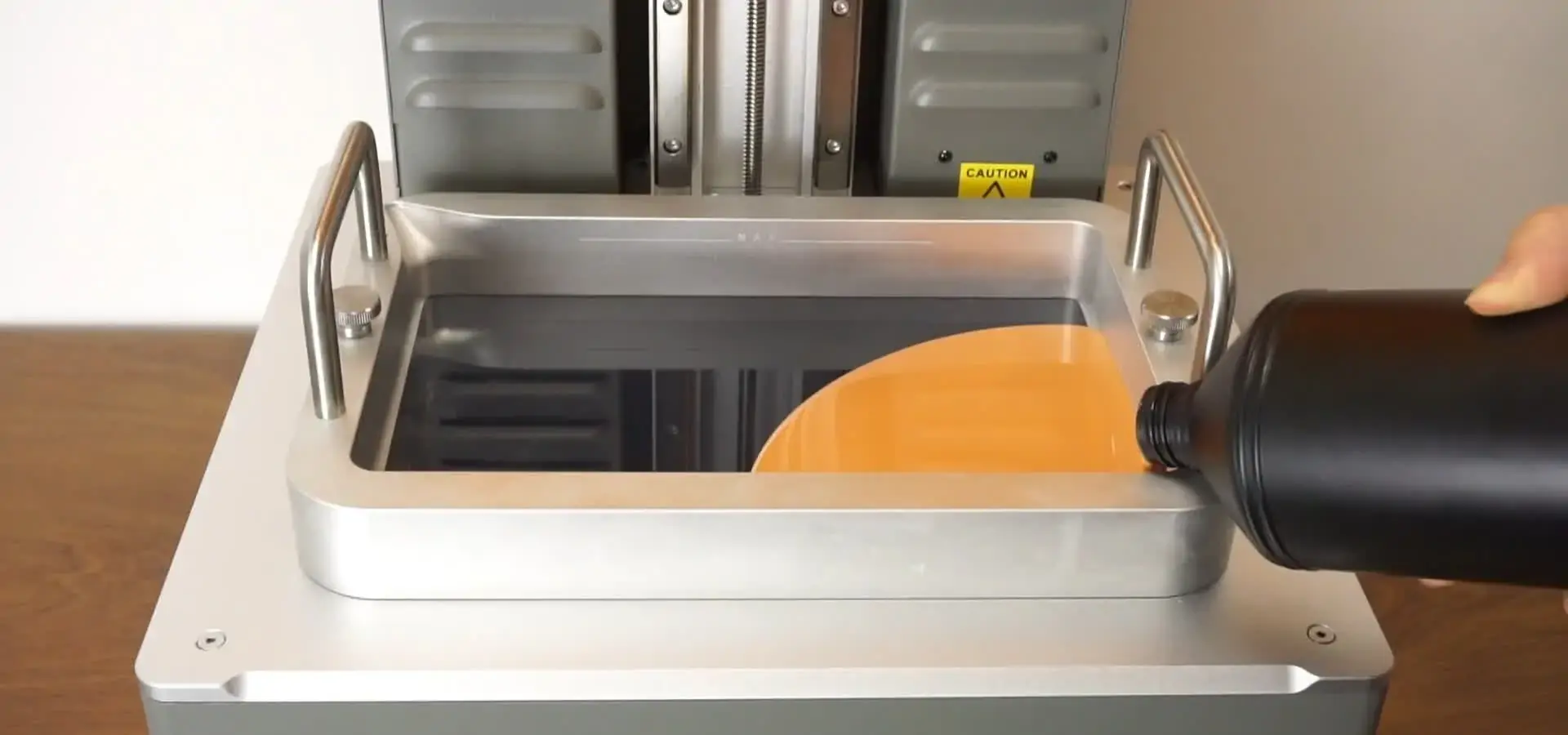
The most common operating problem is bits of partially cured resin floating in the vat. These particles are created when print failures leave behind waste or when light from the environment partially cures resin while it is being handled. When resin is contaminated, it causes surface flaws, mistakes in measurements, and print failures that make the problem worse.
Environmental factors play a big role in contamination problems. Particulate matter settles into open resin vats in workshops that don't have good dust control. Environmental humidity and temperature fluctuations can affect resin viscosity and photopolymerization behavior, potentially impacting curing consistency.
How you handle materials affects how often they get contaminated. It takes operating discipline to filter resin back into bottles after printing, cover vats when they're not in use, and keep different types of resin from getting mixed up. Setting up clean room protocols for their SLA tools can help facilities that handle a lot of work.
Laser Calibration Drift and Mechanical Misalignment
The galvanometer mirrors that point. The laser path becomes less accurate over time because of changes in temperature and mechanical stress. This movement shows up as errors in measurements, which are especially clear in geometric shapes with holes or tight-tolerance matching parts. Using test patterns regularly to calibrate return accuracy before dimensional mistakes get too big.
Every layer of every print is affected by Z-axis orientation. If the build platform is not straight on top of the resin tank, the layer thickness will be different in different parts of the print area. This mismatch leads to parts that don't stick together completely, parts that warp, and parts with uneven mechanical properties. Leveling should be done after removing a build platform or moving it.
Degradation of optical components happens slowly but surely. Over extended operating hours, UV light sources (laser diodes in SLA or LED arrays in LCD systems) may gradually degrade, leading to reduced curing efficiency. Even in clean places, molecules of dirt and grime build up on mirrors. When protective windows aren't cleaned properly, tiny scratches appear on them. Because of these changes, parts need to be replaced on a regular basis to keep up with the expected performance.
Adhesion Failures and Print Quality Degradation
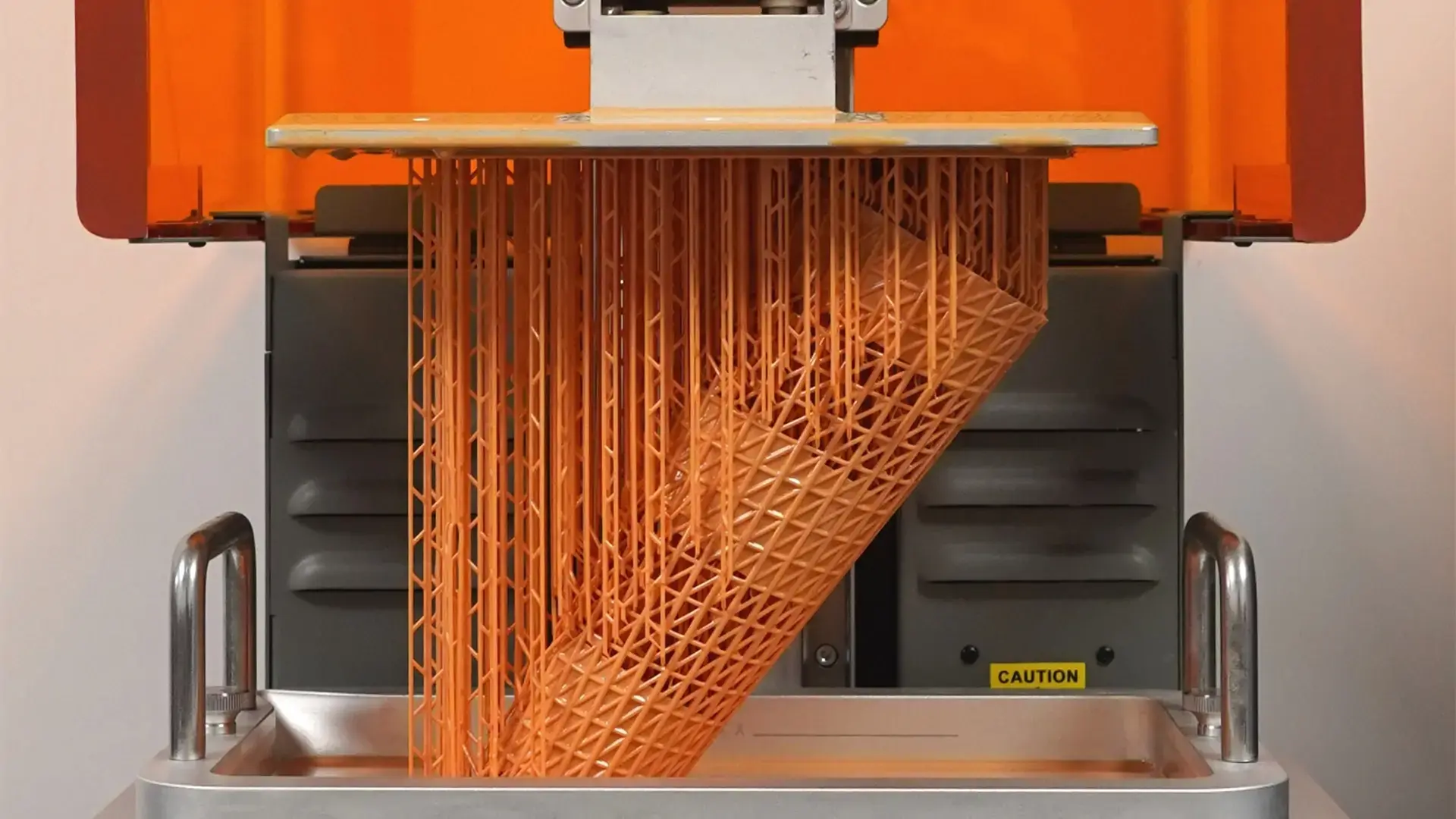
First-layer adhesion is what determines whether a print finishes smoothly or fails horribly. Parts come off during printing if they don't stick well enough, which could damage the resin tank FEP film. Excessive adhesion between the cured layer and the build platform can complicate part removal and increase mechanical stress on both the platform and FEP film. To get the right mix, you need to pay attention to how the platform is set up, the temperature of the resin, and the exposure settings.
When maintenance breaks are too long, the quality of the surface finish gets worse. Print flaws like layer lines getting more noticeable, surface roughness getting worse, or small details not coming out right all mean that maintenance is needed. Taking action on these warning signs stops quality from completely breaking down.
A lot of the time, software setup mistakes look like hardware problems. When exposure times are wrong, support generation is wrong, or software is out of date, it shows signs that are similar to mechanical breakdowns. Problem-solving that takes both software and hardware into account saves time and keeps parts from having to be replaced that aren't needed.
Step-By-Step Maintenance Best Practices
Structured maintenance intervals transform unstable desktop SLA 3D printer equipment into production-ready tools. When there is a lot of activity, these routines shorten the time between maintenance intervals, and when there isn't much activity, they lengthen them.
Daily Maintenance Procedures
When the printing jobs are done, take out all the resin from the vat by using a plastic scraper to get the semi-solid material and putting the liquid resin back into its original container through a paint filter. Filtering like this gets rid of particles that are only partly hardened before they get into fresh resin. Use a lint-free cloth (dry or lightly dampened with manufacturer-approved solvent if required) to clean the vat interior, avoiding unnecessary exposure to isopropyl alcohol on sensitive films such as FEP.
Check the build platform for any leftover hardened resin and clean it well with isopropyl alcohol. Plastic scrapers that are used carefully so as not to scratch the aluminum surface can remove stubborn residue. A clean platform makes sure that the following prints stick properly without contaminating the resin vat.
Before you start a new print, check the resin level and add more if needed. Running a vat dry in the middle of a print damages the FEP film and puts it at risk of being hit by a laser without the resin's protective layer. Consistent print quality depends on keeping the resin layer at the right level.
Use good lighting to look at the FEP film for cloudiness, scratches, or holes. Minor cloudiness can usually be cleaned up, but persistent opacity means the film needs to be replaced. Even small holes let resin leak into the vat frame, which makes cleaning very hard.
Weekly Calibration and Inspection Tasks
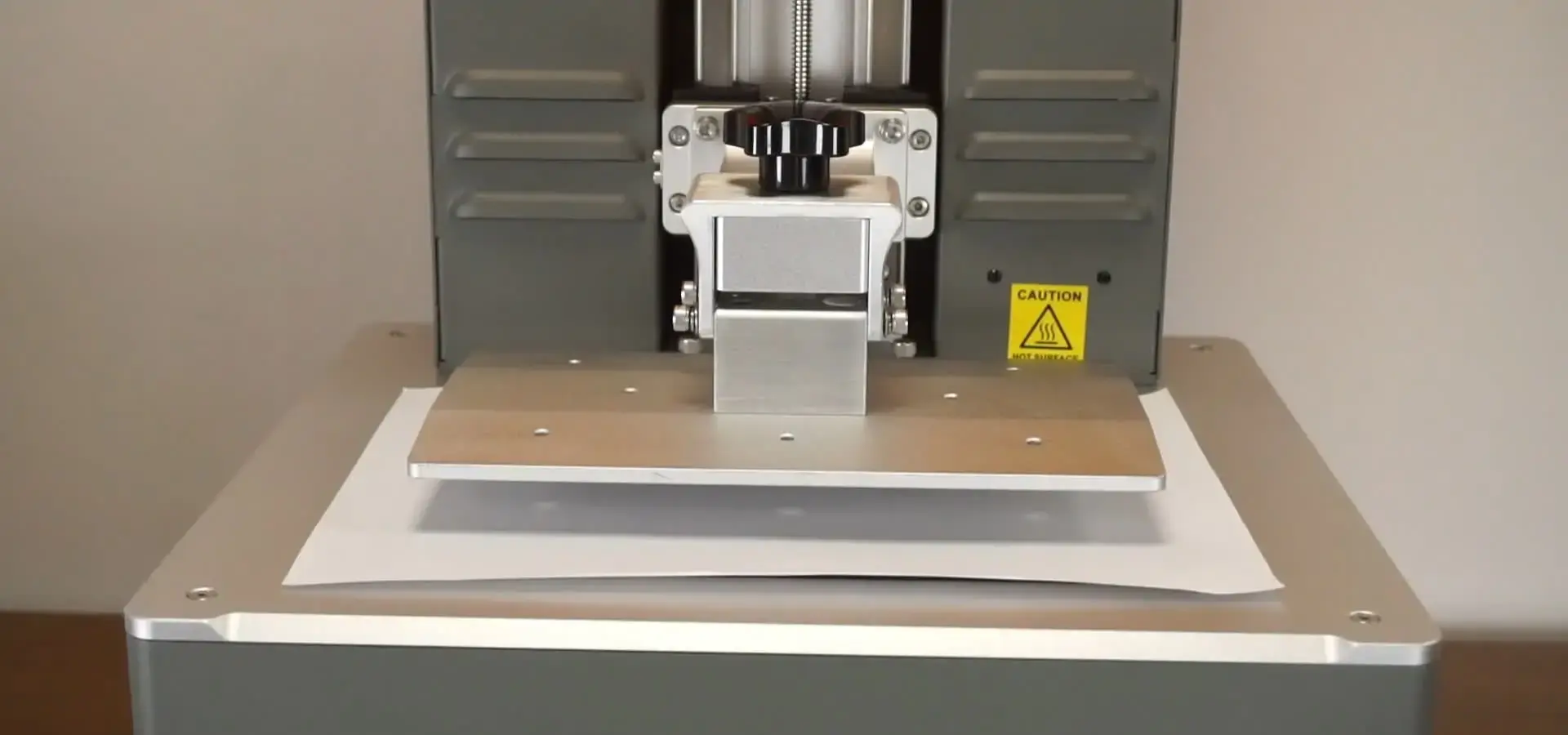
Follow the manufacturer's instructions to make sure the build platform is level. Most systems use a paper-test method in which standard printer paper slides between the platform and the tank with only a little resistance when the system is level. This easy check stops adhesion problems for a whole week.
Using solvents that have been approved by the manufacturer on optical cleaning cloths, clean the protective glass and optical windows. In no way should you use paper products that scratch glass or chemicals that leave behind a film. Breathe fog on the glass to find smudges that you missed when you cleaned it the first time.
Move the build platform all the way through its range by hand to check that the linear motion parts work smoothly. Binding, strange resistance, or grinding sounds are all signs that the machine needs to be lubricated or has mechanical problems that need to be fixed before they cause print failures.
When manufacturers release new versions, you should update the firmware and software. These updates usually have better support creation methods, better exposure profiles for new resins, or bug fixes that fix problems with how the program works. Staying up to date makes sure that you can enjoy performance improvements.
Monthly Deep Maintenance Activities
In systems with active resin fume extraction, you should change the carbon filters. Over time, activated carbon gets saturated, and it stops collecting volatile organic compounds as well. Changing the filters keeps the air quality in the room safe and keeps personnel from getting exposed.
Linear rails and lead screws should be lubricated according to the manufacturer's instructions. Most systems use dry lubricants made from PTFE, which don't pick up dust like traditional oils do. Proper lubrication keeps mechanical parts working well and extends their life.
Use measurement test prints that are meant to show problems with accuracy to do a full calibration. There are holes, cylinders, and flat surfaces in these geometric models that show calibration drift before it affects production parts. Calipers are used to measure test prints and give objective information about their accuracy.
A dental lab that used these organized methods saw a 40% drop in failed prints over the course of six months, and their desktop SLA 3D printer lasted longer than the manufacturer had predicted. Their disciplined approach turned maintenance from responding to fires to a habit that could be planned ahead of time.
Maintenance Tools, Spare Parts, and Consumables Selection
Making sure your maintenance program has the right tools and supplies affects both how well maintenance tasks work and how long they take to finish. Decisions about purchases in this area have a direct effect on how efficiently desktop SLA 3D printer operations run.
Essential Cleaning and Calibration Equipment
Proper cleaning tools keep parts from getting damaged and make sure they are properly cared for. Lint-free microfiber cloths made for cleaning optics don't scratch delicate surfaces. Plastic spatulas and scrapers can be used to remove hardened resin without hurting FEP film or aluminum surfaces. Wearing nitrile gloves keeps your hands safe from resin and keeps skin oils from getting on cleaned parts.
Isopropyl alcohol (IPA) is the main solvent used to clean stereolithography equipment. Medical-grade 99% IPA evaporates neatly and doesn't leave behind any residue, but 91% strength is good enough for most uses. Stay away from denatured alcohol and other agents that damage plastic or leave behind oily residues.
Fine-filtration paint strainer funnels catch bits of partly cured resin when they filter used resin back into storage containers. Because they are cheap, these consumables keep contamination from building up over time.
Digital calipers with an accuracy of 0.01mm allow test prints to be evaluated objectively while the calibration is being checked. When you measure the same way every time, you can see patterns in calibration drift before they affect the quality of your work.
Critical Spare Parts Inventory
FEP films are the most commonly used consumables that need to be replaced on a regular basis. Keeping a stock of pre-cut films that are the right size for your vat model will keep production from being held up when replacements are needed. The length of time a film lasts depends on how many prints it has and the resin chemistry used.
The surfaces of the build platforms get damaged over time from rough cleaning or thermal stress cycling. If you have spare platforms on hand, you can switch them out right away instead of trying to fix the surface, which could hurt the adhesion qualities.
In the end, resin vat parts break because of FEP punctures that let resin into the chassis or frame damage from impacts. Full vat replacements get things working again faster than trying to fix broken units in the field.
Over time, even with careful cleaning, optical protective windows get damage that can't be fixed. When cleaning doesn't work to return clarity, having new windows on hand lets you get back to using optical transmission efficiently right away.
Sourcing Consumables from Reliable Suppliers
OEM parts are guaranteed to work with other parts, but they often cost a lot, which can be hard on businesses that do a lot of work. When looking at third-party options, it's important to make sure they are compatible. Before making big purchases, you should test the print quality and accuracy of the dimensions with alternative parts.
Building partnerships with distributors who offer technical support is worth more than just the price of the parts. If your supplier knows what your application needs, they can suggest the right supplies and let you know about changes or improvements to products.
When choosing a supplier, warranty issues play a big role. Some companies won't cover their products under warranty if non-OEM parts cause damage. By knowing these limits, you can find the best mix between saving money and getting warranty protection.
You can get suitable high-performance resins and spare parts from Magforms. These are made to work best with our desktop SLA 3D printer systems. Our method of combining materials and tools gets rid of the need to guess about compatibility and delivers the reliability that proprietary systems offer but don't always deliver.
Optimizing Desktop SLA 3D Printer Performance Through Maintenance
Strategic maintenance practices not only stop failures from happening, but they also unlock performance gains that make your desktop SLA 3D printer more useful and extend its productive life by a large amount.
Common Maintenance Mistakes to Avoid
Putting off firmware updates might not seem like a big deal, but it can keep you from getting performance boosts or material support expansions. Manufacturers put technical resources into these updates so that customers can get better results. If you ignore them, you waste that value.
Using the wrong cleaning products can permanently damage components. Acetone attacks many plastics used in vat construction. Optical glass gets scratched by paper towels. Generic alcohols leave behind residues that make it harder for light to pass through. Always make sure that new cleaning products are safe for chemicals before using them.
When you reassemble something, if you tighten the mechanical screws too much, you can damage the seals, strip the threads, and cause alignment issues. Following the torque specifications and reassembly sequences stops damage that hurts the machine's performance or poses a safety risk.
When you mix different types of resin in the same vat without cleaning it well first, the properties of the material become uncertain. When exposed to UV light, different photoinitiator packages react in different ways, and parts made with mixed chemistry that is still present have unpredictable mechanical properties.
Establishing Effective Maintenance Schedules
Usage trends are a better indicator of how often maintenance should be done than calendar dates. A system that works eight hours a day needs more attention than one that only makes prototypes once in a while. By keeping track of actual print hours, maintenance schedules can be made based on operational reality instead of arbitrary timelines.
Training operators makes maintenance work much more efficient. Technicians who know why certain steps are important are more likely to do them correctly than technicians who just follow a checklist. Investing in thorough training cuts down on mistakes and makes it easier to spot problems before they get worse.
Working with equipment manufacturers to plan maintenance lets you use their knowledge from many installations. Suppliers figure out the most common failure modes and suggest preventive measures that regular maintenance plans don't cover. This partnership method is good for everyone because it makes tools more reliable and makes customers happier.
When choosing equipment, procurement workers should look at how well the seller can support it. Responsive expert help, spare parts that are easy to find, and thorough documentation are what set sellers who really care about their customers' long-term success apart from those who are only interested in making the first sale.
Every time they talk to a client, Magforms' technical support team takes years of experience with stereolithography to the table. We've created maintenance procedures that have been tested and improved over hundreds of installations in difficult fields such as precision engineering, prototyping aerospace parts, and making dental appliances. Our documentation is based on practical information from the real world, not on theoretical engineering standards.
Conclusion
Maintaining a desktop stereolithography system requires regular attention to many different parts, but the work is worth it because the system works reliably, prints well, and lasts longer. Daily, weekly, and monthly routines that are structured stop most common failures and set expected operating costs. Finding good replacement parts, avoiding common mistakes, and working with experienced suppliers can turn maintenance from a hassle into a competitive edge. When companies see maintenance as a strategic operational discipline instead of a reactive necessity, they get better results in terms of production speed, part quality, and return on equipment investment.
FAQ
How often should I replace the FEP film in my resin vat?
Instead of being replaced at set times, the frequency of FEP film change relies on the amount of printing and the chemistry of the resin. In light-use situations, the film might last 50 to 100 hours before it becomes cloudy or the surface gets damaged, which means it needs to be replaced. When using abrasive or highly pigmented resins in high-volume processes, the parts may need to be replaced every 20 to 30 hours. Check the film before each print job; if it's cloudy and won't wipe clean or has damage that you can see, it needs to be replaced right away, no matter how many times it has been used.
Can I use third-party resins without affecting my equipment warranty?
The terms of warranties change a lot from one manufacturer to the next. Some clearly don't cover warranties if non-OEM parts damage the product, while others are more open-minded. Carefully read over your individual guarantee paperwork. When looking into alternative materials, write down how you tested them and what you found. Starting with small test prints lets you get a feel for the performance before committing to large-scale production. Magforms desktop SLA 3D printer systems maintain open material compatibility, which lets customers get the most out of their material costs without giving up warranty safety or technical help.
What causes horizontal lines or layer inconsistencies in my prints?
Problems with the Z-axis or the viscosity of the resin are often indicated by layer artifacts. Check the lubrication of the linear rails and the state of the lead screws. Layer errors are caused by binding or uneven movement. Make sure the temperature of the resin stays within the range recommended by the manufacturer. Resin that is too cold doesn't flow well and cures inconsistently. Check your exposure settings, especially if you changed the type of resin you used not long ago. Do calibration test prints to figure out if the problem is with the material or the mechanics.
Partner with Magforms for Superior SLA Maintenance Support
Magforms offers complete maintenance solutions that are designed to work in tough production settings where dependability has a direct effect on the success of the business. Our combined method, which combines precise tools with optimized photopolymer resins, gets rid of the problems that come up with mixed-vendor setups when it comes to compatibility. Technical help doesn't stop when the equipment is delivered; our experts are always available to talk about how to improve maintenance, fix problems, and use the best operating practices that have been developed across a wide range of industries. Our upkeep plans and genuine parts make sure that your stereolithography systems work at their best, whether you're expanding a 3D printing service center, making prototypes for cars, or making dental tools. Get in touch with us at info@magforms.com to talk about your specific maintenance issues or to find out how Magforms desktop SLA 3D printer systems can give your business the stability it needs. We're ready to help you succeed by providing quick technical support and high-quality parts from a reputable company that values long-term relationships with its customers.
References
1. Johnson, M. (2022). Industrial Stereolithography: Maintenance Strategies for Production Environments. Additive Manufacturing Press.
2. Chen, L. & Martinez, R. (2023). "Preventive Maintenance Impacts SLA System Reliability in Medical Device Prototyping." Journal of Manufacturing Technology, 45(3), 178-195.
3. Thompson, A. (2021). The Complete Guide to Resin 3D Printing: Materials, Equipment, and Best Practices. Technical Publications International.
4. Williams, K. (2023). "Optimizing Desktop Stereolithography Operations Through Systematic Maintenance Protocols." Precision Manufacturing Quarterly, 29(2), 67-82.
5. Anderson, P. & Liu, S. (2022). Photopolymer Systems in Additive Manufacturing: Chemistry, Equipment, and Maintenance. Cambridge Technical Press.
6. Roberts, J. (2023). "Cost-Benefit Analysis of Proactive Versus Reactive Maintenance in SLA Production Facilities." Industrial Engineering Review, 38(4), 112-128.


Magforms makes design and manufacture easier.
Popular Blogs
-
 Industry InsightsManufacturing Industry
FDM vs. SLA Printer: Which Technology Is Right for Your Project?
-
 Industry InsightsManufacturing Industry
Top 5 Applications of Industrial 3D Printers in Manufacturing Today
-
 Industry InsightsManufacturing Industry
Why Stereolithography 3D Printers Are Unmatched for Microfluidic Device Prototyping?
