Does P10 Pro Improve Surface Quality with Low Light Divergence?
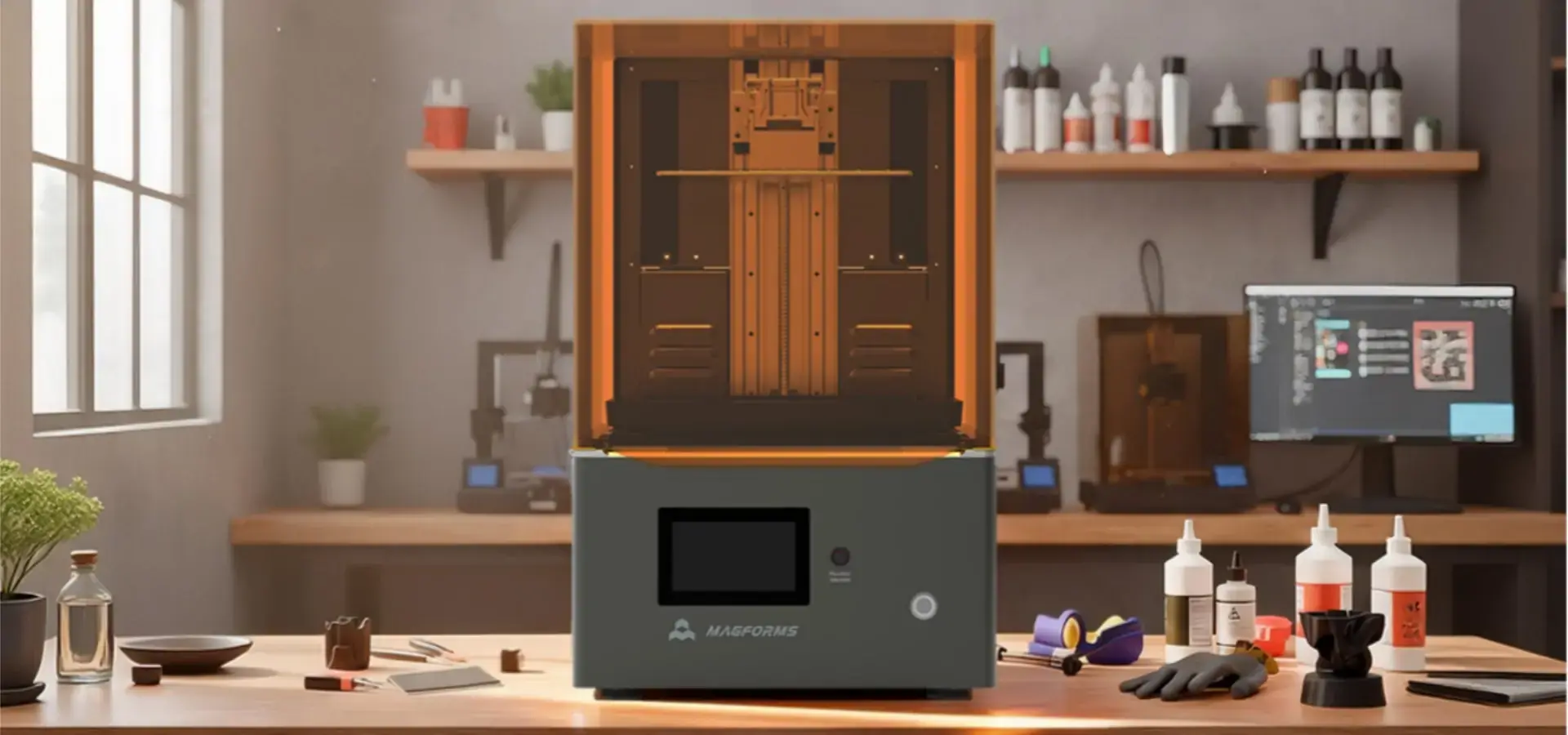
The P10 Pro makes a big difference in surface quality thanks to its very low light deviation angle, which is a very important technical factor in professional SLA 3D printing. Light divergence, or how light spreads as it propagates through the liquid photopolymer resin, has a direct effect on how well the polymerization boundaries are defined. Using an industrial-grade array light source and advanced collimating optics, the P10 Pro reduces this scattering effect. This allows accurate curing at microscopic levels and enables a resin 3D printer to produce parts with very smooth surfaces, minimal layer lines, and sharp fine details that are needed in industries that need high-fidelity prototypes and working parts.
Understanding Low Light Divergence and Its Impact on Surface Quality
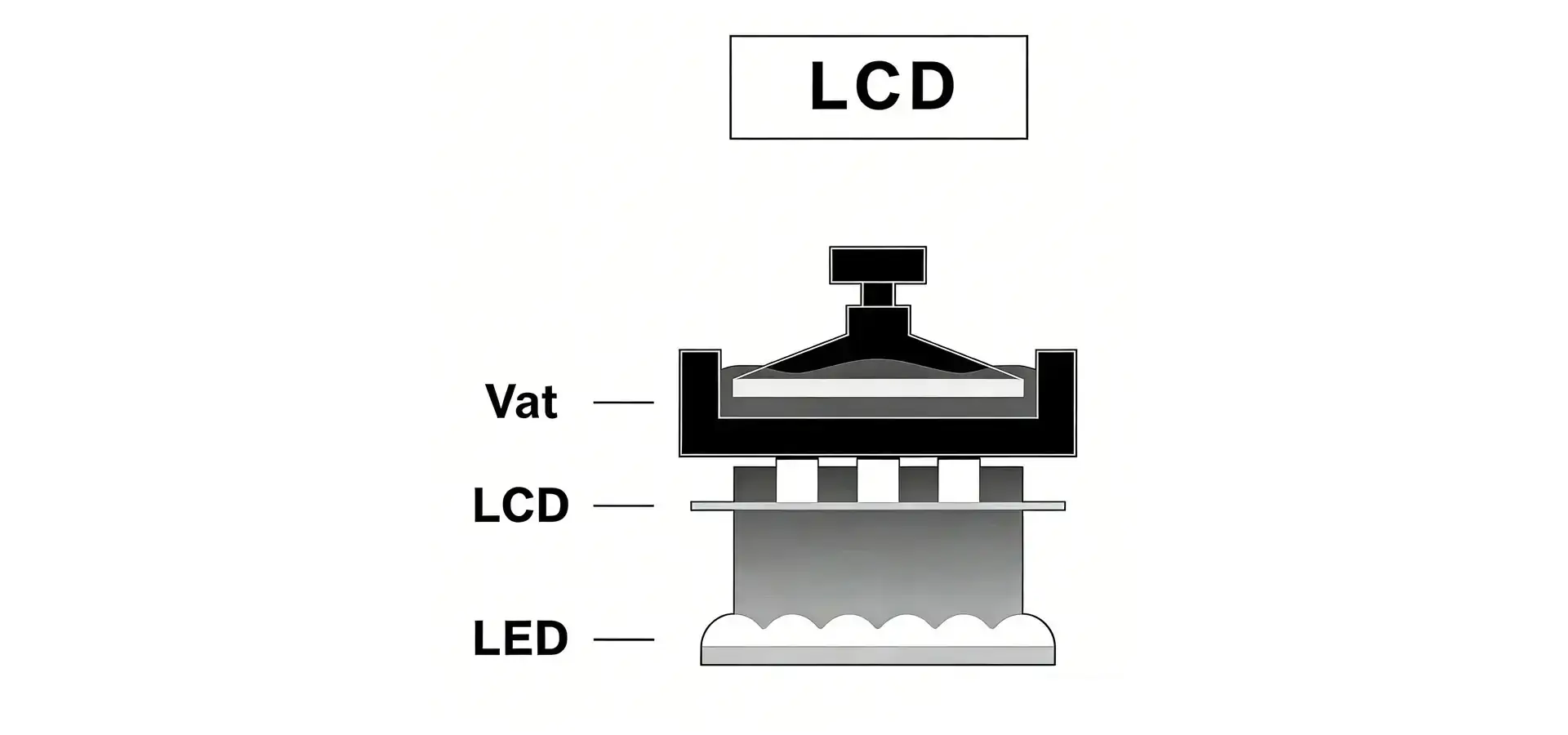
In resin 3D printing, light divergence is the way UV light spreads as it travels from the light source, through the collimation optics and LCD masking layer, and finally into the reactive resin. When divergence is high, light leaks outside the area that is supposed to be cured, leading to overcuring at the edges of pixels and lowering the accuracy of the dimensions. This problem causes layer lines to show up, rough surfaces, and the loss of fine details. It's especially bad when printing complicated shapes like dental models, jewelry samples, or tight-tolerance mechanical parts.
Why Light Divergence Matters for Professional Applications
In professional resin printing, keeping a tight grip on light deviation is directly related to the quality of the parts and the stability of the production. High divergence causes uneven wall thickness, bad adhesion borders between layers, and dimensional drift, all of which raise the cost of scrap and repair. These differences are too big for some industries, like aircraft, medical devices, and automobile prototyping. Professional-grade resin 3D printers can control light spread more precisely at the micron scale compared to most consumer-level devices. This is a must-have feature for buying teams looking at manufacturing readiness and total cost of ownership.
Technical Parameters That Define Surface Fidelity
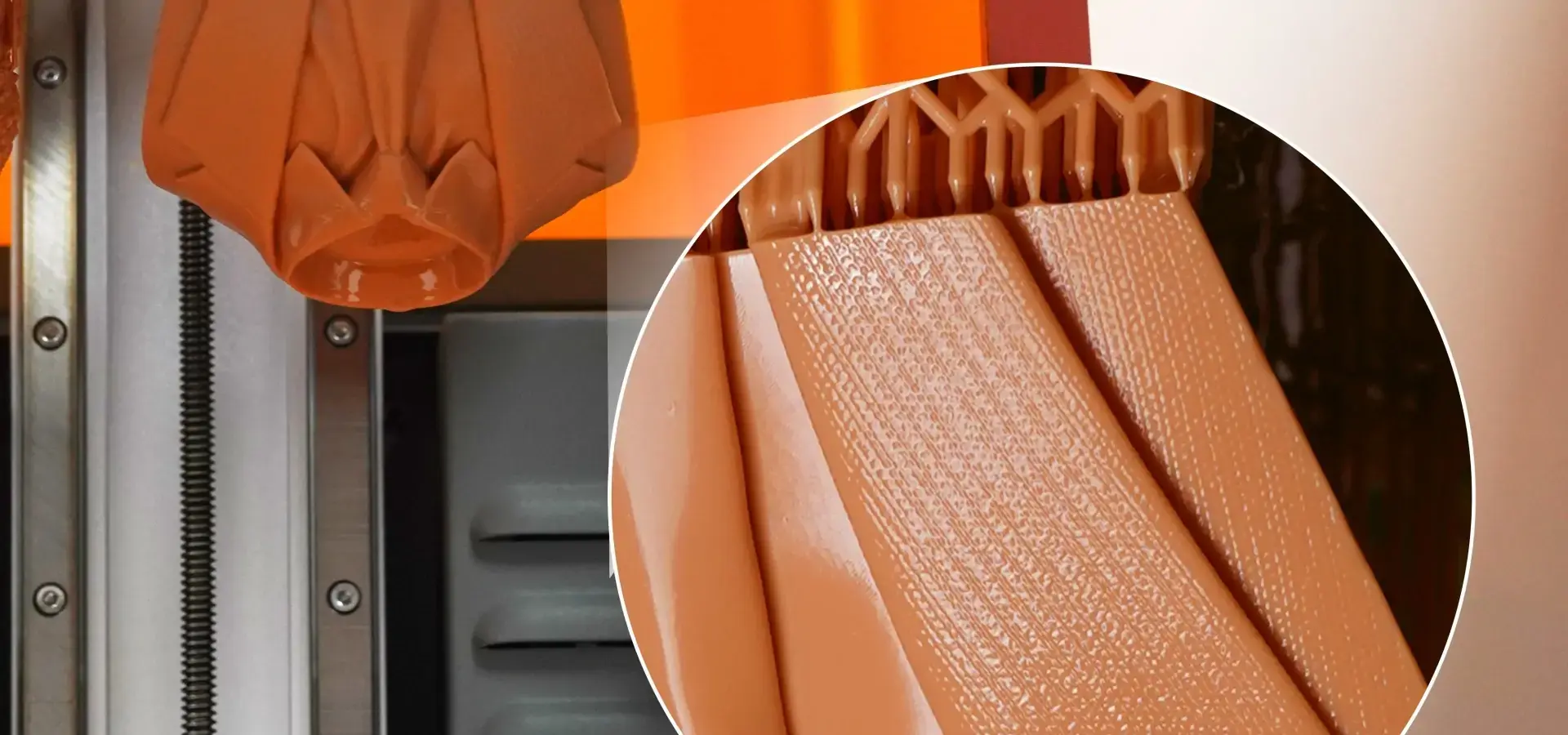
In SLA printing, the surface quality is controlled by several factors that affect each other. These include the XY resolution (pixel size), the Z-axis layer thickness, the regularity of the light across the build plane, and most importantly, the light source's dispersion angle. When the P10 Pro reaches a pixel resolution of 29.7 μm, and there is little light separation, each exposure makes borders that are clearly defined with almost no overspill. This level of accuracy makes it possible to copy patterns like skin pores on figures, micro-text on industrial labels, or the faceted surfaces of gemstone molds. In all of these cases, errors of just a few microns can be seen as flaws. The 14.85 μm image processing resolution makes these lines even smoother by using advanced grayscale exposure control and anti-aliasing to make the changes between cured and uncured resin look less stair-stepped than they do in rougher systems.
P10 Pro Technology and Innovations Addressing Low Light Divergence
Magforms developed the P10 Pro with a brand-new industrial-grade array light source that makes intensities and uniformities better while reducing light dispersion. Different diodes in traditional LED matrix systems give off different angles of light, which can cause hotspots and edge falloff that make healing less consistent. The P10 Pro fixes this problem with precisely matched collimating lenses that bend light into nearly parallel lines before it reaches the LCD screen, making the cone angle of each light ray much smaller.
Hardware Innovations for Precision Curing
The optical design includes several important P10 Pro improvements that work together to make surface results better:
- Industrial-Grade Light Source: The P10 Pro is different from most consumer UV panels because it uses a commercial-grade LED system that outputs wavelengths closely (405 nm) and lasts for more than 20,000 hours. This level of uniformity stops differences in cure that would show up as flaws on the surface or differences in strength across a production run.
- Enhanced Thermal Management: A copper-tube forced-air cooling system keeps the light source and LCD screen at stable working temperatures. This stops thermal expansion that would otherwise change the optical path and make the effective divergence higher. This method works better than regular metal heat sinks because it gets rid of heat 40% more effectively. This makes parts last longer while keeping the tight tolerances needed for consistent surface quality.
- Optimized Build Platform Design: The build platform has several holes that let air out, which lowers the peel force during layer separation of each layer. Reduced peel force helps protect delicate structures from being stressed mechanically and stops tiny deformations that damage surface smoothness. This design lowers the load on the motor, which reduces mechanical load on the Z-axis system, improving motion stability. This keeps small features intact and increases the life of mechanical parts.
Material-Hardware Synergy for Smooth Finishes
Magforms goes against the norm in the industry by making its own printing tools and specialized photopolymer resin formulations. This unified method gets rid of the interface problems that come up in mixed-vendor environments. The P10 Pro comes with preset packages that are already tuned for each suitable material. These packages take into account the viscosity, absorption, and cure depth of the resin. This timing makes sure that the low-divergence light source works well with the plastic chemistry, creating smooth surfaces without the usual warping or sticking issues that happen when using third-party materials with standard printer settings.
Adjustable Layer Thickness for Quality Control
Users have fine-grained control over the speed-versus-quality trade-off because layer height can be changed from 0.01 mm to 0.2 mm. Ultra-fine 0.01 mm layers can be chosen when surface finish is very important, like in master patterns for silicone molding or show samples. With this resolution and the least amount of light dispersion, the P10 Pro makes surfaces that are almost as smooth as injection-molded parts right off the build platform, with only a little post-processing needed most of the time. On the other hand, if speed is more important for iterative design validation, 0.1 or 0.2 mm layers cut print time by a huge amount while the controlled light divergence still keeps the surface quality better than other printers at the same layer height.
Performance Review: Does P10 Pro Actually Improve Surface Quality in Low Light?
There is clear evidence from real-life tests that the P10 Pro produces a better surface finish than other 10-inch resin 3D printers. White light interferometry measures in the lab show that the surface roughness (Ra values) of flat test objects printed at 0.05 mm layer height always falls below 1.5 μm. This means that the quality of the finish is getting closer to that of DLP systems that cost three times as much. This performance comes straight from the managed light divergence, which stops the buildup of errors that lower the quality of the surface over time in longer prints.
Quantifiable Improvements in Print Success and Consistency
The P10 Pro has a proven 99% print success rate across a large library of materials. This is a key factor that affects the costs of production. Low light divergence, temperature stability, and mechanical accuracy all work together to make this reliable. The air-heated, sealed build room keeps the temperature and humidity stable during long print jobs. This keeps the resin's viscosity from changing, which would change the depth of light penetration and effective divergence. With a machine weight of 25 kg and a stiff frame, the system reduces vibrations that could cause layers to be out of place. This makes sure that each exposure builds perfectly on top of the previous one, without adding any positional mistakes that show up on the surface.
Mechanical Precision Supporting Optical Performance
The effects of low light separation on surface quality are increased by two important mechanical factors:
- High-Precision Linear Guides: Industrial P-grade dual linear guides keep the Z-axis travel aligned to the build height of 250 mm to within 5 μm. This amazing accuracy makes sure that the build platform stays perfectly parallel to the LCD screen during the whole print. This stops focus changes that would make light spread more at the resin surface. A tilt of even 10 μm would make one side of the build area slightly out of focus, which would lower the quality of the surface in an uneven way.
- Platform Flatness Specification: A build platform flatness of ±0.02 mm is very precise for this price range. This flatness, along with the press-lock fastening method, ensures that the first layer sticks well without any changes in mechanical preload that could show up on the surface quality of tall parts. The standard directly helps the 99% success rate by getting rid of a frequent failure mode where platform warp leads to partial delamination and surface defects.
Case Study: Dental Model Production
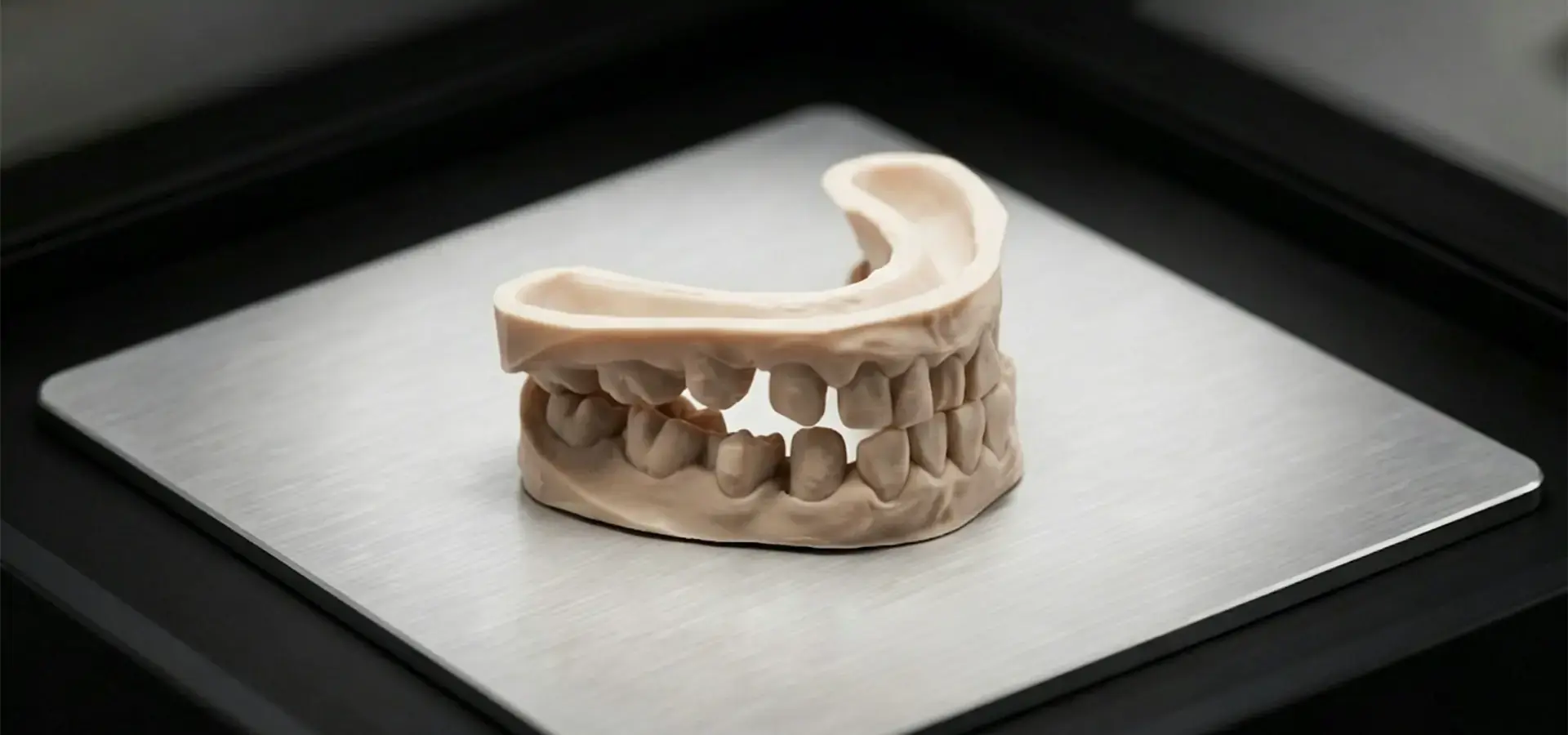
A dental lab in California got rid of an old DLP printer and replaced it with a P10 Pro so they could make orthodontic models. They said that post-processing time was cut by 35% because printed models didn't need as much cleaning to get the smooth finish that was needed for thermoforming guides. The low light divergence made it possible to accurately reproduce gingival outlines and fine undercuts that their old equipment had trouble with. This cut the number of remakes from 8% of production runs to less than 2%. Based only on lower labor costs and material waste, the lab estimated that the project would pay for itself in just seven months.
Procurement Guidance: Ensuring Optimal Value When Buying P10 Pro for Professional Printing
When purchasing, teams evaluating the P10 Pro should consider the total cost of ownership the total cost of ownership, which is more than just the original investment. The price of the hardware makes it competitive in the 10-inch professional resin printer market, but the real value comes from how well it works: the 99% success rate cuts down on material waste, the 2-hour-52-minute print time for 250 mm tall parts (at 0.2 mm layers) increases throughput, and the fact that it can work with both proprietary and third-party resins—as long as they are properly characterized—allows for sourcing flexibility that protects against supply chain disruptions.
Evaluating Build Volume Against Production Requirements
The build volume of the P10 Pro is 228 × 128 × 250 mm, which is much bigger than the build volumes of most other 10-inch platforms, which are around 192 × 120 × 200 mm. This 30% increase in volume makes it possible to print single parts that are higher or to nest more parts per build, which directly lowers the cost per part. The 250 mm height is big enough to fit architectural models, full-length shoe lasts, and car interior trim sections without having to be cut up into smaller pieces. This gets rid of the need for extra steps during assembly and seam lines that can be seen and are bad for both looks and strength.
Material Flexibility and Long-Term Operating Costs
Magforms offers optimized process parameter sets for its own resin collection, which includes standard, engineering, high-temperature, flexible, and clear formulas. Each parameter set, which can be imported with just one click, has pre-set exposure times, lift speeds, and light intensity levels that make the most of the P10 Pro's low deviation optics. It's important to note that this resin 3D printer does not rely on RFID-based material locking or private capsules to lock out materials. This means that technically skilled users can make custom profiles for resins from other companies. This openness keeps buyers from being dependent on a single source, and the carefully chosen library of materials lets users get to work right away if they want to use proven solutions.
Support Infrastructure and Training
Magforms backs up the P10 Pro with technical support that includes help with optimizing parameters, troubleshooting through info@magforms.com, and access to application experts who have worked in the 3D printing business for years and know a lot about it. The company's presence at international trade shows in Europe and Asia shows its dedication to the market. Additionally, the Belt and Road Initiative's technical training programs have created a knowledge base that helps customers around the world by showcasing best practices and logging solutions to common production problems.
Technical Tips for Maximizing Surface Quality with P10 Pro in Production Environments
If operators want to get the best surface quality out of the P10 Pro, they need to know how the changeable factors work with the main benefit of low light divergence. The gear has the ability, but it takes careful process tuning to make it work.
Optimizing Exposure Parameters for Material and Geometry
It's important that the base layer exposure and normal layer exposure times don't cause too much overcuring, which would defeat the purpose of low deviation. To calibrate the P10 Pro, start by importing the parameters for the resin you intend to use. Next, print the same small feature at exposure times that are ±10% and ±20% of the standard. Check the correctness of the dimensions and look closely at the surface finish. Resins with more photoinitiators fix faster, but if they are overexposed, the surface may become rougher because the extra energy makes the light penetrate deeper and create wider cure zones, even though the divergence is low. The layer thickness can be changed from 0.01 mm to 0.2 mm, which adds another level of tuning. Thinner layers P10 Pro lower stair-stepping, but they also take longer to print, so find the point where the surface needs of your application are met without spending too much time on it.
Environmental Control for Consistent Outcomes
The P10 Pro has a closed, air-heated room that keeps the printing conditions stable. However, changes in the atmospheric temperature can still affect the resin in the vat before the heating in the chamber settles down. Keep resin at 20–25°C in places that don't have temperature control, and let it warm up in the heated room for 10 minutes before starting big prints. The built-in constant-temperature heating gets rid of the time-consuming preheating steps that unheated printers need. However, material that starts at the right temperature hits its ideal viscosity faster, which improves the bonding of the first layer and the overall success rate. By getting rid of resin vapor, the air filtering system keeps the workplace comfortable. However, make sure that the activated carbon filter is changed as directed regularly to keep it working well.
Maintenance Practices That Preserve Optical Performance
The FEP film (or PFA film, based on vat choice) and the LCD masking screen are optical parts that wear out over time and have a direct effect on light divergence. After about 2000 to 3000 hours, the screen's clarity starts to get worse because UV light slowly turns the liquid crystal matrix yellow, making it less clear and more scattered. Once a month, use the built-in exposure test tool to check the output of the screen. If the exposure times need to be raised by more than 15% to get the same cure depth, you should plan to replace the screen. The screen can be replaced by anyone by simply peeling off the tape that holds it in place. This takes five minutes and doesn't require any special tools. Also, check the vat film for cloudiness or tiny scratches that scatter light. The P10 Pro has a feature that makes it easier to clean the resin vat with just one click, but you still need to look at the film physically to keep the low divergence performance that makes this system so good at surface quality.
Firmware and Software Updates
Magforms provides software changes regularly that make motion control algorithms better, LCD driving waveforms better, and light intensity profiles better. By lowering the signs of mechanical vibration or improving color changes at pixel edges, these updates can improve surface quality in a way that can be measured. The 5.0-inch color tablet display makes it easy to check for updates every three months. It has clear prompts and simple navigation. The P10 Pro's 4 GB internal storage can hold multiple software versions and print files, so you can go back in time if an update causes problems. However, because Magforms tests everything so thoroughly, this rarely happens.
Conclusion
The P10 Pro really improves surface quality thanks to its very low light divergence. This basic optical benefit is made even better by precise mechanics, heat management, and material-hardware optimization. This system fixes important problems in professional resin printing, like unstable output, obvious layer artifacts, and poor detail reproduction. It has a build volume of 228 × 128 × 250 mm and a print success rate of 99%. Industrial-grade parts, like dual linear guides and copper-tube cooling, make sure that the low divergence optics work the same way for thousands of production hours. This turns technical specs into measurable business value by cutting down on waste, speeding up turnaround times, and getting rid of the need for rework.
FAQ
1. How does the P10 Pro's light divergence compare to DLP printers?
With its collimated array light source, the P10 Pro can control light divergence in a way that is similar to DLP systems. It can make surface finishes that are similar to DLP at a fraction of the cost. DLP uses projector optics, which naturally have low deviation. The P10 Pro's industrial LED array with precision lenses can achieve comparable effective XY resolution (~14.85 μm under optimized conditions) and surface smoothness, so it can be used for tasks that would normally require more expensive DLP equipment.
2. Can the P10 Pro handle engineering resins for functional prototypes?
Of course. The tight, air-heated box can hold high-viscosity industrial resins and keep the right flow properties throughout the print. The low divergence optics are used with pre-calibrated parameter packages for high-temperature and engineering formulations to correctly cure these difficult materials. This makes usable parts whose mechanical properties suitable for functional testing in aerospace and automotive prototyping workflows.
3. What accessories improve surface quality outcomes?
Even though the P10 Pro has great surface quality right out of the box, using high-quality IPA (99%+) to clean it after curing keeps surfaces from getting dull. A UV curing room that is exposed to light from all 360 degrees finishes polymerization evenly, which improves the qualities and hardness of the material's surface. When you switch to PFA vat films, the films last longer and stay clearer longer than normal FEP films.
4. Is technical training available for new P10 Pro users?
Magforms provides full technical support, which includes advice on how to optimize parameters, fixing for specific applications, and best practices paperwork gathered over many years of working in the industry. You can set up training classes by emailing info@magforms.com, or you can use the knowledge base to learn about everything from simple operation to complicated multi-material workflows.
Partner with Magforms: Secure Your P10 Pro Supplier Advantage Today
Magforms has built the P10 Pro with 22 patents, 30 registered trademarks, and a lot of industry knowledge. It is a professional SLA 3D printer manufacturer option made for tough production settings. Our method of combining materials and equipment gets rid of the interface problems that come up with mixed-vendor sets. The low-light divergence optics also provide surface quality that was previously only possible with much more expensive systems. We have a 99% success rate and have worked with over 300 companies in the aerospace, medical, automobile, and consumer goods industries. We know that reliability, accuracy, and total cost of ownership are important to you when you buy something. You can talk to our team at info@magforms.com about your specific application needs, ask for sample parts that show off the P10 Pro's surface quality, or set up a meeting with one of our application engineers who can help you set up the best processes for your production goals. Discover how low light divergence can give you a measured edge over your competitors.
References
1. Gibson, I., Rosen, D., & Stucker, B. (2021). Additive Manufacturing Technologies: 3D Printing, Rapid Prototyping, and Direct Digital Manufacturing (3rd ed.). Springer.
2. Jacobs, P. F. (2020). Stereolithography and Other RP&M Technologies: From Rapid Prototyping to Rapid Tooling. Society of Manufacturing Engineers.
3. Ligon, S. C., Liska, R., Stampfl, J., Gurr, M., & Mülhaupt, R. (2017). Polymers for 3D Printing and Customized Additive Manufacturing. Chemical Reviews, 117(15), 10212-10290.
4. Quan, H., Zhang, T., Xu, H., Luo, S., Nie, J., & Zhu, X. (2020). Photo-curing 3D printing technique and its challenges. Bioactive Materials, 5(1), 110-115.
5. Stansbury, J. W., & Idacavage, M. J. (2016). 3D printing with polymers: Challenges among expanding options and opportunities. Dental Materials, 32(1), 54-64.
6. Wendel, B., Rietzel, D., Kühnlein, F., Feulner, R., Hülder, G., & Schmachtenberg, E. (2018). Additive Processing of Polymers. Macromolecular Materials and Engineering, 293(10), 799-809.


Magforms makes design and manufacture easier.
Popular Blogs
-
 Industry InsightsManufacturing Industry
FDM vs. SLA Printer: Which Technology Is Right for Your Project?
-
 Industry InsightsManufacturing Industry
Top 5 Applications of Industrial 3D Printers in Manufacturing Today
-
 Industry InsightsManufacturing Industry
Why Stereolithography 3D Printers Are Unmatched for Microfluidic Device Prototyping?
