High Resolution 3D Printer Maintenance Tips for Best Results
To keep a high-resolution 3D printer running smoothly, you have to pay regular attention to its optical parts, mechanical accuracy, and material handling rules. This helps maintain high-resolution print consistency and dimensional accuracy suitable for professional prototyping, dental, and engineering applications. Preventative care is based on keeping the environment under control, making sure that the build platforms are regularly calibrated and that the resin vats and light sources are cleaned properly. In addition to regular maintenance jobs, advanced maintenance includes diagnostic test prints to make sure the dimensions are correct, firmware changes to improve the exposure settings, and thorough logging to see how the machine is performing over time. These methods prevent common problems like layers not sticking together, bending, and uneven surfaces that can reduce the quality of parts used in demanding fields like precision engineering, dental implants, and aircraft development. Using structured repair procedures increases the life of equipment, cuts down on waste, and makes sure that production lines run smoothly, since downtime has a direct effect on profits.
Understanding High Resolution 3D Printers and Their Maintenance Needs
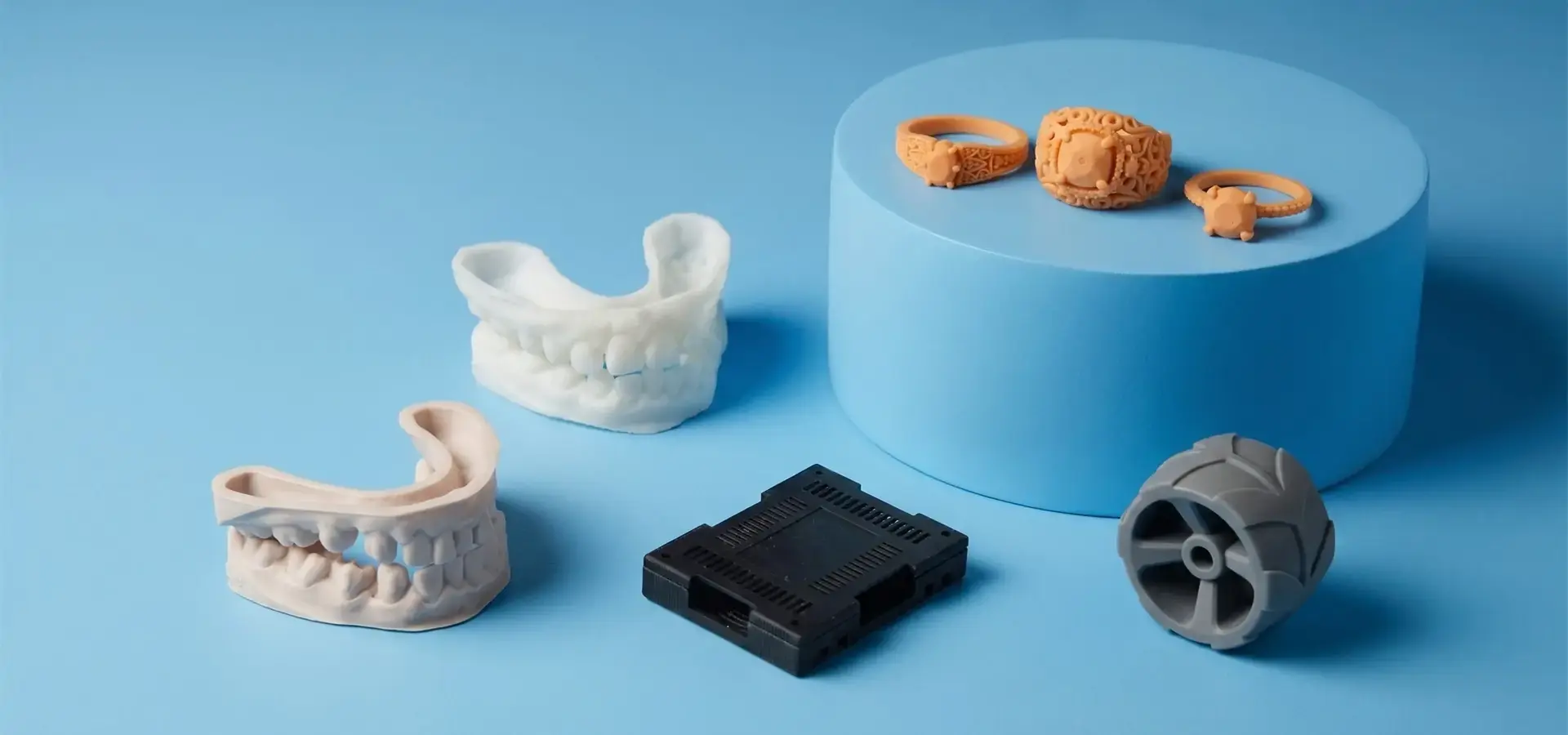
The way businesses do fast prototyping and small-batch production has changed because of high-resolution 3D printer systems. These special machines can achieve XY resolutions of 19 to 50 microns and Z-axis layer heights as low as 10 microns. This makes it possible to copy complex shapes that regular machines can't do. LCD-based masked stereolithography (mSLA) is one of the most widely used technologies in modern high-resolution 3D printer systems, alongside industrial SLA and DLP technologies. In these photopolymerization processes, liquid resin is selectively cured layer by layer using controlled UV light exposure. Modern monochrome LCD-based mSLA printers are especially popular for dental, jewelry, engineering, and prototyping applications because they combine high detail resolution, fast layer exposure, and relatively low operating costs.
Why Precision Equipment Demands Specialized Care
Because these systems are so complex, they need different kinds of care than regular manufacturing tools. To keep light uniformity above 90%, optical systems with UV LED arrays, optical lenses, and high-transparency protective screens need surfaces that are free of contamination. If dust or resin residue builds up on these parts, they cure unevenly, which causes errors in the dimensions that spread through production runs. In the same way, the mechanical systems must stay aligned within a few microns of each other to stop the Z-axis from wobbling and the layers from not lining up correctly.
Industry Applications Driving Maintenance Standards
Different industries have different needs for high-resolution 3D printers in terms of performance. In digital dentistry, crown and bridge models need a margin line accuracy of less than 30 microns to make sure they fit correctly without having to be adjusted at the chairside. For jewelry makers who use investment casting, the resins they use must not burn out and must be able to support delicate features as thin as 0.2mm. For aerospace component proof, engineering resins used for aerospace prototyping often require high thermal stability and dimensional consistency during inspection and testing. Because of these different needs, care procedures need to be able to respond to the different types of materials, how they cure, and the post-processing steps that are needed for each application.
Companies that make surgery guides, molds for orthodontic aligners, and microfluidic devices depend on reliable output quality. Even small changes can lead to expensive repairs or problems with following the rules. The repair schedule is no longer just a technical requirement; it becomes an important part of quality control that has a direct effect on how happy customers are and how much money the business makes.
Key Preventative Maintenance Practices for High Resolution 3D Printers
Setting up a practice for preventative repair will protect your investment and make sure that a high-resolution 3D printer works as expected. The following practices take care of the most important parts of the system that need regular attention.
Daily and Weekly Cleaning Protocols
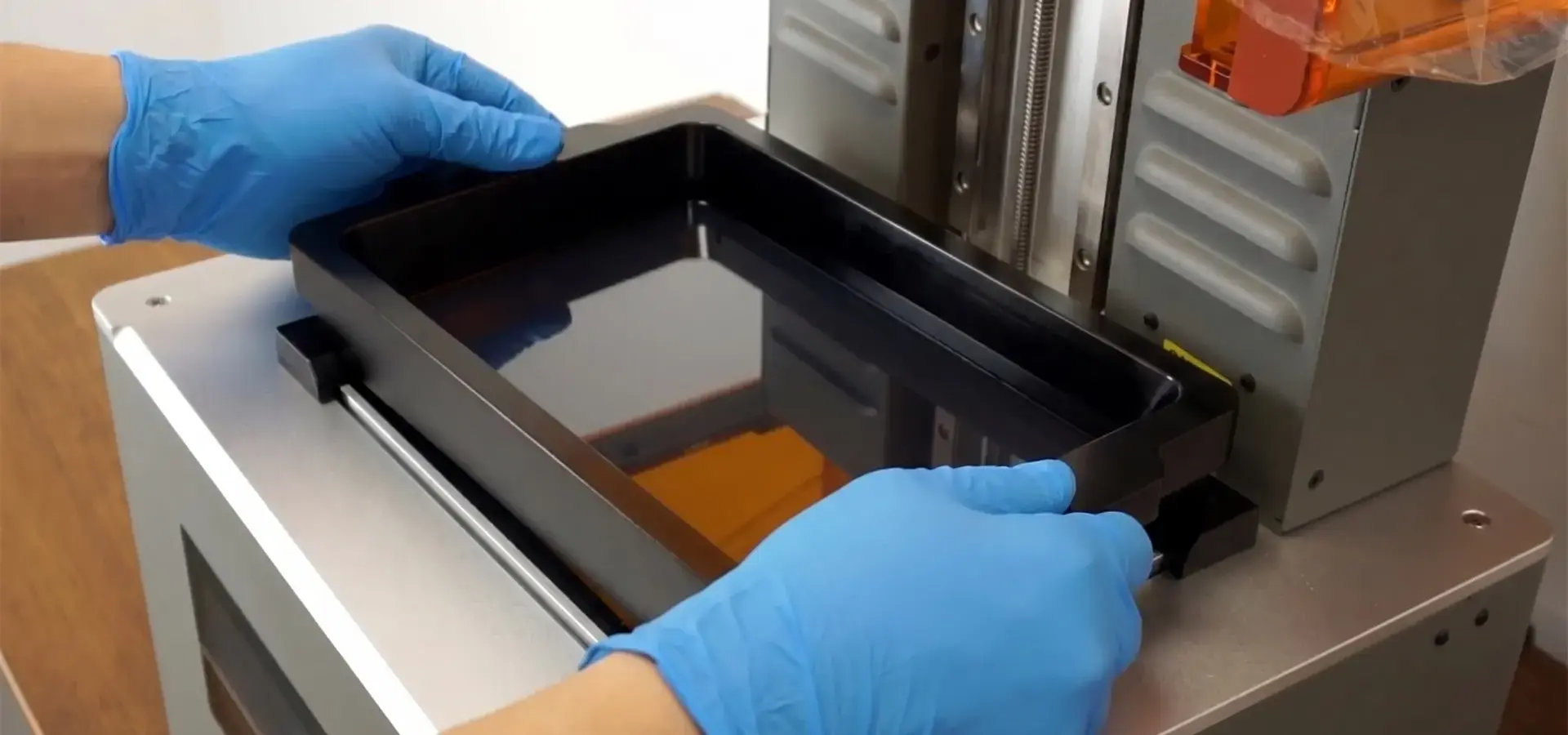
Inspect the resin vat for partially cured resin particles or foreign debris every time the print cycle is over. Even minimal amounts of dirt can ruin a print job by blocking light or making hard spots that hurt the release film. Remove the resin vat and pour the resin into a clean container through a 190-micron paint strainer. Next, use a microfiber cloth lightly moistened with isopropyl alcohol (IPA) to gently wipe off the FEP or nFEP release film. Stay away from rough materials that scratch the film surface, because these flaws show up as problems on the faces of printed parts.
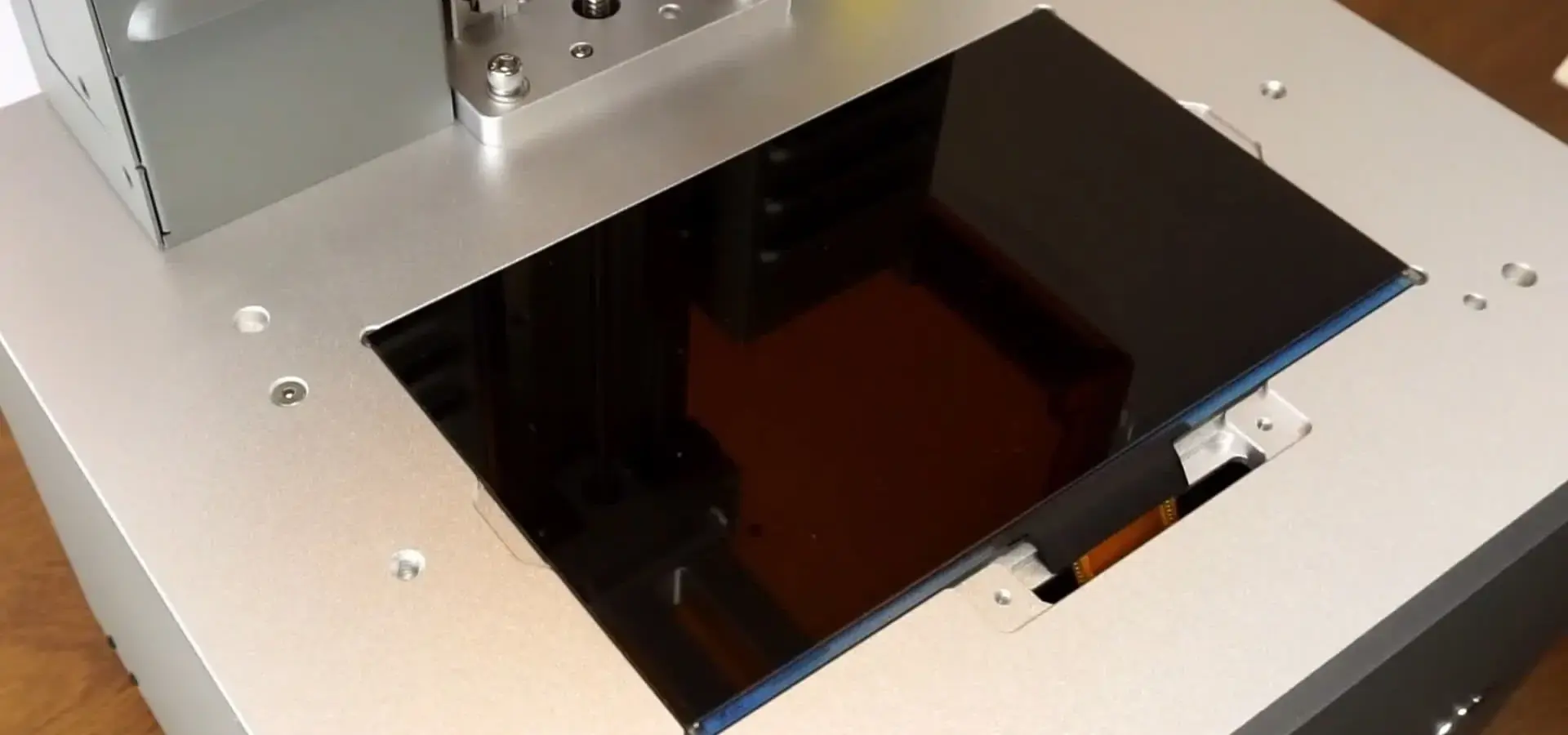
Once a week, use optical-grade cleaning fluid and lint-free wipes to clean the LCD masking screen or optical window. This part is right in the way of the light, and any waste makes the light less intense when it reaches the resin. This means you have to extend the exposure time, which changes the accuracy of the cure depth. Check the build platform for resin buildup around the edges and holes, and remove any hardened material that might get in the way of leveling the platform.
Calibration and Alignment Verification
Build platform leveling has a direct effect on how well the first layer sticks and how accurate the measurements are overall. In production settings, leveling checks should be done once a week or after every change to the material. Most high-tech systems feature automatic leveling processes, but you can manually verify platform parallelism and first-layer gap consistency according to the manufacturer's calibration procedure. The platform should stay aligned to the bottom of the vat all the way across its surface, and it should be difficult to slide a normal piece of paper between the platform and the film.
Light source consistency testing can help identify LED arrays or optical diffusers that are breaking down. Using a standard exposure time, print a full-platform exposure calibration model covering the entire build area. Using digital calipers, determine the thickness of the test model at nine different locations across the square. If the thickness changes by more than 5%, it means that the light isn't distributing evenly and needs to be fixed by cleaning the optical parts or replacing the LED array. This test locates issues before they lead to batch crashes in real runs.
Material Handling and Storage Best Practices
Light, temperature changes, and contamination still affect photopolymer resins. Avoid placing empty bottles near windows and fluorescent lights in opaque cases. Once the bottles are open, keep them tightly covered and use pump feeders to keep air from getting in. Temperature stability is essential because the viscosity of resin changes with temperature, which changes how it flows and how deeply the layers cure. Keep storage places between 20°C and 25°C, and let bottles cool down before using them.
Add the opening date and material batch number to partially used resin containers that have only been partly used. Depending on the recipe, most engineering resins keep working at their best for 3–6 months after they are opened. When you mix old resin with new material, the finished parts may not have the same mechanical qualities. This is especially detrimental for useful prototypes that need to be strong and flexible in a predictable way.
Firmware and Software Update Management
Firmware changes from manufacturers resolve issues with exposure time algorithms, motor control, and working with new resin formulas. Instead of making changes during important production stages, schedule improvements for planned breaks. Before you update, make a note of the current settings for your standard materials, such as the layer height, exposure times, lift speeds, and support parameters. This standard makes it easy to get back to normal if an update causes strange behavior.
When slicing and printer control software is updated, it often comes with better support generation methods and print direction suggestions that make failures less likely. By testing new software versions on nonessential projects before sending them to production, you can avoid interruptions to your workflow and get better performance at the same time.
Troubleshooting Common High Resolution 3D Printer Issues
Problems with a high-resolution 3D printer can be fixed quickly and with little loss of production. This also keeps printer parts from getting damaged again.
Print Quality Defects and Their Root Causes
When layers separate or delaminate, it's usually because the resin did not receive sufficient exposure energy for complete curing or the temperature outside was too low. Engineering resins with high filler content usually cure more slowly than standard resins, so each layer needs to be exposed for 20 to 40 percent longer. By making test prints with exposure matrices (grids that show different exposure times), the best choices for each type of material can be found.
Most of the time, warping and physical distortion are caused by internal stresses that come from not having enough support structures or printing in the wrong direction. During layer separation, parts with big cross-sectional areas that are parallel to the build platform create a lot of peel pressure. When these parts are angled between 15 and 30 degrees, forces are spread out more evenly. The support mass must go up in relation to the weight of the part and any overhang angles greater than 45 degrees.
Surface roughness differences that show up as rough spots or cloudy areas are a sign of contaminated resin or worn-down release film. When resin is exposed to light from the environment, it starts to polymerize too quickly, which makes tiny bits float in the liquid. During hardening, these particles scatter light in unpredictable ways, making surfaces that aren't smooth. Adding new resin and cleaning the vat well usually fixes the problem, but films that are badly clouded need to be replaced.
Mechanical System Malfunctions
Build platform adhesion problems show up when parts come loose while printing or don't stick during the first stages. In addition to balance issues, this problem has to do with the state of the platform surface. Lightly sanding the build platform with 220-grit sandpaper can improve surface texture and first-layer adhesion. Then, clean it well with rubbing alcohol. Some high-tech systems have perforated bases that create suction when layers are separated, which makes it easier for big parts to stick together. Make sure the drainage holes stay clear, and the pressure equalization system functions properly.
Positioning mistakes on the Z-axis cause differences in layer height that can be seen as bands on vertical surfaces. Make sure the set screws holding the platform carriage to the drive gear are tight and check the lead screw connections for wear. Linear rail bearings need to be oiled with light machine oil every so often. Too much oil attracts dust, and not enough oil leads to locking and early wear. Industrial and high-duty-cycle systems may require lead screw lubrication approximately every 500 print hours, depending on manufacturer recommendations.
When to Seek Professional Service
If an optical system fails, like an LED array burning out or a projector not working, it needs to be serviced by a factory-authorized technician to keep the calibration and guarantee coverage. When you try to fix something without the right troubleshooting tools, you often end up doing more damage and invalidating your manufacturer's warranty. Similarly, problems with the control board, sensors, or touchscreens need to be fixed by a professional to keep the software from getting corrupted or data from being lost.
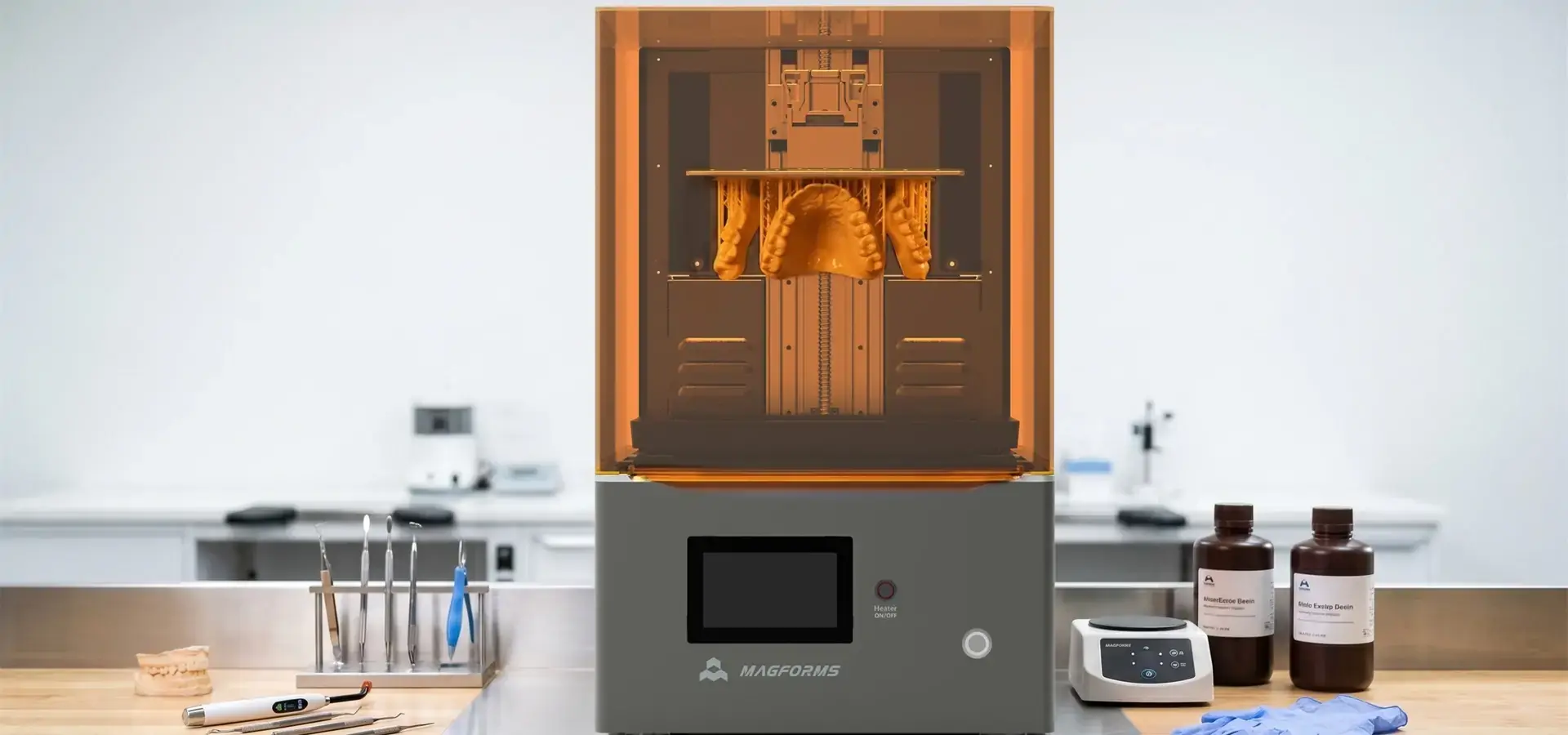
When you work with providers that offer full after-sales support, you can get online diagnosis, faster shipping of parts, and on-site expert visits for tough problems. Many years of experience in the field help companies like Magforms offer technical training and preventative maintenance classes that help users fix common problems on their own, which cuts down on service calls.
Advanced Maintenance Tips to Prolong Printer Life and Maximize Accuracy
Advanced maintenance strategies for a high-resolution 3D printer go beyond basic care to improve long-term performance and protect your investment.
Diagnostic Test Prints and Calibration Verification
By printing normal test items on a regular basis, you can measure how well your printer is working over time. The Town test model from AmeraLabs shows how well lighting, support, and reproduction of small details work. Dimensional accuracy blocks with exact geometric features let you use a caliper to check the scale of the X, Y, and Z axes. By doing these tests once a month, you can keep track of the performance standard and see how it changes over time before it affects production parts.
UV radiometers are used to measure the strength of a light source and track how LED power decreases. UV LED light sources gradually lose intensity over extended operating hours, which may require exposure compensation or component replacement over time. By slowly raising exposure times to make up for this loss, the equipment's cure depth and mechanical features stay the same over its lifetime.
Environmental Controls and Their Impact
Changes in temperature and humidity have a significant effect on resin behavior and printer electronics. Resin viscosity changes significantly with temperature, affecting flow behavior, layer separation forces, and curing consistency. This has a direct effect on how the layers separate and on the dimensional consistency of the final part. Repeatable results are guaranteed by keeping the temperature of the print setting within ±2°C of the goal. Hygroscopic resins absorb water in high-humidity areas, which makes the surface sticky and causes the resin to not fully dry.
Particles in the air and dust land on optical parts and contaminate open resin vats. Failures caused by pollution are greatly reduced by putting in HEPA air filters in printing areas and storing vats under covers between jobs. Industrial facilities that make a lot of things often use climate-controlled production rooms that keep the temperature at 22°C and the humidity between 40 and 50% all year.
Integrating Maintenance into Production Schedules
You can avoid clashes between maintenance and shipping dates by scheduling them during natural breaks in workflow. Performing full maintenance on all systems on the last Friday afternoon of every month is helpful for batch production settings. Service offices that handle ongoing job queues spread maintenance across several machines to keep capacity up while individual units are being fixed.
Maintaining detailed records of cleaning, calibration, and part changes is an important part of quality control systems and following the rules. Medical device companies that want to keep their ISO 13485 approval must show that their equipment meets certain requirements by keeping records of their planned preventative maintenance. These records also help find trends that can tell when a part is reaching the end of its useful life. This lets you change it before it stops working and stops production.
Choosing the Right High Resolution 3D Printer and Supplier for Your Business Needs
Long-term success with a high-resolution 3D printer depends on making purchases that match the need for capability with the total cost of ownership.
Assessing Equipment Based on Maintenance Requirements
Different printer designs require different amounts of upkeep. When using projector-based light sources in DLP systems, the bulbs or LED modules need to be replaced every 10,000 to 20,000 hours, depending on the manufacturer. Modern monochrome LCD-based mSLA printers use replaceable masking screens that commonly deliver several thousand printing hours, depending on exposure settings and operating conditions. Industrial SLA systems using galvanometer-controlled lasers typically offer stable long-term optical performance, while LCD-based mSLA systems provide lower maintenance costs and easier component replacement.
The size of the build affects how hard it is to maintain. For example, bigger high-resolution 3D printers have heavy build platforms that need stronger leveling devices and stronger Z-axis motors. These parts are put under more mechanical stress and may need to be checked more often than small units. Think about whether the larger part sizes you usually make are worth the extra work that comes with maintaining large-format equipment or whether having several smaller printers would give you more operating freedom.
Supplier Selection Criteria
Details about the warranty coverage show that the maker trusts the product to be reliable. Most high-end industrial systems come with full warranties that cover parts and work for two years, and repair calls are promised to be answered within a certain amount of time. Entry-level equipment might only cover it for 90 days or not cover parts that are used up quickly, like release films and build platforms. When you commit to making something for more than one year, extended protection choices help you plan your budget.
How fast you can fix problems and get production back on track depends on your after-sales support system. When compared to remote-only support that needs parts to be shipped, suppliers with regional service centers staffed by factory-trained techs have less downtime. Technical training programs that teach advanced repair techniques and best practices for moving materials give internal teams the tools they need to solve problems without outside help.
Magforms is a strong example of a supplier offering fully integrated hardware and material solutions because they offer combined solutions for materials and tools. Our systems use special resin mixes that work best with our printer hardware. This gets rid of the compatibility problems that come up with sets that use hardware from more than one provider. With optimized exposure systems, intelligent scanning strategies, and application-focused material profiles, printing speeds are 30% faster than the industry average, and high-resolution printing performance supports demanding applications in aerospace prototyping, medical modeling, and precision tooling. We offer the dependability and new ideas that production settings need. We have 22 patents, 30 registered brands, and a history of working with over 300 businesses around the world.
To figure out the total cost of ownership, you have to add up all the costs of things that you use up, like release films, resin vat refills, and wasted material from failed prints. When suppliers offer maintenance packages that include regular service calls, new parts for worn parts, and software updates, you can plan your costs more accurately than with à la carte service models. Leasing plans that include repair lower the amount of money you need to pay up front and make sure your equipment stays up to date as technology changes.
Conclusion
Maintaining a high-resolution 3D printer requires careful attention to how clean the optics are, how precise the mechanics are, and how the materials are handled. Cleaning every day, checking the settings once a week, and controlling the surroundings are the main ways that common failure modes are stopped. Diagnostic test prints, thorough logging, and replacing parts before they break are all examples of advanced maintenance practices that improve long-term performance and equipment lives. A good procurement process combines the need for skill with the need for upkeep, warranty coverage, and infrastructure to help suppliers. Choosing partners that offer unified material-equipment solutions, thorough training, and quick technical support lowers operating risks and raises production efficiency and part quality consistency in tough industrial settings.
FAQ
How Often Should I Perform Maintenance on My High-Resolution 3D Printer in a Production Environment?
Resin vats, optical windows, and build platforms need to be inspected and cleaned every day in production settings where work is constant or almost continuous. As part of the weekly tasks, it is necessary to check the leveling of the build platform, the regularity of the light, and the cleaning of the mechanical systems. Full maintenance done once a month includes updating the software, printing troubleshooting test results, and carefully calibrating the system. Service companies that handle a lot of work (dozens of jobs a week) may shorten these times by using real print hours instead of calendar time. Keeping detailed logs helps find patterns in equipment that can help suggest whether maintenance should be sped up or slowed down based on real working conditions and material use.
What Causes Print Failures in High-Resolution Systems and How Can I Prevent Them?
Some of the most common reasons for failure include an uneven build platform, resin that has become contaminated or chemically degraded, the wrong exposure settings for the material being used, support structures that aren't strong enough, and changes in the environment, such as temperature. Some things that can be done to avoid problems are doing regular checks before the print job to make sure the platform is level and the resin is clear, using the latest slicing software with the best support generation, and making sure the print environment stays at the right temperature according to the manufacturer's instructions. When you work with providers who offer application-specific technical help and training in material handling, you don't have to learn as much by making mistakes.
Can I Use Third-Party Resins and Replacement Parts Without Affecting Warranty Coverage?
The terms of warranties change a lot from one maker to the next. Many industrial-grade, high-resolution 3D printers let users use third-party materials as long as they are aware of the possible print quality issues and equipment damage from chemicals that don't work well together. Premium brands like Magforms offer combined material-equipment solutions that use unique resin formulations to improve printer performance. However, open-system designs allow for the use of different materials for certain tasks. Replacement parts, like build platforms and plastic vats, usually still work with warranties, even if they come from a different source. But for optical parts and electronics, warranties usually only cover approved parts. Before adding third-party consumables to production processes, carefully read the guarantee paperwork and talk to the expert teams of your suppliers.
Partner with Magforms for reliable high-resolution 3D printer solutions.
To get the most out of your additive manufacturing investment, you need more than just good tools. You also need a strong supplier relationship that helps you reach your production goals. Magforms offers complete packages that include their own high-resolution 3D printer gear and specially designed materials. This way, there are no interface problems that lower the quality of the output. Our high-resolution LCD and industrial SLA systems are designed for fast production workflows, dimensional consistency, and reliable surface quality across professional applications. They have also been through a lot of tests to show that they are reliable, and the failure rates are well below the market average. We know the problems you're having with your business because we make high-resolution 3D printers for over 300 companies in the automotive, aerospace, medical, and consumer electronics industries.
Our technical support team gives you application-specific advice, thorough maintenance training, and quick repair help to make sure that your equipment always works the way it should. Whether you need rapid prototyping to help you build a new product or production-grade systems for making small batches, our wide range of products has options that fit your needs in terms of scale and price. Contact our buying experts at info@magforms.com to talk about your specific application needs, set up a trial of the equipment, or get personalized maintenance plans that will help you run your business more efficiently. Find out why top makers choose Magforms as their top choice for mission-critical additive manufacturing applications that require high-resolution 3D printers.
References
1. Gibson, I., Rosen, D., & Stucker, B. (2021). Additive Manufacturing Technologies: 3D Printing, Rapid Prototyping, and Direct Digital Manufacturing (3rd ed.). Springer.
2. Stansbury, J. W., & Idacavage, M. J. (2016). 3D printing with polymers: Challenges among expanding options and opportunities. Dental Materials, 32(1), 54-64.
3. Junk, S., & Kuen, C. (2019). Maintenance Strategies for Industrial 3D Printing Systems: A Comprehensive Guide for Production Environments. Hanser Publications.
4. Ligon, S. C., Liska, R., Stampfl, J., Gurr, M., & Mülhaupt, R. (2017). Polymers for 3D printing and customized additive manufacturing. Chemical Reviews, 117(15), 10212-10290.
5. Bourell, D., Kruth, J. P., Leu, M., Levy, G., Rosen, D., Beese, A. M., & Clare, A. (2017). Materials for additive manufacturing. CIRP Annals - Manufacturing Technology, 66(2), 659-681.
6. Dizon, J. R. C., Espera Jr, A. H., Chen, Q., & Advincula, R. C. (2018). Mechanical characterization of 3D-printed polymers. Additive Manufacturing, 20, 44-67.


Magforms makes design and manufacture easier.
Popular Blogs
-
 Industry InsightsManufacturing Industry
FDM vs. SLA Printer: Which Technology Is Right for Your Project?
-
 Industry InsightsManufacturing Industry
Top 5 Applications of Industrial 3D Printers in Manufacturing Today
-
 Industry InsightsManufacturing Industry
Why Stereolithography 3D Printers Are Unmatched for Microfluidic Device Prototyping?
