Industrial SLA 3D Printers vs Desktop SLA
When deciding between industrial SLA 3D printers and desktop models, the choice relies on how much you need to produce, how precise you need to be, and where you will be using the printer. For small to medium businesses that need high-precision testing and small-batch output, a Desktop SLA 3D printer is an excellent investment for precision-focused applications. These small systems produce results that are on par with those found in factories, but they are also cost-effective and easy to use. Desktop SLA technology is better than standard FDM printers at surface finish, accuracy in dimensions, and material flexibility. This makes them perfect for prototyping cars, making medical devices, and precision manufacturing tasks that need micron-level detail. In this article, "Desktop SLA 3D printer" broadly refers to vat photopolymerization systems, including both laser-based SLA and mSLA technologies used in modern desktop solutions.
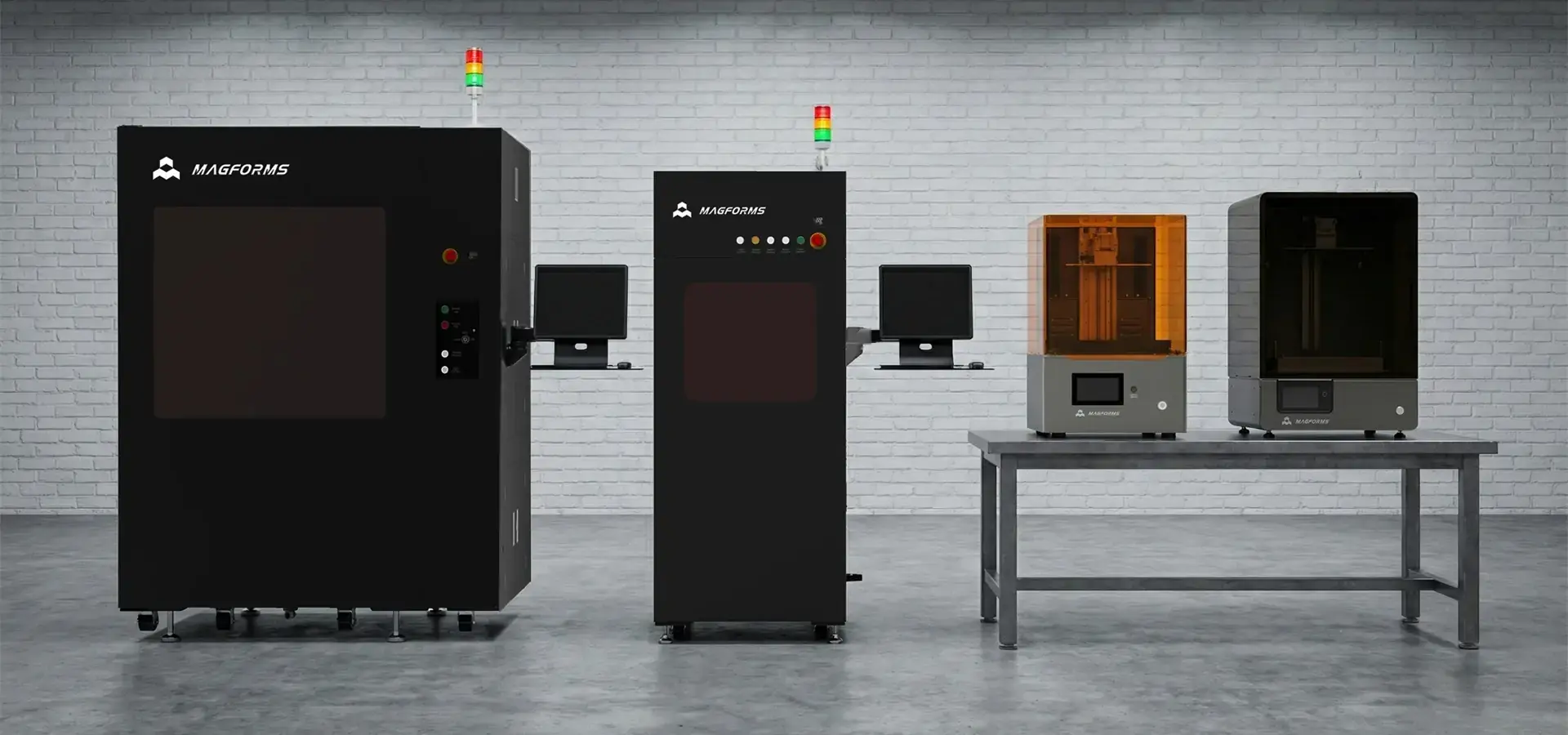
Understanding Industrial vs Desktop SLA 3D Printers
The main difference between industrial and personal SLA systems is how big they are, how many builds they can handle, and what they're used for. Desktop SLA printers can build parts that are between 145 x 145 x 175 mm and 300 x 160 x 380 mm in size. This means they can handle small to medium-sized parts. These systems work great for quick prototypes, dental work, making jewelry, and precision manufacturing, where small parts are common. Industrial SLA printers can print much bigger areas, often more than 450 x 450 x 400 mm. This means they can make useful parts that are too big or print a lot of parts at once. These systems have strong mechanical structures, such as rigid bases for enhanced stability, and laser-based scanning systems with galvanometer-driven optics that ensure precise laser positioning during long print sessions.In contrast, most desktop systems today adopt mSLA technology, using mask-based exposure to cure entire layers simultaneously, which improves printing speed and system efficiency.
Build Volume and Production Capacity
Most testing and small-batch production needs can be met by desktop computers. Several small parts can be printed at once on a standard Desktop SLA 3D printer, making the best use of materials and increasing production speed. Standard photopolymers and engineering-grade formulas, such as rigid, flexible, and high-temperature types, can all be used with these tools. Industrial systems are designed for places that make a lot of things and where accuracy and speed are very important. Large-format printing lets you make panels for cars, parts for airplanes, and building models that would have to be cut up on smaller systems. The higher build number directly leads to better production economics for companies that need a lot of similar parts or big single parts.
Precision and Quality Standards
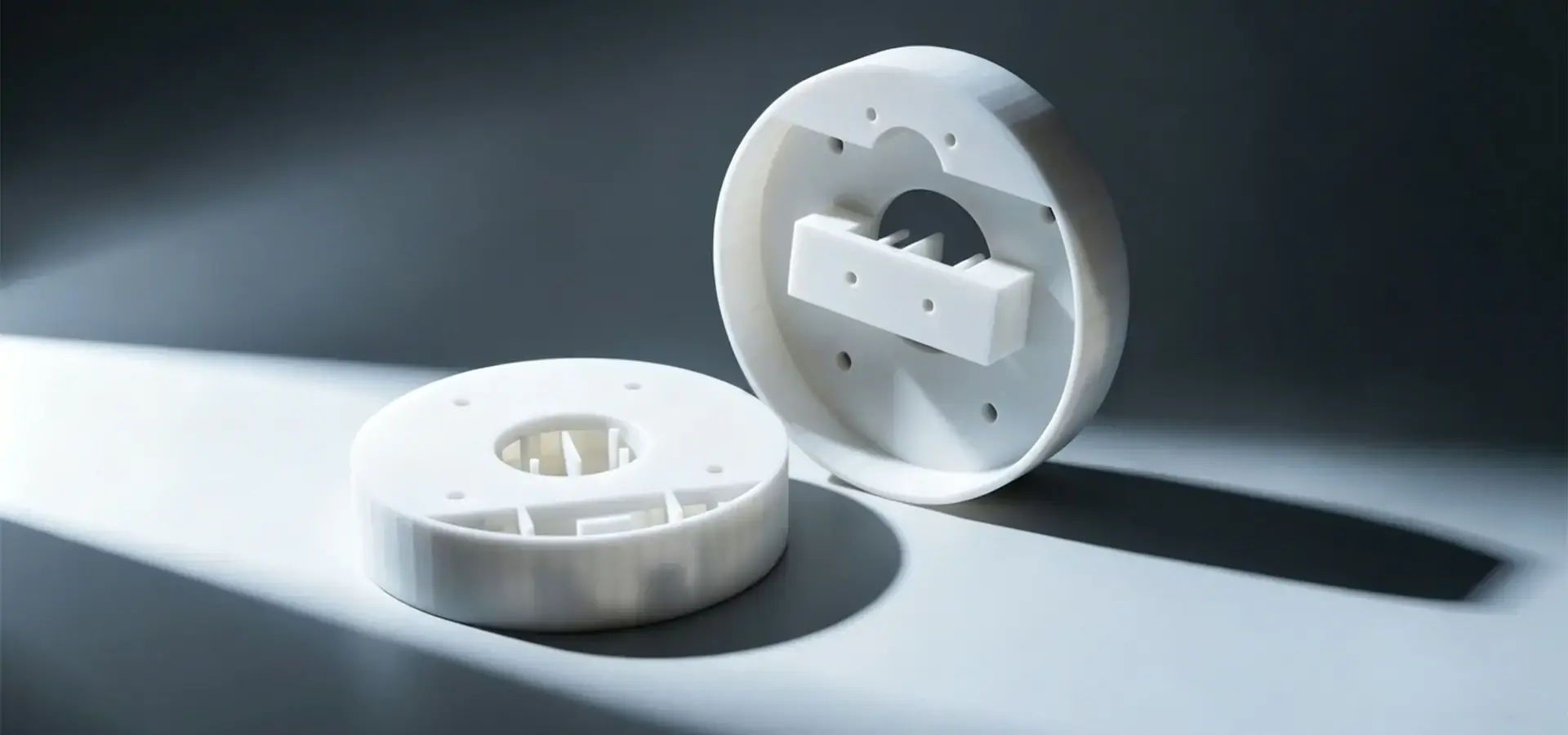
Both desktop and industrial SLA systems are highly accurate, but industrial units tend to keep their margins tighter over longer production runs. The XY precision of desktop SLA printers is typically between 18 and 29.7 microns. In industrial systems, the size of the laser spot typically ranges between 150 and 600 microns, while desktop systems rely on pixel resolution and optical uniformity to achieve similar levels of precision. Because of its accuracy, desktop SLA is perfect for tasks that need fine details and smooth surfaces, while filament-based systems can't handle such fine details. To keep quality constant over long production processes, industrial systems use powerful motion control systems and environmental controls. Closed-loop temperature control, automatic binder management, and precision leveling tools make sure that the same results are achieved over thousands of print cycles.
Key Performance Metrics and Decision Criteria for B2B Buyers
When choosing SLA printing systems, people in charge of procurement have to look at a number of performance factors. The main technical factors to think about are the resolution, the build volume, the printing speed, and the suitability of the materials. The total cost of ownership includes the costs of the equipment, the materials, and the ongoing support needs. Resolution specs have a direct effect on the quality of the part and how well it works in the application. Layer heights on desktop SLA systems are usually between 10 and 100 microns, and some more modern models can reach 10 microns for work with very fine details. Lateral resolution is affected by the size of the laser spot in industrial systems, and by pixel resolution and optical uniformity in desktop mSLA systems. High-end desktop systems can achieve XY resolutions of less than 50 microns, which is the same level as industrial units.
Material Compatibility and Flexibility
The choice of material has a big effect on how it can be used and how much it costs to run. Customers can use photopolymer resins from different makers thanks to open-source design principles. This gets around the problems that many competing systems have with unique materials. This gives you the freedom to find the best prices while still having access to expert materials for certain uses. Desktop SLA systems can work with a wide range of materials, such as biocompatible resins for medical uses, castable resins for making jewelry, and engineering-grade formulas that have qualities similar to ABS and polypropylene. New materials, like ceramic-filled resins and ESD-safe formulas, make it possible to use them in more specialized industry areas.
Return on Investment Considerations
Small to medium-sized businesses usually get a better return on investment (ROI) from desktop SLA tools because they cost less to set up and run. Professional desktop computers cost between $3,000 and $15,000, while industrial computers of the same type cost between $50,000 and $300,000. Furthermore, desktop computers are more cost-effective for certain uses because they use fewer materials and are easier to maintain. In order to measure how efficient a production process is, post-processing needs, material costs, and the complexity of operations must all be taken into account. Desktop SLA systems often have faster setup and switching times, which allows production schedules to be more flexible, and prototyping applications have shorter wait times.
Maintenance, Troubleshooting, and Safety for Desktop SLA 3D Printers
Desktop SLA systems work best and last as long as they are maintained according to the right procedures. Cleaning the optical parts on a regular basis, replacing the resin tank, and leveling the build platform are all important upkeep chores. During the procurement process, knowing these needs helps set reasonable business goals and make budget plans.
Essential Maintenance Procedures
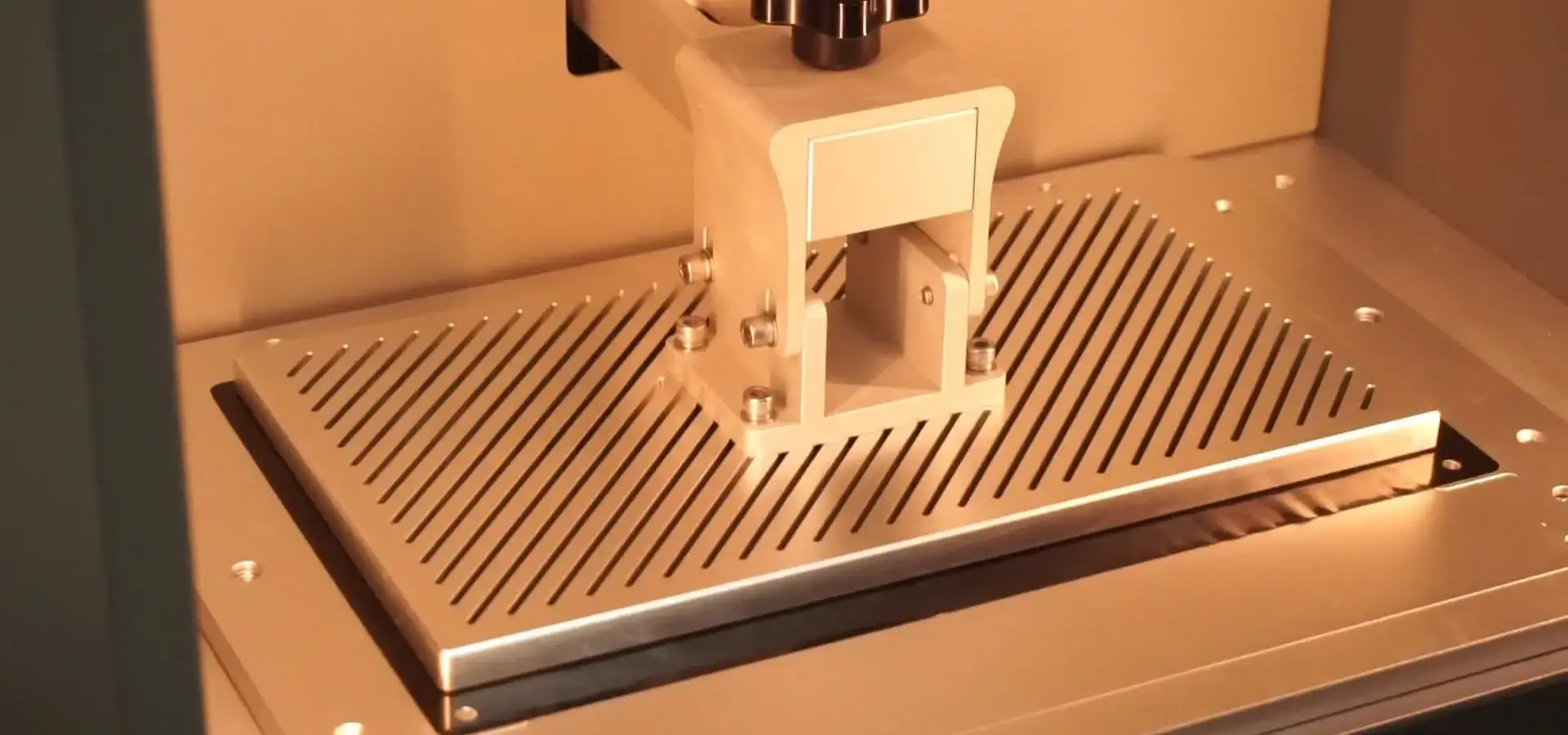
Checking the resin levels, cleaning the build platform and looking for quality problems in printed parts are all part of daily upkeep. As part of weekly processes, optical screens need to be cleaned, calibration of exposure systems or laser scanning components needs to be checked depending on the system type, and FEP film needs to be replaced as needed. Maintenance that is done once a month includes full system calibration, software changes, and inspections of all internal parts. Effective repair practices have a big effect on how reliable a system is and how well it prints. If you keep your Desktop SLA 3D printer in good shape, it can run nonstop for thousands of hours with very little downtime, giving you reliable results over long production runs. When you do regular maintenance, you increase the life of parts, which lowers your long-term running costs.
Troubleshooting Common Issues
Most of the time, print problems are caused by poor support structures, wrong exposure settings, or contaminated resin. Systematic methods to fix help find the root causes quickly, which cuts down on production delays and loss. Print adhesion issues, layer splitting, and measurement errors are all common problems. Protocols for handling resin require paying attention to how it is stored, how to keep it from getting contaminated, and how to mix it properly. Changes in temperature and UV light can damage the qualities of plastic, which can cause prints to fail and the surface to look bad. Consistent material performance is guaranteed by following the right methods for keeping and handling.
Safety Protocols and Compliance
To safely handle resin, you need to make sure there is enough air flow, wear the right safety gear, and properly get rid of the waste. Most photopolymer resins have chemicals in them that could be dangerous, so they need to be handled carefully. Setting up thorough safety processes saves operators and makes sure that regulations are followed. Safety rules at work depend on the type of business and where it is located, but some of the most common ones are air systems, eyewash stations for emergencies, and the right places to store chemicals. Knowing these needs during the buying process helps make sure that the project goes smoothly and that all regulations are followed.
Leading Brands and Models for Desktop SLA 3D Printers
Several well-known companies in the desktop SLA market make products for a range of uses and price points. Formlabs is still the leader in the business desktop market thanks to its wide range of ecosystem support and track record of dependability. When it comes to price, Anycubic and Elegoo are good options for buyers on a budget, while Phrozen works well for printing quickly. Magforms has become a major player in the professional desktop SLA market by offering cutting-edge hardware setups and exceptional printing quality. Their systems are highly reliable and accurate, combining high-performance motion systems, precision optical modules, and advanced control architectures. Magforms desktop systems are based on advanced mSLA technology, enabling fast and consistent layer curing across the entire build platform. The P13 Pro model has a stable marble base that allows for printing accuracy of ±0.1mm, giving it performance that is close to industrial in a desktop size.
Technology Innovation and Performance
Desktop SLA systems have come a long way thanks to continuous advancements in both mSLA-based exposure technologies and overall system optimization. In industrial systems, variable laser spot sizes are used to balance speed and detail, while desktop mSLA systems rely on optimized exposure strategies and high-resolution pixel control to achieve similar results. Because of this, printing speeds are 30–50% faster than with traditional methods, but the beauty of the details stays the same. By optimizing scanning strategies in industrial systems and exposure parameters in desktop systems, deep learning techniques make printing even more efficient. These smart systems look at the shape of the part and the features of the material to change the printing settings automatically. This makes the process 20% faster while still meeting quality standards. mSLA technology enables full-layer curing, significantly improving printing speed compared to sequential laser scanning approaches.
Material and Equipment Integration
The future of desktop SLA printing lies in integrated systems that combine the best tools and materials. Magforms offers complete solutions using exactly matched materials and equipment, which gets rid of the interface problems that come up with systems that use parts from different vendors. Dimensional errors, print defects, and unexpected downtime are greatly reduced by this combination. The interaction between materials and tools leads to measured improvements in the quality and efficiency of production. Matched systems go through a lot of testing and evaluation to make sure they work the same way in all kinds of situations and uses.
Making the Right Procurement Decision: A Practical Framework
To make strategic purchasing choices, you need to carefully look at the needs of the business, the technical requirements, and the supplier's skills. The framework starts by making the program needs, Desktop SLA 3D printer output volumes, and quality standards very clear. Understanding these factors helps with choosing technologies and judging vendors. The professional skills, support system, and long-term viability of a supplier are all things that are looked at when evaluating them. For businesses that need quick responses, having access to local help becomes essential for keeping operations running smoothly. Full warranty support and training programs make value arguments even stronger.
Scalability and Future-Proofing
Investors should think about how the economy will grow and how technology will change in the future. Desktop SLA systems are very flexible because they can be set up with multiple units, which lets capacity grow without having to make big changes to the infrastructure. Businesses can start with just one unit and add more as demand grows with modular methods. Technology roadmaps and update tracks keep investments from becoming useless over time. Leading makers offer clear transfer plans and backward compatibility, which makes sure that old equipment is still supported while giving users access to new features.
Negotiation and Implementation
The best ways to negotiate are to focus on the total cost of ownership instead of the purchase price. Discounts for buying in bulk, longer guarantees, and thorough training programs are often more valuable than small price cuts. Having different payment terms and financing choices makes it easier to handle cash flow during the application stages. Planning for implementation should include things like what the building needs, how to train operators, and how to integrate processes. Professional installation and setup services make sure that the system works at its best from the start, and thorough training programs help operators get the most out of the system.
Conclusion
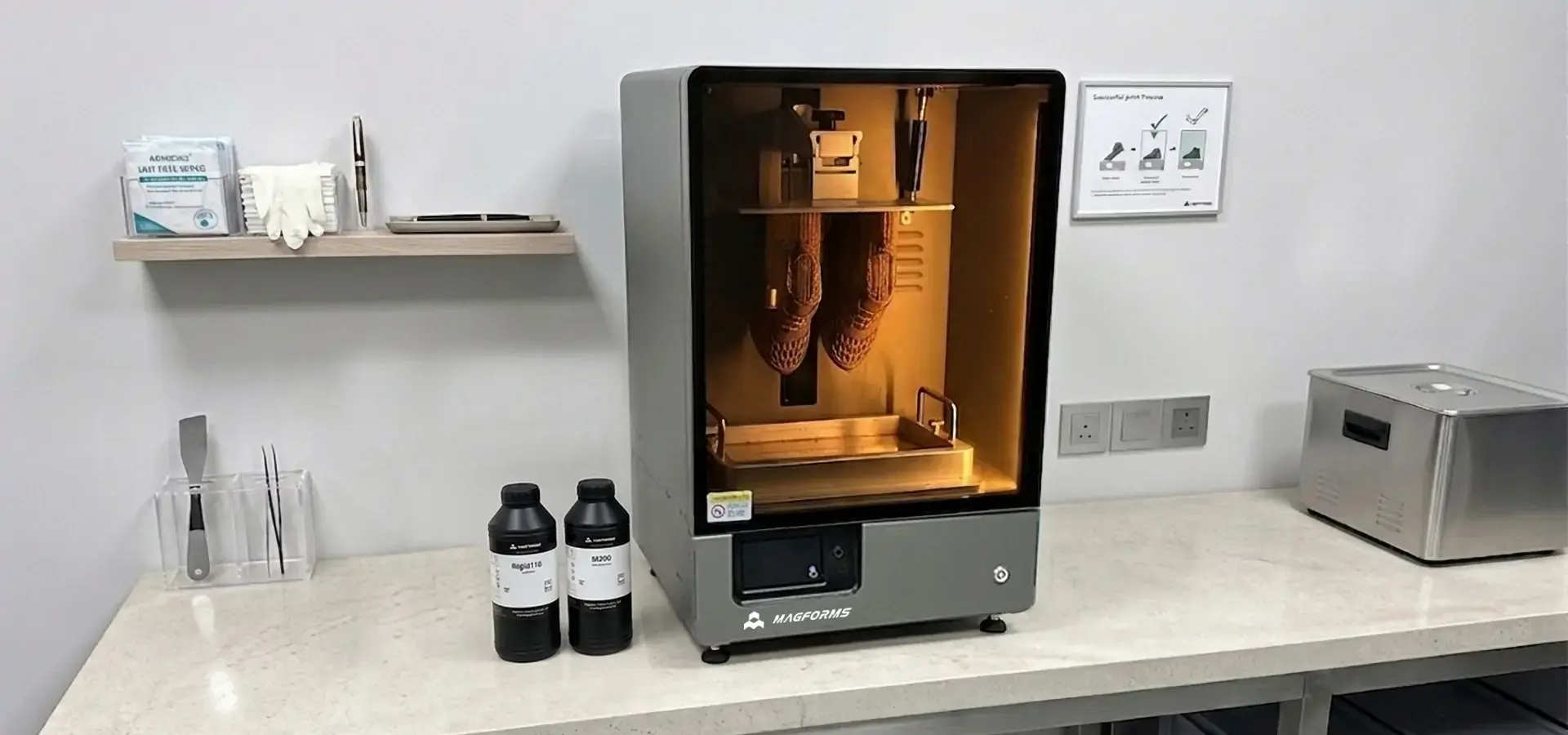
Which SLA system to use (desktop or industrial) relies on the needs of the program, the amount of work that needs to be done, and the limitations of the business. Desktop SLA systems, particularly those based on mSLA technology, have come a long way and can now give accuracy and dependability that are almost industrial-level in small, inexpensive packages. These systems are a great deal for companies that need to make high-quality prototypes and small batches of products. Industrial systems are still needed for large-format tasks and high-volume production areas, but as PC technology improves, the gap in skills keeps getting smaller. Advanced laser-based architectures in industrial systems and mSLA-based exposure technologies in desktop systems, along with intelligent process control, are key innovations in modern Desktop SLA 3D printer systems that were once only found in industrial equipment. Businesses can now get skilled results without having to spend a lot of money on equipment or make their operations more complicated.
FAQ
1. What distinguishes desktop SLA from industrial SLA printers?
Desktop SLA printers usually have smaller build volumes (145–300 mm) and are made for offices. Industrial systems, on the other hand, have bigger build volumes (often 600 mm+) and are made for ongoing production. For testing and small-batch production, desktop systems offer great accuracy and quality. Industrial systems, on the other hand, are designed for high-volume production and making many parts at once.
2. Which materials are suitable for professional desktop SLA printing?
Professional desktop SLA systems can work with a wide range of materials, such as biocompatible resins for medical uses, castable resins for making jewelry, engineering-grade formulations that are similar to ABS in qualities, and specialty materials like ceramic-filled and ESD-safe resins. Open-source support gives you more options for choosing materials and cutting costs.
3. How can print quality issues be effectively resolved?
Quality problems often happen because the support structures aren't strong enough, the exposure settings are wrong, or the resin is contaminated. Systematic fixing includes making sure the build base is level, checking the exposure settings, mixing the resin correctly, and keeping the optical parts clean. Maintenance checks and following the right steps for handling resin can help keep quality problems to a minimum.
4. What safety considerations apply to desktop SLA operations?
When working with resin, you need to make sure there is enough air flow, wear the right safety gear, and properly dispose of it. Most photopolymer resins have chemicals in them that could be dangerous, so they need to be handled carefully. Some important safety measures are air systems, eyewash stations for emergencies, the right way to store chemicals, and training for operators on how to safely handle chemicals.
5. How do maintenance requirements compare between desktop and industrial systems?
Desktop systems typically require less complex maintenance procedures, including daily resin level checks, weekly optical cleaning, and monthly calibration. Industrial systems demand more comprehensive maintenance protocols due to higher utilization and complexity. However, desktop systems need regular care to keep working well and avoid expensive fixes.
Discover Advanced Desktop SLA Solutions with Magforms
Magforms makes cutting-edge Desktop SLA 3D printer technology that is designed to work in tough B2B environments in the industrial, aerospace, medical, and automobile industries. Our combined solutions use materials and tools that are perfectly matched, so there are no problems with compatibility. They also provide the highest level of accuracy and dependability. Magforms systems offer 30–50% faster printing speeds while still maintaining micron-level accuracy. This is achieved through advanced mSLA technology, optimized exposure control, and high-performance system architecture, supported by comprehensive technical expertise. Get in touch with our technical experts at info@magforms.com to talk about custom solutions, bulk discounts, and flexible payment options that are made to fit your production needs.
References
1. Gibson, Ian, et al. "Additive Manufacturing Technologies: 3D Printing, Rapid Prototyping, and Direct Digital Manufacturing." Springer, 2021.
2. Jacobs, Paul F. "Stereolithography and Other RP&M Technologies: From Rapid Prototyping to Rapid Manufacturing." Society of Manufacturing Engineers, 2019.
3. Lipson, Hod, and Melba Kurman. "Fabricated: The New World of 3D Printing." John Wiley & Sons, 2020.
4. Redwood, Ben, et al. "The 3D Printing Handbook: Technologies, Design and Applications." 3D Hubs B.V., 2022.
5. Turner, Brandon N., and Scott A. Gold. "A Review of Melt Extrusion Additive Manufacturing Processes: Process Design and Quality Control." Rapid Prototyping Journal, 2023.
6. Wohlers, Terry, et al. "Wohlers Report 2024: 3D Printing and Additive Manufacturing Global State of the Industry." Wohlers Associates, 2024.


Magforms makes design and manufacture easier.
Popular Blogs
-
 Industry InsightsManufacturing Industry
FDM vs. SLA Printer: Which Technology Is Right for Your Project?
-
 Industry InsightsManufacturing Industry
Top 5 Applications of Industrial 3D Printers in Manufacturing Today
-
 Industry InsightsManufacturing Industry
Why Stereolithography 3D Printers Are Unmatched for Microfluidic Device Prototyping?
