Which is better, SLA or FDM?
If you have to choose between SLA (Stereolithography) and FDM (Fused Deposition Modeling) methods, it really depends on what you need to make and how much money you have. Low-cost SLA printers have made accurate manufacturing easier for companies that want high-quality detail and surface finish without spending a lot of money. SLA technology is great for making complex prototypes with high precision, while FDM technology can print useful parts faster and with a wider range of materials. When procurement teams understand these basic differences, they can make choices that are in line with their business goals and budgets.
Understanding SLA and FDM Technologies
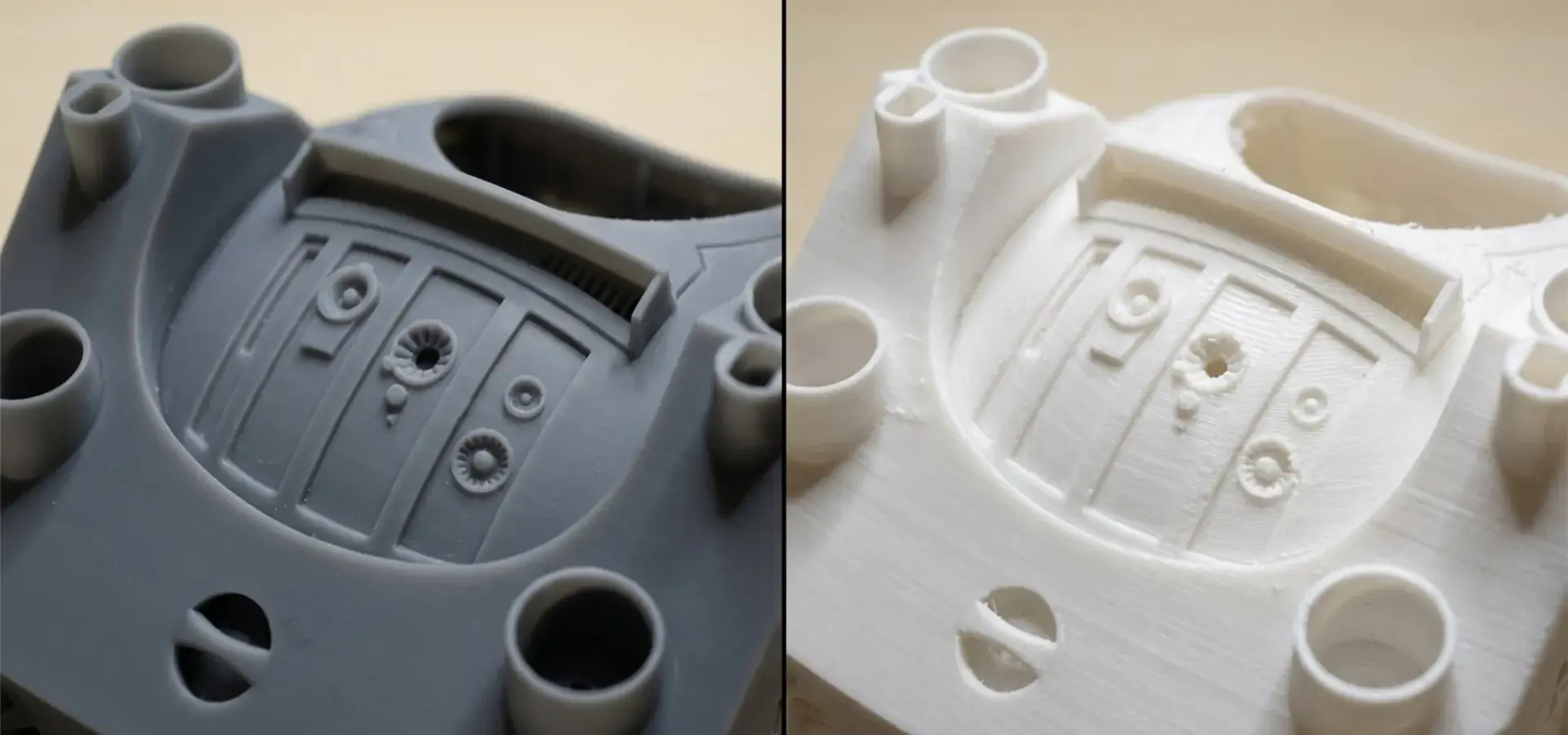
These two main 3D printing technologies have changed the way things are made, and they are each used for different things in industry. SLA technology uses photopolymerization, a process in which exact UV light cures a liquid plastic layer by layer. This makes parts with very fine details and smooth surfaces. This method works really well for tasks that need complex shapes, small details, and very accurate measurements.
How SLA Technology Works
SLA printing uses a complex light-curing system to turn liquid photopolymer material into solid plastic by exposing it to controlled UV light. Laser galvanometer systems or LCD-based blocking technology (MSLA) are used by modern, low-cost SLA printer systems to make sure that layers are formed precisely. The process starts with a build platform being covered in liquid plastic. Each layer is then exposed to UV light in a way that is determined by the cross-sectional data in the digital model. Modern systems, like Magforms' industrial-grade SLA printers, use variable spot-size laser technology, with big spots (0.5–0.6 mm) for quick filling inside the mold and small spots (0.18–0.2 mm) for precise outlines. When compared to traditional methods, this new technology makes printing 30–50% faster while still being very accurate.
FDM Technology Fundamentals
In FDM printing, hot material is forced through a nozzle to make things layer by layer. This is called thermoplastic extrusion. Depending on the material, this additive method can melt plastic thread at temperatures between 180°C and 300°C. FDM technology works well with a wide range of materials, from simple PLA to high-performance industrial plastics like PEEK and carbon fiber composites. Because FDM printing is mechanical, it makes layer bond patterns that can change the power and quality of the surface of the part. FDM is great at making useful prototypes and finished parts with strong mechanical qualities, but it usually needs extra work to make the surface smooth for uses that need it.
Key Technology Differences
The main difference between these systems is how they cure and what their materials are. SLA uses liquid materials that harden into solid plastics. This lets them make parts with complex internal structures and great surface quality. FDM uses thermal extrusion to work with solid fibers to make things that have clear layer lines and better strength in some directions. The resolutions that different systems can handle are very different. Desktop SLA systems can reach XY resolutions of 18 to 50 microns and layer heights of up to 10 microns. FDM printers, on the other hand, usually work at 100 to 300 micron resolutions. Because it is so precise, SLA is great for making detailed samples, dental models, and jewelry.
Performance and Cost Analysis: Low-Cost SLA Printers vs FDM Printers
To properly measure return on investment, buying teams that are careful with their budgets need a wide range of success metrics. Stereolithography has become cheaper, which has opened up high-precision manufacturing to more people. Now, small and medium-sized businesses can get professional-grade results from low-cost SLA printers without having to spend a lot of money.
Printing Speed and Resolution Comparison
New technologies have made it possible for modern low-cost SLA printer systems to work a lot more efficiently. Because MSLA technology lets the whole layer cure at the same time, print speed is only affected by the height of the part and not by its complexity or the number of layers. This feature gives you big benefits when making a lot of different parts at once. Magforms' changeable spot-size technology is a big step forward in making speed and accuracy work together. The speed of their systems is 20% faster than regular SLA ways because they use deep learning techniques. The smart spot-size change makes sure that the inside is filled quickly while the edges are clearly defined. This solves the long-standing problem in the industry between speed and accuracy. The speed of FDM printing is directly related to the shape of the part and how much filler is needed. It doesn't take long to print simple geometries, but it can take a long time to print complicated parts with support systems. It may look like FDM is faster for simple forms, but SLA's layer-independent time is often better for more complex designs or large batches.
Material Compatibility and Costs
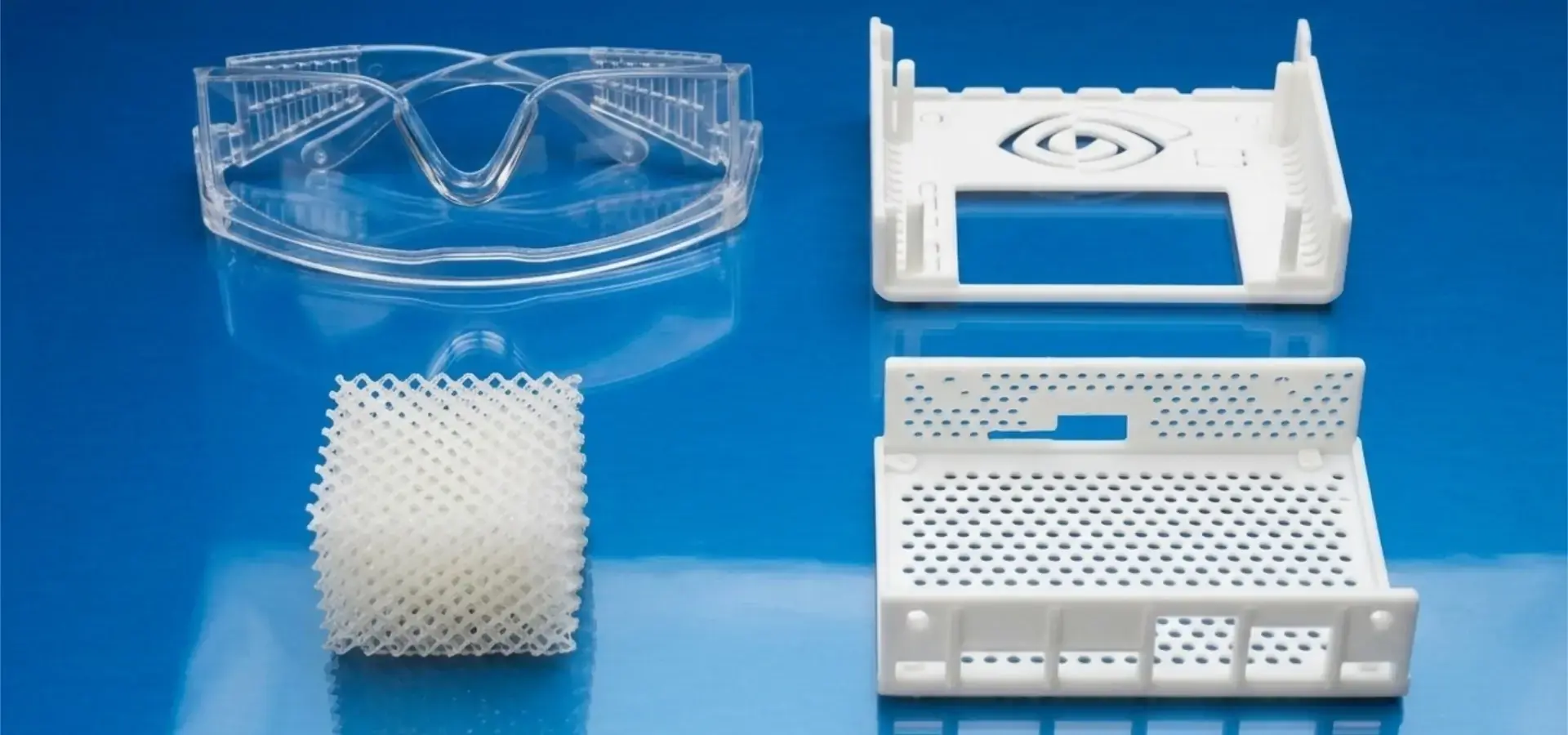
Resin chemistry has changed a lot, adding engineering-grade, safe, and specialized useful resins to the basic photopolymers that can be used for SLA. Post-processing processes don't need to use toxic solvents when water-washable resins are used, and ABS-like resins have mechanical qualities that are good for functional testing.FDM lets you choose from a huge variety of materials, from common thermoplastics to unique alloys made of carbon fiber, metal bits, or wood fibers. Because of this, it is possible to directly make parts for final use in materials that meet the requirements for final production. Cost factors include more than just the original price of the material; they also include the need for post-processing, the production of trash, and the use of support materials. SLA usually doesn't make a lot of trash, but it does need cleaning solvents and UV tools after curing. FDM makes support trash, but it doesn't need any chemicals for post-processing.
Investment and Operational Expenses
The opening up of SLA technology to more people has made it much easier for new businesses to start up. Professional-grade, low-cost SLA printer systems now start at around $2,000 to $5,000, while industrial units cost more than $50,000. Because of this, small businesses can now use precise production tools that were once only available to big companies. Consumables, upkeep, and building needs are all included in operational costs. SLA systems need air flow because the plastic can change, and LCD screens or laser parts need to be replaced every so often. FDM printers need to have their nozzles maintained and their hot beds calibrated, but they don't need any special air to work. When you figure out the total cost of ownership, you need to include things like training, software licensing, and expert help. These worries are taken care of by Magforms through thorough training programs and quick technical support, promising to fix operating problems within 4 hours.
Procurement Considerations for B2B Buyers
To make strategic purchasing choices, you need to carefully look at the technical requirements, the supplier's skills, and the system for long-term support. The method of choosing should match the technology's skills with the needs of the production, and it should also take scalability and future growth into account.
Application-Specific Requirements
Different businesses need additive manufacturing tools to work in different ways. For automotive development, the parts need to be stable in terms of size and resistance to high temperatures. In dental uses, biocompatibility and surface finish quality are more important. When making consumer goods, you need to be able to repeat small features the same way every time. Applications needing fine detail copy, smooth surface finishing, and dimensional accuracy are particularly well suited to low-cost SLA printer technology. Because hardened resin has isotropic strength, it can be used in practical testing situations where FDM layer delamination could lead to failure too soon.
Production Volume Considerations
The need for volume has a big effect on the choice of technology. SLA technology is better for low-volume, high-complexity production, while FDM technology may be faster for high-volume, simple shape production. Different technologies have very different batch production powers. For example, SLA can make multiple small parts in a single build, while FDM is usually best for making one big part. Knowing about capacity planning helps buying teams choose the right build sizes and quantity needs. Desktop SLA devices can build volumes between 150x77x160mm and 302x161x380mm, which is good for most trial and small-batch needs.
Supplier Evaluation Criteria
Having reliable ties with suppliers is essential Low-cost SLA printers for keeping operations running smoothly. Criteria for evaluation should include how quickly technical help responds, how easy it is to get replacement parts, how often software is updated, and how good the training program is. International shipping options and local service networks affect how efficiently operations run daily. Magforms stands out because it has a full support system that includes remote consultations 24 hours a day, 7 days a week, guaranteed reaction times of one hour, and on-site tech services for difficult problems. Their open-source design theory gets rid of restrictions on unique materials, which lets them control costs in a flexible way by using resins that are compatible with other brands.
Case Studies: When Low-Cost SLA Outperforms FDM in Industrial Applications
The useful benefits of easy access to stereolithography in different industry settings can be seen in real-life examples. These case studies show specific situations where low-cost SLA printer technology adds value to a business by making it more efficient, better in terms of quality, or more cost-effective.
Automotive Interior Component Prototyping
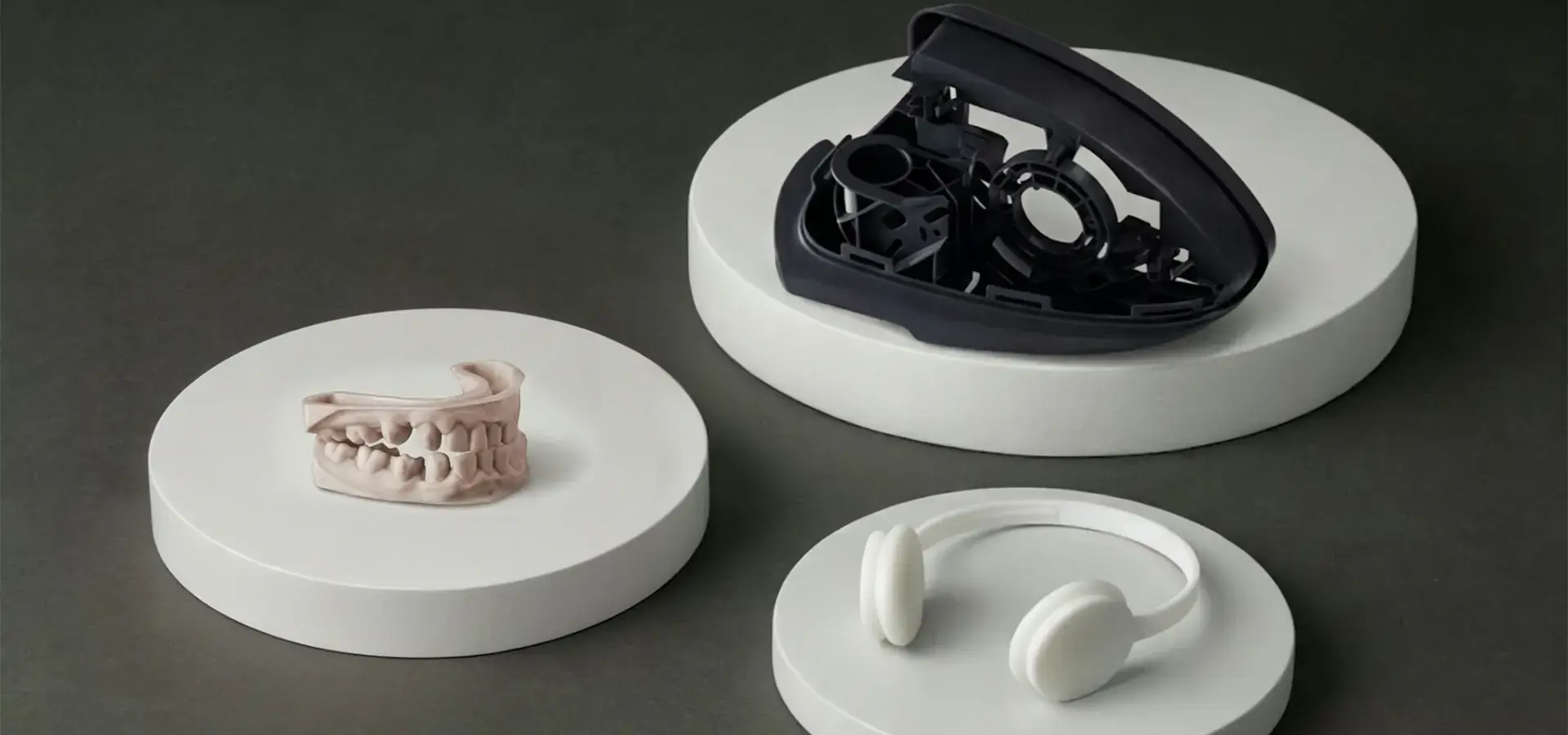
A medium-sized car supplier needed to be able to make changes quickly for special dashboard parts that had complicated surface textures and tight-fitting tolerances. Traditional FDM samples had layer lines that could be seen, making it hard to judge the texture. They needed a lot of post-processing to be evaluated correctly. Using desktop SLA tools made it possible to make presentation-quality samples directly, with smooth surfaces that were ready to be texture-applied and fit-checked. Because the surface quality was better, there was no need for extra finishing. This cut the time it took to make a prototype from 5 days to 2, and it also made the accuracy of the design confirmation better. The project showed that SLA is better for tasks that need to look good and have precise control over dimensions. A cost study showed that prototype costs went down by 40% when post-processing work was taken away, and design iteration efficiency was better.
Dental Laboratory Digital Workflow
A dentistry lab that worked with several practices needed to be able to quickly make orthodontic models, surgery guides, and temporary restorations. FDM technology didn't work well enough for dental uses that needed high accuracy and a smooth surface. Implementing a desktop SLA allowed for digital processes at the chairside and the ability to send documents the same day. The lab was able to keep the accuracy within the ±0.1mm range needed for proper aligner thermoforming while still keeping biocompatible material approval for direct patient touch uses. With batch printing, multiple patient cases could be processed at the same time, which greatly increased production productivity. The lab cut the cost of hiring by 60% and cut the time it took to complete regular cases from one week to the same day.
Electronics Enclosure Development
A consumer electronics company needed fast development for cases for wearable tech that had complex internal shapes and exact connection tolerances. FDM technology had trouble making the fine details and smooth surfaces that were needed for a good review. Low-cost SLA printer acceptance allowed for the creation of detailed prototypes with surface finishes that were comparable to those found in injection casting. The more accurate prototype sped up the design approval cycles, which cut the time to market by three weeks by getting rid of the need for multiple revision rounds. The case demonstrated SLA's value in applications requiring both aesthetic and functional validation. Precise dimensional control enabled proper electronic component fitting verification, Low-cost SLA printers, while smooth surfaces facilitated accurate ergonomic assessment during user testing.
Addressing Common Challenges and FAQs About Low-Cost SLA Printers
For execution to go well, you need to know about possible practical problems and how to solve them. Knowing the right way to do maintenance, handle materials, and fix problems will help you get consistent output results and make your tools last longer and work better.
Maintenance and Operational Best Practices
Maintenance plans must be followed on a regular basis to keep print quality and machine reliability high. LCD screens need to be replaced every 2,000 to 4,000 hours of use, while FEP films need to be replaced every 200 to 500 prints, based on the type of resin used and the complexity of the part. When dealing with resin, safety rules, how to store it, and when it goes bad must all be taken into account. Photopolymer resins are still sensitive to UV light in the air and need to be stored in closed containers that stay at a stable temperature. Proper air systems keep flammable organic compounds from building up and keep workers safe. Cleaning methods have a big effect on the quality of the parts and how well they work after processing. Isopropyl alcohol washing is a good way to get rid of uncured resin, and ultrasonic cleaners are better for cleaning things with complicated shapes. UV post-curing machines make sure that the polymerization process is complete for the best mechanical qualities.
Technological Advancements and Future Trends
Innovations keep adding to the possibilities of low-cost SLA printer systems while making them easier to use. Compared to traditional RGB panels, monochrome LCD screens let more light through and last longer. More than 90% of the light in all build stages is the same, thanks to advanced optical systems with Fresnel lenses or COB light sources. Water-washable resin formulations get rid of the need for harmful solvents in post-processing steps. This makes the workplace safer and lowers costs. These materials make it possible to clean in an eco-friendly way with regular tap water, which makes the work much easier. Adding artificial intelligence to the print process automatically improves surface quality and lowers the number of failed prints. Machine learning algorithms look at old print data to guess the best exposure times, support placement, and layer cure settings for different shapes and materials.
Conclusion
In the end, the decision between SLA and FDM technologies comes down to the needs of the application, the amount of output, and the quality standards. Low-cost SLA printer systems have democratized access to precision manufacturing, which makes it possible for small and medium-sized businesses to produce results that are on par with those produced by professionals without spending a fortune. SLA is great for tasks that need precise measurements, small details, and smooth surfaces, while FDM can work with a wide range of materials and has strong mechanical qualities. Modern technology improvements have made desktop SLA systems much easier to use and better at what they do, which means they can be used in a wider range of workplace settings. When procurement teams look at what they need versus what the technology can do, they should also think about long-term support needs and the ability to grow.
FAQ
1. What precision levels can budget SLA printers achieve compared to industrial machines?
These days, home low-cost SLA printer systems are very cheap and can print with a level of accuracy that is almost industrial-grade. From 18 to 50 microns is the normal XY range, and layer heights can go as low as 10 microns. Industrial tools may be a little more consistent and be able to make more things at once, but the difference in accuracy has shrunk a lot. Desktop computers with high-resolution LCD screens and good optical systems produce professional results that are good for most testing and small-batch production tasks.
2. How long do critical components last in affordable SLA systems?
How long a part lasts depends on how often it is used and how well it is maintained. Black-and-white LCD screens usually work for 2,000 to 4,000 hours, but FEP films need to be replaced every 200 to 500 prints, based on the type of resin used and the complexity of the part. UV LED clusters usually last more than 20,000 hours before they need to be replaced. Regular upkeep and following the right way to use the equipment will greatly increase the life of the parts and keep the print quality stable.
3. Should I choose SLA or FDM for my specific manufacturing needs?
The technology you choose will depend on your main needs. Select SLA if you need a smooth surface, small features, accurate measurements, or see-through parts. Choose FDM for useful samples that need to be strong, have a lot of parts, or can be made from a variety of materials. If you couldn't get accurate manufacturing before because of a tight budget, look into low-cost SLA printer choices. Compare the strengths and weaknesses of each technology based on your unique needs, volume needs, and quality standards.
4. What maintenance requirements should I expect with desktop SLA printers?
As part of regular maintenance, resin tanks are cleaned after long periods of inactivity, FEP films are replaced when they get scratched or cloudy, and LCD screens are replaced when exposure times get very long. Every day tasks include checking the glue level, making sure the build platform is level, and removing parts the right way. As part of weekly care, optical surfaces are cleaned, and mechanical parts are inspected. Every month, steps include checking the accuracy and updating the software. Regular maintenance keeps results uniform and extends the life of tools.
5. Can affordable SLA printers handle production volumes effectively?
Desktop SLA tools work great in small to medium-sized batches. Build boxes can hold between 10 and 50 small parts per print job, but this depends on the shape and the printer's requirements. Print speed is only affected by the height of the part, not the number of parts, which makes batch production very efficient. But the need for post-processing may slow down output compared to FDM for simple shapes. Compare your exact volume needs and the complexity of the part to the build amounts and post-processing options that are available.
Partner with Magforms for Superior Low-Cost SLA Printer Solutions
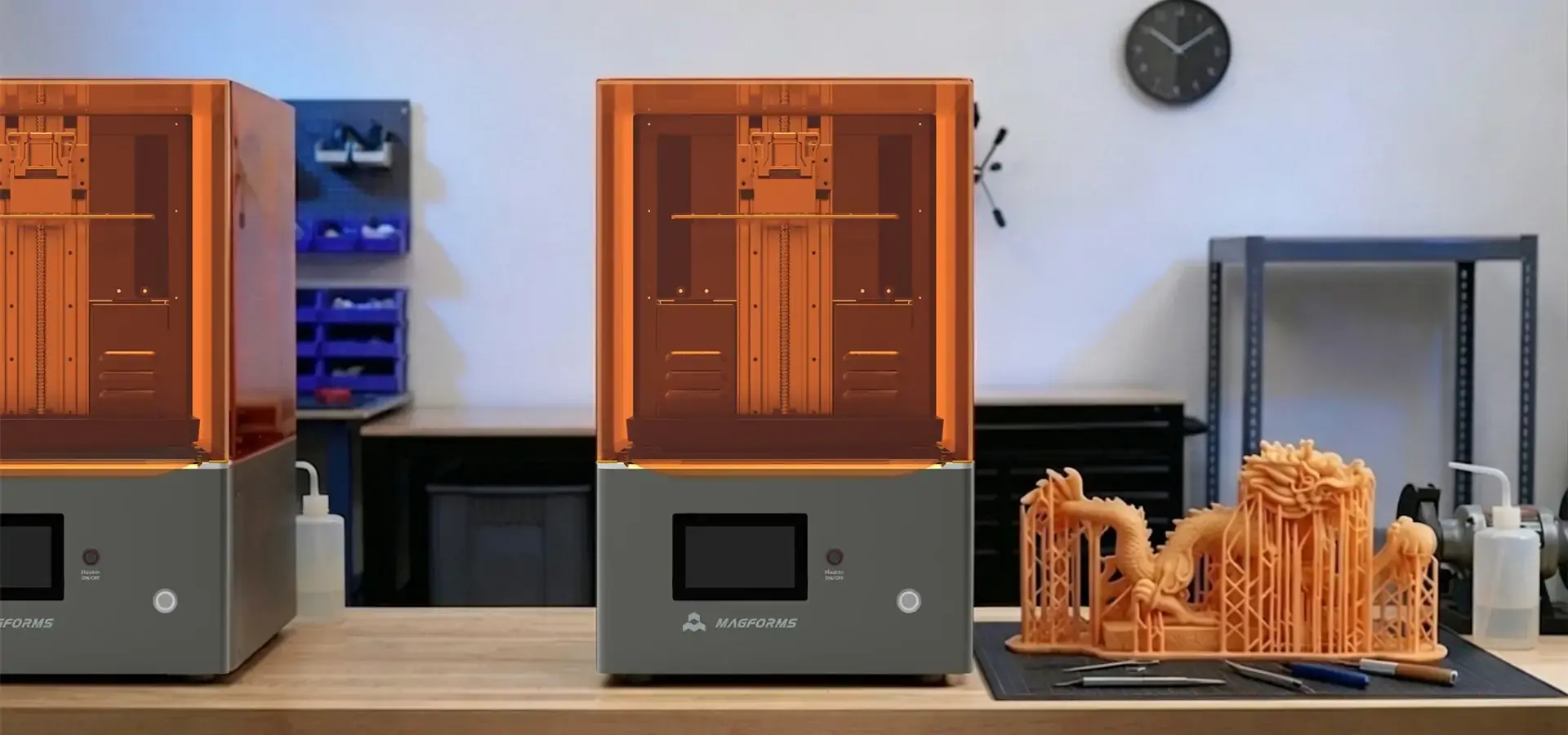
Magforms changes the way precision manufacturing is done by using cutting-edge, low-cost SLA printer technology made just for tough B2B uses. Our integrated method blends our own special materials with cutting-edge printing hardware, which gives you the best dependability and performance possible. Our technology is backed by 22 patents and 30 protected brands, and we work with over 300 businesses in over 100 countries around the world. Our variable spot-size laser technology makes printing 30–50% faster while keeping accuracy at the micron level. Deep learning techniques back this technology and make it even more efficient by 20 percent. The open-source design theory gets rid of the restrictions that come with private materials. This lets you control costs and run your business freely. Our technical support team promises to respond within one hour and offer solutions within four hours, so there will be as little downtime as possible for important production plans. Get in touch with our purchasing agents at info@magforms.com to find out how our low-cost SLA printer options can change the way you make things while also lowering costs and speeding up delivery times.
References
1. Gibson, I., Rosen, D., & Stucker, B. (2021). 3D printing, rapid prototyping, and direct digital manufacturing are all types of additive manufacturing. The Springer International Publishing Group.
2. Redwood, B., Schöffer, F., & Garret, B. (2020). This book is called The 3D Printing Handbook: Technologies, Design, and Applications. Publications from the 3D Hubs Knowledge Base.
3. Ngo, T. D., Kashani, A., Imbalzano, G., Nguyen, K. T., & Hui, D. (2018). A look at the materials, methods, uses, and problems of additive manufacturing (3D printing). Part B: Composites in Engineering, 143, 172-196.
4. Someone named Ligon, S. C., Liska, R., Stampfl, J., Gurr, M., and Mülhaupt, R. (2017). For 3D printing and custom additive manufacturing, polymers are used. It's in Chemical Reviews 117(15), pages 10212–10290.
5. Zhang, T., Xu, H., Luo, S., Nie, J., & Zhu, X. (2020). Photocuring as a 3D printing method and its problems. Bioactive Materials, 5, 110–115 (2014).
6. And Idacavage, M. J.; Stansbury, J. W. (2016). There are some problems with 3D printing with plastics, but there are also more choices and chances. Dental Materials, vol. 32(1), pp. 54–64.


Magforms makes design and manufacture easier.
Popular Blogs
-
 Industry InsightsManufacturing Industry
FDM vs. SLA Printer: Which Technology Is Right for Your Project?
-
 Industry InsightsManufacturing Industry
Top 5 Applications of Industrial 3D Printers in Manufacturing Today
-
 Industry InsightsManufacturing Industry
Why Stereolithography 3D Printers Are Unmatched for Microfluidic Device Prototyping?
