P13 Pro vs Standard Resin Printers: What’s the Difference?
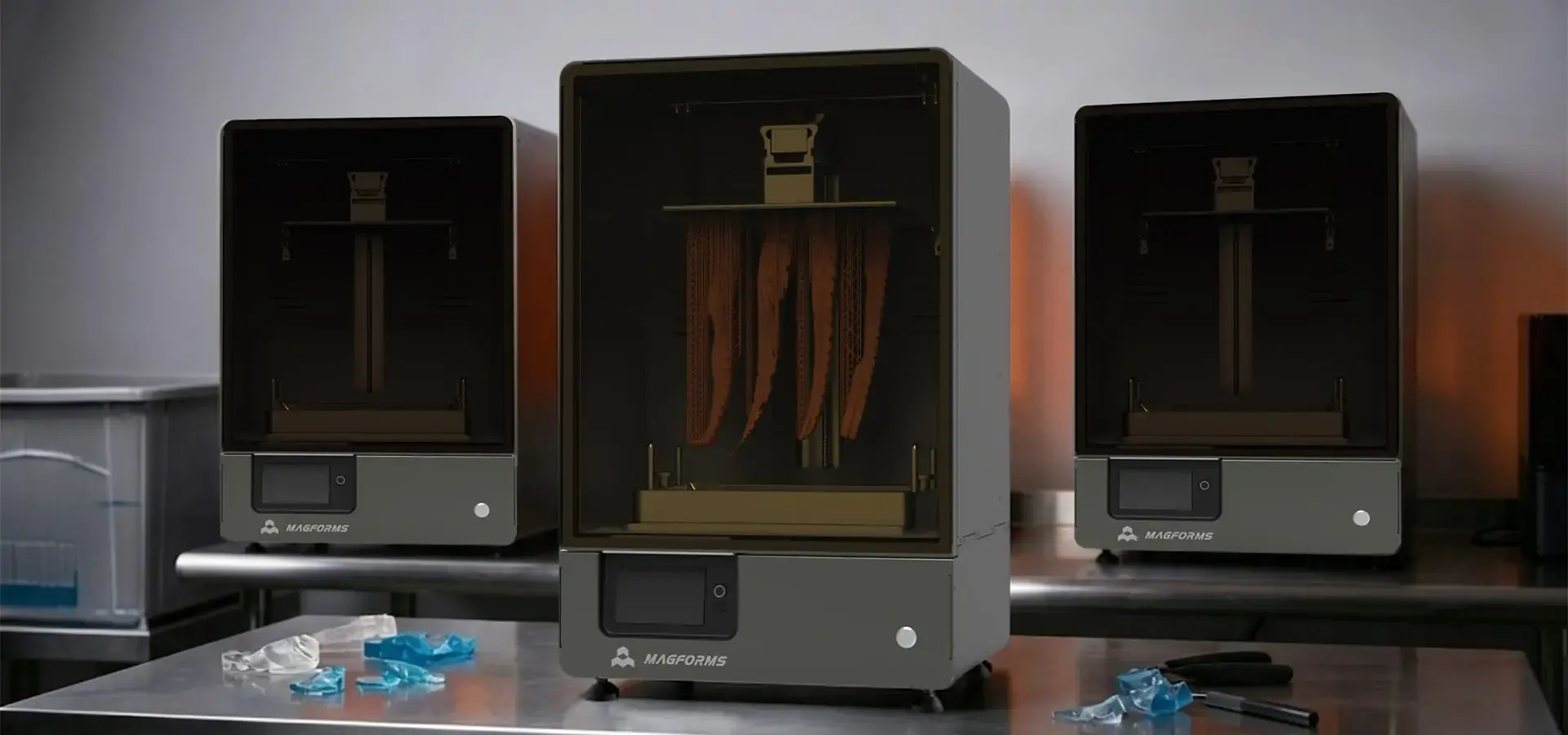
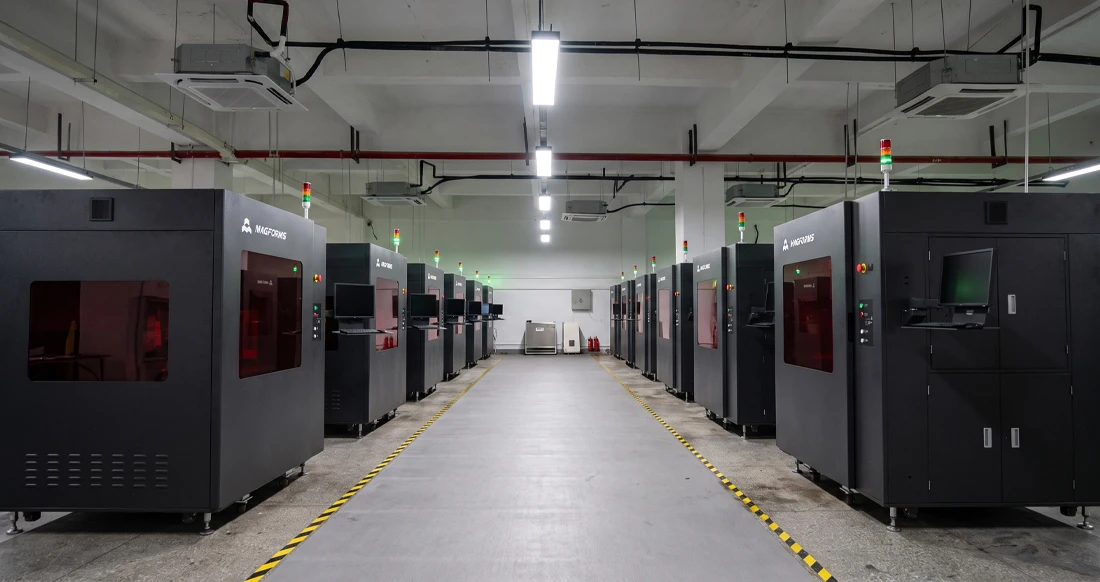
If you look for "P13 Pro," you might expect it to be a consumer electronics product. In the world of additive manufacturing, however, the P13 Pro refers to something entirely different: a professional-grade industrial LCD resin 3D printer developed by Magforms. Standard desktop resin printers are commonly used for prototyping, design validation, and low-volume production. The P13 Pro, by contrast, is engineered with industrial-level features for businesses that require high accuracy, process stability, and high-throughput manufacturing.This distinction is critical for procurement professionals and decision-makers, as equipment selection directly impacts production timelines, part quality, and overall return on investment.
Understanding the P13 Pro: More Than Just a Name
Magforms' P13 Pro resin printer is different from consumer-grade stereolithography (SLA) devices because it was designed with engineers in mind. Standard resin printers are usually used in design workshops or school settings because they can only print small amounts of things, and the quality of the output isn't always reliable. The P13 Pro, on the other hand, meets the exacting needs of automobile prototyping, dental lab production, aircraft component validation, and footwear manufacturing.
What Makes the P13 Pro Different from Entry-Level Resin Printers?
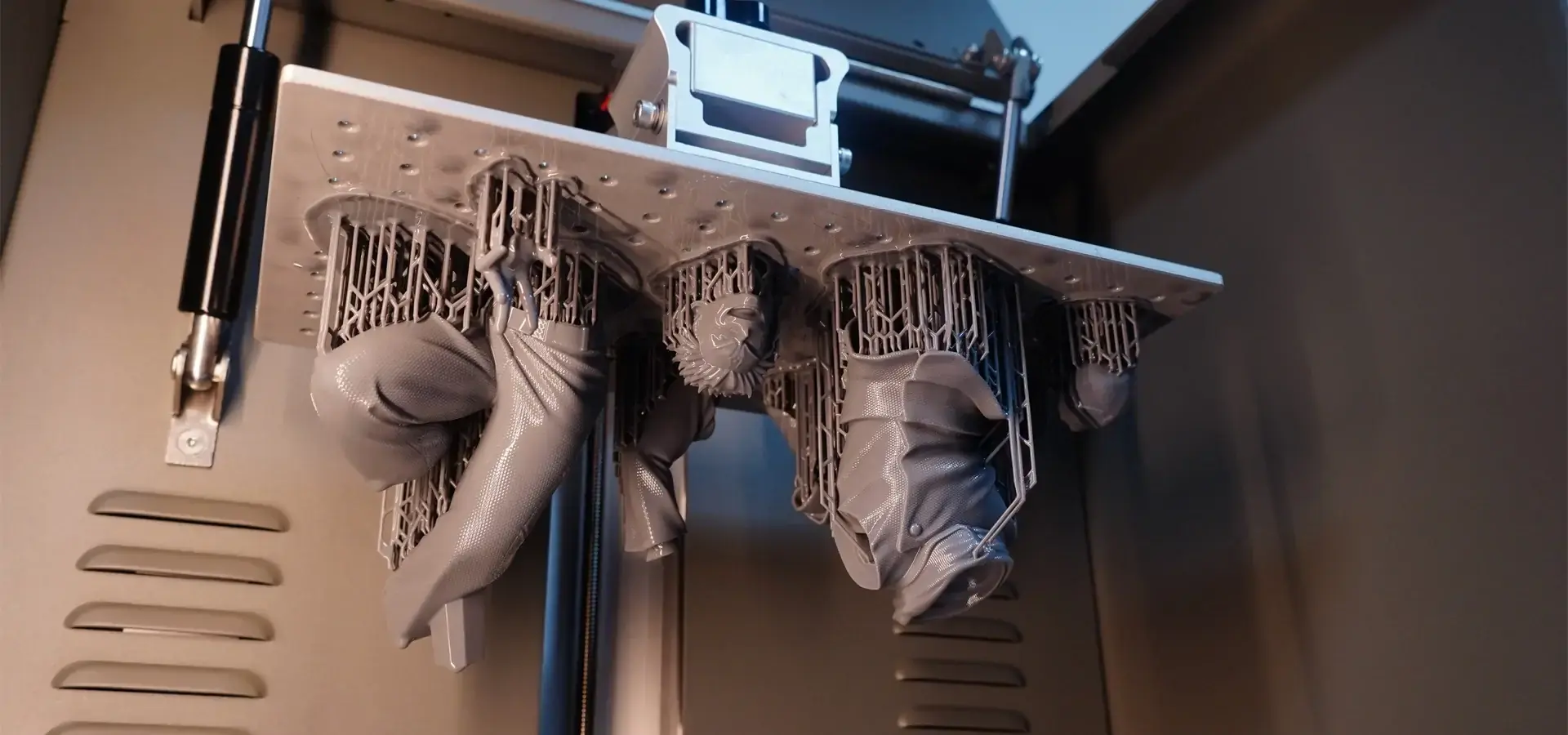
When making batches, standard resin printers often have trouble keeping the same dimensions. These worries are gone with the P13 Pro's advanced grayscale pixel management technology, which achieves 10 μm resolution and gets rid of all layer lines that can be seen. For procurement managers looking at medical device development or precision tooling tools, this means parts that don't need much post-processing and meet strict tolerance requirements. The machine has a large build space measuring 302 × 162 × 380 mm. Its 380 mm Z-axis height is especially impressive. This feature lets you print 12 shoe lasts at the same time, and each one is 98 × 36 × 268 mm. This is very useful for shoe companies that need to make quick changes to samples. Desktop resin printers usually have 150–200 mm build heights, which means that manufacturers have to split up big parts or run multiple print cycles, which costs more in work and wastes more material. In work situations, differences in speed become clear. At a 0.2 mm layer thickness, the P13 Pro can finish a 300 mm tall model in about 3 hours and 15 minutes. Standard printers, on the other hand, might need 6–8 hours to finish the same parts because their light sources aren't as well-tuned and their Z-axis moving systems are slower.
Technical Performance: Industrial Reliability vs Consumer Convenience
Buying choices depend on knowing how well the equipment P13 Pro works when it's constantly used. Standard resin printers usually use off-the-shelf parts that are only meant to be used sometimes. This means that upkeep has to be done often, and the quality of parts from different groups isn't always the same.
Precision and Accuracy Standards
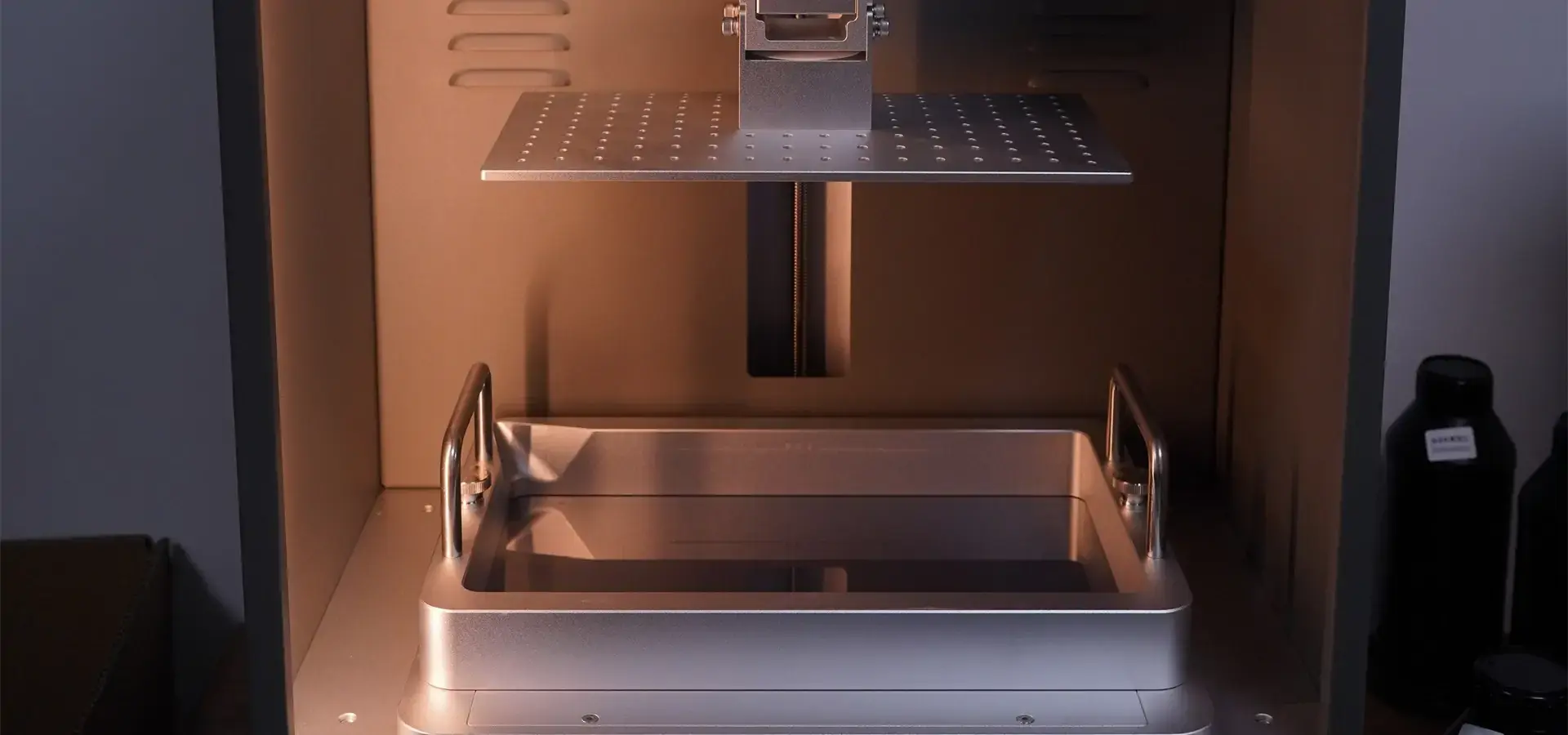
The P13 Pro keeps the accuracy of its dimensions to within ±0.05 mm for 100 mm models by making several technical decisions. It has an industrial-grade light source with 91 imported LEDs that are better at collimation, which makes sure that the whole build platform gets the same amount of UV light. Standard printers usually use 30 to 50 LEDs that aren't as good optically. This causes variations in cure depth that can lead to dimensional inaccuracies in printed parts in the finished parts' dimensions. To get 7 μm of parallel motion accuracy, you need industrial P-grade dual linear guide rails and high-precision lead screws, which aren't often found in consumer electronics. This mechanical accuracy has a direct effect on the quality of the surface finish. It gets rid of the ripple effects (water-wave patterns) that happen with regular machines, which means that the surface needs a lot of cleaning or sealing to look good. When engineers in the auto industry need samples of interior trim or medical designers need models for surgical guides, these small differences in accuracy determine whether parts pass functional testing standards or are thrown out, which wastes time and materials.
Thermal Management and Material Compatibility
One problem that photopolymer resins have over and over is that their thickness changes when the temperature changes. Standard printers require users to physically heat materials using water baths or external heaters. This takes time, increases the risk of contamination, and slows the start of production. The P13 Pro has a dual heating system with ports on both sides of the build room. This keeps the temperature stable, no matter what the outside conditions are like. Without temperature control, printing can go wrong in the winter when it's cold, and it can go faster in the summer when it's hot, but this method gets rid of those problems. The built-in temperature control makes it possible to use more materials that are suitable, like high-temperature resins, flexible formulations, and engineering-grade photopolymers that regular machines can't safely handle. Thermal control isn't the only thing that material compatibility covers. Magforms gives users specific process parameter packages for each matched material. This way, they can load profiles with just one click instead of wasting hours trying out different exposure times and layer settings. This method lowers the failure rates that waste 15 to 20 percent of the material in normal printer processes while the parameters are being optimized.
Operational Experience: Production Efficiency Considerations
The total cost of ownership and output rates are affected by more than just the raw materials. Daily operating factors also play a role. Standard resin printers often miss details about the user experience that add up to big-time costs over hundreds of print runs.
Workflow Optimization Features
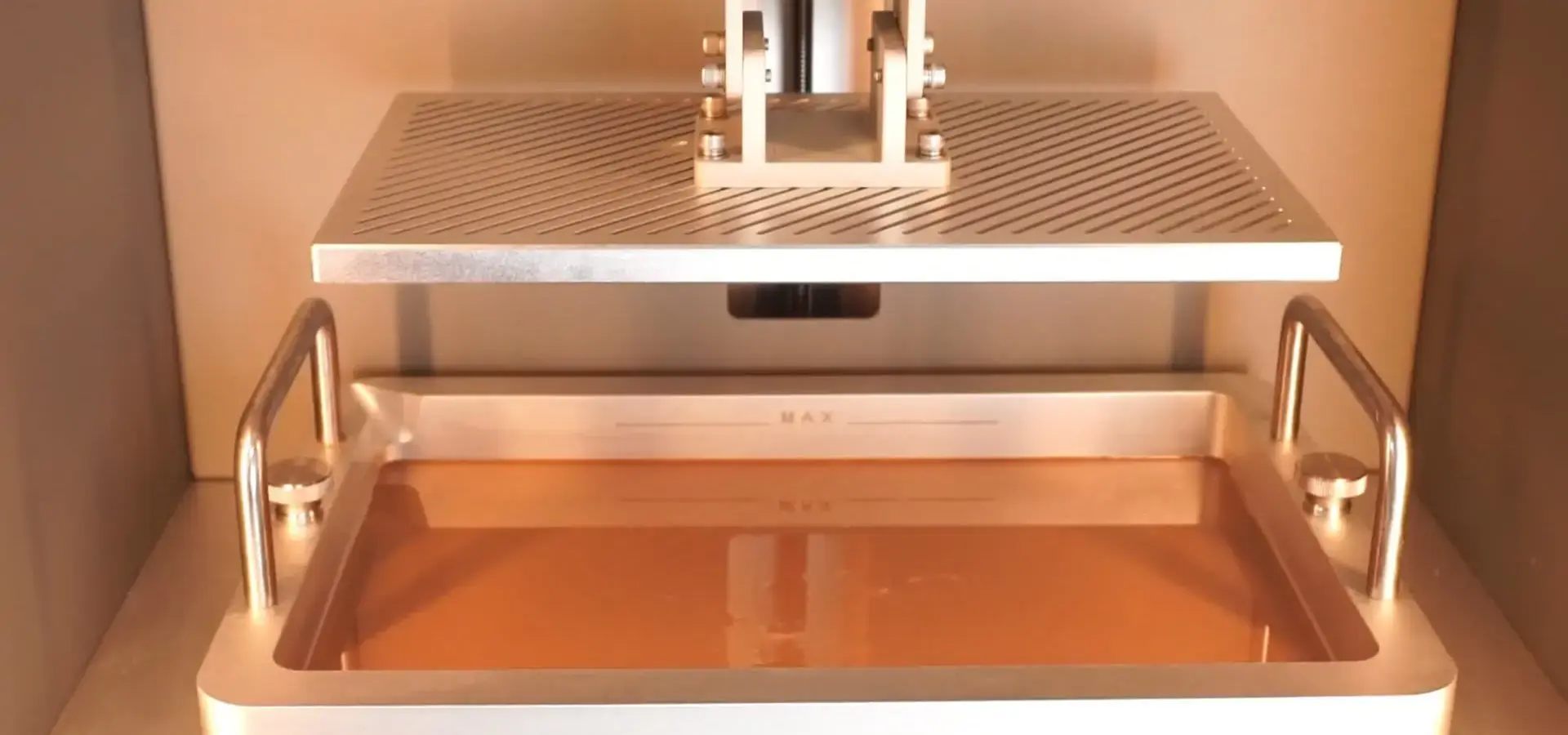
Through smart design choices, the P13 Pro solves real-world problems. Its resin vat holds 2 kg of material, which is enough for long prints without having to stop and replace it in the middle of the job, which could cause contamination and problems with layer bonding. The vat has a pour spout, measure marks, and positioning pins that make moving materials easier than with regular containers that need funnels and guessing. Air filtration systems inside the build area soak up resin vapors, so there's no need for separate air rooms to keep the workspace warm. Standard printers usually release fumes into the office, so workers have to use separate enclosures or only use them during off-shifts, when fewer people are around. Opening and closing doors might not seem important until people do it dozens of times every day. The P13 Pro has an easy-to-use push-pull mechanism that can be used by anyone. Many normal models, on the other hand, require operators to lift and store different covers, which is bad for their backs and takes up more room. Maintenance and ease are both important. The P13 Pro lets you clean the vat with just one button and change the imaging screen without any tools. These jobs would take 30 to 45 minutes on a regular P13 Pro machine because they need to be taken apart and carefully handled.
Minimizing Downtime and Defect Rates
When production managers look at tools, they pay close attention to the uptime numbers and scrap rates. The 58 kg full-metal frame of the P13 Pro cuts down on vibration-related flaws that cause parts to fail hours into multi-hour prints. Standard printers with light plastic frames pick up vibrations from things like footsteps, doors closing, and HVAC cycles. These vibrations cause the build platform to move on a microscopic level, which can show up as layer separation or dimensional drift in final parts. The better light-source cooling system makes the equipment last longer, so the LED array doesn't need to be replaced as often after 1500 to 2000 hours of use. With industrial-grade parts all over the motion system, the P13 Pro can run continuously, which is what service companies that are working on multiple client projects at the same time or makers that are running overnight production batches need.
Procurement Considerations: Matching Equipment to Business Objectives
To choose between the P13 Pro and regular resin printers, you need to make sure that the equipment's skills match your company's wants and production levels.
When Standard Resin Printers Suffice
Standard printers may be enough for design studios that need to make visual samples for client displays, schools that want to teach additive manufacturing concepts, or amateur businesses that want to make small amounts of decorative items. When dimensions need to be accurate to within ±0.2 mm, the surface finish needs to show layer lines, and production numbers stay below 5–10 parts per week, standard equipment makes more economic sense because it requires less capital. Standard machines work best in places where workers have time to try out different settings and are okay with a higher failure rate as a way to learn instead of as a loss of production. But as order numbers rise or part standards get tighter, these restrictions quickly cut into profits.
Why Professional Operations Choose the P13 Pro
The P13 Pro can be used by automotive makers who need working prototypes that can withstand mechanical testing, dental labs that are making orthodontic devices for specific patients, aerospace contractors who are making sure that assembly parts work, and shoe brands that are trying out new seasonal collections. Some of the things that go into the decision-making process are consistency of dimensions across batches of production, compatibility with engineering-grade resins as a material, faster print speeds that shorten development cycles, and dependability that lets the machine run continuously without constant human input. When procurement managers look at the total cost of ownership, they need to figure out how much material is wasted on failed prints, how many hours of work are spent on parameter tuning and maintenance, how long production delays are caused by equipment breakdowns, and how much it costs to fix parts that aren't the right size. Because of these things, the P13 Pro's higher starting cost usually pays for itself in 6 to 12 months through less waste and higher output.
Material and Equipment Integration: The Magforms Advantage
Magforms created the P13 Pro with optimized resin formulas, unlike other companies that sell standalone printers that need to get their materials from a third party. This unified method fixes the compatibility issues that cause most support calls and output failures in the resin printing business.
Eliminating Compatibility Guesswork
Standard printer users often find that materials that are claimed to be compatible with standard resin printers their machines don't always do what they're supposed to, like parts sticking to the build platform sometimes but not at all other times, or surface finishes that are very different between prints that were made with the same settings. These issues happen because of the complicated relationship between light color, energy distribution, resin photoinitiator chemistry, and the environment. Magforms gets rid of the need to try things out and see what works by testing thousands of combos of materials and tools ahead of time. Users choose the type of resin they want to use, then import the parameter profile for that type of resin onto the P13 Pro's 5.0-inch color tablet. They can then start production knowing that the cure levels, layer adhesion, and measurement accuracy will meet their needs. This combination is especially helpful for companies that use a lot of different types of materials, like hard engineering resin for functional samples, flexible material for testing gaskets, or clear formulations for light-pipe validation. With custom tools and supplies, it would take days of testing for each change, but now it only takes minutes.
Supply Chain Reliability
Purchasing managers like it when sellers can support both tools and consumables through a single relationship. Magforms keeps a large store of materials and a technical support system up and running. This lowers the risks that come with managing multiple providers in different languages and time zones. When problems happen during production, having maker knowledge about both how the machine works and the properties of the material speeds up the process of fixing the problem. Standard printer users are often stuck between suppliers of equipment, saying the problem is with the quality of the materials, and suppliers of materials saying the problem is with how the machine is calibrated. This is a frustrating cycle that causes more downtime and hurts production plans.
Decision-Making Framework for Equipment Selection
Structured review processes help buying teams show that investments in capital equipment are necessary to the company's leaders and make sure that the technology chosen meets operating needs.
Assessing Production Requirements
How many parts do you need to make each week? This is an example of how to measure your present and future production needs. What limits on size must finished parts have? Do certain uses need certain qualities of the material, such as the ability to withstand high temperatures, be biocompatible, or be clear to light? Will the parts be used as visible models or as working versions that can be tested mechanically? Standard tools might be enough for businesses that make fewer than 20 parts a month and don't need to be very accurate. But when you start making more than 50 parts a month, especially ones with tight specs or special materials, it makes more economic sense to use professional tools like the P13 Pro. Think about how you can use your build space. The P13 Pro's ability to nest multiple parts in one build makes it more productive. Companies that print 12 shoe lasts at once or dental labs that make 20 aligner models per run can get per-part costs that aren't possible with smaller standard tools that need to build things one after the other.
Evaluating Vendor Support Infrastructure
It doesn't matter how good the equipment is if there is no expert help when problems arise. Magforms keeps up-to-date support systems that include machine repair programs, ways to get software updates, and expert training to make sure that operators get the most out of their equipment. Ask possible providers how quickly they can answer technical questions, how easy it is to get spare parts, how long it takes to get them, and if they recommend preventive maintenance. The P13 Pro's industrial-grade parts make upkeep less necessary, but knowing about the support system before buying helps avoid unpleasant surprises during busy production times. It's important to carefully look over warranty coverage. Find out what parts are protected, how long the coverage lasts, and whether service can be provided on-site or if the equipment has to be shipped for fixes, which can cause longer downtime.
Conclusion
The main difference between the P13 Pro and other resin-based 3D printing systems is whether they are reliable enough for business use or easy enough for hobbyists. Standard equipment works well for educational reasons and low-volume testing, but businesses that need accurate measurements, the ability to work with multiple materials, and continuous operation need professional solutions. The P13 Pro solves problems in the business world by being highly precise, managing heat, and optimizing both materials and tools all at the same time. When procurement professionals look at investments in additive manufacturing, they should make sure that the equipment's capabilities meet the needs of the production, figure out the total ownership costs that include waste materials and downtime, and look at the vendor's support infrastructure.
FAQ
1. What accuracy can I expect from the P13 Pro compared to standard resin printers?
The P13 Pro keeps the variation in dimensions to within ±0.05 mm for 100 mm models by using industrial-grade motion components and light sources that are better at what they do. Standard printers usually get an accuracy of ±0.1 to 0.2 mm, but there is more difference between runs because of changes in temperature and the way tolerances build up on parts.
2. How does building volume impact production efficiency?
The P13 Pro's 380 mm Z-axis height allows printing larger assemblies as single pieces rather than splitting into sections requiring post-print bonding. Its 302 × 162 mm XY footprint allows nesting multiple small parts. For example, dental labs can print 20+ aligner models at the same time, while shoe makers can make 12 shoe lasts per build. This greatly reduces the time needed to make each part compared to standard machines that need to print each one in turn.
3. What maintenance does the P13 Pro require?
As part of regular care, the resin vat film needs to be replaced every 50 to 100 builds, the image screen needs to be changed every year with normal use, and the optics need to be cleaned. The P13 Pro's better cooling system makes the LED grid last longer than 2,000 hours. One-button vat cleaning and tool-free screen access cut down on repair downtime compared to standard equipment that needs to be taken apart into large pieces.
Partner with Magforms for Professional Resin Printing Solutions
Magforms blends decades of experience with P13 Pro additive manufacturing with the development of materials and tools that work together. They provide reliable production systems with full technical support. Our P13 Pro supplier network works with companies in dozens of countries in the automobile, aircraft, medical, and consumer goods industries. It is backed by 22 patents and 30 protected trademarks that protect ongoing innovation. Contact info@magforms.com to talk about your unique production needs and find out how the P13 Pro can help your company with issues like accuracy in measurements, compatibility with different materials, and high output. Before you decide to spend, ask for sample parts that were printed on our equipment so you can see for yourself how smooth the surface is and how accurate the measurements are.
References
1. Gibson, I., Rosen, D., & Stucker, B. (2021). Additive Manufacturing Technologies: 3D Printing, Rapid Prototyping, and Direct Digital Manufacturing (3rd ed.). Springer.
2. Stansbury, J. W., & Idacavage, M. J. (2016). "3D printing with polymers: Challenges among expanding options and opportunities." Dental Materials, 32(1), 54-64.
3. Quan, H., Zhang, T., Xu, H., Luo, S., Nie, J., & Zhu, X. (2020). "Photo-curing 3D printing technique and its challenges." Bioactive Materials, 5(1), 110-115.
4. Bagheri, A., & Jin, J. (2019). "Photopolymerization in 3D printing." ACS Applied Polymer Materials, 1(4), 593-611.
5. Ligon, S. C., Liska, R., Stampfl, J., Gurr, M., & Mülhaupt, R. (2017). "Polymers for 3D printing and customized additive manufacturing." Chemical Reviews, 117(15), 10212-10290.
6. Ngo, T. D., Kashani, A., Imbalzano, G., Nguyen, K. T., & Hui, D. (2018). "Additive manufacturing (3D printing): A review of materials, methods, applications and challenges." Composites Part B: Engineering, 143, 172-196.

Magforms makes design and manufacture easier.
Popular Blogs
-
 Industry InsightsManufacturing Industry
FDM vs. SLA Printer: Which Technology Is Right for Your Project?
-
 Industry InsightsManufacturing Industry
Top 5 Applications of Industrial 3D Printers in Manufacturing Today
-
 Industry InsightsManufacturing Industry
Why Stereolithography 3D Printers Are Unmatched for Microfluidic Device Prototyping?