What Features Make the Best Desktop 3D Printer for Home Use?
Precision, dependability, and operating freedom are the most important things to look for in a Desktop 3D printer for professional and semi-professional settings. A good desktop 3D printer should be accurate to the nano level, work the same way in all kinds of environments, and work with a wide range of materials without being locked into one brand. Desktop 3D printer options are different from consumer amateur machines because they have advanced image systems, smart heat management, and easy-to-use user interfaces. These features work together to solve the main problems that procurement leaders have, like lowering the number of failures, cutting down on wasteful materials, speeding up production, and making sure that the investment pays off in the long run by providing reliable support after the sale and integrating workflows without any problems.
Understanding Desktop 3D Printer Technology
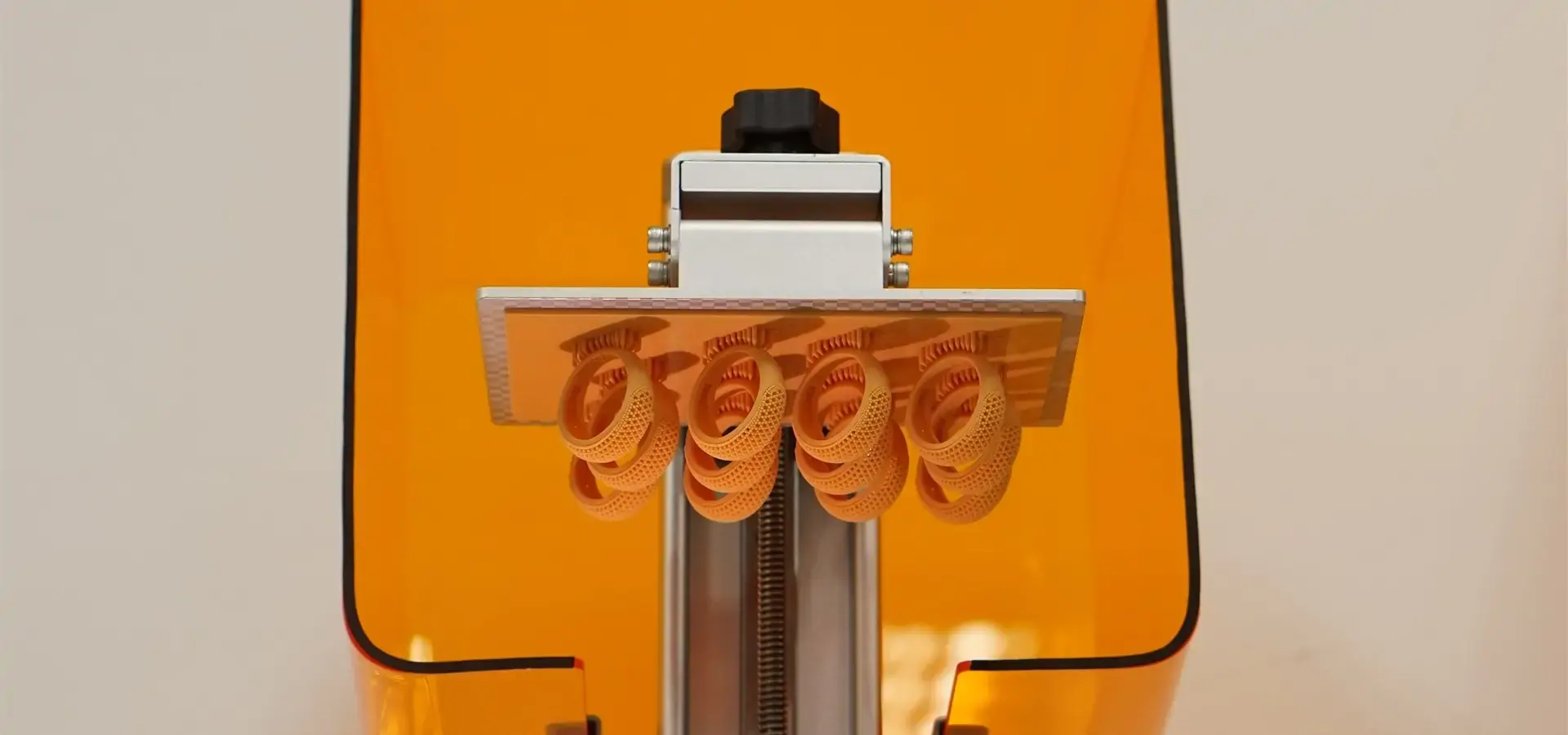
Fused Deposition Modeling (FDM) and Stereolithography (LCD) are the two main methods used in desktop 3D printer production today. FDM systems make parts layer by layer by pushing hot thermoplastic strands out of heated tubes. This method works well for fast prototyping with PLA, ABS, and PETG, and it provides cheap ways to test functionality and make jigs. LCD technology, on the other hand, uses ultraviolet light sources to fix liquid photopolymer cement. The Magforms P7 Pro is an example of an advanced LCD because it has its own color tuning program and Imadjust technology, which makes the XY precision 9 micrometers. With this picture grayscale change feature, the machine can compete with DLP printing in terms of speed and quality, meeting the high standards needed for jewelry casting models and dental work.
Core Hardware Components Driving Performance

The design of the hardware decides how well and how long the printing will last. The P7 Pro has P-grade industrial-precision linear tracks that give it the mechanical steadiness it needs to keep its accuracy at less than 20 microns for long print sessions. The 8.8-inch 9K black-and-white LCD screen has 18 × 18 micron pixels and a resolution of 8520 × 4320. This means that it can show very fine details like skin patterns and tiny pores very accurately. The full-metal base design gets rid of the distortions that come from vibrations that happen in polymer-framed units. When paired with a constant light source, the system can control the measurement error to within 0.02mm, which is very important for uses that need precise geometric requirements, like making dental braces and precision fittings.
Material Compatibility and Ecosystem Integration
To avoid being locked into one seller and cut down on running costs, procurement teams give top priority to equipment that supports open-material platforms. The P7 Pro's clever heating system keeps the build room at a steady 30°C. This makes sure that industrial resins, clear formulas, high-temperature plastics, and flexible materials can all be used. This temperature stability stops layers from separating and twisting, which is a big problem in settings where things are made in batches. The total cost of ownership is directly affected by how easy it is to maintain. The UV-resistant glass flip-up cover lets you see everything clearly while keeping the resin from drying by mistake. The 5-inch tablet with a personalized user interface lets you change parameters in real time while printing, which reduces the need for human intervention and the difficulty of debugging. When B2B buyers understand these technological roots, they can tell the difference between marketing claims and real engineering skills. A desktop 3D printer that can do both testing and small-batch production is made possible by the combination of advanced lenses, precise mechanics, and smart software.
Key Features to Consider When Choosing a Desktop 3D Printer for Home Use
Print Resolution and Surface Finish Quality
Resolution tells you how well a machine can copy small details and smooth surfaces. Layer thicknesses between 25 and 150 micrometers let workers find the right mix between speed and detail needs. The P7 Pro can achieve 9-micrometer XY precision through grayscale tuning. This gives surface finishes that are similar to those made by industrial DLP systems, so many tasks don't need extra steps like sanding or finishing. When technical directors look at samples, they make sure that the dimensions are always correct across all prints. Differences bigger than 0.05 mm can make parts useless in systems that need to fit perfectly, like car interior parts or electronics cases.
Build Volume and Workspace Efficiency
The small build area of 153.36 × 77.76 × 160 mm works well on a desk and can fit jewelry molds, dentist models, and small mechanical parts. Larger companies that need to make a lot of the same parts benefit from this layout because it lets multiple units work in a small area without limiting the size options for each part. Startup studios and research rooms with limited space need tools that can do professional work without leaving an industrial footprint. The desktop 3D printer form factor makes high-precision manufacturing more accessible to more people. This means that small teams can compete with bigger ones by using fast development and quick iteration.
User Interface and Operational Accessibility
Touchscreen settings make it easier for people who are switching from amateur FDM systems to professional resin printing to get started. Desktop 3D printer The P7 Pro's highly customized interface lets you change parameters while jobs are still running, which cuts down on failed prints caused by changes in the surroundings or inconsistencies in the material. Software environment connectivity is just as important. When adopting new technology, it's important for procurement managers to think about how to balance innovation with keeping operations running smoothly. Seamless connection with industry-standard slicing packages and CAD platforms helps keep the workflow as smooth as possible.
Safety Standards and Environmental Control
Safety rules in the workplace must be followed when it comes to ventilation, handling glue, and UV protection. The UV-resistant cover keeps the user from being exposed while still allowing for visual quality tracking. This meets both safety and efficiency needs at the same time. Because active heating systems don't depend on temperature, the effects will be the same no matter what time of year it is. Facilities that don't have climate control benefit a lot because print success rates stay the same even when temperatures outside fall below the ranges suggested for resin operation. All of these factors together decide whether a machine meets professional standards or can only be used for creative tasks. Some desktop 3D printer systems can be used instead of outsourcing for low-volume specialized manufacturing because they have precise vision, temperature management, and easy-to-use settings.
Comparing Desktop 3D Printers for Different User Types
Professional-Grade Machines Versus Entry-Level Systems
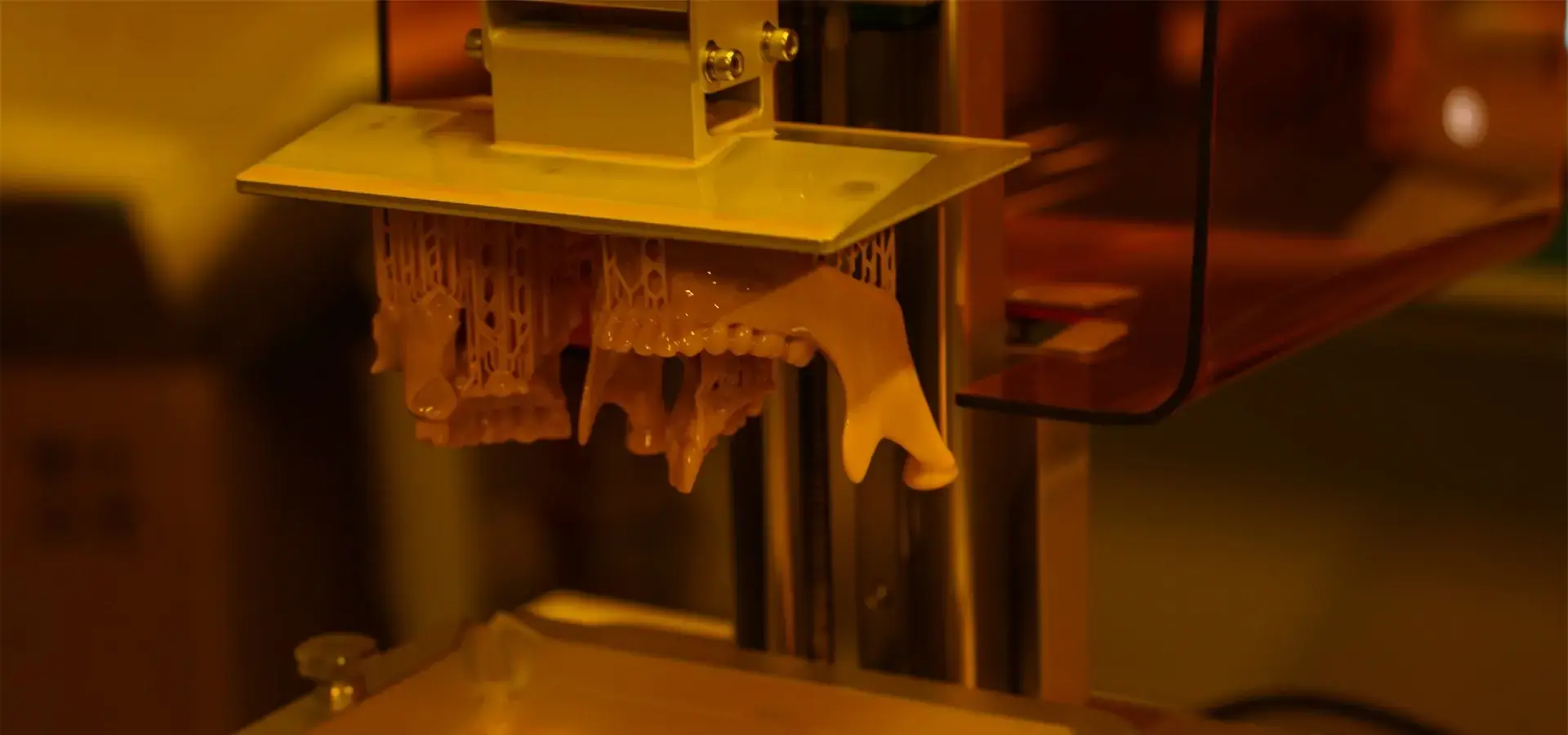
Jewelry makers and dental labs need precision and repeatability that can't be achieved with consumer-grade tools. The P7 Pro's improvement for metal making shows how specific software tweaks and hardware choice can meet the needs of narrow markets. Machines made for casual hobbyists don't have the mechanical steadiness and visual accuracy needed for these tough jobs. Startups that are tight on money often look at systems that cost less than $500, weighing the original cost against the systems' limited capabilities. These cheap desktop 3D printers are good for teaching demos and simple prototypes, but during production runs, they fail more often and lose more materials because they are made of plastic and have lower-resolution screens. Mid-range business desktop 3D printers are in a good spot because they offer performance that is close to industry standards without costing six figures or needing a lot of space. Product design companies, specialized component makers, and research institutions that need proven capability without making large investments are drawn to this sector.
When to Upgrade to Industrial-Grade Solutions
Demands for higher throughput send clear signs for upgrades. When more than 50 parts are made every day or when overnight batch printing becomes normal, bigger LCD systems with bigger build rates and automatic resin management are worth the extra money because they save money on labor and lower the cost of each part. Capability limits are also set by the need for precision. Tolerances of more than 20 micrometers are common for aerospace link testing and medical implant guides. This is where the standards really start to become industrial. But the P7 Pro's accuracy of less than 20 microns shows that desktop 3D printer form factors can now meet standards that were once only available in industrial settings.
Leading Brands and Market Positioning
Large, well-known companies like Prusa and Ultimaker control the FDM market with open-source groups and large material libraries. Their after-sales environments include busy user groups, thorough manuals, and third-party product markets. This lowers the risks of long-term support. Magforms stands out by co-developing both materials and tools at the same time. This means that there are no connection problems between the plastics and the gear. Vertical integration is similar to tactics that have worked well in other areas of precision manufacturing. In those areas, tightly controlled environments are more reliable than open-platform options that depend on third-party supplies. Terms of the warranty and finance choices have a big impact on purchases. Lease agreements and combined upkeep contracts lower the amount of money that needs to be paid up front and shift operational risk to providers. This is especially appealing for companies that want to test the viability of additive manufacturing before committing to full production integration.
Procurement Considerations for B2B Clients
Supplier Credibility and Global Market Presence
Checking the security of a seller keeps things running smoothly when a supplier fails or a product line is taken off the market. With 22 patents and 30 filed brands, Magforms shows that it has been investing in research and development and protecting its intellectual property, which are both signs of a long-term commitment to the market. The fact that the company works with over 300 businesses in dozens of countries backs up what it says in its marketing. Active involvement in the European and Asian industry provides direct equipment review chances, letting expert staff test samples before committing to buy. The operating details that can't be found from specification sheets alone are revealed by these hands-on tests.
After-Sales Support and Technical Training
Downtime for precision equipment has a direct effect on customer promises and work plans. Comprehensive support mechanisms, such as the ability to quickly provide new parts, improve software, and offer prompt expert assistance, set potential providers apart from those who only offer business relationships. Magforms' technical training classes and professional workshops make it easier for people to share what they know, which lets in-house teams do regular maintenance and fixing on their own. This feature makes it easier to work with outside service providers and cuts down on response times during important production windows.
Material Compatibility and Operational Flexibility
Needs for proprietary materials raise production costs and stop process improvement. The P7 Pro works with a variety of resin formulas, including engineering grades, clear types, high-temperature plastics, and flexible compositions. This means that you don't have to stick with one seller and can choose the right material for the job. Integration with current CAD processes and flexibility with slicing software from other companies saves software investments made in the past and keeps institutional knowledge safe. Companies that are switching from outsourcing output to doing it themselves value technology adoption that doesn't require major process changes the most. Clear prices and open payment plans make sure that budgets for purchases are in line with how things actually work. Bundled deals that include tools, starting materials, and training services make planning easier and speed up the time it takes to deploy.
Best Practices to Maximize Desktop 3D Printer Usage at Home

Optimal Placement and Environmental Control
Moving equipment out of direct sunlight, HVAC vents, and places with a lot of foot traffic can help keep temperatures stable and reduce the spread of particles. The P7 Pro's active heating system keeps the internal temperature stable, but outward uniformity still makes parts last longer and stops calibration shift. Dedicated workspaces with good air keep workers safe from resin vapors while still letting them see what's going on in the process. UV-blocking caps keep stray light out during desktop 3D printer prints that last more than one hour, so resin doesn't cure too quickly in vat pools.
Calibration Protocols and Preventive Maintenance
Regular alignment checks with test prints that have known dimensions catch mechanical drift before it damages production parts. Professional desktop 3D printer systems need to be calibrated less often than consumer units because they have industrial linear rails, but they still need to be validated on a regular basis to keep their approved accuracy. Cleaning plans for the resin vat, the build platform, and the optical windows keep waste from building up, which lowers the quality of the prints. When you change the FEP film and check the LCD screen on time, you extend the life of the gear and keep the output consistent over thousands of print hours.
Material Selection and Parameter Optimization
Success rates and part performance are highest when plastic qualities are matched to application needs. For making jewelry, you need burnout plastics with low ash, and for working with samples, you need tough engineering formulas. The P7 Pro's flexible parameter change lets you fine-tune the exposure times and layer heights for each type of material. The settings for slicer tools have a big effect on the results. To find the best mix between material use and structural stability, it's necessary to try different things when placing support structures, choosing their direction, and designing open cavities. Manufacturers' firmware changes often include profile improvements based on collected user data, which is a good reason to keep software up to date. When you do these things, your desktop 3D printers go from being rare experimental tools to trusted production assets. When compared to ad hoc operating methods, organizations that use organized repair programs and train operators report much lower failure rates and longer equipment service lives.
Conclusion
To choose the best desktop 3D printer, you need to carefully consider its accuracy, ability to work in a variety of environments, ability to work with a wide range of materials, and support for communities. Professional systems like the Magforms P7 Pro show that improved optics, smart heat management, and built-in material optimization can now make desktop 3D printer form factors accurate enough for industrial use. For procurement to go well, equipment specs must match up with real production needs, the trustworthiness of the seller must be proven by their market presence and patent portfolios, and full after-sales support must be provided. Companies that care more about the total cost of ownership over the original purchase price find that investing in precision desktop 3D printer systems that are reliable pays off in the long run through less waste, faster testing cycles, and reliable small-batch manufacturing.
FAQ
What resin types work best for beginners using desktop LCD systems?
Standard resins with forgiving exposure windows are ideal for beginners, and the P7 Pro’s smart heating system supports a variety of resin viscosities, allowing gradual progression to engineering-grade materials
Can desktop 3D printers scale for small-batch manufacturing?
Modern Desktop 3D printers with high clarity are being used more and more as test production systems. The P7 Pro has a very high success rate and can keep working well even in cold places, which makes overnight group printing possible. When part complexity, accuracy needs, and build volume limitations are all met, Desktop 3D printers can be a good option to outsourcing manufacturing for runs of 10 to 100 units.
How do I evaluate whether a desktop system meets professional standards?
Check the accuracy of the dimensions by trying an independent sample, check the quality of the mechanical building, and make sure that the materials are compatible with each other. Professional Desktop 3D printers have industrial-grade parts like P-grade linear rails and metal chassis construction, which makes them different from consumer printers that use plastic frames and simple stepper motors. A true Desktop 3D printer meets the needs of professionals through mechanical stability and optical accuracy.
Contact Magforms for Professional Desktop 3D Printer Solutions
Magforms focuses on making desktop 3D printer systems that are precisely built for demanding professional uses. Our fully integrated method gets rid of material compatibility problems by co-developing plastic and hardware environments. This delivers stability that has been tested by more than 300 businesses around the world. The P7 Pro shows our dedication to making industrial precision easy to access by offering 9-micrometer resolution and 0.02mm accuracy in a small package. Whether you're setting up in-house processes for making dental models, metal casting, or precise prototypes, our technical team can help you with advice that is specific to your needs. Email info@magforms.com to talk about your application needs and look into how to get low prices for working with desktop 3D printer suppliers.
References
1. Gibson, I., Rosen, D., & Stucker, B. (2021). Additive Manufacturing Technologies: 3D Printing, Rapid Prototyping, and Direct Digital Manufacturing. Springer.
2. Jacobs, P. F. (2020). Stereolithography and Other RP&M Technologies: From Rapid Prototyping to Rapid Tooling. Society of Manufacturing Engineers.
3. Pham, D. T., & Gault, R. S. (2019). "A Comparison of Rapid Prototyping Technologies." International Journal of Machine Tools and Manufacture, 38(10-11), 1257-1287.
4. Wohlers, T. (2022). Wohlers Report 2022: 3D Printing and Additive Manufacturing Global State of the Industry. Wohlers Associates.
5. Kruth, J. P., Leu, M. C., & Nakagawa, T. (2018). "Progress in Additive Manufacturing and Rapid Prototyping." CIRP Annals - Manufacturing Technology, 47(2), 525-540.
6. Ligon, S. C., Liska, R., & Stampfl, J. (2020). "Polymers for 3D Printing and Customized Additive Manufacturing." Chemical Reviews, 117(15), 10212-10290.


Magforms makes design and manufacture easier.
Popular Blogs
-
 Industry InsightsManufacturing Industry
FDM vs. SLA Printer: Which Technology Is Right for Your Project?
-
 Industry InsightsManufacturing Industry
Top 5 Applications of Industrial 3D Printers in Manufacturing Today
-
 Industry InsightsManufacturing Industry
Why Stereolithography 3D Printers Are Unmatched for Microfluidic Device Prototyping?
