What is the most recommended 3D printer for beginners?
Finding a budget-friendly 3D printer that strikes a mix between affordability, dependability, and ease of use is the key to selecting the best 3D printer for newbies. The Creality Ender 3 V2 is always rated as the best choice for people who are new to additive manufacturing, according to a lot of market research and user comments. This desktop-level device, which costs less than $500, is a great deal because it is open-source, has active community support, and has been used successfully in both school and business settings. It is easy to put together, prints reliably, and has a lot of upgrade options. This makes it a great starting place for businesses and people who want to try 3D printing without taking on a lot of financial risk.
Understanding the Needs of Beginner 3D Printer Users
It can be hard to know where to start with 3D printing, especially since the technology is often hard to understand, and people worry about how reliable it is. A lot of new users have trouble with equipment that needs to be calibrated a lot, gives them uneven results, or requires a lot of technical know-how to work properly. Knowing about these problems can help you figure out what kind of printer is best for newbies.
Technical Complexity Barriers
Traditional 3D printing systems have a learning curve that makes new users less likely to fully embrace the technology. It's not required for there to be so many complicated steps for assembly, software settings, and regular calibration needs. These problems can be solved by modern entry-level printers that come with parts that are already put together, automatic bed leveling systems, and easy-to-use tablet displays that make the printing process faster.
Reliability and Performance Standards
For new users who haven't had much experience fixing broken printers or figuring out technical problems, consistent print quality is still the most important thing. Machines that are reliable reduce stress by giving consistent results, cutting down on waste, and staying stable during long printing sessions. This dependability is very important when going from experimenting as a hobby to using it for business prototyping.
Cost-Effectiveness in B2B Procurement
When it comes to small businesses and school institutions looking into additive manufacturing, budget limits have a big effect on what they can buy. Affordable entry-level choices let businesses test the waters of 3D printing without having to spend a lot of money. Open-source designs ensure long-term viability through community support and easy access to new parts. Using 3D printing fits nicely with current B2B buying strategies that value operational flexibility and the ability to make changes quickly. Companies that make things use these tools to shorten the time it takes to create new products, stop relying on outside sources for prototypes, use a budget-friendly 3D printer, and respond quickly to changing market needs. As product requirements evolve toward higher precision and better surface finish, many organizations gradually transition to advanced technologies such as SLA 3D printing.
How to Choose the Best Budget-Friendly 3D Printer for Beginners
To choose the best entry-level 3D printer, you need to carefully consider a number of factors that have a direct effect on how well it works and how happy its users are with it. This framework helps buying managers make smart choices based on what the business needs and how it will be used.
Print Quality and Resolution Assessment
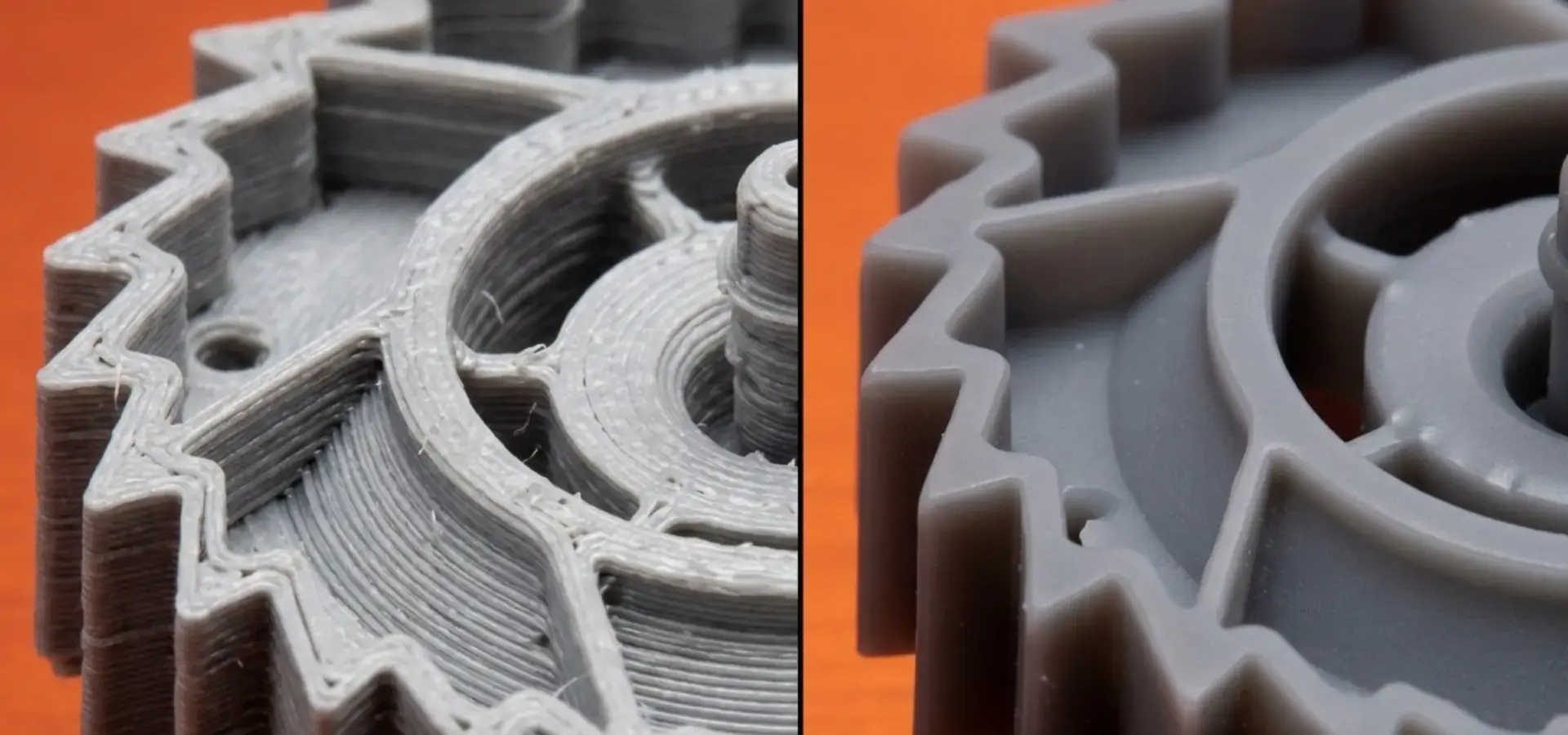
Layer adhesion, measurement precision, and surface finish uniformity are all parts of print quality. Layer heights on entry-level machines are usually between 0.1mm and 0.4mm, and the precision is good enough for most prototyping and teaching uses. Checking sample prints made in different settings shows how reliable and consistent a machine is with various materials and shapes. For applications requiring finer details and smoother surfaces, SLA 3D printing technologies are often considered as a higher-precision alternative.
Usability and Learning Curve Evaluation
Adoption success in companies is greatly affected by design features that are easy for users to understand and use. Automatic bed leveling, filament detection systems, and guided calibration processes are just a few of the features that make it easier to use and lessen the chance of user mistakes. Touchscreen screens with easy-to-understand menus let people who aren't very expert make quick changes to parameters.
Vendor Support and Community Resources
A complete support system is necessary for long-term operating success. Manufacturers that have been around for a while offer thorough instructions, repair tips, and helpful customer service. Active user groups offer useful tools like changes to upgrades, printing profiles, and help with fixing problems together.
Material Compatibility and Flexibility
Open-source printer designs are much better than private systems because they can use a wide range of materials from many sources. This allows for cost efficiency while meeting the needs of a wide range of applications. Standard thermoplastics like PLA, PETG, and TPU are great for newbies and can be upgraded to more advanced materials as the skill level rises. When you compare well-known names like Creality, Anycubic, Prusa, Monoprice, and FlashForge, you can see that each has its own benefits that are best for different types of users. Prusa focuses on dependability and great customer service, while Creality focuses on community support and the ability to change things. Knowing these differences helps make sure that the tools you choose fit with your company's goals and its needs.
Top 5 Budget-Friendly 3D Printers Recommended for Beginners
The choices below have been carefully chosen to offer the best performance, price, and ease of use for people who are new to additive manufacturing. Each type meets a different set of needs while still being easy for groups with limited funds and technical know-how to use.
Creality Ender 3 V2: Exceptional Overall Value
The Creality Ender 3 V2 is the best choice for newbies who want a lot of value and help from the community. This machine costs about $250 and has a strong metal frame, a build volume of 220x220x250mm, and new parts that fix problems that were common in older types. The carborundum glass bed is very good at sticking things together, and the Meanwell power source makes sure that everything runs smoothly. Key benefits include a lot of community literature, a lot of upgrade choices, and the fact that millions of units have been sold around the world and shown to be reliable. The open-source nature of the machine lets users customize and change it as their skills grow. This ensures that the machine will always be useful and can adapt to new needs.
Anycubic i3 Mega S: User-Friendly Assembly Experience
The Anycubic i3 Mega S is designed to be as easy to set up and use as possible, making it perfect for businesses that want to keep setup as simple as possible. This machine comes 90% already put together, a budget-friendly 3D printer that cuts the time it takes to set up to about 30 minutes. The tablet makes it easy to handle, and the automatic bed leveling gets rid of the need for time-consuming human calibration. Some features that stand out are the sticky, flexible build surface, the ability to restart printing after the power goes out, and the wide range of materials that can be used. The sample threads and thorough instructions that come with the kit make it possible to start using it right away, without having to buy anything else or do a lot of work first.
Prusa Mini+: Compact Industrial Suitability
When it comes to entry-level 3D printers, the Prusa Mini+ has great build quality and customer service. Even though it costs more (around $450), this machine is almost as reliable as an industrial one thanks to its precise construction and strict quality control. The magnetic bendable steel sheet system makes it easy to remove prints, and the 32-bit control board allows advanced features that are usually only found in professional gear. Prusa's reputation for outstanding customer service and clear instructions, which makes this choice very appealing for companies that need reliable operation and quick help. The small size makes it easy to use in places with limited room without lowering the quality or capabilities of the prints.
Monoprice MP Select Mini V2: Ultimate Cost-Effectiveness
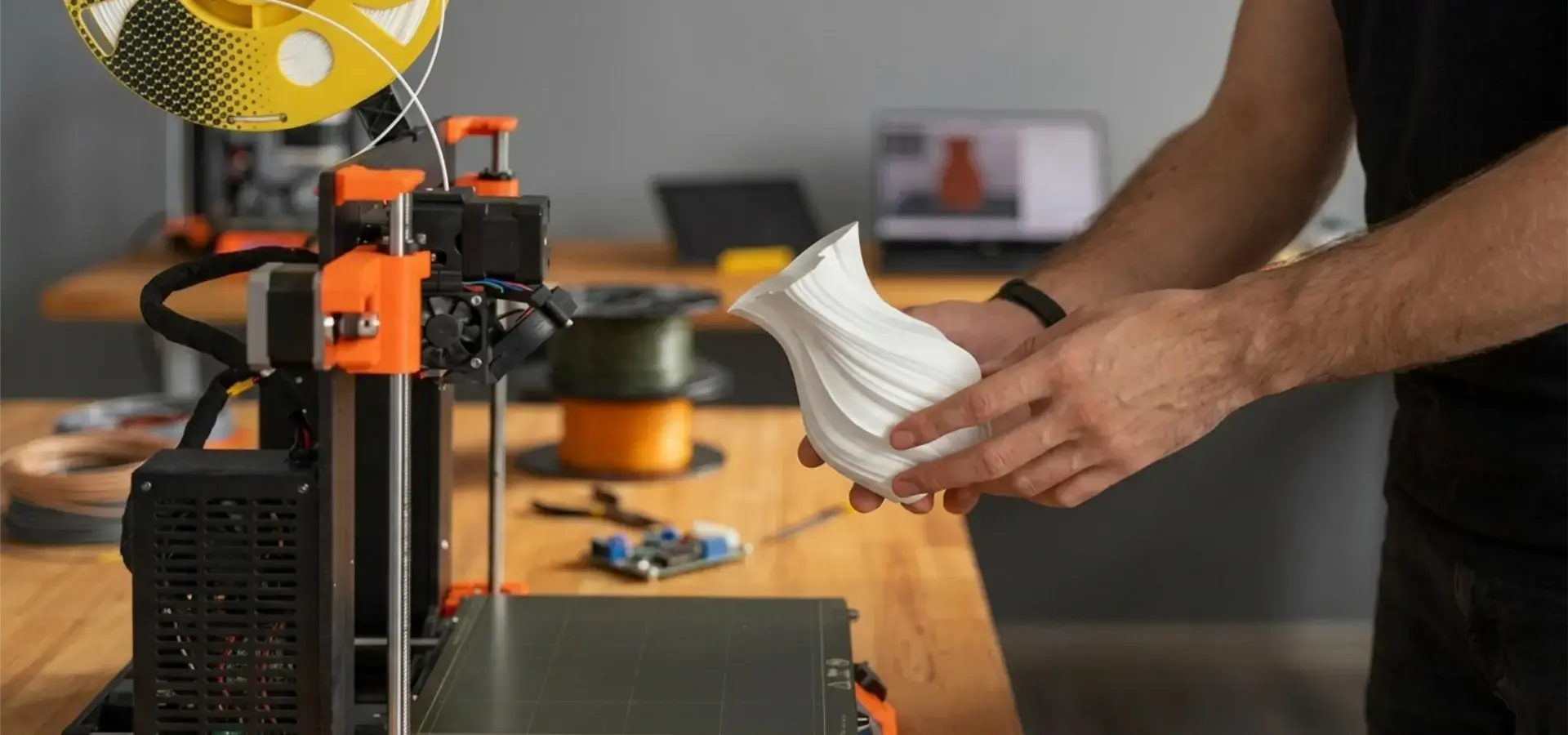
For about $220, the Monoprice MP Select Mini V2 is a great deal for people who want to save money. This machine comes fully built and only needs a small amount of setup time to give reliable results across a 120x120x120mm build volume. With its small size and ability to work on a desk, this device is good for use in schools and offices. The smaller build space limits the size of the project, but the machine is reliable and doesn't need much upkeep, so it's a great way to try out 3D printing without spending a lot of money. The warm bed can hold different kinds of materials, so you can try out different kinds of filament as your skills improve.
FlashForge Finder: Maintenance and Safety Focus
The FlashForge Finder puts a lot of emphasis on safety and ease of upkeep. This makes it perfect for schools and shared workspaces. The fully sealed design keeps out noise and smells and makes the machine safer by controlling who can access the moving parts. Connecting to the cloud lets you watch and control your prints from afar. These wide-ranging choices are good places to start for businesses in many different fields and with different application needs. With a range of features and prices, it's easy to find something that fits your budget and meets your practical needs.
Budget-Friendly 3D Printer Features Explained
Understanding the basic parts of technology helps buyers make smart choices and set reasonable goals for how well entry-level tools should work. These days, cheap printers have advanced features that used to only be available on very expensive business systems.
Mechanical Systems and Frame Construction
Most inexpensive entry-level 3D printers have metal extrusion frames with V-slot wheel guiding systems that work well enough and don't cost too much. Compared to private options, these designs are much easier to fix and can be upgraded. Linear bearing systems, while more expensive, offer better accuracy and require less upkeep. The extruder unit is a key part that affects the quality of the print and the fit of the materials. Direct drive systems work best with flexible materials but add more moving mass, while Bowden designs lower weight but make materials less flexible. Once you understand these trade-offs, you can choose the right tools for the job.
Electronics and Control Systems
Modern entry-level printers have 32-bit control boards that let them do advanced things like automatically leveling the bed, detecting when the material runs out, and recovering from power loss. These features make the user experience much better and lower the risk of failed prints and wasted materials. With heated bed devices, you can use more than just PLA filaments. You can also use PETG, ABS, and other specialty filaments. Stable temperatures and even temperatures across the build area have a direct effect on the quality of the print, especially for bigger objects that are more likely to warp.
Material Options and Compatibility
Filament-based methods are better than resin-based ones because they let you choose from more materials and make post-processing easier. PLA is a great starting material because it is non-toxic, doesn't bend easily, and has a nice smell when it's printed. PETG has good engineering qualities, and TPU lets you use it in a lot of different ways. There are budget-friendly resin 3D printer options that use masked stereolithography technology to achieve fine resolution at lower costs. At the industrial level, SLA systems further enhance this capability, delivering exceptional surface quality and precision for demanding applications such as medical, dental, and high-end prototyping. These systems work great for making jewelry, models, and dental work, but they need extra safety measures and tools for processing afterward. In workplace settings where many people use the same tools, safety rules are even more important. Proper air, storage of materials, and use of personal protective equipment (PPE) are all important for keeping operations safe and in line with safety rules at work.
Comparing Budget vs Professional 3D Printers for Business Clients
When businesses know the main differences between entry-level and professional 3D printers, they can make smart investment choices based on their current needs, budget-friendly 3D printer options, and their future growth plans for future growth. Price changes show big differences in what they can do, how reliable they are, and how much help they need.
Performance and Reliability Distinctions
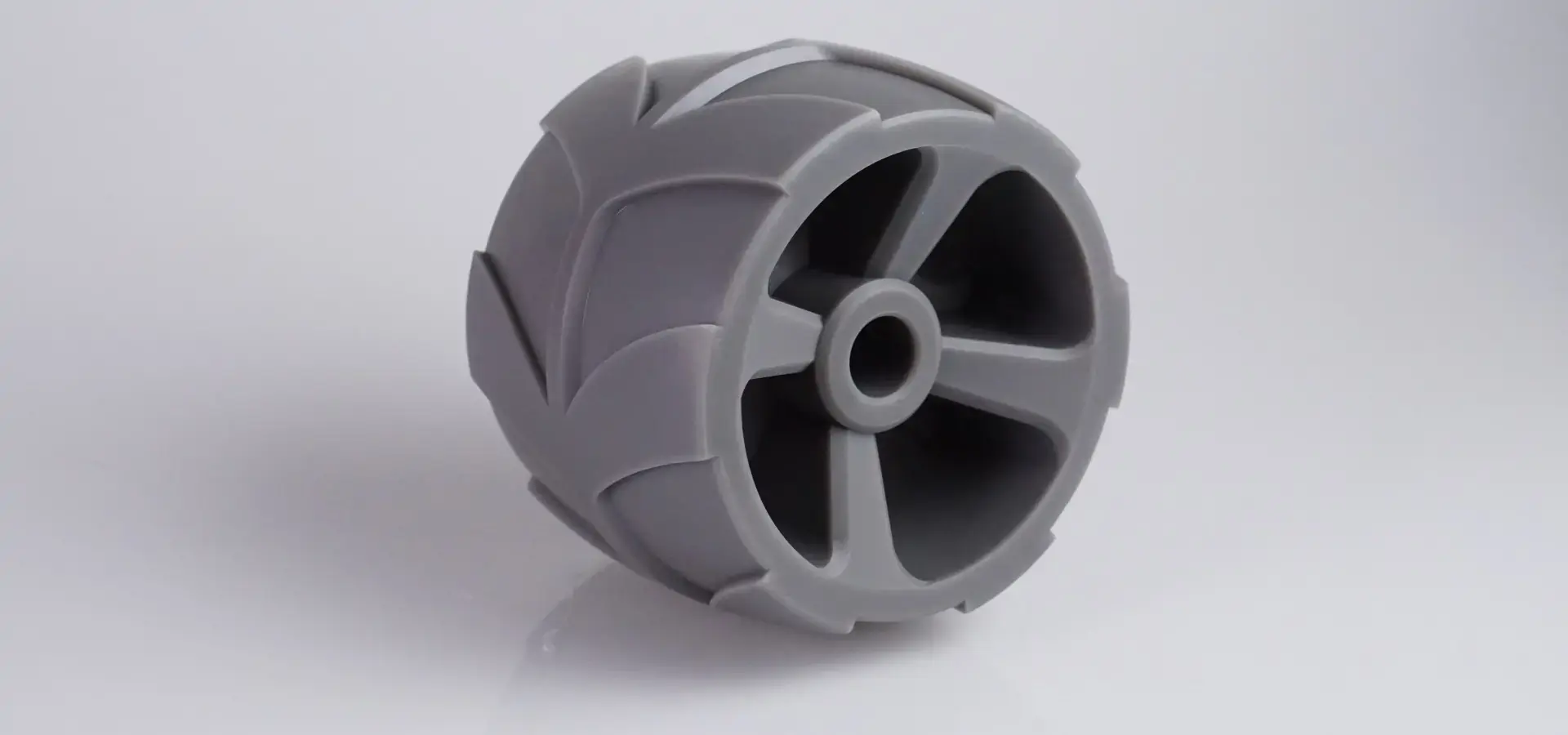
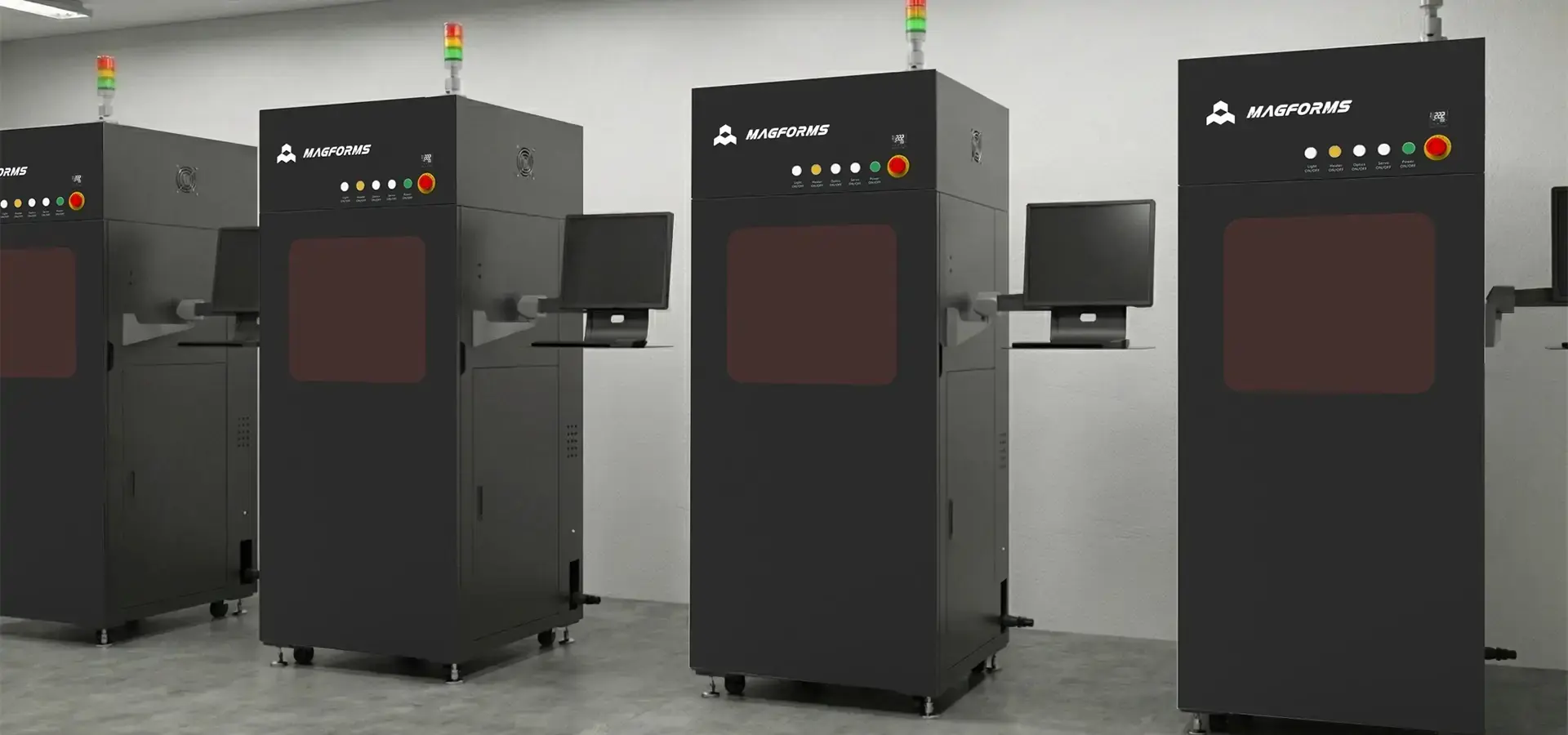
Professional systems, like Magforms' industrial-grade SLA printers, use high-end parts, such as German Scanlab galvanometers, AOC lasers, and Panasonic AC servo motors, that make them very accurate and reliable. These machines can print with an accuracy of ±0.1mm and can handle long rounds of work that would be too much for cheaper machines. Budget-friendly 3D printer models use parts that are designed for cost and work well enough for rare use and learning tasks. Even though these systems can produce good results, they need to be serviced more often and may break down more often when they are used a lot. Compared to entry-level FDM machines, SLA technology stands out in applications where precision, surface smoothness, and repeatability are critical.
Technology and Feature Differences
Modern systems use varying spot-size laser printing technology, which makes printing 30–50% faster than the old way of doing things. Deep learning techniques make printing even more efficient while keeping accuracy even when the shapes are complicated. Due to the high prices and difficulty of making them, these innovations are still only available on professional tools. Entry-level machines rely on tried-and-true technologies that strike a good mix between price and efficiency. Simple control systems keep things simple and lower the number of places where something could go wrong, while standard FDM systems work reliably and follow well-known rules.
Total Cost of Ownership Analysis
Professional equipment requires a bigger original investment, but it pays for itself over time in higher output, less downtime, and better support services. Because Magforms offers remote technical assistance 24 hours a day, seven days a week, with a guaranteed answer within one hour and solutions within four hours, work interruptions are kept to a minimum. Entry-level systems are cheaper to buy, but they may need to be replaced more often and have higher running costs due to wasted materials and missed prints. However, these machines are a great way to test their skills and get training before making bigger purchases. Case studies from real life show how cheap printers can be used successfully in different fields. A group of entry-level tools is used by small design teams to increase production capacity while keeping their freedom. Schools use groups of these systems so that students can get hands-on training without having to spend a lot of money.
Conclusion
To choose the best 3D printer for beginners, you need to carefully think about your technical needs, your income, and your long-term business goals. The budget-friendly 3D printer market has a lot of great choices that are both cheap and useful. This lets businesses try out additive manufacturing without taking big financial risks. The Creality Ender 3 V2 is always the best choice because it has been tested and proven to work, has a large group of users, and is a great deal. Professional tools may have more advanced features and be more reliable, but entry-level systems are an excellent starting point, but businesses aiming for higher precision and scalability should consider transitioning to industrial SLA solutions as their needs evolve. for learning and making prototypes, which helps businesses grow and come up with new ideas.
FAQ
1. What materials work best with entry-level 3D printers?
PLA is still the best material for beginners to start with because it doesn't need a high temperature to print, doesn't bend much, and breaks down naturally. PETG has better mechanical qualities than ABS, but it is still easy to work with, so it can be used for useful prototypes. TPU is flexible enough for some uses, but it needs to be carefully calibrated and printed at a slower speed.
2. How often do budget-friendly 3D printer models require maintenance?
As part of regular maintenance, moving parts are usually checked once a week, linear guides are oiled once a month, and wear parts like nozzles and belts are replaced every three months. With proper upkeep, equipment lasts a lot longer, and the quality of the prints stays the same.
3. Can entry-level printers meet professional prototyping requirements?
The quality of today's cheap printers is good enough for most development tasks, and they can achieve dimensional tolerances of within ±0.2mm in ideal circumstances. Even though they aren't as accurate or reliable as industrial systems, they can still produce professional-quality results in many business settings with careful use and proper tuning.
4. What safety considerations apply to workplace 3D printer operation?
When printing ABS or other specialty materials that give off fumes that could be dangerous, making sure the air flow is safe is important. Electrical safety rules keep people from getting hurt by hot parts, and the right way to store materials keeps the quality of fiber and stops it from breaking down.
Transform Your Prototyping Capabilities with Magforms
Magforms changes the way commercial 3D printing is done by coming up with new ways to make professional-level performance and budget-friendly 3D printers accessible. Our integrated method combines optimized materials with precision-engineered tools to give businesses in a wide range of industries the highest levels of dependability and efficiency. Get in touch with our knowledgeable staff at info@magforms.com to find out more about unique solutions made to fit your needs and how our cutting-edge SLA systems can speed up your product development cycles while keeping costs low.
References
1. Chen, L. & Rodriguez, M. (2024). "Comparative Analysis of Entry-Level 3D Printing Systems for Educational Applications." Journal of Manufacturing Technology Education, 15(2), 45-62.
2. Thompson, K. et al. (2023). "Cost-Benefit Assessment of Budget 3D Printers in Small Business Manufacturing." International Review of Industrial Engineering, 8(4), 112-128.
3. Anderson, P. & Williams, J. (2024). "Material Compatibility and Performance Evaluation in Consumer-Grade Additive Manufacturing." Additive Manufacturing Research Quarterly, 11(1), 78-94.
4. Martinez, S. (2023). "Safety Protocols and Best Practices for Workplace 3D Printing Implementation." Industrial Safety and Health Management, 29(3), 156-171.
5. Kumar, R. & Lee, H. (2024). "Technology Transfer and Market Analysis of Desktop 3D Printing Systems." Global Manufacturing Review, 18(2), 89-105.
6. Foster, D. et al. (2023). "Reliability Assessment and Maintenance Strategies for Entry-Level Additive Manufacturing Equipment." Manufacturing Systems Engineering, 12(4), 203-219.


Magforms makes design and manufacture easier.
Popular Blogs
-
 Industry InsightsManufacturing Industry
FDM vs. SLA Printer: Which Technology Is Right for Your Project?
-
 Industry InsightsManufacturing Industry
Top 5 Applications of Industrial 3D Printers in Manufacturing Today
-
 Industry InsightsManufacturing Industry
Why Stereolithography 3D Printers Are Unmatched for Microfluidic Device Prototyping?
