Which Budget SLA Printer Balances Cost and Performance Best?
If you want to know which budget SLA printer is the best mix between price and performance, you need to know what your business needs and how much you produce. Budget SLA printers that use mSLA (Masked Stereolithography) technology usually have XY resolutions between 22 and 50 microns and cost less than $1,000, making them suitable for testing and small-batch production. The best option has open materials compatibility and monochrome LCD screens that can be used with engineering-grade, clear, and safe resins. These screens can be printed on for 2,000 to 3,000 hours. During this analysis, we'll look at how to find accurate equipment that doesn't sacrifice long-term dependability or operating efficiency.
Understanding Budget SLA Printers: Technology and Benefits
The development of stereolithography has completely changed how companies make precision products. Today, most budget SLA printer systems on the market actually use LCD-based mSLA technology rather than traditional laser-based SLA scanning systems. This architecture replaces expensive laser galvanometer systems with high-resolution monochrome LCD masking screens and 405nm UV LED arrays. This architecture has made high-resolution resin printing with fine dimensional consistency more accessible to small businesses and engineering teams.
Core Technology Architecture
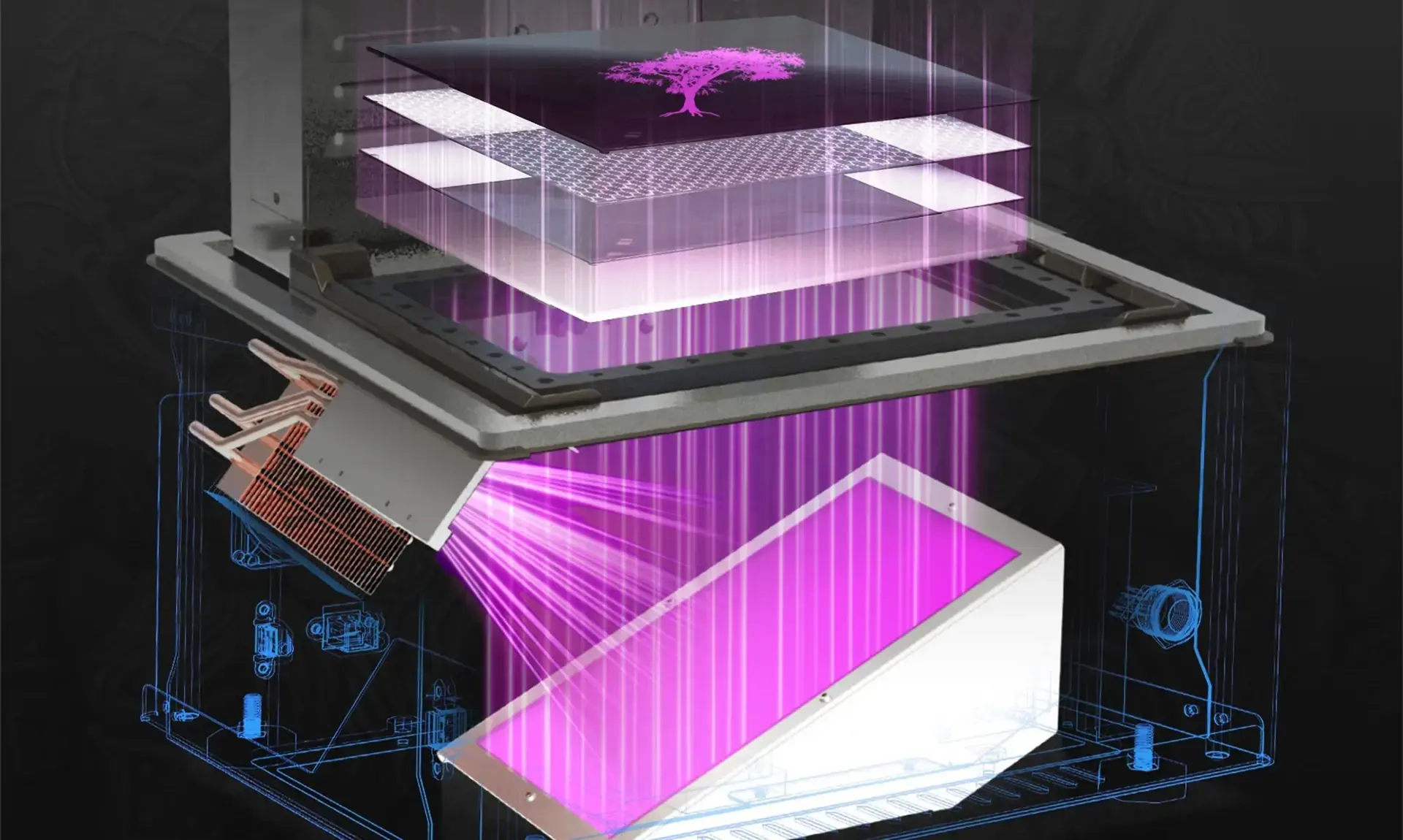
Compared with traditional laser SLA systems, LCD-based budget SLA printers offer lower hardware costs, simplified optical structures, and faster layer exposure speeds. These advantages make mSLA technology especially suitable for rapid prototyping, dental model production, jewelry casting patterns, and low-volume manufacturing environments where cost efficiency and precision are both critical. Budget SLA printers cure liquid photopolymer resin using controlled 405nm UV light exposure, while standard FDM systems extrude melted thermoplastic filament layer by layer. The monochrome LCD screen functions as a digital masking layer that selectively allows UV light to cure each cross-sectional layer. With this parallel exposure method, layer curing times are typically between 1 and 3 seconds depending on resin type and layer thickness. Modern monochrome LCD panels provide significantly higher UV transmission efficiency than older RGB screens, enabling faster curing speeds and longer screen lifespan.
Material Compatibility and Applications
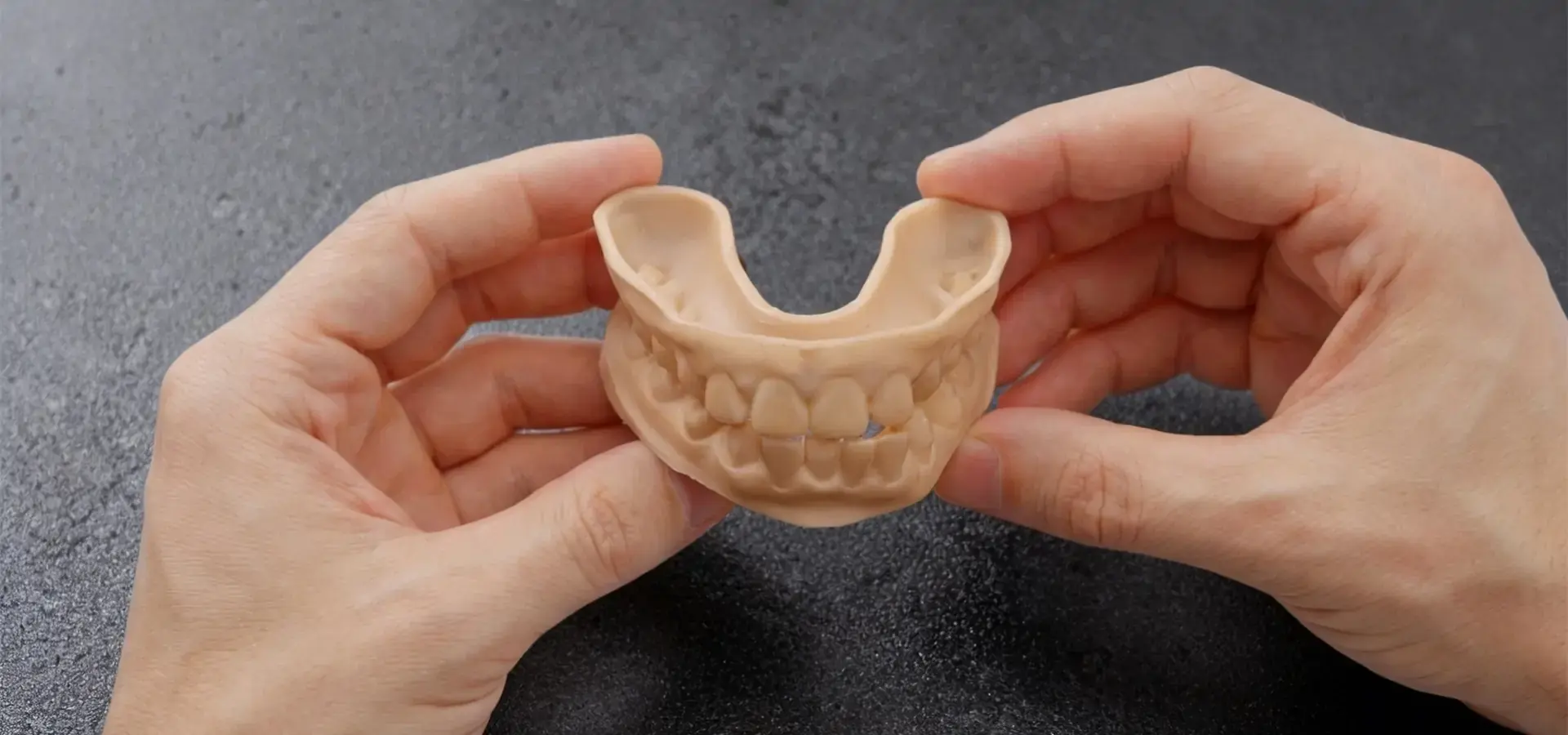
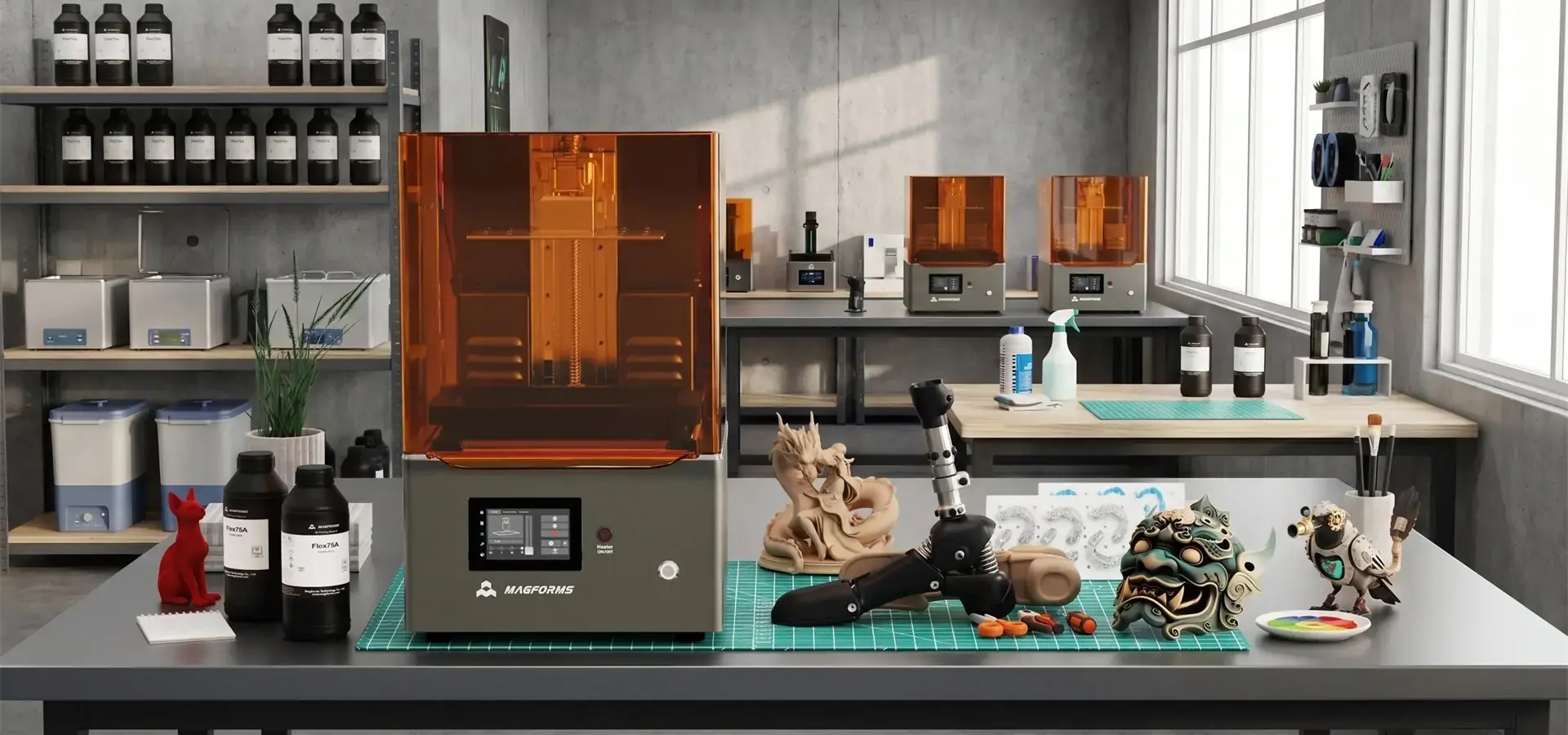
Standard 405nm photopolymer resins are usually supported by budget SLA printers. These include engineering-grade resins with tensile strengths of more than 50 MPa, clear resins for optical prototyping, high-temperature engineering resins designed for elevated thermal environments, with some specialized formulations offering heat deflection temperatures above 100°C, and flexible materials with Shore hardness ratings from 40A to 90A. This adaptability makes it useful for a wide range of tasks, from developing inner parts for cars to making unique dental models. The technology is especially useful for dental labs that need to make surgical guides with dimensional tolerances typically within 100 microns, jewelry designers who need to make intricate patterns that can be cast and have no ash left over after burnout, and consumer electronics companies that need to test enclosure designs with fine surface textures. When resin-based layers cure, they leave a better surface finish in these areas, and they don't need as much post-processing work as when layer lines are made with filament extrusion.
Comparing Budget SLA Printers with Alternative 3D Printing Solutions
Procurement teams can choose tools based on facts when they know where budget SLA printers perform better than other technologies. Each printing method has its own pros and cons that affect the qualities of the material, its geometric powers, and the way it is used.
Resolution and Surface Quality Analysis
Budget SLA printers usually have XY resolutions of 35 to 50 microns and Z-axis layer heights that can be changed from 25 to 100 microns. Standard FDM systems usually work at 100–200 micron layer heights with visible layer lines and extrusion artifacts, so this range of resolutions is better. Compared to DLP (Digital Light Processing) printers in the same price range, MSLA units have uniform resolution across the whole build platform. Some entry-level DLP systems may experience reduced edge uniformity near the corners of the build platform due to optical projection characteristics. Traditional industrial laser SLA systems are often selected for large-format applications and advanced material workflows, while LCD-based budget SLA printers are widely adopted for cost-efficient high-resolution production. Budget SLA printers can produce parts under 200 mm with high dimensional consistency at significantly lower equipment costs than traditional industrial SLA systems. For batches of smaller parts, MSLA systems can achieve higher throughput because they cure entire layers simultaneously instead of tracing each layer with a scanning laser.
Operational Considerations
Handling of materials is very different between systems. Budget SLA printers need to handle their liquid resin, including proper storage at temperatures between 20°C and 30°C to maintain stable resin viscosity and curing performance. In post-processing, printed parts are washed in isopropyl alcohol or bio-based cleaners to remove uncured resin residue. This is followed by UV post-curing to get the final mechanical qualities. Liquid photopolymer resins generally require stricter handling and ventilation procedures than most common FDM filament materials because uncured resin may cause skin irritation and chemical exposure risks. For the budget SLA printer operation to work, you need to wear nitrile gloves, make sure there is enough air flow or use activated carbon filters, and get rid of liquid waste the right way. These things affect the room needed and the rules for how to run things, especially in small workshops or joint labs.
Criteria for Selecting the Best Budget SLA Printer for Your Business
For procurement to go well, the skills of the tools must match the needs of the output. Companies that evaluate these factors systematically typically achieve better long-term operational efficiency and return on investment.
Defining Your Production Requirements
When a business uses fast prototyping to test a design, it usually puts print speed and material flexibility ahead of maximum build volume. On the other hand, dental labs that make a lot of aligner models at once benefit from bigger build platforms, even if the print quality for each model stays average. Small-batch makers who make parts for end use must pay attention to the mechanical qualities of the material and how stable its dimensions are when it is heated and cooled many times.
Evaluating Supplier Reliability
Buying equipment is only the first part of investing in a complete production system. Long-term business success is greatly affected by the supplier support system. The warranty should clearly cover the repair of consumable parts, especially monochrome LCD screens, which are consumable components typically rated for approximately 2,000 operating hours under continuous production conditions. Suppliers that provide structured onboarding training and technical documentation typically reduce operator learning curves and improve production consistency. When trying to fix problems with first-layer adhesion, exposure calibration, or software compatibility on a budget SLA printer, how quickly technical help responds is very important. When suppliers give recorded resin exposure profiles for third-party materials, it shows that they are committed to practical flexibility. Financing choices, such as renting equipment or setting up payments over time, help small businesses handle their cash flow as they increase their production capacity.
Maintenance, Troubleshooting, and Maximizing Printer Lifespan
Following the right repair steps will directly affect how reliable your equipment is and how consistently good the parts are. We've found that proactive maintenance methods, like structured preventive care, make LCD screens last about 25% longer than reactive maintenance methods.
Routine Maintenance Protocols
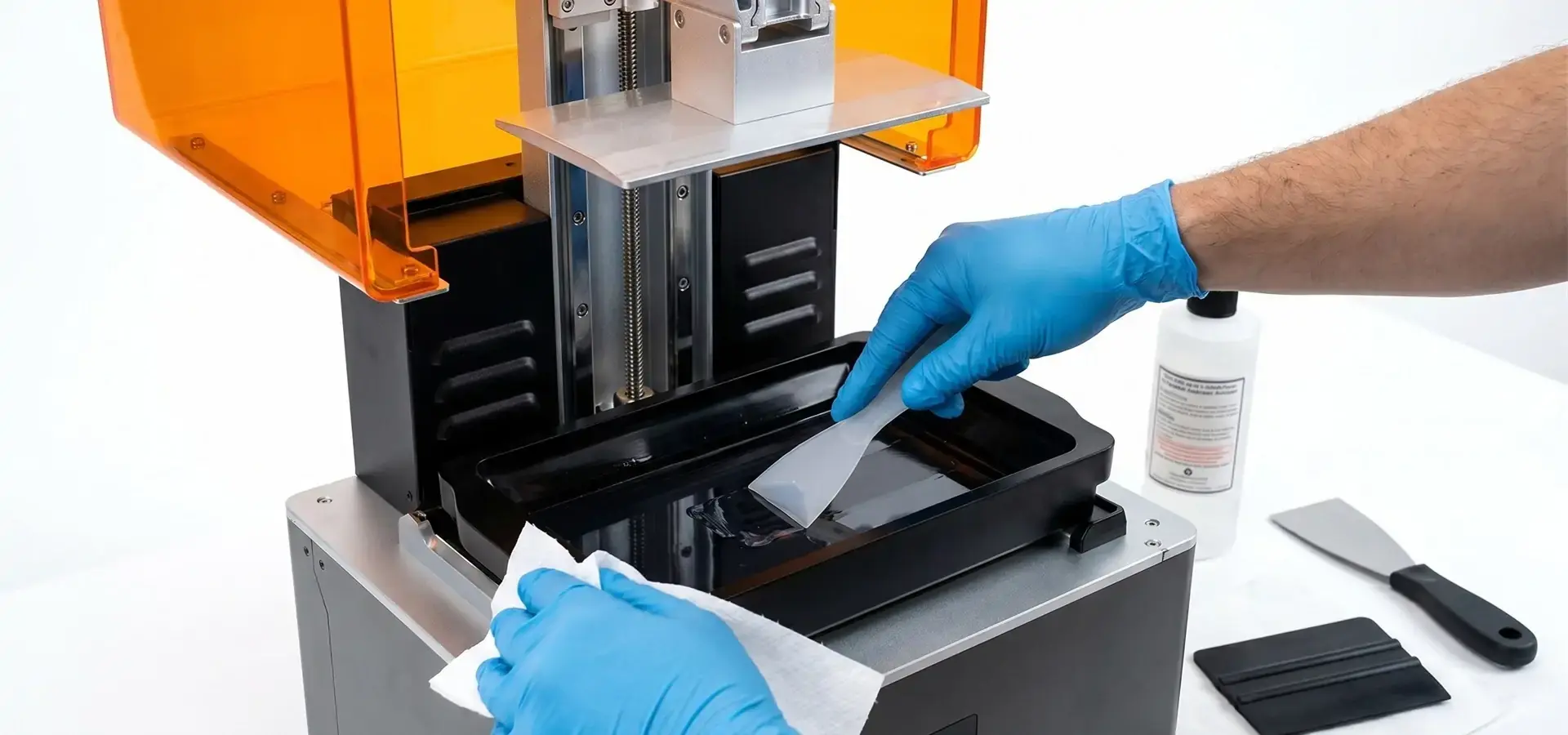
Cleaning the resin vat should be done every 5 to 7 prints or whenever you change the material type. When cured resin particles settle in the vat, they can scratch the FEP (Fluorinated Ethylene Propylene) release film and make the surface of later prints look bad. Release film replacement intervals depend on resin type, print geometry, and peeling forces, so regular inspection is more important than a fixed replacement schedule. NFEP or ACF films have lower peel forces and lower mechanical stress during layer separation. Operators should inspect the release film regularly for clouding, scratches, deformation, or reduced transparency. Visible clouding, scratches, or deformation indicate that the release film should be replaced. Build platform leveling has a greater impact on first-layer adhesion stability than almost any other calibration factor. Because temperatures change, metal build plates slightly expand or contract, so they need to be leveled every 10 to 15 prints. The standard paper-based leveling procedure remains widely used for manual calibration: with the build plate lowered to the home position, pulling a normal piece of paper across the screen should meet some resistance. If the resistance is different in different parts of the platform, it means that the balance is off and needs to be fixed.
As UV light builds up, the performance of an LCD screen slowly gets worse. Every 500 print hours, operators should periodically print standardized exposure calibration models and compare the real cured dimensions to the predicted values to keep an eye on the health of the screen. When exposure time goes up by more than 15% compared to the original calibration values, it means that the screen needs to be replaced soon. Keeping the LCD exposure system clean helps prevent dust contamination and uneven curing patterns.
Common Troubleshooting Scenarios
Prints that come off the build plate in the middle of the process usually happen because the bottom layer isn't exposed enough or the platform doesn't stick to it well enough. Most first-layer adhesion failures can be reduced by extending the bottom layer exposure time from 20 seconds to 30 to 35 seconds. On the other hand, using 220-grit sandpaper to gently sand the build platform forms a mechanical grip that makes first-layer bonding better. Low temperatures below 18°C increase resin viscosity, which makes adhesion problems worse. Keeping the working environment at a steady 22°C-25°C helps reduce temperature-related print failures. Layer delamination or separate lines that can be seen inside printed parts on a budget SLA printer are signs that the exposure settings were not right for the resin. Normal layer exposure times vary for each resin mixture and are usually between 1.5 and 4 seconds, based on the pigmentation and photoinitiator concentration. A common calibration approach is to print exposure test models using gradually increased exposure times. Then, we choose the parameters that result in samples that are properly sealed and don't have any overexposure flaws.
Top Budget SLA Printers to Consider
There are a lot of choices on the market right now that are both affordable and professional-grade. As technology changes quickly, advice for specific models changes all the time. However, some makers always make reliable products.
Evaluating Leading Models
Entry-level industrial units usually cost between $800 and $1,200 and have build sizes of about 192 x 120 x 245 mm and 50-micron XY resolution. These systems work well for small design studios and dental labs that handle a moderate amount of work each month. Upgrading the monochrome screens on mid-range options that increase the build volume to 245x195x300mm costs about $1,500 to $2,000. These options can handle small production runs of samples for consumer goods or jewelry casting patterns. When we compare the specs of different brands, we give more weight to models that can work with a wide range of materials over models limited to proprietary resin ecosystems. When equipment lasts longer than three years, locked ecosystems raise running costs by 40 to 60 percent. User feedback regularly shows that machines with FEP films that are easy to change, build platforms that are easy to get to, and slicing software that is simple to use make it easier for operators to learn and keep production running smoothly.
Long-term product support commitment is shown by manufacturers who maintain comprehensive technical documentation libraries that include material exposure profiles and troubleshooting tips. Downtime costs are greatly reduced when equipment is backed by quick-responding technical support teams that can figure out problems through remote connection features. It has been our experience that customers who receive onboarding programs, video tutorials, or live technical workshops typically achieve higher operational stability and lower downtime.
Procurement Strategies for B2B Clients
Companies that want to buy a lot of units for distributed production settings should talk to suppliers about bulk prices. Orders of three or more units usually get a 10-15% volume discount, and you can get even bigger savings when you bundle your initial resin supplies with refill items. In work settings, warranties that cover more than one year are useful, and service agreements cost between 8 and 12 percent of the equipment's purchase price per year. Businesses that want to spread their limited capital funds across a number of different types of equipment can benefit from leasing deals because they help their cash flow. The monthly rent is usually between 3 and 4 percent of the total value of the equipment, and you can buy it back at the end of the deal. We've found that three-year lease terms work well when LCD screens need to be replaced and when technology needs to be updated.
Conclusion
To choose the best budget SLA printer, you need to weigh the technical specs against practical processes and the printer's ability to provide long-term support. Precision manufacturing that doesn't break the bank starts with equipment that has monochrome LCD technology, can work with a variety of materials, and offers build volumes suitable for typical production part sizes. Systematic maintenance routines and supplier partnerships that go beyond the initial delivery of tools are both important for a successful adoption. Procurement teams can confidently buy stereolithography systems that deliver measurable production value for prototyping, small-batch manufacturing, and specialized component fabrication. They can do this by verifying the dimensions of sample parts, figuring out the total cost of ownership, which includes consumables and materials, and making sure that responsive technical support is available.
FAQ
1. What resins work with Budget SLA printers?
Standard 405nm photopolymer resins are supported by the majority of Budget SLA printers. These include all-purpose formulations, engineering-grade materials with improved mechanical qualities, safe resins for dental and medical uses, castable resins for making jewelry, and flexible materials. After setting exposure conditions that are right for each formulation's stiffness and reactivity, open materials systems allow third-party resins to be used.
2. How do Budget SLA printers compare to FDM for prototyping?
Budget SLA printers have better surface finish and fine detail precision than FDM technology. This makes them better for parts that need smooth surfaces or complex shapes that are less than 1mm thick. FDM printers make it easier to do post-processing work, and the materials they use last longer, which is good for practical testing. SLA technology is best for projects that care about how something looks or how precise its dimensions are. FDM technology is best for projects that only care about functionality and don't mind obvious layer lines.
3. Are Budget SLA printers reliable for small production runs?
Well-maintained Budget SLA printers can consistently produce parts suitable for many professional prototyping and small-batch manufacturing applications, including production runs of 50 to 200 units. These production volumes can typically be supported by monochrome LCD screens that last between 2,000 and 3,000 hours before they need to be replaced. Setting up standard working routines, such as environmental controls, regular calibration checks, and organized resin management, is key to success. When workers follow the manufacturer's suggested repair plans and keep the environment under control, production reliability goes up a lot.
Partner with Magforms for Precision Budget SLA Printer Solutions
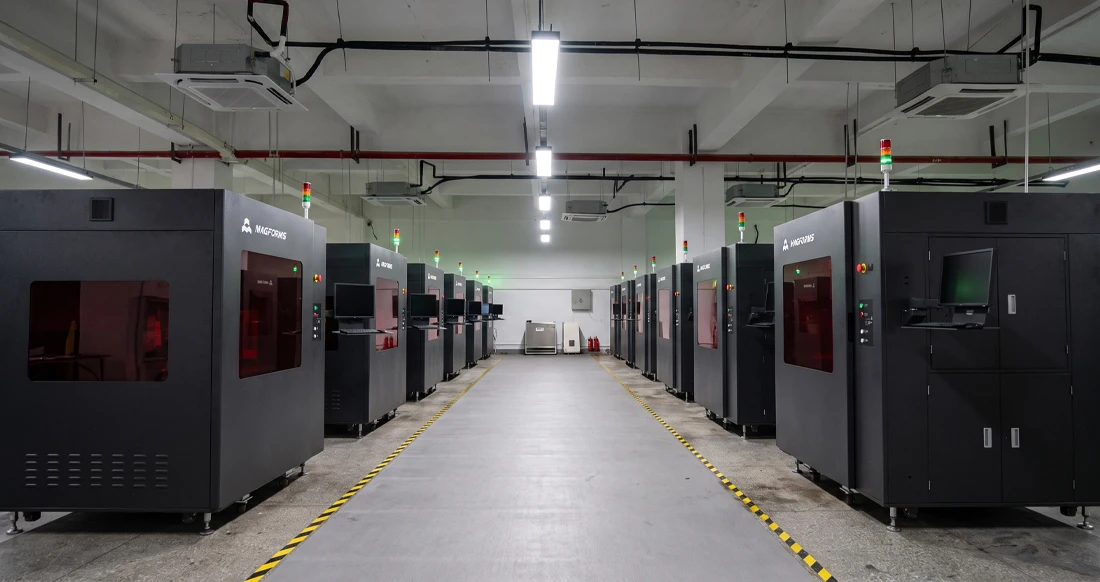
Magforms makes integrated 3D printing systems that combine precise tools with optimized material formulas. These systems are designed to solve the compatibility issues that many budget SLA printer solutions have. By matching our hardware with optimized photopolymer resin formulations, we help reduce the risk of dimensional inconsistencies and unexpected production downtime caused by third-party material mismatches. Our systems are engineered for high-throughput resin processing through optimized LCD exposure control, stable motion architecture, and calibrated resin processing parameters. They also maintain high dimensional consistency and fine surface quality required for aerospace, medical device, and precision tooling applications. Our technical support team has years of experience in the field and can help with everything from training to fixing and preventative maintenance that keeps your equipment running at its best. Whether you're a new design studio or a well-known company looking for a trustworthy budget SLA printer provider, we invite you to learn more about how our tried-and-true solutions combine low costs with high-quality production. Contact us right away at info@magforms.com to talk about your unique needs and get custom sample prints that show what we can do.
References
1. Gibson, I., Rosen, D., & Stucker, B. (2021). Additive Manufacturing Technologies: 3D Printing, Rapid Prototyping, and Direct Digital Manufacturing (3rd ed.). Springer International Publishing.
2. Jacobs, P. F. (2019). Stereolithography and Other RP&M Technologies: From Rapid Prototyping to Rapid Tooling. Society of Manufacturing Engineers.
3.Ligon, S. C., Liska, R., Stampfl, J., Gurr, M., & Mülhaupt, R. (2017). "Polymers for 3D Printing and Customized Additive Manufacturing." Chemical Reviews, 117(15), 10212-10290.
4. Stansbury, J. W., & Idacavage, M. J. (2016). "3D Printing with Polymers: Challenges among Expanding Options and Opportunities." Dental Materials, 32(1), 54-64.
5. Quan, H., Zhang, T., Xu, H., Luo, S., Nie, J., & Zhu, X. (2020). "Photo-Curing 3D Printing Technique and Its Challenges." Bioactive Materials, 5(1), 110-115.
6. Bagheri, A., & Jin, J. (2019). "Photopolymerization in 3D Printing." ACS Applied Polymer Materials, 1(4), 593-611.

Magforms makes design and manufacture easier.
Popular Blogs
-
 Industry InsightsManufacturing Industry
FDM vs. SLA Printer: Which Technology Is Right for Your Project?
-
 Industry InsightsManufacturing Industry
Top 5 Applications of Industrial 3D Printers in Manufacturing Today
-
 Industry InsightsManufacturing Industry
Why Stereolithography 3D Printers Are Unmatched for Microfluidic Device Prototyping?