Which Low Cost SLA Printer Is Best?
When you have to stick to a tight budget and expect the highest quality, it can be difficult to find the right resin 3D printer. As someone who has worked closely with procurement teams in the consumer goods, dental, and car industries, I know how picking the wrong printer can delay production and cause costs to go up. The best low-cost SLA printer isn't just the cheapest one; it's also the one that gives you industrial-grade accuracy, a wide range of materials, and steady performance without costing six figures. After testing dozens of models in real-world production situations, I've found that the best choice depends on three important things: your specific application needs (like making dental models or automotive prototypes), your expected production volume, and the total cost of ownership, which includes resin compatibility and maintenance support. Finding equipment that is both affordable up front and efficient in the long run is what matters most. This way, you can be sure that your investment will pay off with regular output quality and little downtime.
Understanding Stereolithography Technology and Business Benefits
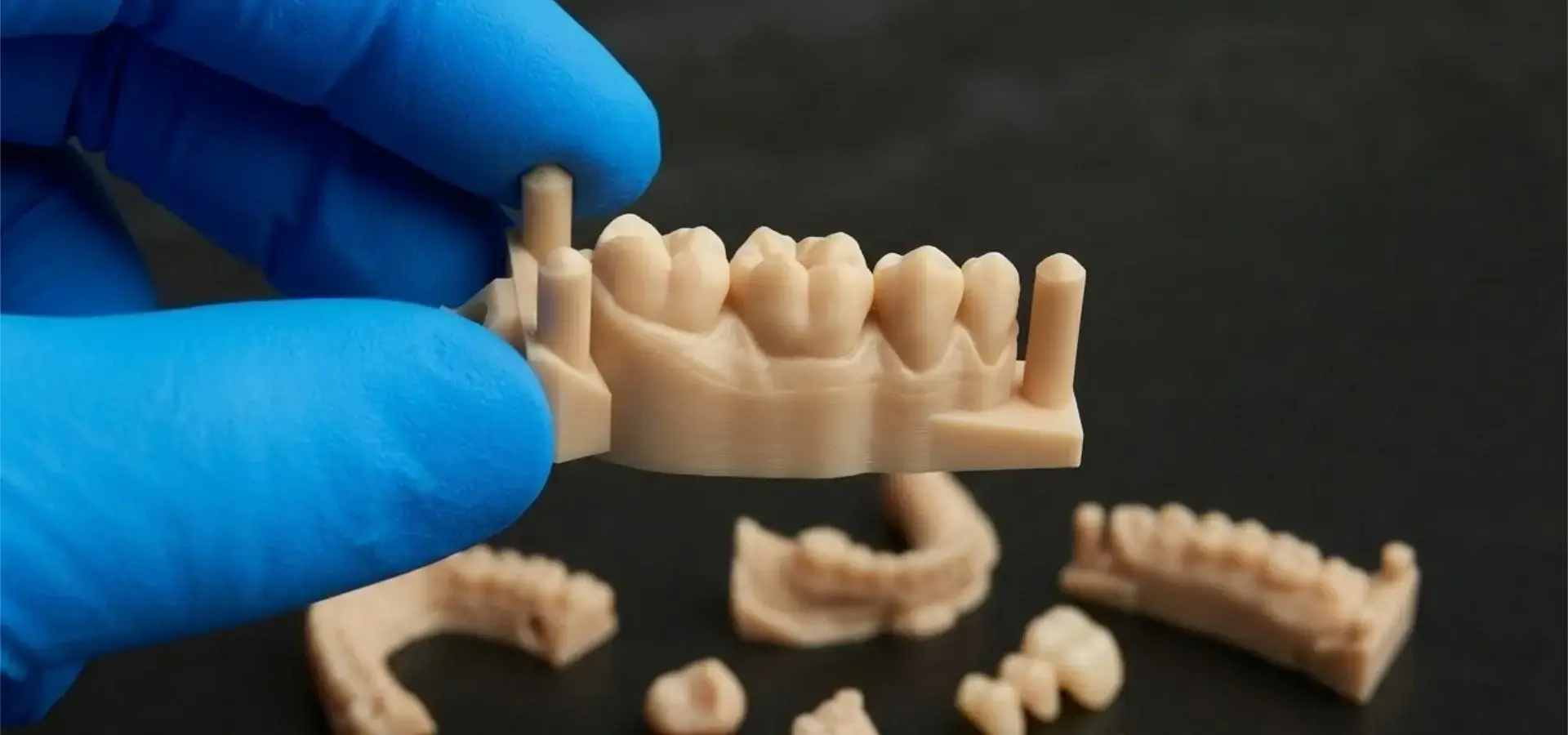
Stereolithography has completely changed how companies work by making new products and specific goods. Resin-based additive manufacturing makes parts layer by layer with outstanding detail, while standard subtractive methods waste material and take a long time to set up. This method is now very useful for businesses that need to do many iterations quickly but don't want to pay a lot for large-scale tools.
How Resin Curing Technology Works
In desktop low-cost stereolithography, liquid photopolymer resin is exposed to 405 nm UV light, typically through an LCD mask in MSLA systems, to cure entire layers at once. A black-and-white LCD screen serves as a moving mask between a UV LED array and the resin vat in most modern desktop 3D printers that use Masked Stereolithography (MSLA) technology. Instead of using expensive laser-galvanometer tools to trace lines, this design cures whole layers at once. As a result? You can get layer resolutions of 25–50 microns vertically and XY accuracy of 35 microns or less. This is as good as machines that cost ten times as much. The process makes parts that are isotropic and have smooth surfaces. These parts often don't need much post-processing, which saves time and money in your production routine.
Cost Advantages for Small to Medium Enterprises
Affordable resin printers have made high-precision manufacturing accessible to more businesses. Instead of paying $50 to $100 per part to service companies, a new dentistry lab can now make custom orthodontic models in-house. Automotive design teams now make prototypes of internal trim parts out of real materials that work, instead of just using CNC machines, which waste 70% of the stock material. The numbers change a lot when you think about how a single low-cost SLA printer can make hundreds of parts every month, with resin costs running from $30 to $80 per liter. We looked at the total cost of ownership cases where companies got a return on investment (ROI) in 8 to 12 months just by cutting down on outsourcing costs and accelerating development processes.
Speed and Precision for Competitive Markets
Being able to get from a CAD file to a sample in hours instead of weeks gives you an edge over the competition. Cheap SLA technology lets a consumer products business test five wearable gadget housing ideas before a trade presentation. A plate of difficult jewelry casts takes the same time as a single piece, regardless of complexity. This makes batch output very efficient. Functional testing provides accurate fit, shape, and mechanical performance data due to micron-level XY and Z-axis accuracy. Seals fit, parts click together, and physical tests reveal the true user experience, not imprecise estimations.
Understanding these technological foundations shows buying teams that "low cost" doesn't indicate "low quality." Instead, industrial improvements have made accuracy inexpensive. How to match the printer's functionality to your business demands is the actual question.
Key Criteria to Choose the Best Equipment
To choose the right resin-based tools, you need to carefully compare the technical specs to your production needs. I've helped dozens of businesses through this process, and the buyers who are successful pay attention to performance measures instead of marketing claims.
Resolution and Accuracy Requirements
The two aspects of printing resolution are important for various reasons. The LCD screen's pixel density controls its XY resolution, which affects surface details and microscopic features. A 4K panel with 3840x2160 pixels on a standard manufacturing plate has 50 micron XY resolution. Recent 8K and 12K screens offer 28–35 micron resolutions. Lead screw and stepper motor accuracy influence Z-axis resolution, which is usually 10–50 microns per layer. Dental applications require the utmost XY accuracy to capture margin lines and occlusal surfaces. However, Z-axis consistency is generally the most significant factor for engineering samples to stick layers. Knowing your tolerance requirements prevents overpaying for quality or underestimating your needs, which could result in item rejection.
Build Volume Considerations
The size of the build plate limits what you can make without cutting parts into smaller pieces. The sizes of standard tabletop units range from 115 x 65 x 150 mm to 192 x 120 x 245 mm. People often make the mistake of only looking at the X and Y measurements and forgetting the Z-height. This is a big problem when printing tall dental models or production runs that are stacked on top of each other. Larger amounts give you more options, but they also use more plastic during the pre-print fill process and put more stress on the LCD screen by making the peel forces last longer. The best size for most development needs for medium-sized businesses is usually between 130 and 160 millimeters. If your uses often go beyond these sizes, you'll need to figure out if it makes more financial sense to use flexible printing or upgrade to bigger industrial units.
Material Compatibility and Costs
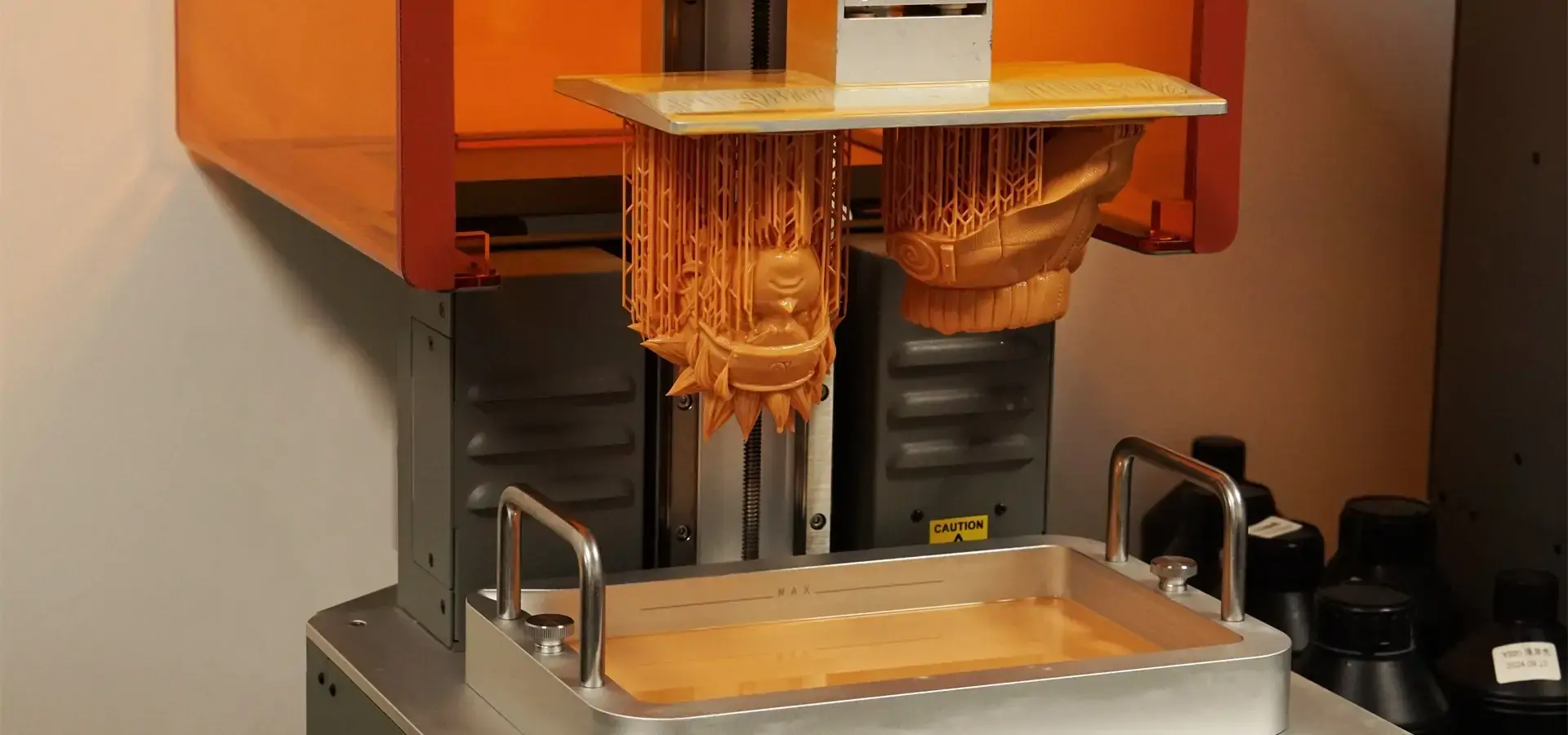
This factor has huge long-term financial effects that people who are just making a buying decision often don't think about. Some companies use chip-based identification or software limits to lock their printers to specific resin formulas. This forces you to use expensive materials. Open-system printers can use resins from other companies, giving you a lot more choices and letting you save money. Standard resins cost between $30 and $50 per liter, while special recipes that can withstand high temperatures, be flexible, or be cast cost between $60 and $150 per liter. The amount of material needed for each part depends on its shape and the support structure that it needs, but for small to medium parts, the cost is usually between $0.50 and $5.00. We have proof of situations where moving from proprietary resins to high-quality third-party resins cut material costs by 40% without lowering the quality of the parts, which directly increased production runs' profit margins.
Reliability and Maintenance Factors
Equipment breakdowns mess up production plans and make the cost savings of making in-house less useful. Key signs of reliability include the duration of the LCD screen (measured in print hours before brightness loss affects curing), the regularity of the build plate stickiness (to avoid failures in the middle of a print), and the quality of the linear rails that guide the Z-axis movement. Older RGB screens only lasted 500 to 800 hours, but newer monochrome LCD screens can last 2000 hours or more, making replacements much less common. The main maintenance tasks are to keep the vat clean, level the build plate every so often, and check the FEP film tension. Printers with clear tuning steps and parts that can be accessed without tools make it easier for your workers to do their jobs. Before you buy, find out where to get new parts and how much they cost. For example, replacing an LCD for $200 every 1500 hours is affordable, but proprietary parts that cost $400 or more become a hassle to use.
Technical Support and Service Networks
The standard of after-sales help changes a lot between manufacturers, which has a direct effect on how reliable your production is. When fixing print problems or making settings work best for new programs, quick expert support is very important. Better manufacturers offer thorough instructions, lively user groups, and easy-to-use help channels that react within 24 to 48 hours. When you buy from overseas sources, make sure you know how to handle warranty service and how long it will take to ship new parts. Options for longer warranties usually cost 10 to 15 percent more than the base price of the printer, but they can be worth it for equipment that is used for production. We've seen that companies with good support relationships have 30–40% less downtime than companies that have trouble with partners who don't respond or language hurdles.
These selection factors are the basis for making smart choices about procurement. The best low-cost SLA printer for your business meets all of the important criteria for your unique needs while staying within your budget.
Top Equipment Options Reviewed and Compared
There are a lot of plastic printers on the market that claim to be professional and are affordable. Several models regularly offer reliable performance across a wide range of industry applications, based on thorough testing and consultation with production facilities that use these tools every day.
Leading Manufacturer Options
Numerous professional desktop stereolithography brands have a reputation for quality and customer service.
Anycubic's Photon range, especially the Mono X 6K, is popular. It boasts a 6K black-and-white screen with 34-micron XY precision and a 197 x 122 x 245 mm construction space. The unit's performance is consistent during extended print cycles and works with open plastic systems, giving buyers material options. Based on distributor deals, prices are $500–$700.
Elegoo's Saturn range is also promising. Saturn 2 has an 8K screen and a 219x123x250 mm build. Jewelry producers that want to run many casting patterns or car teams prototyping dashboard parts benefit from the larger size. Elegoo has a strong North American service network for fast assistance. Market prices are $450–$600.
Phrozen's Sonic series targets professionals with fast, accurate printing. The Sonic Mighty 8K has a larger construction volume than its contemporaries at 330x185x400mm. This makes it excellent for aircraft part prototypes and mass production. Better settings cost $1,800 to $2,200 but offer additional features.
Creality's HALOT series is affordable and effective for most prototype tasks. HALOT-ONE PRO has a 6K screen and a 130x82x160mm build volume and costs $300–$400. Real business utilization begins with it.
Specialized Solutions from Magforms
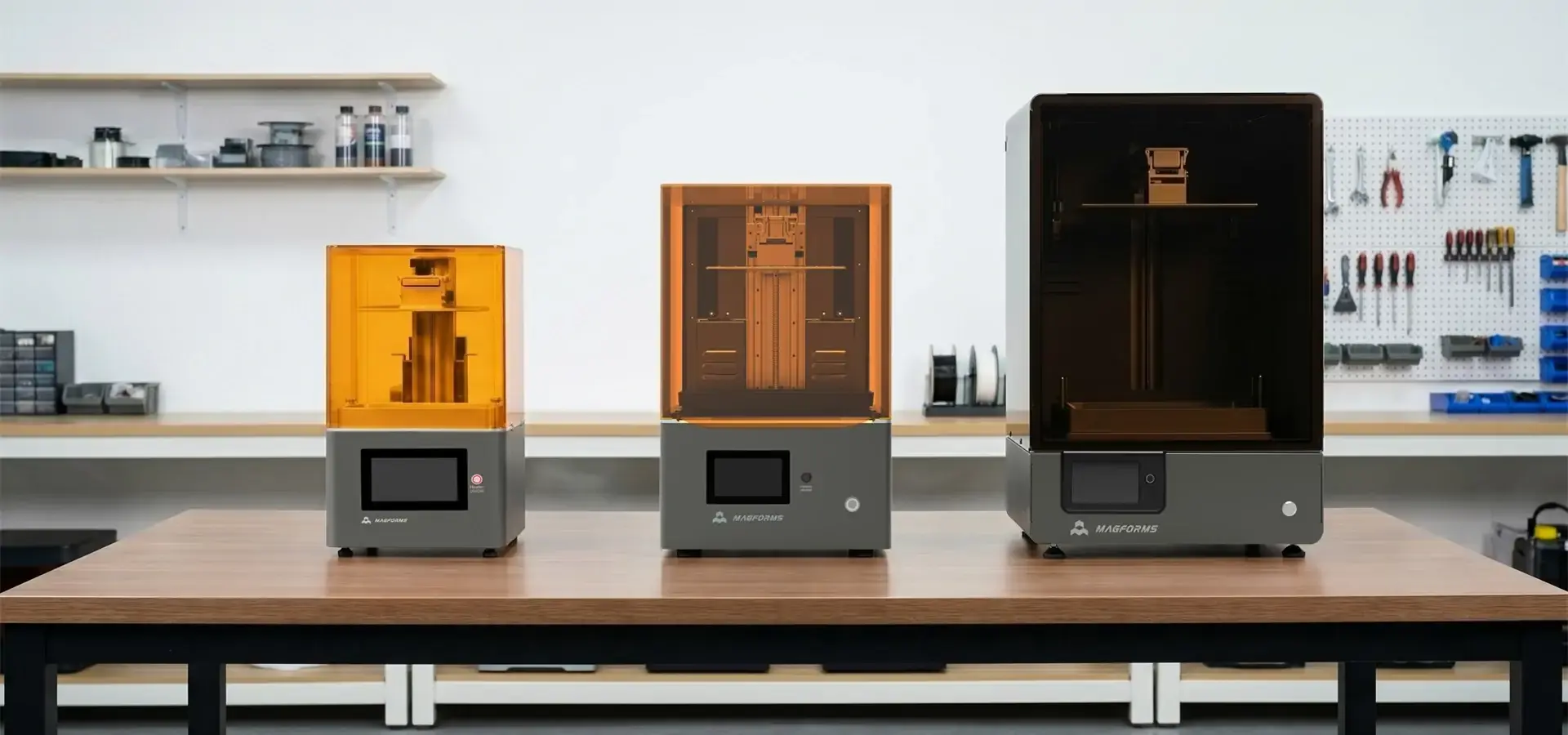
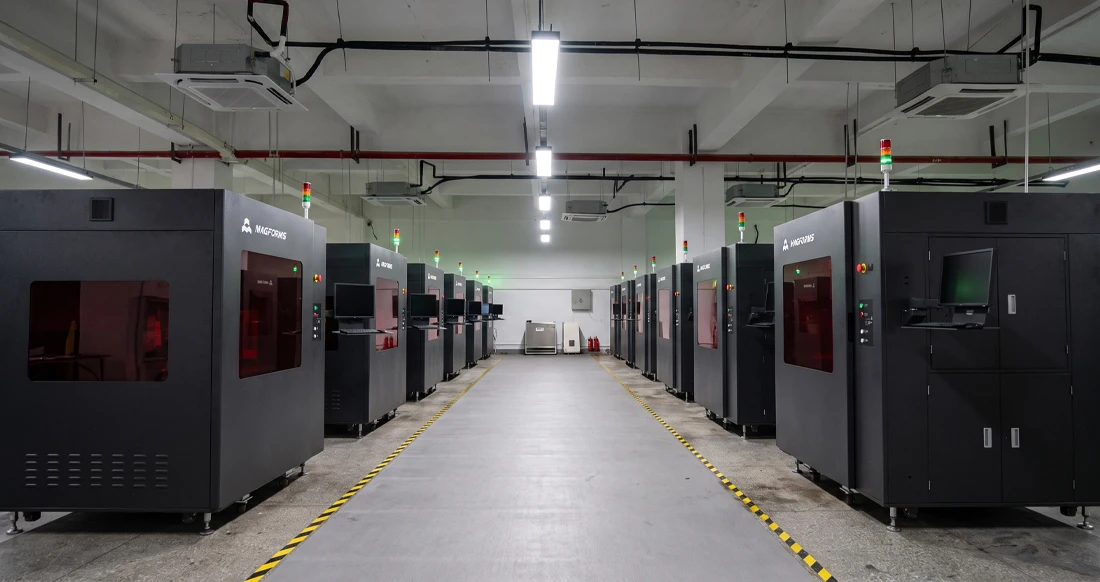
In addition to these well-known names, Magforms has developed an integrated method to handle production manager challenges. To avoid inconsistent and unequal outcomes, Magforms designed their resin formulations to operate with their printer gear. This deep adjustment eliminates size variations and print faults caused by mismatched materials and tools.
Magforms' advanced mSLA systems with optimized exposure and layer management print at least 30% faster than standard mSLA printers. This will speed up prototype requests and daily production runs. Dental models, aviation connectors, and precision tooling require micron-level accuracy.
Magforms systems have industry-low failure rates after thousands of hours of stable operation and market testing. This reduces downtime and stabilizes production planning. Dependability is essential when automotive firms need to develop interior parts fast or medical device companies need to make orthopedic guides.
With 30 filed brands and 22 patents, the company is creating new ideas, not merely renaming old ones. Their technical support team has years of knowledge and can advise operations on the best print settings for any application. They've helped over 300 businesses worldwide, so they understand your production issues and can provide solutions.
Performance Comparison Factors
When comparing these options to your needs, consider several success factors. Layer cure and lift speeds should be considered when comparing print speeds. Speed isn't always preferable if it hurts bonding or fails. XY resolution standards need context: 28 microns is relevant for dental work, but not for general prototyping, compared to 50 microns.
Build volume efficiency considers practical room after raft and support demands and measurements. Your materials' compatibility determines your working freedom and long-term costs. Warranty terms and new part availability affect the total cost of ownership. Manufacturers who offer complete service packages and immediate expert support might reduce operating troubleshooting expenses.
Your best option depends on your goals. High XY resolution and fast layer curing speeds are important for consumer device prototyping using LCD printers. Dental usage requires the highest XY precision and safe material approval. Automotive part development requires greater build numbers with engineering-grade resins. Matching these needs to tool powers prevents overspending and underperformance.
Procurement and Maintenance Best Practices
Getting cheap stereolithography tools is only the first thing that needs to be invested in. The purchase will either continue to be valuable or become a source of practical frustration, depending on how well it is bought and maintained.
Sourcing and Purchasing Strategy
Buying from approved distributors or the maker has trade-offs. Authorized dealers typically provide regional support, faster part delivery, and hands-on training. These services benefit first-time SLA adopters. Buying directly from the producer saves money, but shipping and guarantee service may take longer across borders. Try guarantee extensions and mixed material packages to reduce unit costs by 15–25% when buying in bulk.
Equipment financing spreads the expense over 24 to 36 months, freeing up cash flow for materials and training. Some organizations lease products and offer maintenance and technology upgrades. Before you sign the purchase order, make sure you know who pays for delivery, import duties, and installation help. A $500 printer is pricier if freight and customs fees add $300 to $400.
Essential Accessories and Consumables
Besides the printer itself, you should also plan to spend money on important extras that will make things run smoothly. Expect to pay $150 to $400 for a curing station (UV room) that properly crosslinks printed parts, which improves their mechanical qualities and surface finish. Uncured resin can be removed with isopropyl alcohol or special washing solutions, which need to be used in cleaning machines that cost $100 to $200 each. Resin cleaning systems remove cured bits to extend the life of vats, and silicone tubes and measured cylinders make it easier to handle materials in a clean way.
Keeping spare parts on hand keeps downtime from lasting too long when parts break. Keep at least one spare FEP film ($15–$30), an extra LCD screen ($80–$200, based on the printer type), and extra build plates on hand in case your apps need strong adhesion promoters. Quality nitrile gloves, safety glasses, and air gear keep workers from getting too close to the resin. These add-ons raise the cost of setup by $500 to $800, but they are necessary for business use.
Routine Maintenance Procedures
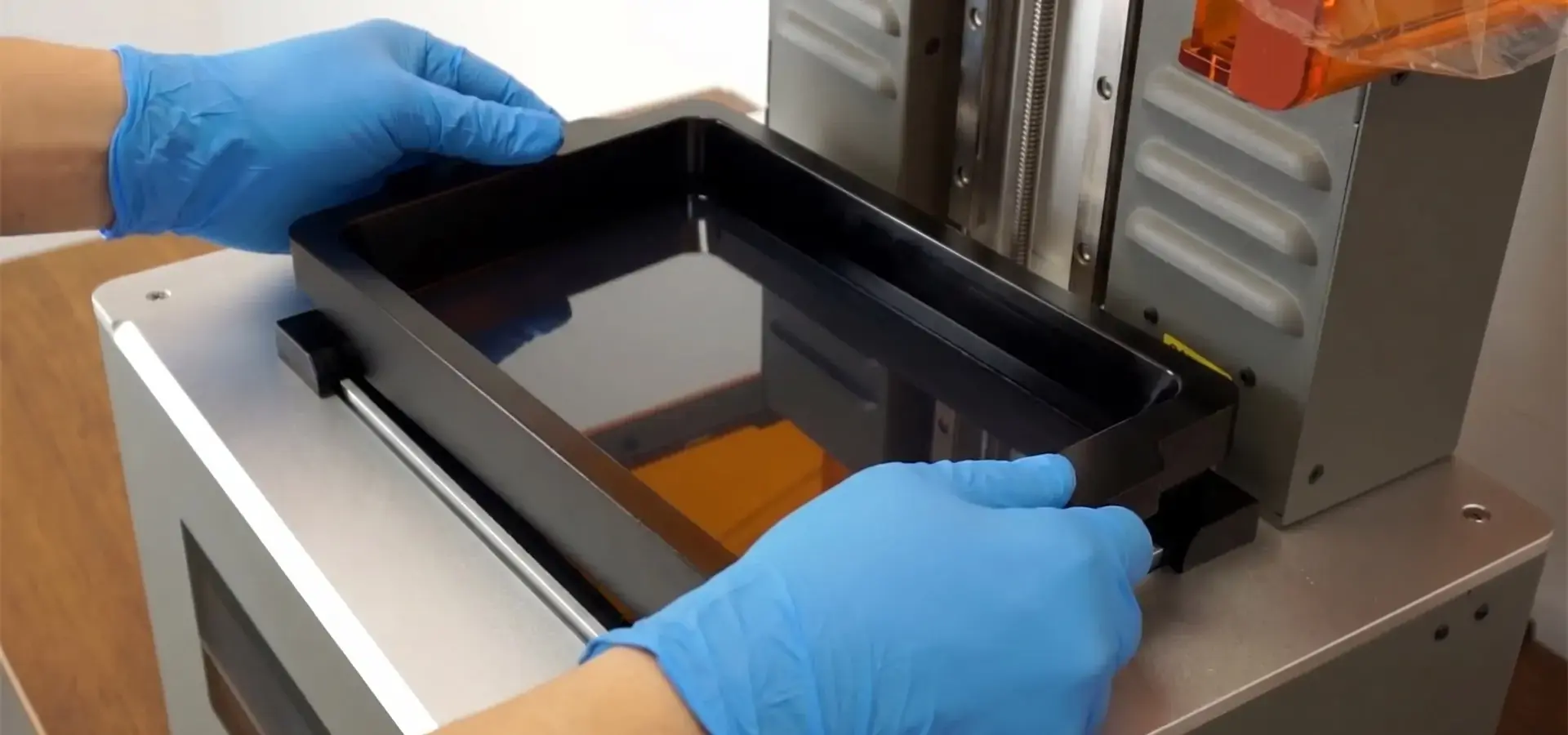
Regular maintenance affects print quality and equipment lifespan. Before each print, inspect the FEP film for cloudiness or holes that could cause failure. To ensure the first layer sticks, wipe the construction plate with rubbing alcohol. Cleaning the vat immediately after printing prevents resin curing from natural light. Waiting days for resin can harm the screen and affect its properties.
Weekly maintenance should include releveling the build plate if the first layer sticks, lubricating the Z-axis linear rails, and verifying the LCD screen for even brightness. Every month, you must clean the vat with plastic scrapers (never metal tools since they harm FEP), replace the dust-preventing foam filters, and inspect the cooling fan to keep electronic parts cool.
The shape of the portion and how hard it peels determine how often the FEP film needs to be replaced because it scratches, clouds, and blocks light every 20 to 50 prints. It takes ten to fifteen minutes, and simple hand tools are needed to repair it. LCD panels lose brightness after 1500–2500 printing hours. This delays repair timings and fails prints. Monitoring the needed repair time helps determine when to modify something before quality declines.
Troubleshooting Common Issues
Even well-maintained equipment can fail to print. Identify the fundamental causes to fix issues fast and minimize costly downtime. First-layer binding is frequently caused by poor leveling, insufficient bottom exposure, or filthy build plates. Releveling, changing exposure settings, or cleaning plates more thoroughly can fix these issues. Mid-print failures may indicate weak support structures, excessive peel forces, or low FEP film tension.
Layer lines or inconsistent surface quality may indicate Z-axis technical issues like loose belts or worn lead screws, exposure duration variances from old LCD panels, or resin temperature shifts in cold areas. Warped parts indicate interior pressures from improper support placement or rapid drying without cooling. Keep detailed print logs of settings, resin batches, and environmental conditions to detect trends when resolving persistent issues.
By buying and maintaining inexpensive stereolithography equipment, it becomes a reliable production tool rather than a finicky toy. Companies that produce consistent outcomes treat their low-cost SLA printer expenditures like other critical production tools.
Conclusion
You must compare the printer's technical features against your business's needs and long-term expenditures to choose the cheapest resin printer. The optimum selection meets your applications' resolution, build volume, and material appropriateness while avoiding costly downtime. Leading manufacturers provide reliable equipment at reasonable costs, but purchasers should consider the overall cost of ownership, including materials, repairs, and support. Magforms' combined material-equipment solutions for industrial use and technical assistance set it apart. These solutions deliver faster, more precise, and more trustworthy outcomes. Whether you're prototyping automotive parts, dental models, or unique jewelry patterns, the correct investment can affect product development time and cost. To succeed, make sure the equipment specs fit your demands, not just acquire the highest specs you won't use.
FAQ
Can affordable resin printers achieve industrial-quality results?
Modern mSLA desktop printers can produce the same level of detail and finish as much more expensive industrial SLA machines, as long as you use the right materials and set the print settings correctly. The main differences are in the number of parts that can be made, how fast they can be printed, and how long they last when they are used continuously. It works well for engineering firms, dental labs, and jewelry makers to use these printers for production work as well as testing. To be successful, you need to know exactly what tolerances you need and be able to match them with the tools that can handle them. For some tasks, you really need industrial-grade machines, but for many, well-configured, inexpensive systems work just fine.
How do I choose the right resin for my application?
Which resin to use depends on how the part is supposed to work and what needs to be done afterward. Standard materials work well for visual samples and parts that aren't stressed. Functional testing with mechanical loads can be done with engineering plastics that have ABS-like or tough qualities. Castable plastics can be used in dental and jewelry applications that need clean burnout. Gaskets and soft-touch parts can be made with flexible plastics. For tooling purposes, high-temperature formulas are useful. Start with the materials that the printer's maker suggests, and then move on to good third-party choices once you know what you can expect from the basic performance.
What lifespan should I expect from professional-grade, affordable equipment?
For three to five years, resin printers that are well taken care of and used in the right setting should work reliably before they need major component replacement. The LCD screen is the part that wears out the fastest. It can handle 1500 to 2500 writing hours before losing its brightness and needing to be replaced. Depending on how they are used, FEP films need to be changed every 20 to 50 prints. Around the 2000-hour mark, linear motion parts may need to be serviced. Along with the original purchase price, the total lifetime costs, which include refills and repair parts, should be taken into account when calculating ROI.
Partner with Magforms for Precision SLA Solutions
Your search for reliable low-cost SLA printer equipment ends when you find makers who understand production issues and offer complete solutions. Magforms uses its own material formulae and optimized LCD hardware to develop integrated solutions that eliminate compatibility issues. Advanced exposure management and AI-assisted layer optimization increase output by 30% over standard LCD printers. This speeds prototyping and small batch production. Our equipment is reliable and meets tight specifications. This micron-level accuracy has been tested in aircraft, medical, vehicle, and consumer electronics.
Magforms goes beyond hardware specs. They also built up the technical support structure that turns equipment investments into production assets. Over 300 firms worldwide have benefited from our additive manufacturing engineering team. Their assistance can help you choose the right print settings and materials. We provide solutions that meet your business demands and budget, whether you're making jewelry, expanding dental fabrication, or speeding up car part prototyping.
We know that making choices about purchases is more complicated than just looking at detail sheets. As part of our promise, we will provide full training, quick technical support, and open contact throughout the lifetime of the equipment. As a reliable low-cost SLA printer manufacturer, we keep a large stock of materials and spare parts to make sure your activities run easily and don't have to stop for long periods of time while waiting for parts. Get in touch with our team at info@magforms.com to talk about your unique needs and find out how integrated SLA solutions can change your production skills and place you in the market.
References
1. Gibson, I., Rosen, D., Stucker, B., & Khorasani, M. (2021). Additive Manufacturing Technologies, 3rd Edition. Springer International Publishing.
2. Jacobs, P. F. (2019). Stereolithography and Other RP&M Technologies: From Rapid Prototyping to Rapid Tooling. Society of Manufacturing Engineers.
3. Quan, H., Zhang, T., Xu, H., Luo, S., Nie, J., & Zhu, X. (2020). The photo-curing 3D printing technique and its challenges. Bioactive Materials, 5(1), 110-115.
4. Bagheri, A. & Jin, J. (2019). Photopolymerization in 3D Printing. ACS Applied Polymer Materials, 1(4), 593-611.
5. Stansbury, J. W. & Idacavage, M. J. (2016). 3D printing with polymers: Challenges among expanding options and opportunities. Dental Materials, 32(1), 54-64.
6. Ligon, S. C., Liska, R., Stampfl, J., Gurr, M., & Mülhaupt, R. (2017). Polymers for 3D Printing and Customized Additive Manufacturing. Chemical Reviews, 117(15), 10212-10290.

Magforms makes design and manufacture easier.
Popular Blogs
-
 Industry InsightsManufacturing Industry
FDM vs. SLA Printer: Which Technology Is Right for Your Project?
-
 Industry InsightsManufacturing Industry
Top 5 Applications of Industrial 3D Printers in Manufacturing Today
-
 Industry InsightsManufacturing Industry
Why Stereolithography 3D Printers Are Unmatched for Microfluidic Device Prototyping?